IPVanish VPN DEALS
This page contains affiliate links. If you purchase a VPN through our links we may earn a commission at no extra cost to you. This never influences our reviews or rankings.

IPVanish
IPVanish is my second-ranked VPN: 93% speed retention in my tests, unlimited devices, 3650+ servers on a rebuilt 50Gbps network and a Next Gen Antivirus on the Complete and Advanced plans. Essential is just $2.19/mo for the first 2 years.
- 93% speed retention
- Unlimited devices
- 3650+ servers in 150+ locations
- Next Gen Antivirus
- 3 GB eSIM data gift
- 93% speed retention in my tests
- Unlimited simultaneous devices
- 3650+ servers and 56000+ shared IPs
- Threat Protection included on Essential
- Twice-audited no-logs policy
- Live 24/7 chat on every plan
- Great Fire TV and Apple TV apps
- US jurisdiction in the Five Eyes
- Renewals jump to $99.99 or more per year
- Antivirus is desktop only
- No port forwarding
- Only part of the network is RAM-only
IPVanish is a strong fit if you want fast everyday performance and one subscription for a house full of devices. In my testing it kept 93% of my baseline speed, second only to Surfshark One in my current results. Every plan still includes unlimited simultaneous connections, and the early Black Friday deal brings Essential down to $2.19/mo.
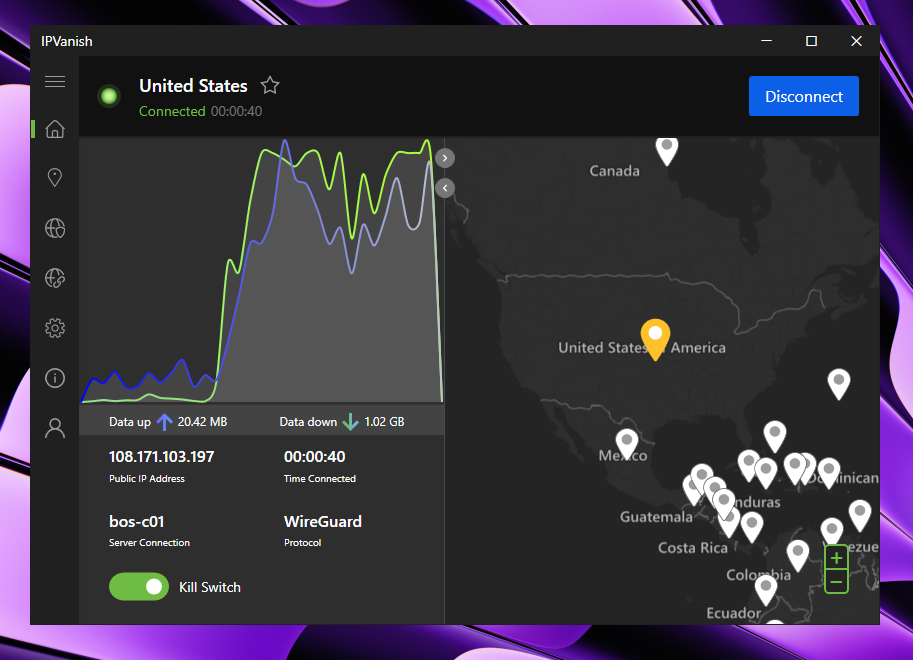
2026 has also been its busiest year in a long time. IPVanish rebuilt its network around 3,650+ servers in 150+ locations with 50Gbps ports and 56,000+ shared IP addresses. It also launched a Next Gen Antivirus powered by VIPRE and moved to three plans: Essential, Complete and Advanced.
I’ve tested IPVanish on my own devices and covered it in videos on All Things VPN and VPNR. This update covers the current deal, the new features, the rebuilt network, my speed results, streaming and privacy. I’ll also tell you exactly which plan I’d pick in your shoes, and where Surfshark One is the better buy.
Deals verified October 31, 2026: Essential is $2.19/mo on the 2-year plan, which is $52.56 upfront for 24 months, with 85% OFF and a free 3 GB eSIM data gift. This is an early Black Friday deal: Black Friday lands on Friday, November 27, and Cyber Monday on November 30. The price has matched last year’s Black Friday low since October 15, so I wouldn’t wait for a deeper cut.
Pick Essential if you only need the VPN. Step up to Complete ($2.79/mo) or Advanced ($3.29/mo) only if you’ll actually use the antivirus and extra tools. Both are also 2-year prices, billed upfront.
What’s new in this October 31, 2026 update: I re-verified the early Black Friday deal, which is now listed at 85% OFF, and rewrote my IPVanish vs Surfshark One section around Surfshark One’s new $2.49/mo price. The October changes still stand: the three-tier plan lineup, Next Gen Antivirus on Complete and Advanced, and 3,650+ servers with 56,000+ shared IPs. I’ve also kept the confirmed renewal prices, the stronger Apple TV app and the Fire TV app for Vega OS.
IPVanish at a Glance
| Category | My finding |
|---|---|
| Speed retention (my tests) | ~93%, my second fastest VPN after Surfshark One (~96%) |
| Server network | 3,650+ servers in 150+ locations, self-owned, 56,000+ shared IP addresses, WireGuard powered |
| Simultaneous connections | Unlimited, on every plan |
| Plans | Essential, Complete and Advanced |
| Best deal right now | Essential at $2.19/mo on the 2-year plan ($52.56 for 24 months), 85% OFF + 3 GB eSIM data gift |
| Renewal prices (per year) | Essential $99.99, Complete $109.99, Advanced $129.99 |
| Antivirus | Next Gen Antivirus on Windows and macOS (Complete and Advanced) |
| Protocols | WireGuard, OpenVPN (UDP and TCP) and IKEv2, with AES-256 encryption |
| No-logs audits | Leviathan Security Group (2022) and Schellman (2025) |
| Jurisdiction and owner | New York, United States (Five Eyes), owned by Ziff Davis since 2019 |
| Support | 24/7 live chat on every plan, phone support on Complete and Advanced |
| Money-back guarantee | 30 days on yearly and 2-year plans, monthly plans excluded |
What I liked
- 93% speed retention: one of the fastest VPNs I’ve tested, only behind Surfshark One.
- Unlimited simultaneous connections: ideal for households with lots of phones, laptops and streaming sticks.
- 3,650+ self-owned servers: rebuilt in 2026 with 50Gbps ports and 56,000+ shared IP addresses.
- A real antivirus now: scans, quarantine, ransomware and exploit protection, powered by VIPRE.
- Independent no-logs audits: Leviathan in 2022 and Schellman in 2025, plus quarterly transparency reports.
- Great TV apps: Fire TV (including Vega OS) and Apple TV with WireGuard, OpenVPN and IKEv2.
- Phone support: rare among VPNs, included on Complete and Advanced.
What I didn’t like
- US jurisdiction and a 2016 logging incident: important context for a privacy product.
- Steep renewals: $99.99, $109.99 and $129.99 per year after the first 2 years.
- Antivirus is desktop only: no antivirus on Android or iOS.
- Only part of the network is RAM-only: 568 diskless servers so far.
- No port forwarding and no browser extensions: a drawback for heavy seeders and Chrome users.
What’s New with IPVanish in 2026
IPVanish shipped more in 2026 than in the previous few years combined. It also has a new look and a new tagline, “Control your digital world.” That tells you where it’s heading: from a plain VPN to a broader privacy and security suite.
| Date (2026) | Change | What it means for you |
|---|---|---|
| 31 October | Early Black Friday deal re-verified | Essential still $2.19/mo on the 2-year plan, now listed at 85% OFF with the 3 GB eSIM data gift |
| 27 October | Lineup update | Essential, Complete and Advanced, Next Gen Antivirus on the top two tiers, 3,650+ servers and 56,000+ shared IPs |
| 15 October | Early Black Friday sale | Essential drops to $2.19/mo, Complete to $2.79/mo and Advanced to $3.29/mo on 2-year plans |
| 7 October | Antivirus, three-tier plans and rebrand | VIPRE-powered antivirus in the Windows and macOS app, plus the new Complete tier |
| 15 September | Network rebuild completed | 50Gbps ports on every server, direct peering at 40+ internet exchanges, two data centers per major city |
| 2026 | OpenVPN Data Channel Offload on Windows | IPVanish says OpenVPN connections can be almost 3x faster |
| 2026 | Apple TV protocol upgrade | WireGuard and OpenVPN with Scramble added alongside IKEv2 |
| May | Fire TV Vega OS app | A dedicated app for Amazon’s new Fire TV operating system |
| 30 March | Threat Protection Pro | Always-on malware and phishing protection on Windows and macOS, the foundation for the new antivirus |
IPVanish Plans and Pricing: Essential, Complete and Advanced
IPVanish now sells three subscription tiers. Unlimited simultaneous VPN connections come with every plan, so you’re really choosing how much extra security you want on top of the VPN. Threat Protection is included even on the cheapest Essential plan.
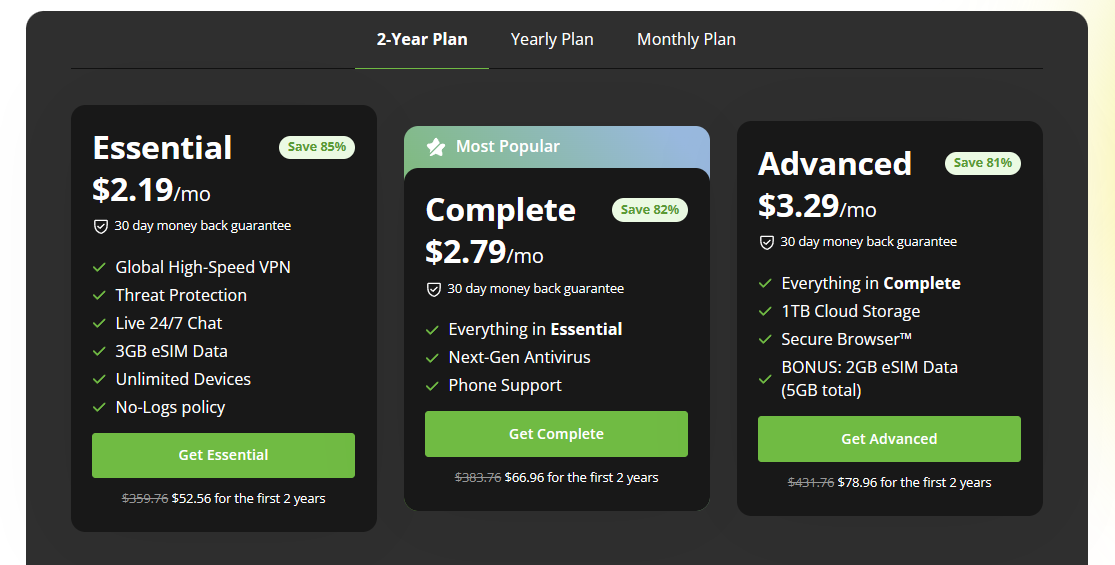
The current early Black Friday prices apply to 2-year plans only. Taxes may be added at checkout depending on where you live. Here’s how the three plans compare right now:
| Plan | 2-year price | Billed upfront | Renewal (per year) | What you get |
|---|---|---|---|---|
| Essential (my pick) | $2.19/mo | $52.56 | $99.99 | Fast VPN, unlimited devices, Threat Protection, no-logs policy, 24/7 live chat, 3 GB eSIM data |
| Complete | $2.79/mo | $66.96 | $109.99 | Everything in Essential plus Next Gen Antivirus (Windows and macOS), phone support and 3 GB eSIM data |
| Advanced | $3.29/mo | $78.96 | $129.99 | Everything in Complete plus 1TB encrypted cloud backup, Secure Browser and 5 GB eSIM data in total |
Before the sale, from October 3 to 14, the same plans cost $2.39, $3.09 and $3.59 per month. So Essential buyers save $4.80 today, and Complete and Advanced buyers save $7.20. That’s a modest cut, but it adds up across a whole household of devices.
To be fair, these prices match IPVanish’s 2025 Black Friday prices for Essential and Advanced. So it’s a return to last year’s low rather than a new record. The plans now include more, though: unlimited devices on Essential, and antivirus plus phone support on the higher tiers.
The renewal is the real catch. $99.99 per year works out to about $8.33/mo for Essential, $9.17/mo for Complete and $10.83/mo for Advanced. That’s several times the intro price, so plan ahead for year three.
Renewals, refunds and trial
- Renewal: the sale price covers the first 2 years only, then annual renewals are $99.99 (Essential), $109.99 (Complete) and $129.99 (Advanced).
- Monthly plans: around $14.99/month for Essential, not part of the sale and not covered by the money-back guarantee.
- Money-back guarantee: 30 days on yearly and 2-year plans bought directly. App Store purchases follow Apple’s refund rules.
- Free trial: 7 days when you sign up through the iOS or Android app stores, with payment details required.
- Payment methods: Visa, Mastercard, American Express, PayPal and Google Pay. Taxes are added at checkout.
Before you pay: check the total due today and the renewal price after the first term. On Complete or Advanced, also check how many computers the antivirus covers. Unlimited VPN connections don’t automatically mean unlimited antivirus installs.
The 2-year deal is prepaid, not billed monthly, even though it’s advertised with a monthly equivalent. Set a reminder before renewal and compare your options then. For a step-by-step checkout walkthrough, see my IPVanish coupon page.
Early Black Friday deal: IPVanish Essential is 85% OFF at $2.19/mo on the 2-year plan, just $52.56 upfront, plus a 3 GB eSIM data gift and unlimited devices. The 30-day money-back guarantee lets you try it risk free. Claim the IPVanish deal here.
3,650+ Servers and the Rebuilt Network
IPVanish now runs 3,650+ servers in 150+ locations with 56,000+ shared IP addresses. It owns and operates the servers instead of renting from server farms. That matters to me as a security professional, because fewer third parties touch the hardware your traffic runs through.
In September 2026, IPVanish finished a two-year, ground-up rebuild of that network. IPVanish says it improves speeds during peak hours in particular. Here’s what changed:
- 50Gbps ports on every server: five times the old 10Gbps ports, so busy servers have far more headroom at peak times.
- Direct peering at 40+ internet exchanges: shorter, more direct routes to the services you use.
- Two independent data centers in every major city: each with a separate provider, so one outage doesn’t take a location down.
- NFTables instead of IPTables: leaner traffic processing on each server.
- 56,000+ shared IP addresses: a large pool that helps with blocks and blacklists.
About the 41% claim: IPVanish says the rebuild delivers 41% higher per-server throughput at peak times. That’s the company’s own figure, and I haven’t seen independent tests of it yet. I’ll keep retesting and update my numbers here.
Locations and RAM-only servers
Coverage is strongest in North America and Europe, and thinner in Africa and parts of Asia. Independent counts put the country total at roughly 100 to 113, because some of the 150+ locations are virtual. IPVanish labels which ones are physical, so check before you rely on one.
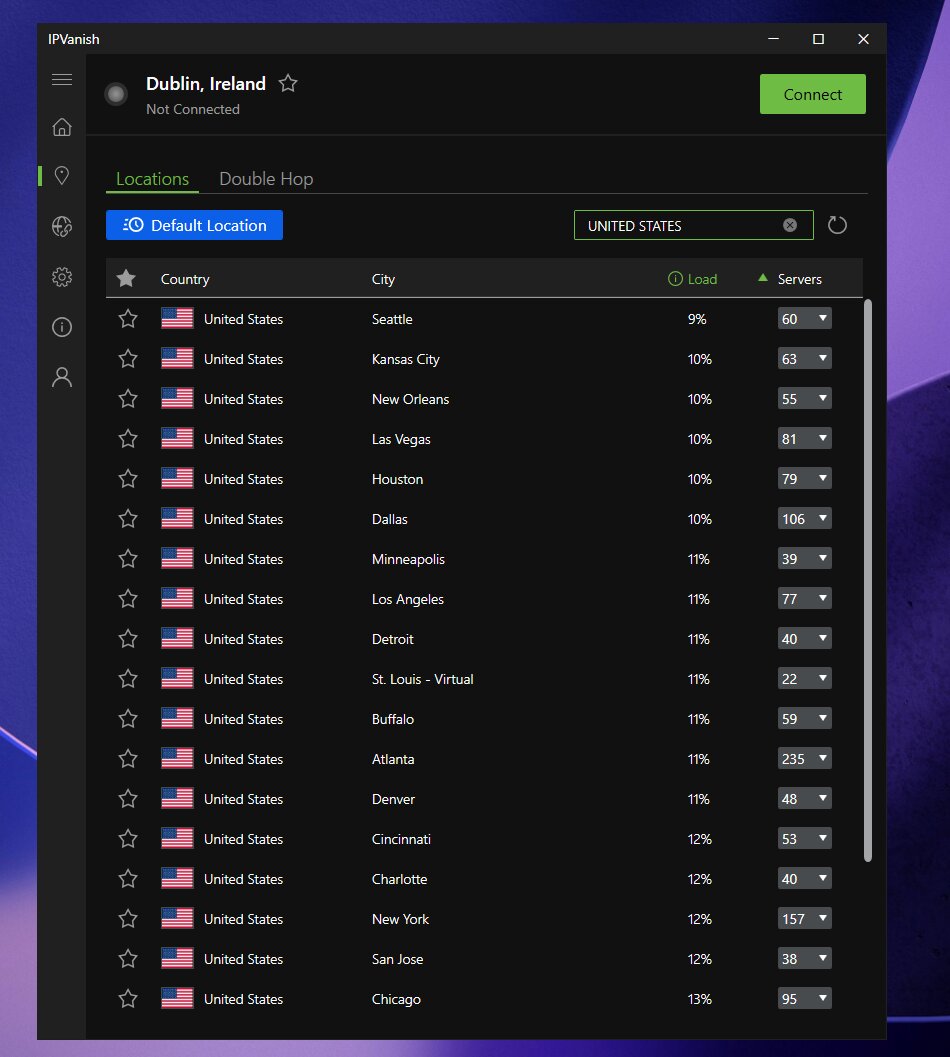
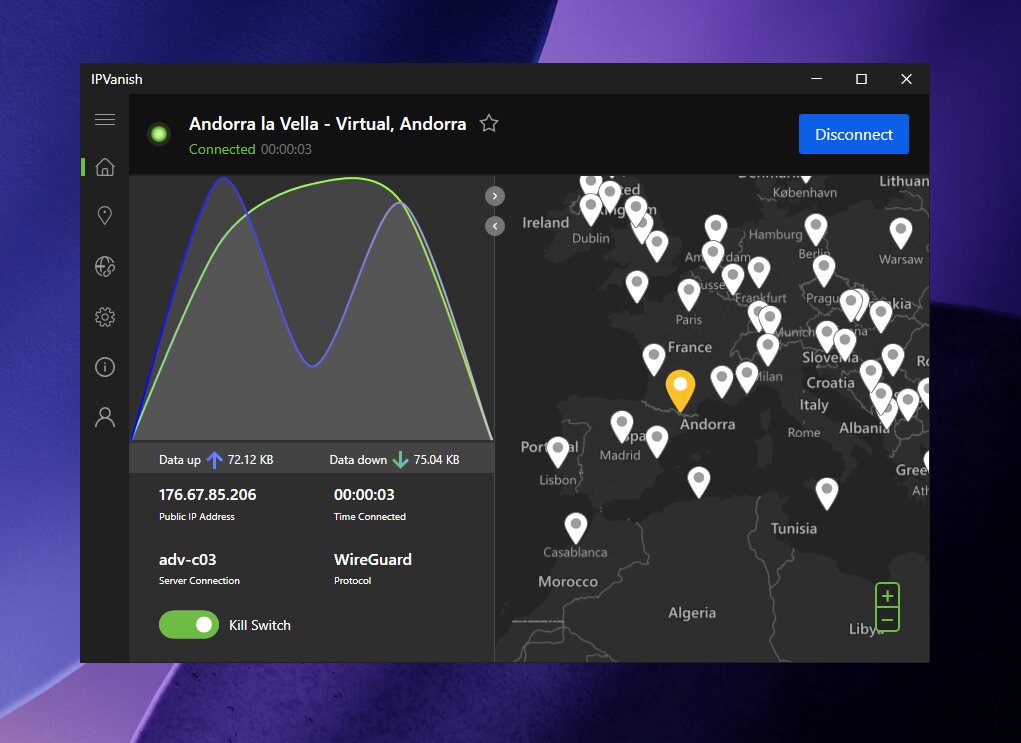
IPVanish also has 568 RAM-only servers across 19 locations, which you can filter in the Locations tab. Diskless servers wipe data on every reboot. The rest of the network isn’t RAM-only yet, so this is still a work in progress.
IPVanish Next Gen Antivirus (Powered by VIPRE)
The Next Gen Antivirus is the biggest security upgrade IPVanish has shipped in years. It launched on October 7, 2026 inside the Windows and macOS apps on the Complete and Advanced plans. It’s powered by VIPRE, which sits under the same parent company as IPVanish (Ziff Davis).
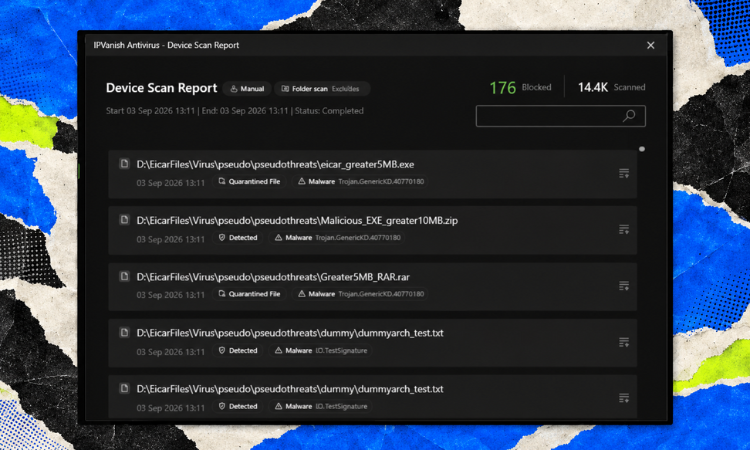
You manage scans, real-time protection and web filtering from the same app where you pick a VPN server. It’s the next step after Threat Protection Pro, which was mainly a web and download filter. Existing Threat Protection Pro users get the antivirus automatically.
The three layers of protection
| Protection layer | What it includes | When it helps |
|---|---|---|
| Device scanning | On-demand scans, scheduled background scans, external drives, quarantine | Finding threats already on your system |
| Active (real-time) protection | Download monitoring, AI-driven detection, behavioral analysis, ransomware and exploit defenses | Stopping attacks while they happen |
| Web protection | Malicious site and phishing blocking, ad and tracker blocking, works even with the VPN off | Stopping threats before they reach your disk |
As a cybersecurity professional, the layer I value most is behavioral detection. A lot of modern malware is brand new, so signature matching alone misses it. Watching what a process actually does, like suddenly encrypting hundreds of documents, catches threats a signature database can’t.
I also like that external drives are included in scans. USB sticks are still a classic infection route, especially in shared homes and offices. It’s a small detail that many bundled antivirus tools skip.
VIPRE’s lab results
In AV-Comparatives’ March 2026 Malware Protection Test, the VIPRE engine scored a 99.91% protection rate against 10,000 recent malware samples. It also earned the lab’s top Advanced+ award. The same engine already powered IPVanish’s Link Checker and Threat Protection Pro.
Read these numbers carefully: the product AV-Comparatives tested was VIPRE’s own Windows product, not IPVanish’s antivirus itself. Sharing the engine is a very good sign. It doesn’t guarantee identical results inside a different app or on macOS, though.
Why a VPN alone isn’t enough
A VPN encrypts your connection and hides your IP address, while an antivirus inspects files and processes on your device. They solve different problems. If you download an infected file through a VPN tunnel, it arrives encrypted in transit and fully infected on your disk.
| Threat or task | VPN | Antivirus |
|---|---|---|
| Hiding your IP address | Yes | No |
| Encrypting traffic on public Wi-Fi | Yes | No |
| Detecting an infected download | No | Yes |
| Blocking ransomware encrypting your files | No | Yes |
| Scanning an infected USB drive | No | Yes |
| Blocking malicious websites and trackers | Partly (Threat Protection) | Yes |
| IPVanish Complete or Advanced | Yes | Yes |
How to start using the IPVanish antivirus
Pick Complete or Advanced
Complete is the cheapest plan with antivirus, at $2.79/mo on the 2-year deal. If you already had Threat Protection Pro, you’re covered automatically. Essential doesn’t include the antivirus.
Remove any other real-time antivirus
Two real-time engines on one computer can cause conflicts and slowdowns. Decide which one you want to keep first. Then uninstall the other one completely.
Install or update the IPVanish app
Get the latest IPVanish app for Windows or macOS and sign in. The antivirus lives inside the same app as the VPN. There’s no separate download.
Run a full first scan
Start with a full system scan. Plug in the external drives you use regularly so they get checked too. Review anything sent to quarantine before deleting it.
Schedule scans and keep real-time protection on
Set a weekly scheduled scan, ideally at a time you’re not using the computer. Leave active protection enabled. It keeps working even when you disconnect the VPN.
Antivirus is not a backup. No security tool is perfect, so keep separate, recoverable backups of your important files. Keep your system updated, and use strong unique passwords with two-factor authentication.
IPVanish Speed Test: 93% Speed Retention
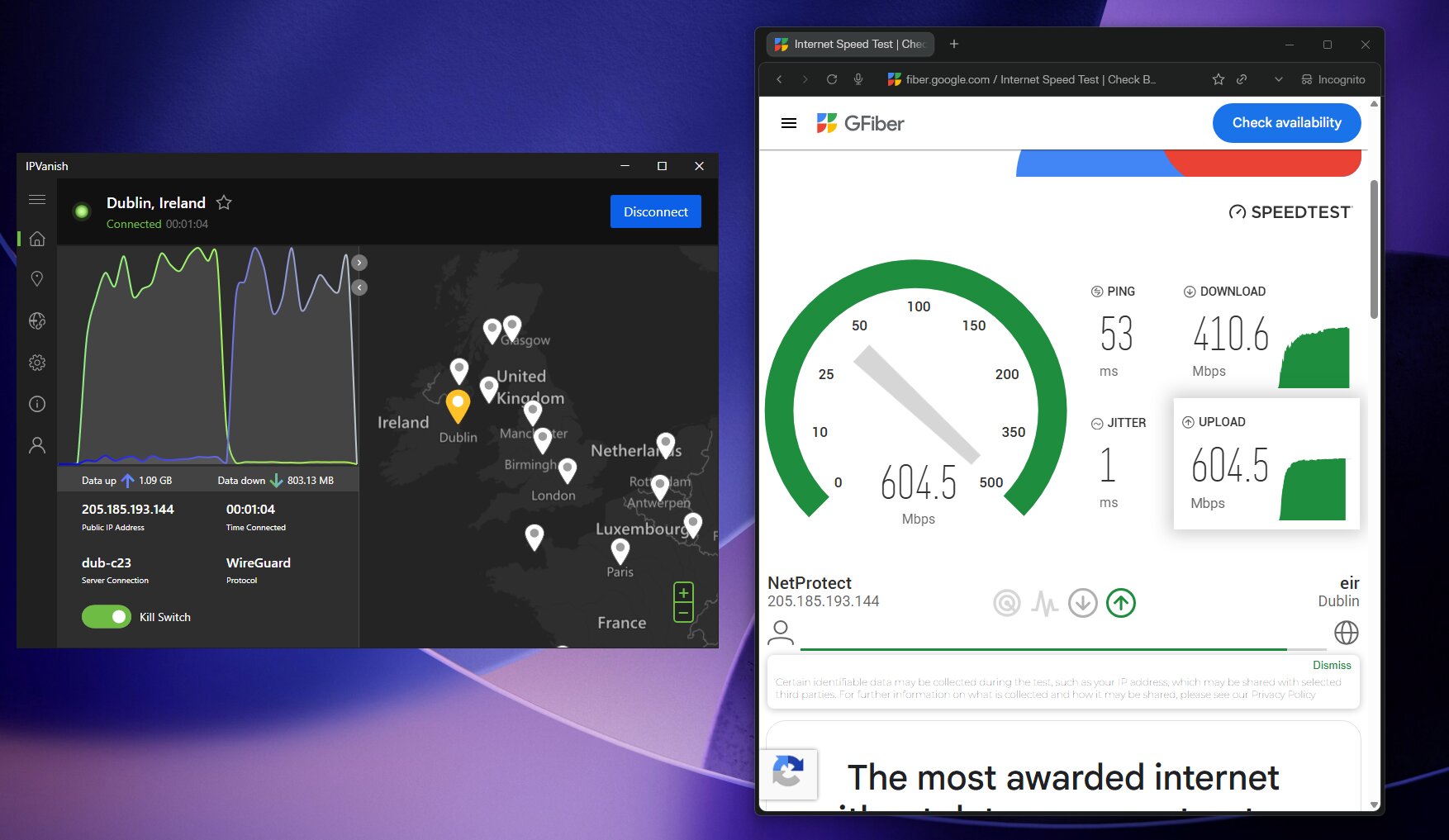
IPVanish kept about 93% of my baseline speed in my testing. That’s a 7% reduction with the VPN connected, and it makes IPVanish the second fastest VPN in my current results. Only Surfshark One did better, at around 96%.
| VPN | Speed retention in my tests |
|---|---|
| Surfshark One | ~96% (fastest) |
| IPVanish | ~93% |
| Proton VPN | ~92% |
| NordVPN | ~91% |
| ExpressVPN | ~91% |
| VeePN | ~88% |
Here’s what 93% looks like on common connection speeds. These are illustrative calculations, not extra measured tests. They show why a 7% drop rarely matters on a decent connection.
| Speed without the VPN | Speed at 93% retention | Reduction |
|---|---|---|
| 100 Mbps | 93 Mbps | 7 Mbps |
| 300 Mbps | 279 Mbps | 21 Mbps |
| 500 Mbps | 465 Mbps | 35 Mbps |
| 1,000 Mbps | 930 Mbps | 70 Mbps |
How retention is calculated: VPN-connected speed ÷ speed without the VPN × 100. For example, 465 ÷ 500 × 100 = 93%. Your results depend on your connection, device, protocol and distance to the server.
What this means for everyday use
- Streaming: keeping 93% of a healthy connection leaves plenty of headroom for 4K video on several devices at once.
- Downloads: a bandwidth-limited download takes roughly 7.5% longer than without the VPN.
- Gaming: ping matters more than raw speed. Local latency is low, and the Gaming Booster feature helps.
- Antivirus overhead: the antivirus runs on your computer, not in the tunnel. A full scan uses some CPU, so I schedule mine for off-hours.
How to get the best speed from IPVanish
- Use WireGuard wherever your app supports it. It’s the fastest protocol for streaming and gaming.
- On Windows, try OpenVPN with Data Channel Offload if you need OpenVPN. IPVanish says it’s almost 3x faster than before.
- Connect to a nearby server and try another location if one feels slow.
- Expect slower results on Double Hop and long-distance routes.
Streaming with IPVanish
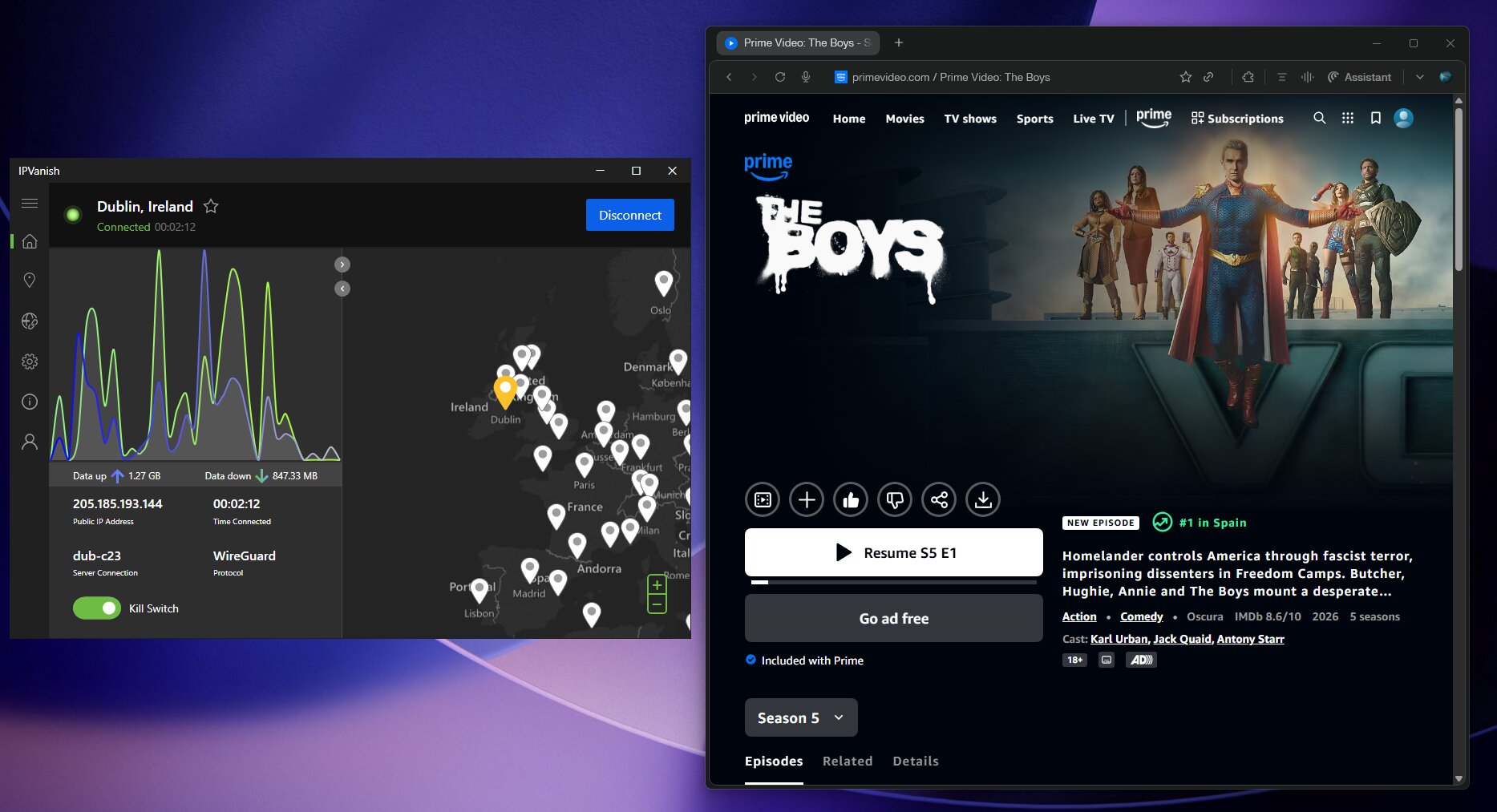
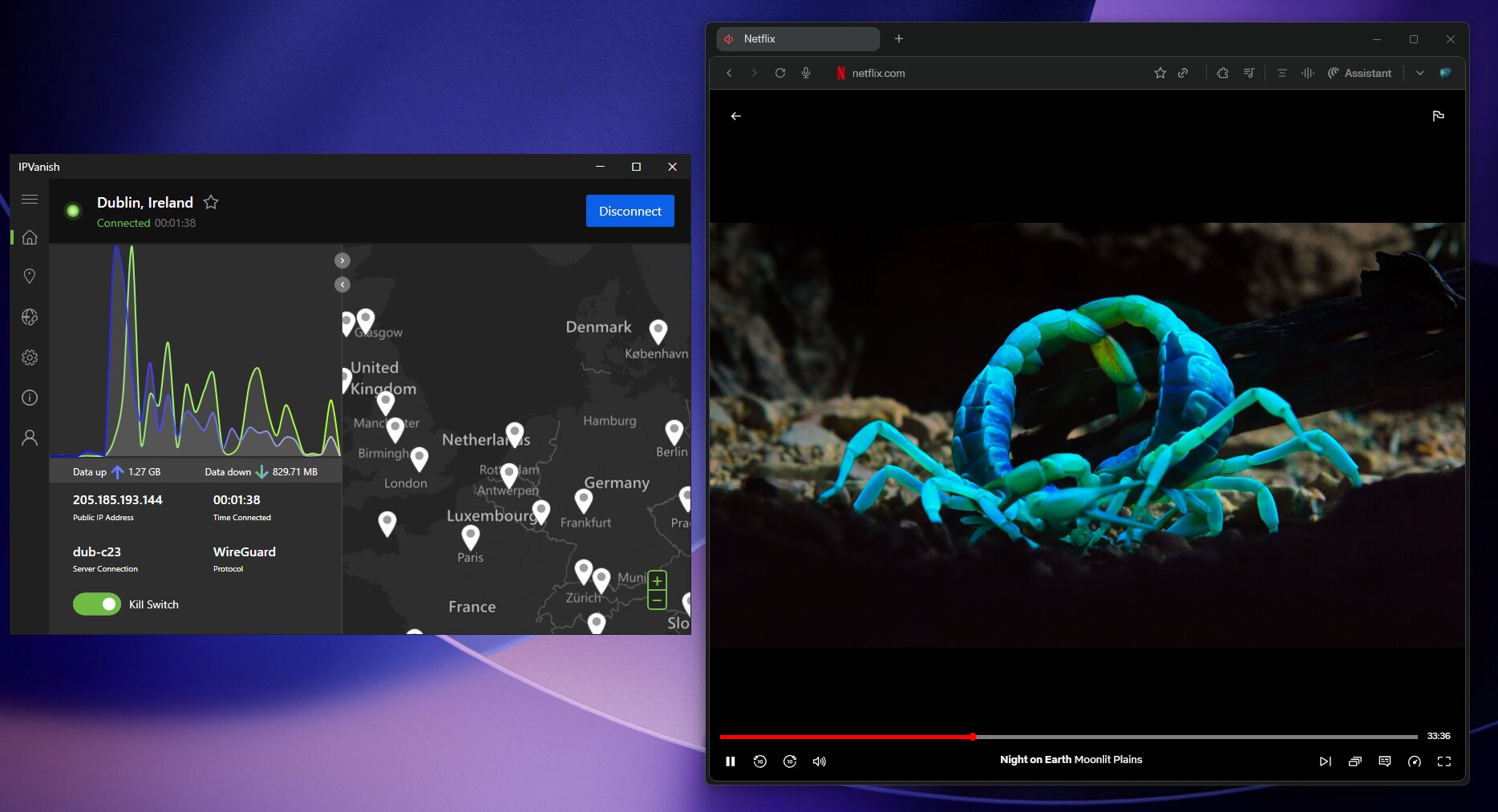
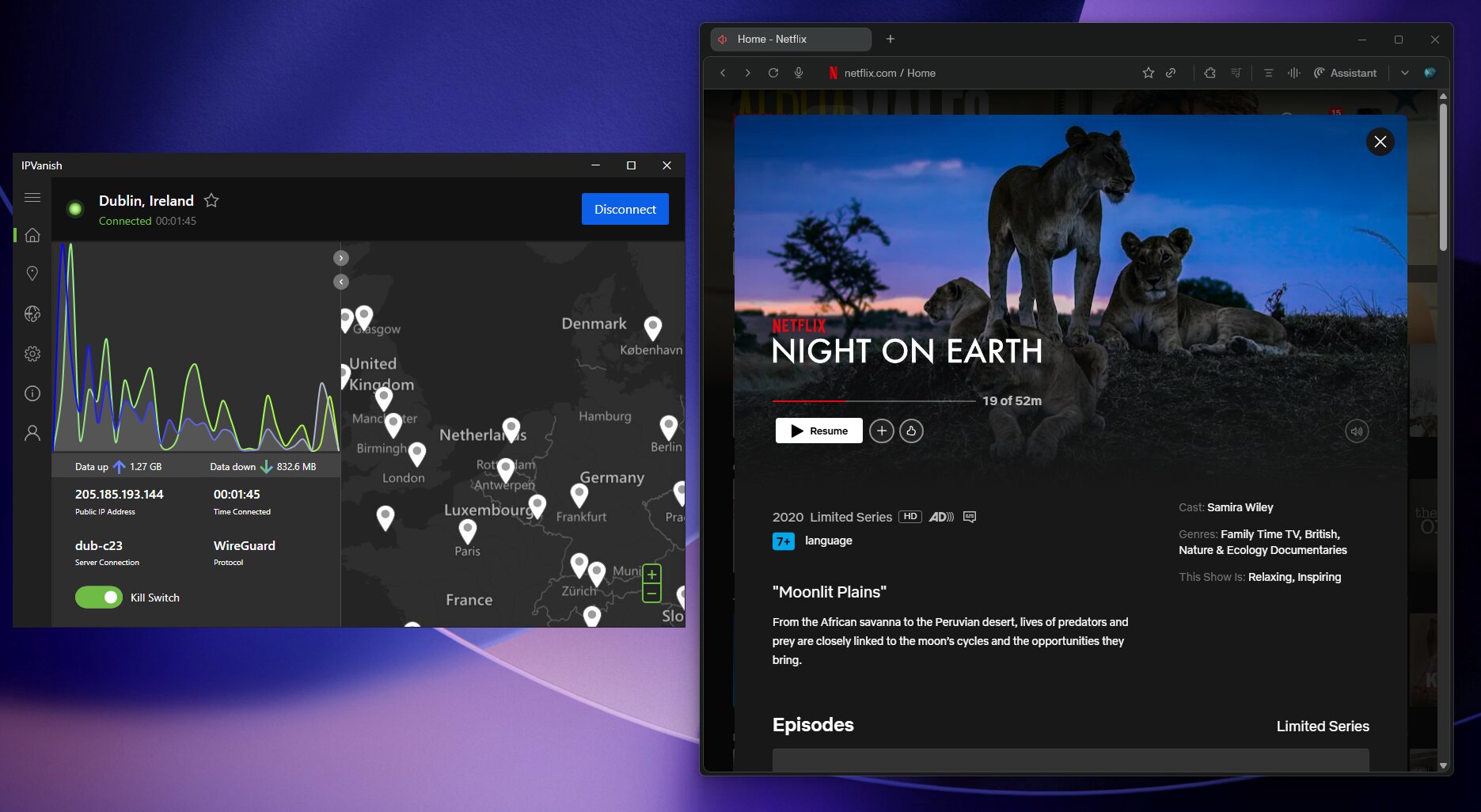
IPVanish has performed well with the major streaming services in my testing. Streaming platforms update their VPN blocking regularly, so treat these results as a snapshot. Test your must-have services early, while the refund window is still open, and see my best VPN for Amazon Prime Video guide for more options.
| Service | My result | Tip |
|---|---|---|
| Netflix | Worked with US, UK, Japan and India libraries | Switch servers if one location gets blocked. |
| Disney+, Hulu and Prime Video | Worked | Test on the device you actually watch on. |
| HBO Max and YouTube TV | Worked | Some services run extra location checks. |
| BBC iPlayer | Inconsistent | Try several UK servers. |
Fire TV, Apple TV and Roku
- Fire TV and Firestick: the remote-friendly app is one of IPVanish’s best features, and since May 2026 there’s a dedicated app for Amazon’s new Vega OS. It’s one of the reasons IPVanish ranks high in my best VPN for Firestick guide.
- Apple TV (tvOS 17+): now supports WireGuard, OpenVPN with Scramble and IKEv2. IPVanish says it’s the first major provider to offer all three in one Apple TV app.
- Roku: Roku has no VPN app support, so you need a compatible VPN router or a shared connection.
- Antivirus on TV devices: the antivirus is Windows and macOS only. TV and mobile apps keep standard Threat Protection.
Not sure IPVanish is the right fit?
Compare it with Surfshark One, my #1 pick and the fastest VPN in my tests at $2.49/mo, plus every other VPN I've tested on my best VPNs page.
See the best VPNs in 2026 →IPVanish Features: What You Get on Every Plan
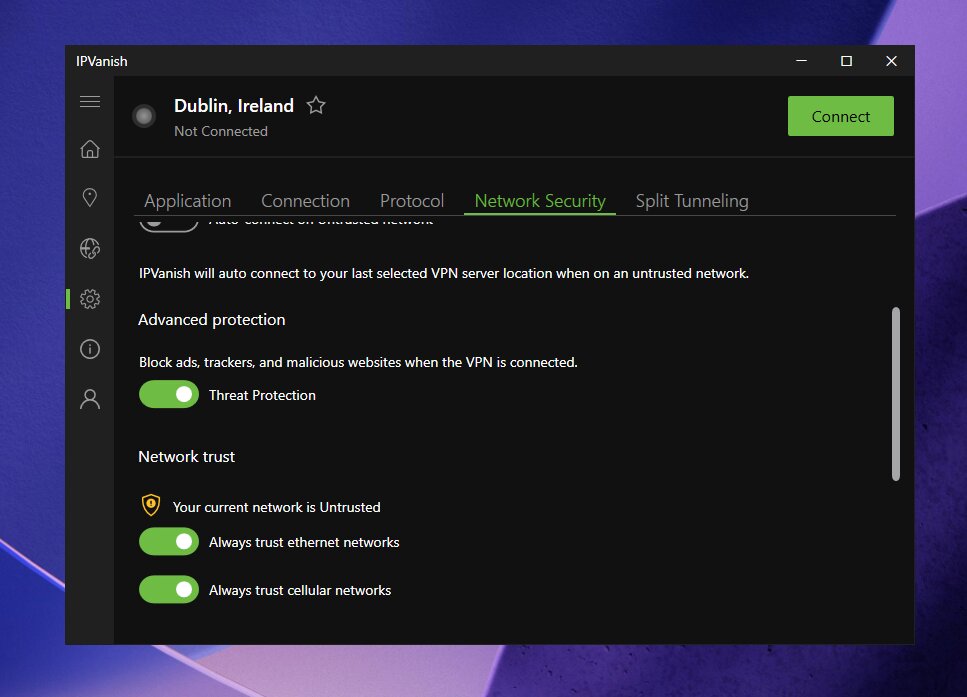
Beyond the headline extras, IPVanish has one of the most configurable VPN apps I’ve used. Most of these settings are aimed at power users, but the defaults are sensible. These features come with every plan, including Essential:
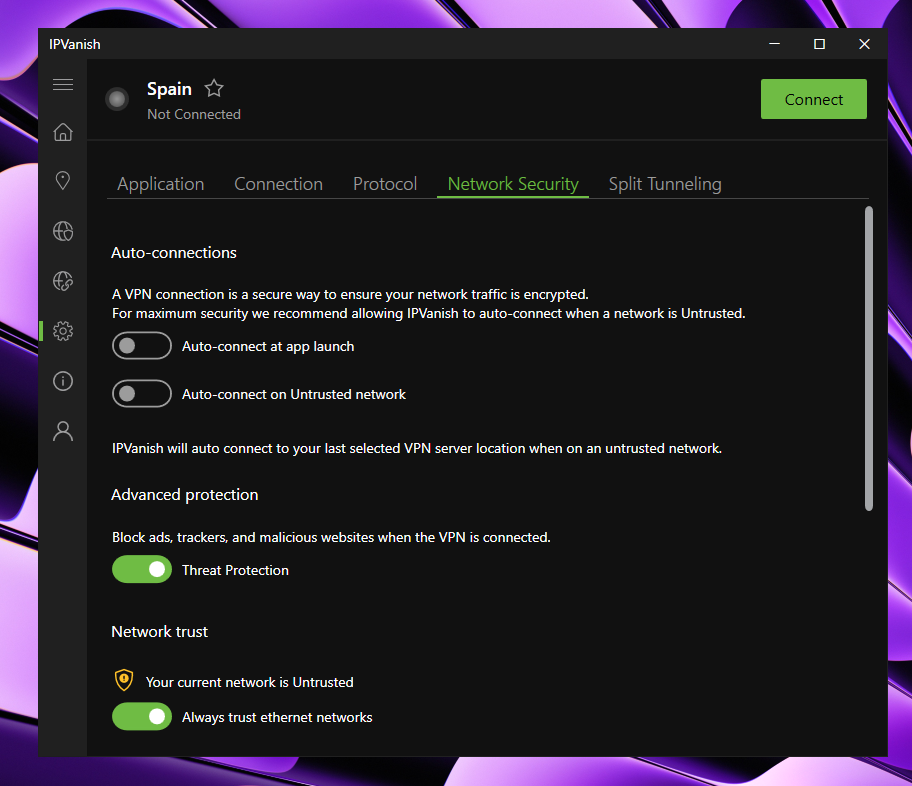
- Kill switch: cuts internet access if the VPN drops. It’s off by default on some apps, so turn it on.
- Split tunneling: choose which apps bypass the VPN, on Windows and Android.
- Scramble: obfuscates OpenVPN traffic to get past networks that block VPNs, now also on Apple TV.
- Double Hop: routes traffic through two VPN servers for extra separation, with a speed cost.
- Threat Protection and Link Checker: blocks malicious sites, ads, scripts and trackers, and checks suspicious links.
- Leak protection: DNS and IPv6 leak protection, with DNS handled by IPVanish’s own servers.
- Power-user options: SOCKS5 proxy, LAN exemption, custom DNS, port selection and MTU control.
- Unlimited bandwidth: no data caps, and P2P allowed on every server.
Security tools by plan
| Tool | Essential | Complete | Advanced |
|---|---|---|---|
| VPN with unlimited devices | Yes | Yes | Yes |
| Threat Protection | Yes | Yes | Yes |
| eSIM data (200+ countries) | 3 GB | 3 GB | 5 GB |
| Next Gen Antivirus (Windows and macOS) | No | Yes | Yes |
| Phone support | No | Yes | Yes |
| 1TB encrypted cloud backup | No | No | Yes |
| Secure Browser | No | No | Yes |
The Secure Browser is an isolated, sandboxed browser that keeps online threats away from your computer. It wipes session data as soon as you close it. The 1TB cloud storage gives you encrypted automatic backup and file sync, which is a smart extra layer against ransomware.
Privacy and Security: Strengths and Important History
IPVanish’s privacy story includes independent audits and a historical incident that deserves clear disclosure. An honest review needs both. Here’s how I weigh them.
Protocols and encryption
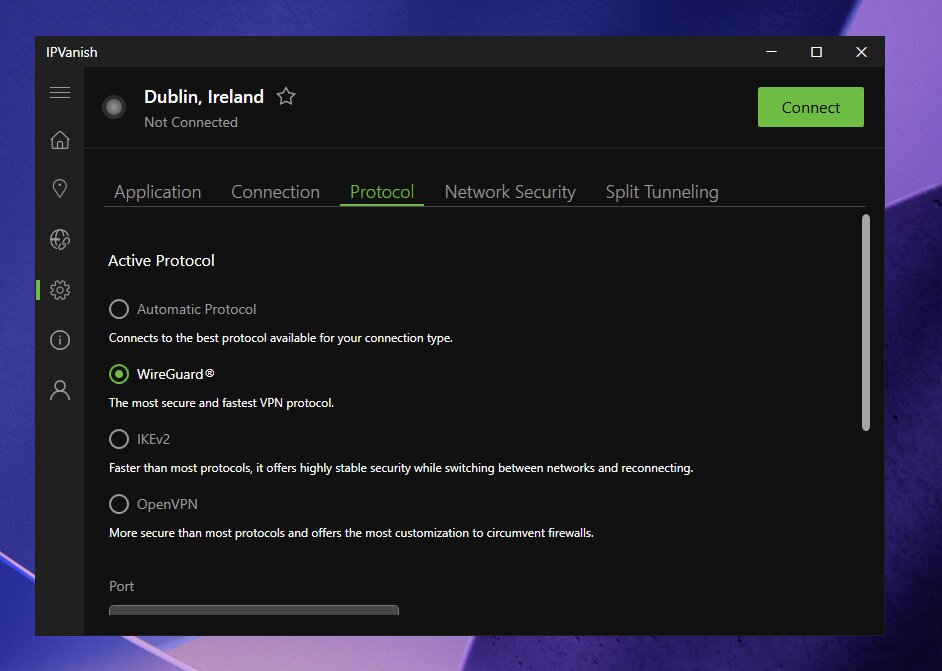
WireGuard is my default for everyday speed. OpenVPN (UDP and TCP) with AES-256 is the most compatible option and works with Scramble, while IKEv2 is stable on mobile. Older protocols like L2TP/IPsec remain on some platforms, but I’d avoid them.
Independent no-logs audits and the Trust Center
IPVanish says it doesn’t log traffic, DNS queries, connection metadata or user IP addresses. It keeps only an email address and payment details for billing. That’s the standard minimum for a paid VPN.
That policy was audited by Leviathan Security Group in 2022 and Schellman in February 2025. Schellman’s review covered nine areas, from logging configurations to simulated user sessions. It found no user activity logs on any server.
IPVanish also runs a Trust Center with audit reports and quarterly transparency reports. Audits apply to the systems and period examined, not to the future. So I always recommend checking the latest report before you buy.
US jurisdiction and the 2016 logging incident
IPVanish is based in New York, inside the Five Eyes intelligence alliance. It has been owned by Ziff Davis since 2019, and Ziff Davis also owns VIPRE. US jurisdiction is the main reason it isn’t my top privacy pick.
In 2016, under a previous owner, IPVanish provided connection information to US authorities despite its no-logs claims at the time. The ownership changes and later audits are meaningful, but they don’t erase that history. If you face a high-risk threat model, Proton VPN is my pick for privacy.
Leak protection and kill switch
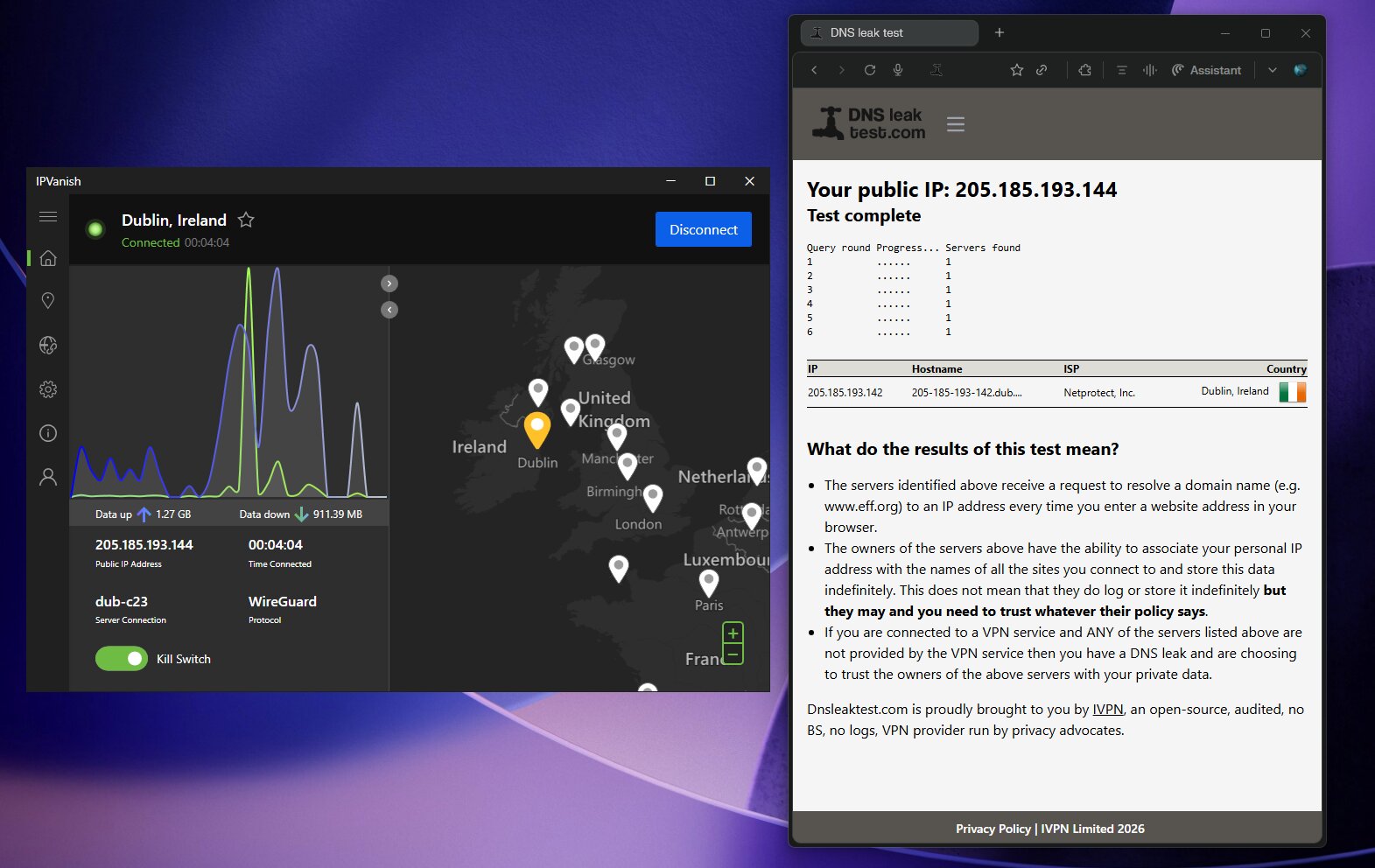
I found no DNS, IPv6 or WebRTC leaks in my tests. The kill switch blocks traffic if the VPN drops. Enable it and test how your device behaves during a disconnect.
Torrenting with IPVanish
IPVanish allows P2P traffic on every server with no bandwidth caps, and includes a SOCKS5 proxy. A SOCKS5 proxy doesn’t encrypt your traffic, though. I recommend using the full VPN and binding your torrent client to the VPN interface.
The catch: there’s no port forwarding and no dedicated P2P servers. If you seed heavily on private trackers, that limits your connectability. PrivateVPN or Private Internet Access are better fits there.
Apps and Everyday Usability
Unlimited connections make IPVanish easy to roll out across a whole household. The apps share a similar layout, so switching between devices feels familiar. Here’s what to expect on each platform:
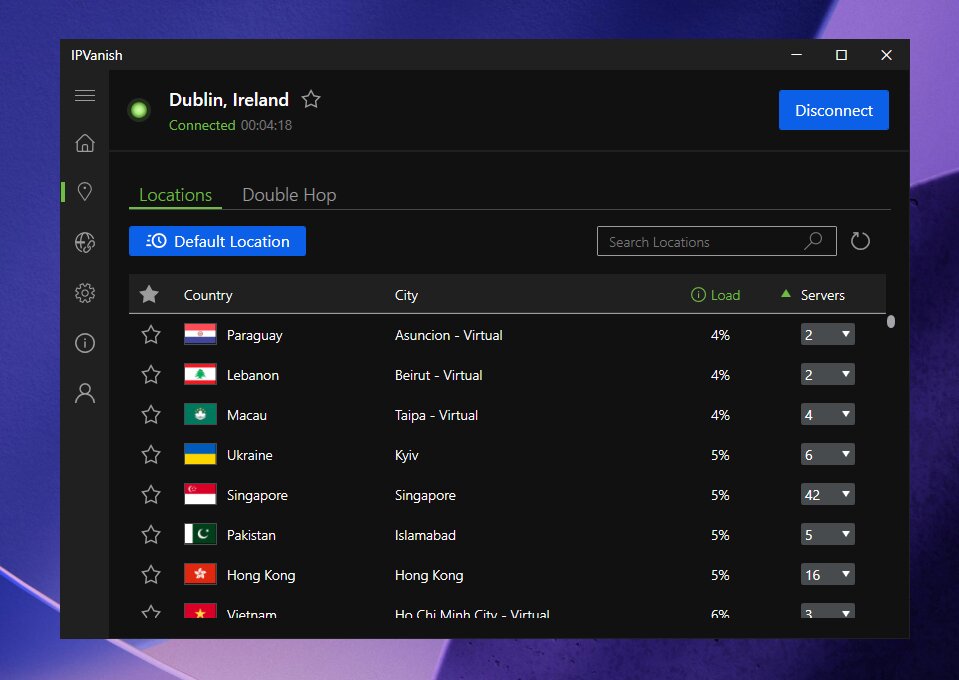
- Windows: the most complete app, with kill switch, split tunneling, Scramble, OpenVPN Data Channel Offload and antivirus.
- macOS: kill switch, IPv6 leak protection, DNS choice and antivirus.
- Android: feature-rich, with split tunneling, LAN exemption, Scramble and MTU control.
- iOS and iPadOS: WireGuard and IKEv2, OpenVPN in beta, and a RAM-only server filter.
- Apple TV and Fire TV: three protocols on Apple TV, and apps for both Fire OS and Vega OS.
- Linux and routers: Linux support and manual setup on DD-WRT routers.
- Browser extensions: none, which is a gap compared with most rivals.
Support, Trials and Refunds
Every plan includes 24/7 live chat and a help center with setup guides. Phone support comes with Complete and Advanced, which is rare among VPNs. In my experience, live chat answered setup questions quickly.
The 30-day money-back guarantee covers yearly and 2-year plans bought directly. Monthly plans don’t qualify. The 7-day mobile trial turns into a paid subscription unless you cancel in time.
IPVanish vs Surfshark One
With its antivirus, IPVanish now competes directly with Surfshark One, which has bundled a VPN and antivirus for a while and remains my #1 recommendation. The early Black Friday prices changed this matchup. Surfshark One is now $2.49/mo, which undercuts IPVanish Complete at $2.79/mo.
| Feature | Surfshark One | IPVanish (Complete or Advanced) |
|---|---|---|
| My ranking | #1 Best overall VPN | #2 Unlimited devices |
| Speed retention in my tests | ~96% (fastest I’ve tested) | ~93% |
| Servers | 4,500+ in 100+ countries, all RAM-only | 3,650+ in 150+ locations, 568 RAM-only |
| Simultaneous connections | Unlimited | Unlimited |
| Antivirus platforms | Windows, macOS and Android | Windows and macOS |
| Extra security tools | Antivirus, Alert, Alternative ID, scam protection, CleanWeb | Antivirus, Link Checker, plus Secure Browser and 1TB cloud backup on Advanced |
| No-logs audits | Deloitte | Leviathan (2022) and Schellman (2025) |
| Jurisdiction and owner | Netherlands (Nine Eyes), Nord Security | United States (Five Eyes), Ziff Davis |
| Early Black Friday deal | $2.49/mo, 88% OFF + 3 months free ($67.23 for 27 months, full bundle) | $2.79/mo (Complete) or $3.29/mo (Advanced), VPN-only Essential from $2.19/mo |
| Money-back guarantee | 30 days | 30 days (yearly and 2-year plans) |
My take: IPVanish has closed a big gap, and VIPRE’s lab pedigree is genuinely impressive. But Surfshark One is now cheaper than IPVanish Complete and was faster in my testing. Its antivirus also covers Android, its servers are all RAM-only, and you get 3 extra months free.
IPVanish makes the most sense if you prefer its apps, live mostly on Windows or Mac, or want the 1TB cloud backup on Advanced. Essential is also the cheapest way into either service, at $52.56 upfront, if you only need a VPN. For the full picture, read my Surfshark One review and my Surfshark Antivirus review.
My #1 pick, early Black Friday deal: Surfshark One is $2.49/mo on the 2-year plan with 88% OFF + 3 months free, which is $67.23 for 27 months. You get the fastest VPN in my tests, unlimited devices and antivirus in one bundle. Get Surfshark One 88% OFF.
Who Should Choose IPVanish?
- Households with lots of devices that benefit from unlimited simultaneous connections.
- Budget-minded users who want a fast VPN for $2.19/mo on Essential.
- Windows and Mac users who want fewer apps: Complete puts VPN and antivirus in one place.
- Users who want backups too: Advanced adds 1TB of encrypted cloud backup.
- Fire TV and Apple TV users who want a full-featured TV app.
- Travelers who’ll use the free eSIM data in 200+ countries.
Look elsewhere if you need port forwarding, maximum privacy under a non-US jurisdiction, or antivirus on your phone. In those cases Proton VPN, PrivateVPN or Surfshark One fit better. If price is your only concern, my best cheap VPN guide covers even lower options.
You can compare all my picks on the best VPNs in 2026 page. It’s updated with every early Black Friday price I’ve verified. I’ll refresh it again for Black Friday and Cyber Monday.
Frequently Asked Questions
How much does IPVanish cost right now?
The best early Black Friday deal is Essential at $2.19/month on the 2-year plan, which is $52.56 upfront, with 85% off and a 3 GB eSIM data gift. Complete is $2.79/month ($66.96 upfront) and Advanced is $3.29/month ($78.96 upfront). Check the current IPVanish offer for today’s total, since taxes may apply.
Will IPVanish be cheaper on Black Friday?
Black Friday 2026 is Friday, November 27, and Cyber Monday is November 30. The current $2.19/mo price already matches IPVanish’s 2025 Black Friday low for Essential. I’ll re-check the deal on both days and update this page.
How much does IPVanish cost after the first 2 years?
Annual renewals are $99.99 for Essential, $109.99 for Complete and $129.99 for Advanced. That’s several times the intro price. Set a reminder before your term ends and compare your options then.
How many servers does IPVanish have?
IPVanish runs 3,650+ self-owned servers in 150+ VPN locations, with 56,000+ shared IP addresses. After the September 2026 rebuild, every server has a 50Gbps port. Every major city also has two independent data centers.
How fast is IPVanish?
In my testing IPVanish kept about 93% of my baseline speed, a 7% reduction. That makes it my second fastest VPN. Only Surfshark One did better, at around 96%.
What’s the difference between Essential, Complete and Advanced?
Essential is the VPN with unlimited devices, Threat Protection and 3 GB of eSIM data. Complete adds the Next Gen Antivirus and phone support. Advanced adds 1TB of encrypted cloud backup, the Secure Browser and 5 GB of eSIM data in total.
Does IPVanish include an antivirus?
Yes, on the Complete and Advanced plans. The Next Gen Antivirus is powered by VIPRE and built into the Windows and macOS apps. It includes scans, quarantine, real-time protection and web protection that works even with the VPN off.
Is the IPVanish antivirus available on Android or iPhone?
No, it’s Windows and macOS only. The mobile and TV apps keep the standard Threat Protection feature. If you want antivirus on Android, Surfshark One covers it.
I have Threat Protection Pro. Do I need to pay extra?
No. IPVanish says existing Threat Protection Pro users receive the antivirus automatically. Just update your Windows or Mac app.
How many devices can I connect?
Unlimited simultaneous VPN connections on every plan. The antivirus device allowance is separate. Check it at checkout if you’re buying Complete or Advanced.
Does IPVanish work with Netflix?
Yes, it worked with the US, UK, Japan and India Netflix libraries in my testing. Access can change as streaming services update their blocking. Test your region early within the refund window.
Is IPVanish a no-logs VPN?
Its no-logs policy was audited by Leviathan in 2022 and Schellman in 2025. The 2016 incident under a previous owner remains part of its history. Privacy-first users may prefer Proton VPN.
Is IPVanish better than Surfshark One?
IPVanish is a strong runner-up, but Surfshark One is still my top pick. At $2.49/month it’s now cheaper than IPVanish Complete, it was faster in my tests, and its antivirus also covers Android. You also get 3 extra months free.
Is there a money-back guarantee?
Yes, 30 days on yearly and 2-year plans bought directly. Monthly plans don’t qualify. App store purchases follow Apple or Google rules.
Final Verdict: Is IPVanish Worth It in 2026?
Yes, IPVanish is worth it if you want speed, unlimited device connections and a big, freshly rebuilt network. It kept 93% of my speed, and it now runs 3,650+ servers on 50Gbps ports. Its Fire TV and Apple TV apps are also among the best I’ve used.
My starting choice is Essential at $2.19/month, just $52.56 for the first 2 years with 85% OFF. Pick Complete if you’ll replace a separate antivirus, or Advanced if you’ll use the cloud backup and Secure Browser. The trade-offs are US jurisdiction, the 2016 history and renewals of $99.99 to $129.99 per year.
If you’re choosing a VPN and security bundle from scratch, Surfshark One remains my best overall value at $2.49/mo. Both deals are live now as early Black Friday offers ahead of November 27. If IPVanish’s apps and unlimited devices fit your setup, it’s a very strong #2 that just got better.
IPVanish
My pick for unlimited devices and fast everyday performance: 3650+ servers on a rebuilt 50Gbps network, plus Next Gen Antivirus on the Complete and Advanced plans. Essential is $2.19/mo for the first 2 years.
- 93% speed retention
- Unlimited devices
- 3650+ servers in 150+ locations
- Next Gen Antivirus
- 3 GB eSIM data gift
Read next
- IPVanish coupon and pricing guide
- Surfshark One review: my best overall pick
- Surfshark Antivirus review
- Proton VPN review
- Best VPNs for Firestick
- Best cheap VPNs
- Best VPN deals and coupons
The Review
IPVanish VPN
I’ve tested IPVanish extensively across my own devices, and I see it as a technically strong VPN with some real trade‑offs. It delivers top‑tier speeds, unlimited device connections, excellent Firestick and streaming support, and now has two independent no‑logs audits plus regular transparency reports. At the same time, it’s based in the US, has a documented 2016 logging incident under previous ownership, and lacks extras like port forwarding, dedicated IPs, and anonymous payments. For everyday users who want fast speeds, unlimited devices, and strong Firestick performance, I think IPVanish is a solid fit, but for high‑risk or privacy‑critical use, I’d still steer people toward providers with cleaner jurisdiction and history.
PROS
- Unlimited simultaneous device connections.
- Two independent no‑logs audits (2022 and 2025).
- Very fast speeds, top‑3 in my testing with WireGuard.
- Excellent Firestick, Fire TV, and Kodi support.
- Phone support available alongside 24/7 live chat.
- Owns most of its server infrastructure directly.
- Recent server expansion and RAM‑only rollout in progress.
CONS
- Based in the US (5 Eyes jurisdiction).
- 2016 case where logs were handed to DHS under old ownership.
- No port forwarding for advanced torrenting setups.
- No dedicated IP option.
- No cryptocurrency or anonymous payment methods.
Review Breakdown
-
Speed & performance
-
Streaming & devices
-
Privacy & security
-
Torrenting & P2P
-
Pricing & value
IPVanish VPN DEALS
We collect information from many stores for best price available
 83% OFF + Free eSim data