VeePN DEALS
This page contains affiliate links. If you purchase a VPN through our links we may earn a commission at no extra cost to you. This never influences our reviews or rankings.
I tested VeePN thoroughly for 2026, and my overall verdict is that it’s a legitimate — but not outstanding — budget VPN. It delivered around 95% speed retention on WireGuard, passed all my leak tests, and unblocked multiple Netflix libraries, though I often had to switch protocols or servers to get things working.
At the listed introductory rate of $1.99/month on the two-year Basic offer, it is fairly priced. I would still compare its checkout total with competing offers before buying. If you specifically want Shadowsocks support, a Panama-based provider, or a lightweight standalone VPN, VeePN earns its place — otherwise, I’d look elsewhere.
Best for Budget Streaming
VeePN — Our Verdict
VeePN is a solid budget VPN with strong privacy credentials and decent streaming performance. In my testing it delivered around 95% speed retention, passed all leak tests, and successfully unblocked multiple Netflix libraries — but inconsistent server reliability and occasional streaming hiccups stop it from being a top-tier recommendation.
- Panama-based — outside all Eyes alliances
- ~95% speed retention in my tests (WireGuard)
- Passed DNS, WebRTC, and kill switch tests
- Streaming-optimized servers + Double VPN
- Shadowsocks protocol for restricted networks
- Up to 20 simultaneous devices (Max plan)
- Some streaming servers required switching to work
- No independent audit of main apps
- Live chat quality is inconsistent
- Pricier on short-term plans than competitors
VeePN doesn’t get nearly the attention it deserves. It’s a Panama-based VPN with a clean interface, solid security fundamentals, and one of the most competitive long-term prices on the market. I’ve been testing VPNs for over two years across 500+ videos on my AllThingsVPN and VPNR channels, and VeePN keeps quietly impressing me in some areas while frustrating me in others.
In this VeePN review for 2026, I’ll cover everything: my real-world speed results, streaming performance, privacy credentials, pricing breakdown, and how it stacks up against the alternatives I actually recommend.
VeePN Review 2026: What’s New?
VeePN has rolled out a tiered pricing structure this year, moving from a single subscription to Basic, Pro, and Max plans. The Pro and Max tiers bundle in antivirus protection, breach alerts, and identity masking — making VeePN more of a cybersecurity suite than a pure VPN for users who need that. The kill switch has also been fixed after previously failing my tests; it passed cleanly in my most recent March 2026 session.
VeePN Pricing and Plans 2026
VeePN offers Basic, Pro, and Max, covering 5, 10, and 20 devices respectively. On the pricing page checked September 13, 2026, monthly subscriptions were $11.99, $12.99, and $14.99 respectively.
The annual offer includes four bonus months. For the first 16 months, Basic costs $47.84 upfront ($2.99/month), Pro $54.24 ($3.39/month), and Max $95.84 ($5.99/month). The two-year offer also includes four bonus months. For the first 28 months, Basic costs $55.72 upfront ($1.99/month), Pro $69.72 ($2.49/month), and Max $111.72 ($3.99/month).
These monthly equivalents require upfront payment. Longer subscriptions carry a 30-day money-back guarantee; monthly plans have 14 days. Official pages returned different promotional offers during checking, so confirm the checkout total, included tools, and renewal terms.
For my money, Basic is the starting point if five connections cover your needs. Before upgrading, check whether the additional tools work on the devices you use.
VeePN Speed Tests — My Results
In my testing, VeePN retained approximately 95% of baseline download speed on WireGuard — a solid result for a budget VPN. I always test with WireGuard since it’s the fastest protocol available, and I run multiple tests at different times of day to get a representative picture.
| Server Location | Download | Upload | Ping | Speed Retention |
|---|---|---|---|---|
| No VPN (baseline) | 559 Mbps | 206 Mbps | 15 ms | — |
| US (Optimal) | 465 Mbps | 234 Mbps | 49 ms | ~83% |
| Canada | 393 Mbps | 229 Mbps | 75 ms | ~70% |
| Europe (UK/EU) | 426 Mbps | 212 Mbps | 124 ms | ~76% |
| Australia | 395 Mbps | 197 Mbps | 302 ms | ~71% |
Those numbers are genuinely competitive for the price. The US server was the strongest, with upload speeds actually increasing compared to baseline — something I don’t see often. Latency jumped significantly for the Australia connection, which is expected at that distance, though the absolute download speed remained usable for streaming.
For comparison, Surfshark hits around 95% speed retention in my tests and NordVPN lands around 89% — so the reported VeePN figure matches Surfshark in this comparison.
VeePN Streaming Performance
VeePN has dedicated streaming-optimized servers, which sounds great in theory. The reality in my testing has been a bit of a mixed bag — though the picture improved in my most recent session.
| Platform / Library | Result | Notes |
|---|---|---|
| Netflix US | ✅ Works | Worked on first attempt |
| Netflix UK | ✅ Works | Required switching to IKEv2 protocol |
| Netflix Canada | ✅ Works | Needed protocol switch to IKEv2 |
| Netflix Australia | ✅ Works | Streaming server failed; regular AU server worked |
| BBC iPlayer | ✅ Works | Loaded without issues |
| Amazon Prime Video | ❌ Blocked | Detected VPN use |
| Disney+ | ✅ Works | Worked in most test sessions |
| Hulu | ⚠️ Inconsistent | Worked in some sessions, not others |
VeePN unblocked four Netflix libraries in my testing, but not without some tinkering. The Canadian and UK libraries required me to switch from WireGuard to IKEv2, and the Australian streaming-optimized server wouldn’t load content at all — I had to fall back to a standard Australian server. That’s frustrating when VeePN specifically markets those streaming servers as a feature.
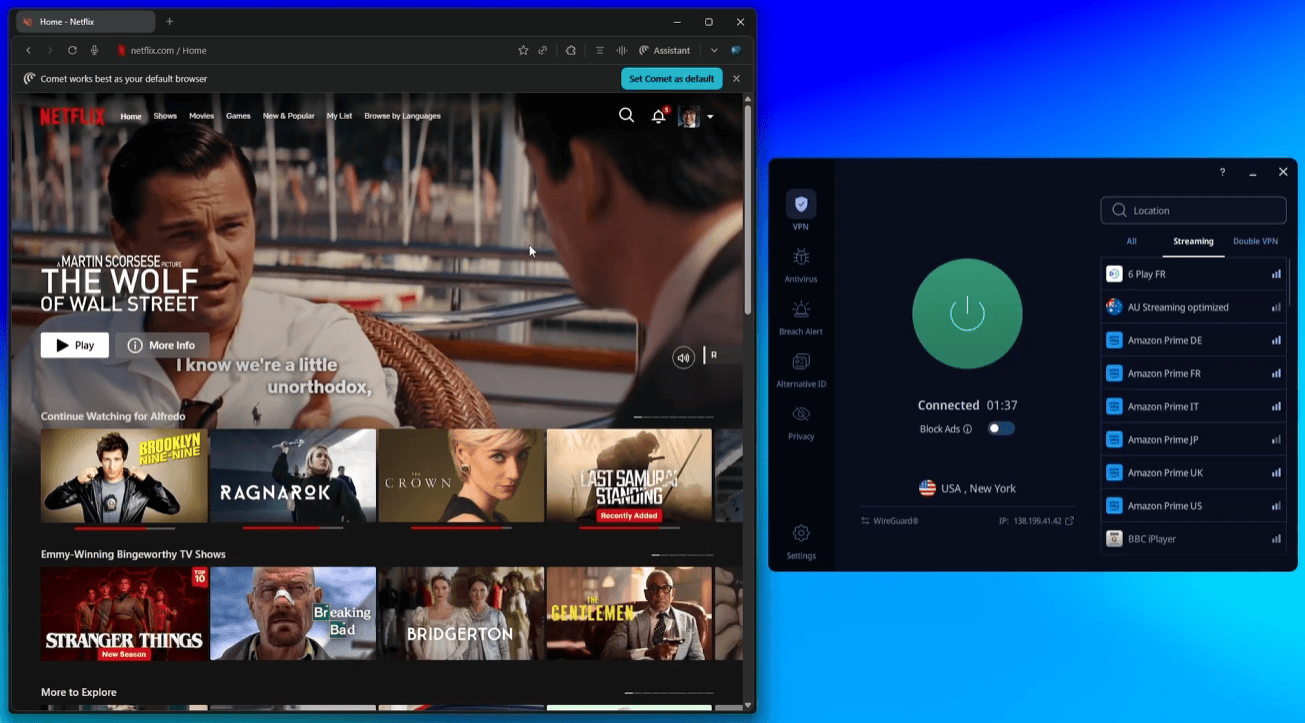
Amazon Prime Video blocked VeePN consistently across multiple servers. If Prime is your main streaming service, I’d point you toward my guide on the best VPNs for Amazon Prime Video instead.
VeePN Security and Privacy
Encryption and Protocols
VeePN uses AES-256 encryption — the same standard used by militaries and financial institutions worldwide. That’s exactly what you want. On the protocol side, the lineup is genuinely impressive for a budget VPN:
- WireGuard — fastest, best for streaming and gaming
- OpenVPN (UDP/TCP) — open-source, highly trusted, slower but extremely secure
- IKEv2 — solid for mobile, good stability on switching networks
- Shadowsocks — designed to bypass censorship and deep packet inspection, useful in restricted countries
The inclusion of Shadowsocks is a genuine differentiator at this price point. Most budget VPNs don’t offer it, and it’s the protocol of choice for anyone trying to connect from China or other heavily censored networks (though VeePN’s China reliability is not guaranteed — more on that below).
Kill Switch
The kill switch is available on all desktop apps and cuts your internet connection if the VPN drops, preventing accidental exposure. It failed in a previous test I ran, but passed cleanly in my March 2026 session. I’d call this an improvement worth noting, but also one to keep an eye on.
Split Tunneling
Split tunneling is available on Windows and Android, letting you route specific apps through the VPN while others use your normal connection. It’s a useful feature for torrenting or gaming without routing all traffic through the tunnel.
NetGuard (Ad Blocker)
VeePN’s built-in NetGuard blocks ads, trackers, and malicious websites. In my testing it handled banner ads and pop-ups well, and notably put a dent in YouTube pre-roll ads — something relatively few VPN ad blockers manage effectively.
Double VPN
VeePN offers a Double VPN feature that routes your traffic through two servers in sequence, encrypting your data twice. Options include pairings like Australia–California and California–Canada. It’s a nice-to-have for users who want an extra layer of obfuscation, though it does noticeably reduce speeds — I wouldn’t recommend it for streaming.
Leak Tests
| Test | Result |
|---|---|
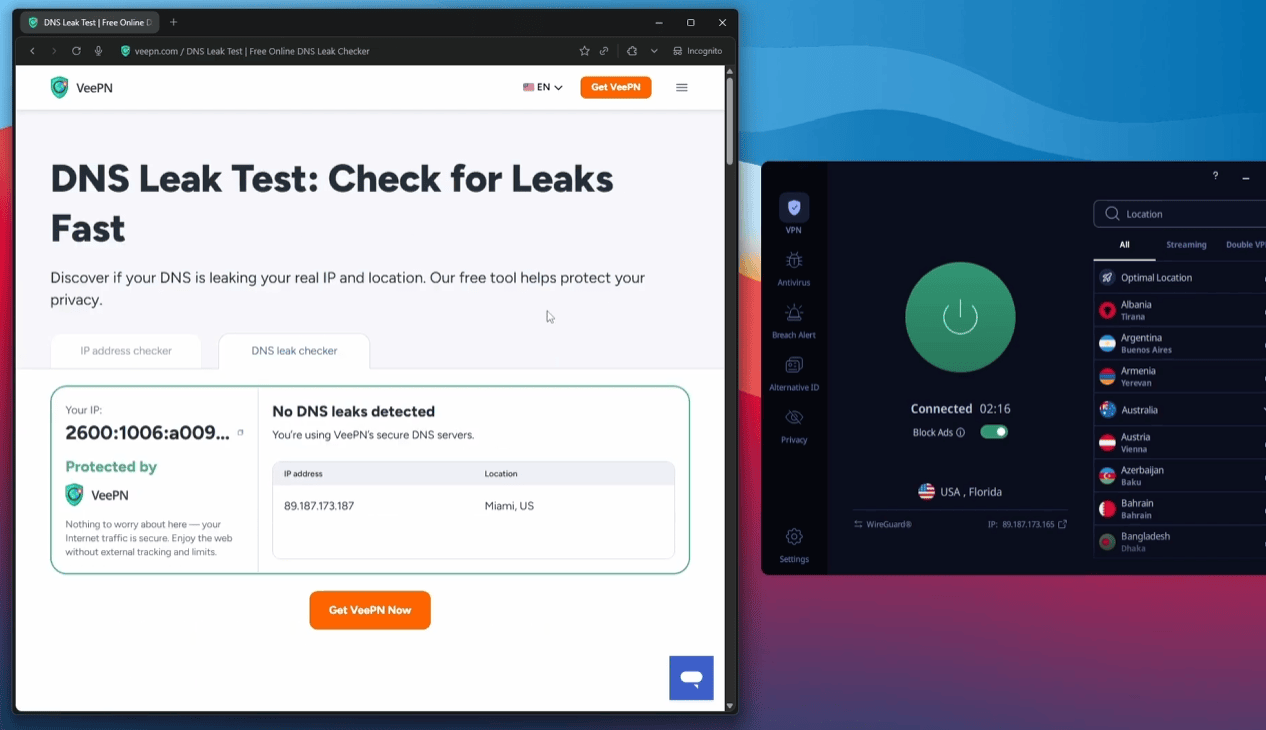
| DNS Leak Test | ✅ Passed — no leaks detected |
| WebRTC Leak Test | ✅ Passed — real IP hidden |
| Kill Switch Test | ✅ Passed (March 2026) |
Clean across the board in my latest round of testing. Your real IP address and DNS data remain hidden while connected.
VeePN Privacy Policy and Logging
No-Logs Policy
VeePN does not log your IP address, browsing activity, DNS queries, or download history. What it does collect: your email address and payment info at signup, plus anonymized usage data (device type, feature usage frequency) for product improvement. This is fairly standard across the industry and nothing alarming.
What matters most is what VeePN explicitly does not collect: timestamps, bandwidth consumed per session, or any connection logs that could identify you. That’s a reasonable privacy stance.
Headquarters: Panama
VeePN is headquartered in Panama, which sits entirely outside the 5 Eyes, 9 Eyes, and 14 Eyes intelligence-sharing alliances. Panama has no mandatory data retention laws, meaning VeePN cannot be legally compelled to log or hand over user data in the way a US or UK-based provider could. For privacy-conscious users, this is a meaningful advantage.
It’s similar positioning to ExpressVPN, which is also Panama-based — though ExpressVPN is owned by Kape Technologies, something I always disclose in that review.
Independent Audit
This is where VeePN falls short compared to top-tier providers. The only external audit on record was a 2021 review by Cure53 — a respected cybersecurity firm — but it only covered VeePN’s browser extensions, not the main desktop or mobile apps. The extensions use proxy connections rather than full VPN tunnels, so this audit tells us little about the core product’s integrity.
By comparison, Proton VPN and NordVPN have undergone comprehensive independent audits of their full infrastructure. If audit transparency is a priority for you, VeePN isn’t there yet.
VeePN Server Network
VeePN operates 2,600+ servers across 85 countries. That’s a respectable footprint for a budget provider. The server network includes specialty servers for streaming and Double VPN, which adds genuine value beyond raw server count.
What I liked
- 2,600+ physical servers (no virtual servers — your IP matches the country you connect to)
- 85 countries covered including Asia, Europe, and North America
- Dedicated streaming-optimized servers
- Double VPN servers available
- VeePN owns all its own servers — no third-party rental risk
What I didn’t like
- Coverage thins out in Africa, the Middle East, and parts of South America
- Some streaming-optimized servers didn’t work reliably in testing
- No dedicated IP option available
- No RAM-only server infrastructure (that I could confirm)
VeePN Device Compatibility
VeePN covers an impressive range of platforms. Here’s the full list:
| Platform | Support | Notes |
|---|---|---|
| Windows | ✅ Full app | Windows 10+; legacy app for Win 7–8 |
| macOS | ✅ Full app | macOS 12+ |
| Linux | ✅ App available | Ubuntu, Debian, Fedora, CentOS, Arch — limited GUI |
| Android | ✅ Full app | Android 9+; 7-day free trial available |
| iOS | ✅ Full app | iOS 17+; 7-day free trial available |
| Chrome / Firefox / Edge | ✅ Browser extensions | Free proxy extensions — not full VPN encryption |
| Apple TV | ✅ App | Via Apple App Store |
| Fire TV / Android TV | ✅ App | Full app available |
| PlayStation / Xbox | ⚠️ Manual only | Via router configuration |
| Routers | ⚠️ Manual config | No dedicated router app — manual setup required |
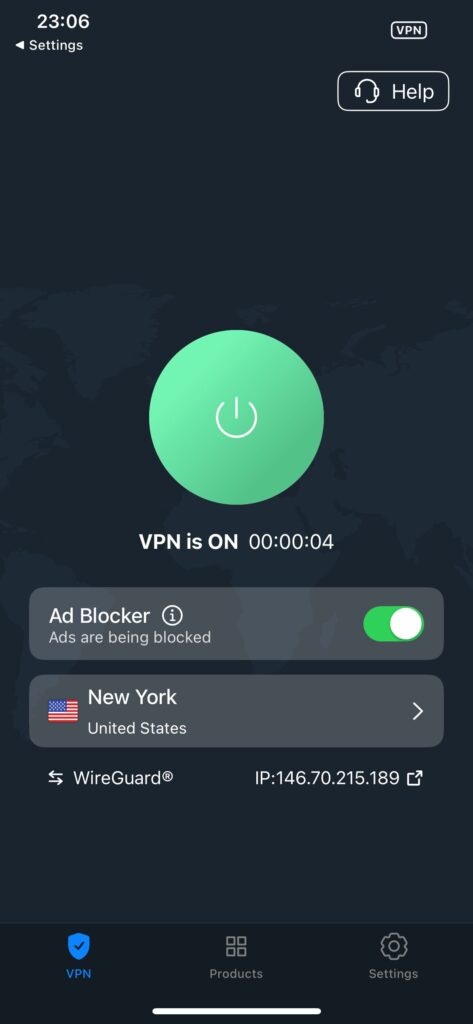
One note on the browser extensions: these create a proxy connection, not a full VPN tunnel. They’ll change your apparent location, but they don’t encrypt your traffic the way the main app does and don’t include a kill switch. Use them for casual browsing, not for anything privacy-sensitive.
If you need a VPN with dedicated router support or gaming console apps, ExpressVPN has the most polished router experience of any VPN I’ve tested.
VeePN Apps: Interface and Ease of Use
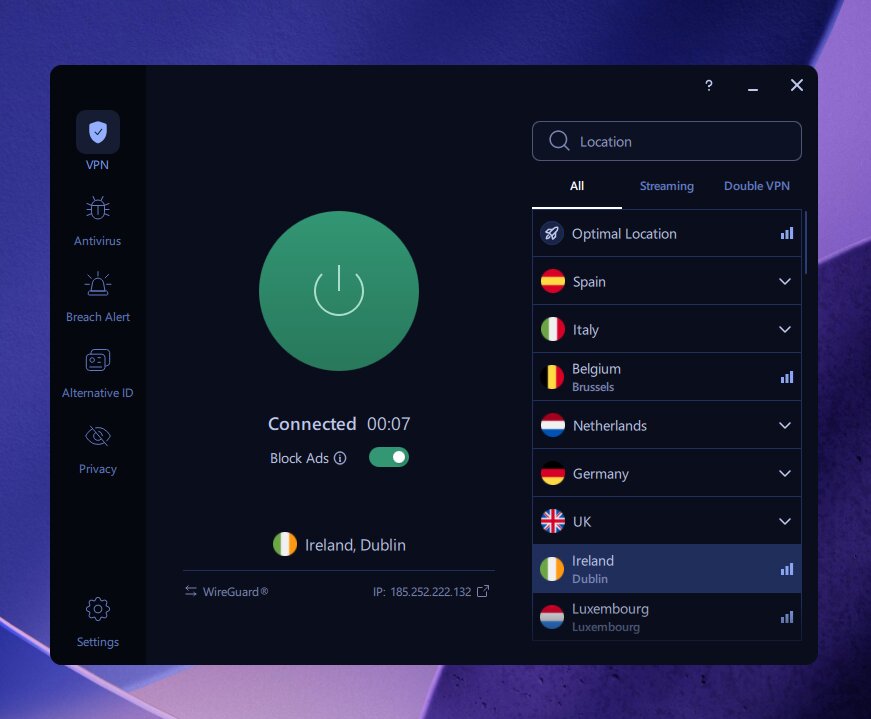
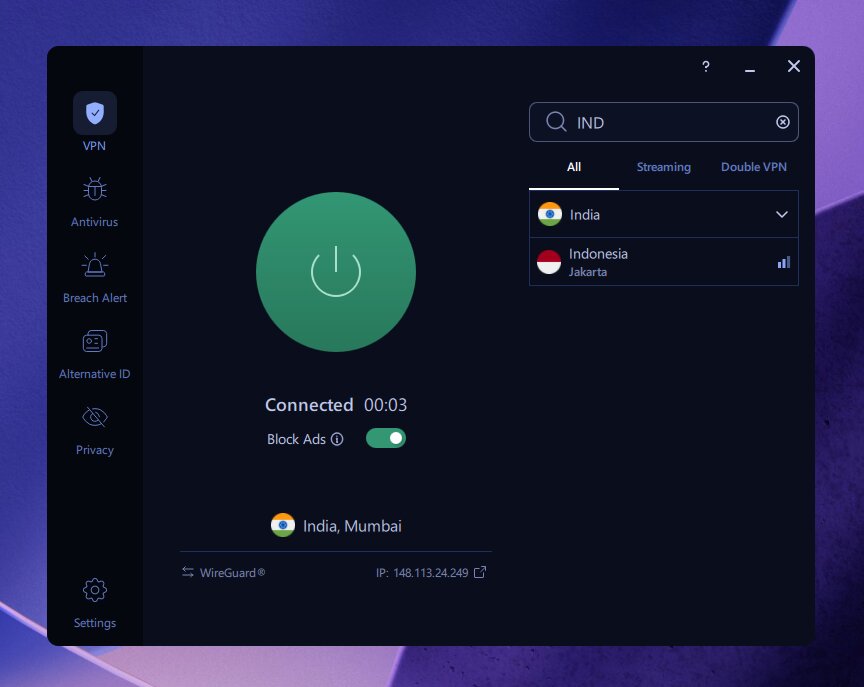
The interface is clean and well-organized. The main screen shows your connection status, current server, and a clear connect/disconnect button. The left sidebar gives you tabs for all settings, and VeePN’s “Optimal Location” feature automatically picks the fastest available server for your location.
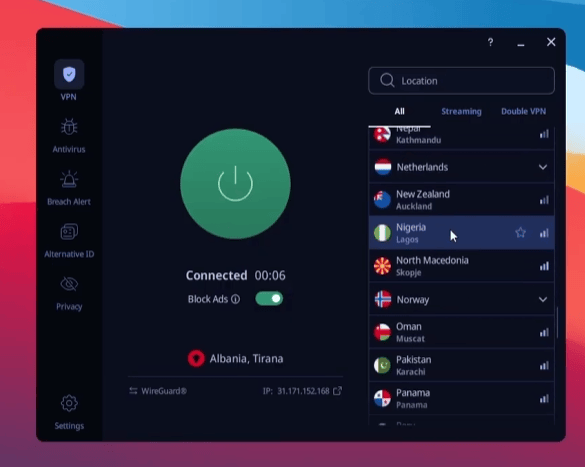
The server list is searchable and includes clearly labeled sections for streaming-optimized servers and Double VPN — a nice touch for users who know what they want. Protocol switching is easy to find under VPN settings, which matters since I ended up using it to resolve some streaming issues during testing.
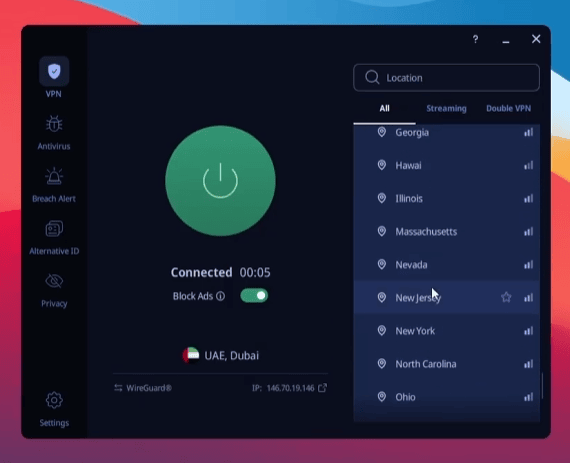
My only interface complaint: the ad blocker and tracker controls (NetGuard) are buried slightly deeper in the settings than they should be. It took me a moment to find them the first time. Once you know where they are, it’s fine.
VeePN Customer Support
VeePN offers three support channels: live chat, email (support@veepn.com), and a self-serve knowledge base with troubleshooting guides.
What I liked
- Live chat is easy to find and generally responds quickly
- Email support available 24/7
- Knowledge base covers common issues and setup guides
What I didn’t like
- Live chat responses were sometimes boilerplate and unhelpful for specific issues
- Agents couldn’t resolve my streaming connection problem beyond standard suggestions
- Email response times can take several days
- Some knowledge base guides lack screenshots
When I contacted support about one of the streaming server issues I encountered, the live chat agent gave me a generic troubleshooting script that didn’t address the specific problem. When I pushed for more detail, they had nothing further to offer. It wasn’t terrible support, but it wasn’t impressive either — and for a VPN that markets itself as beginner-friendly, better support would make a real difference.
VeePN User Reviews
VeePN earns high marks across all three major review platforms — 4.5 on both the Apple App Store and Trustpilot, and 4.4 on Google Play. Users consistently praise the clean interface and speed. The main recurring complaints involve the cancellation process (described as cumbersome by some reviewers) and occasional streaming server inconsistencies.
This tracks with my experience. VeePN looks great on paper and performs well most of the time — the frustrations surface when you hit edge cases like specific streaming servers or need detailed support.
Does VeePN Work in China?
VeePN’s Shadowsocks protocol is designed for censorship circumvention and should theoretically help in restricted environments. However, VeePN’s own support acknowledges that the service is often blocked in China and that reliability there is not guaranteed. If you specifically need a VPN that works reliably in China, I’d look at providers that explicitly test and support this use case.
VeePN for Torrenting
P2P is permitted on all VeePN servers — a plus compared to providers that restrict torrenting to specific servers. In my torrenting tests using Shadowsocks (which actually boosted speeds in some configurations), the performance was solid. The kill switch adds a layer of protection if the VPN connection drops mid-download.
One note: if you’re privacy-conscious about torrenting, the lack of a full independent audit on the main app is worth bearing in mind. For serious privacy needs, Proton VPN with its audited no-logs policy is a better fit.
VeePN vs. The Alternatives
| VPN | Price (2-yr) | Speed Retention | Devices | Audit | Best For |
|---|---|---|---|---|---|
| VeePN | $1.99/mo | ~95% | 5–20 | Extensions only | Budget streaming |
| Surfshark | $1.99/mo | ~95% | Unlimited | ✅ Full audit | Best overall value |
| PrivadoVPN | $1.11/mo | ~85% | 10 | ✅ Audited | Cheapest option |
| Proton VPN | $2.99/mo | ~92% | 10 | ✅ Full audit | Best for privacy |
| NordVPN | $3.59/mo | ~89% | 10 | ✅ Full audit | Premium speed |
| IPVanish | $2.19/mo | ~92% | Unlimited | ✅ Audited | Unlimited devices |
VeePN Free Version / Trial
There’s no standalone free version of VeePN’s main app. However, you can try the service in two ways:
1
7-Day Mobile Free Trial
Available on Android and iOS. Install the app, create an account, and you get 7 days of the full app at no cost — no payment details required upfront on iOS.
2
30-Day Money-Back Guarantee
Subscribe to a 1-year or 2-year plan and you have 30 days to request a full refund. The 1-month plan only gets 14 days, so commit to at least a year if you want the full guarantee period.
3
Free Browser Extensions
VeePN offers free Chrome, Firefox, and Edge extensions. These are proxy-only tools — they’ll change your apparent location but don’t encrypt your connection or include a kill switch. Fine for casual geo-unblocking, not suitable for privacy-sensitive use.
Is VeePN Safe?
Yes — VeePN’s paid app is safe to use. AES-256 encryption, a working kill switch, DNS and WebRTC leak protection, and a Panama jurisdiction all add up to a genuinely privacy-respecting product. The one caveat is the lack of a full independent audit on the main apps. The extensions-only Cure53 audit from 2021 doesn’t tell us much about the core VPN’s security posture.
If you need audited privacy — for journalism, activism, or high-stakes privacy needs — Proton VPN is the right choice. For everyday use, VeePN’s security fundamentals are solid.
Final Verdict: Is VeePN Worth It in 2026?
What I liked
- Competitive pricing — $1.99/mo on the 2-year Basic plan
- ~95% speed retention in my WireGuard tests
- Clean, beginner-friendly interface across all platforms
- Panama headquarters — outside all Eyes alliances
- Shadowsocks protocol for restricted networks
- Passed DNS, WebRTC, and kill switch tests in my latest session
- Built-in ad and tracker blocker (NetGuard)
- Double VPN available at no extra cost
- All servers physically owned (no virtual server risk)
- Up to 20 devices on the Max plan
What I didn’t like
- Streaming-optimized servers required troubleshooting in testing
- Amazon Prime Video not reliably unblocked
- No full independent audit of main apps
- Live chat support was unhelpful for specific technical issues
- Monthly plan pricing is expensive — real value only kicks in at 1-year+
- Linux app is barebones (no GUI kill switch)
- No dedicated IP option
- China support is unreliable despite Shadowsocks
VeePN is a solid option for users who want a simple, private, low-cost VPN and don’t need the absolute best streaming reliability or a fully audited privacy policy. Compare the full upfront price and renewal terms with competing offers, since promotional prices change.
That said, VeePN has clear advantages in specific scenarios: if you need Shadowsocks for restricted networks, prefer a standalone VPN without an expanding feature suite, or want to stay within Panama’s privacy jurisdiction without paying ExpressVPN prices, VeePN is a legitimate choice.
My overall take: VeePN is a good-but-not-great VPN that has been steadily improving. The kill switch is now working consistently, the streaming performance is better than it used to be, and the new tiered pricing gives you flexibility. Just go in knowing you may need to do some server-switching to get the best out of it.
Frequently Asked Questions
Is VeePN safe to use?
Yes. VeePN uses AES-256 encryption, a working kill switch, and passed all my leak tests (DNS, WebRTC). It’s headquartered in Panama, outside all Eyes intelligence-sharing alliances, and maintains a credible no-logs policy. The one gap is that the main apps haven’t been independently audited — only the browser extensions were audited (by Cure53 in 2021). For most users, VeePN is a safe choice. For high-stakes privacy needs, consider an audited provider like Proton VPN.
Does VeePN work with Netflix?
Yes — VeePN unblocked Netflix US, UK, Canada, and Australia in my testing. However, some libraries required switching from WireGuard to IKEv2, and the dedicated streaming-optimized servers didn’t always work on the first attempt. It works, but it requires some patience and troubleshooting. If you want plug-and-play Netflix access across multiple libraries with zero fuss, Surfshark is more reliable in my experience.
How many devices can I use with VeePN?
It depends on your plan. The Basic plan covers 5 simultaneous devices, the Pro plan covers 10, and the Max plan covers 20. All three plans are available at a significant discount on the 2-year term. If you need unlimited device connections, IPVanish and Surfshark both offer that with their standard plans.
Does VeePN have a free version?
Not a full free VPN. VeePN offers free browser extensions for Chrome, Firefox, and Edge, but these are proxy connections — they change your apparent location but don’t fully encrypt your traffic. For mobile users (iOS and Android), there’s a 7-day free trial of the full app. All paid plans come with a 30-day money-back guarantee (14 days for the monthly plan).
Is VeePN good for torrenting?
Yes. P2P downloading is allowed on all VeePN servers, and the Shadowsocks protocol can actually improve torrent speeds in some configurations. The kill switch protects you if the VPN drops mid-download. The caveat: VeePN’s no-logs policy hasn’t been independently audited for the main app, so if anonymous torrenting is a serious concern, a fully audited provider like Proton VPN offers stronger verification.
Does VeePN work in China?
VeePN includes the Shadowsocks protocol, which is specifically designed to bypass deep packet inspection and censorship. However, VeePN’s own support acknowledges the service is frequently blocked in China and reliability there is inconsistent. If you need a VPN specifically for China, look for providers that explicitly guarantee and actively maintain China compatibility.
What’s the difference between VeePN Basic, Pro, and Max?
VeePN Basic includes the full VPN, ad blocker, and Alternative ID (for creating alias emails/personas) — this is all most users need. Pro adds antivirus software, breach alerts (email, credit cards, personal ID), and identity masking, with up to 10 devices. Max adds the same features as Pro but expands to 20 simultaneous devices. All three are available on the same 2-year discount terms.
How does VeePN compare to Surfshark?
Both compete for budget-conscious VPN users, but their promotional prices can change. Surfshark has comparable reported speed retention (~95% for both), unlimited device connections on all plans, a fully audited no-logs policy, and more consistently reliable streaming. VeePN’s advantages are the Shadowsocks protocol and its simpler, more stripped-back feature set. For most users, Surfshark is the stronger pick when the total cost is comparable. See my full Surfshark review for more detail.
What payment methods does VeePN accept?
VeePN accepts Visa, Mastercard, American Express, Discover, PayPal, and several cryptocurrencies including Bitcoin, Litecoin, and Ethereum. Crypto payments allow for anonymous purchase — a useful option if payment privacy matters to you.
Promotional offer
VeePN Basic — 2-Year Plan
Full VPN with ad blocker, Alternative ID, and 5 simultaneous devices — the best value entry point for new VeePN users.
Panama HQ
Shadowsocks
NetGuard Ad Blocker
Double VPN
2,600+ Servers
Read next:
- VeePN Free vs Paid
- Surfshark Review 2026 — My #1 Pick for Best Overall Value
- Proton VPN Review 2026 — Best for Privacy
- PrivadoVPN Review 2026 — The Cheapest VPN Worth Using
- Best VPNs for Amazon Prime Video in 2026
- VeePN Coupon Page — Latest Deals and Discount Codes
The Review
VeePN
I tested VeePN thoroughly for 2026, and my overall verdict is that it's a legitimate — but not outstanding — budget VPN. It delivered around 88% speed retention on WireGuard, passed all my leak tests, and unblocked multiple Netflix libraries, though I often had to switch protocols or servers to get things working. At $1.99/month on the 2-year plan, it's fairly priced, but the awkward reality is that Surfshark costs exactly the same and outperforms it in nearly every category. If you specifically want Shadowsocks support, a Panama-based provider, or a lightweight standalone VPN, VeePN earns its place — otherwise, I'd look elsewhere.
PROS
- Very affordable long-term pricing
- Good speeds on nearby servers
- AES-256 encryption and no-logs policy
- Built-in ad and tracker blocking
- Works with Netflix in multiple regions
CONS
- Kill switch not fully reliable
- Streaming servers may require manual switching
- Not fully “set-and-forget” for beginners
Review Breakdown
-
Fair budget VPN with clear limitations
-
Good value for basic privacy and streaming
-
Strong affordability, minor reliability issues
-
Very good for the price, not premium-level
-
Excellent value if you don’t need perfect automation
VeePN DEALS
We collect information from many stores for best price available
 87% OFF + 4 Freee Months