
Surfshark VPN DEALS
This page contains affiliate links. If you purchase a VPN through our links we may earn a commission at no extra cost to you. This never influences our reviews or rankings.
I’ve been using Surfshark on my own devices and testing it on my YouTube channel for over two years. I’ve watched it evolve from a scrappy budget alternative into a genuinely competitive premium VPN, get acquired by Nord Security in 2022, and roll out meaningful infrastructure changes like Nexus and Everlink.
This review covers everything I’ve learned across that testing — the strengths, the limitations, and the specific situations where I’d recommend something else instead.
Surfshark remains the best overall value VPN in 2026. The fastest option available — and still the most well-rounded choice on the market. Unlimited device connections, reliable streaming, an audited no-logs policy, and aggressive pricing make it the right pick for most users.
The plan I recommend is Surfshark One. It’s the sweet spot of the lineup — not only does it cover unlimited devices, but it bundles in antivirus protection and real-time breach alerts, turning it into a full security suite rather than just a VPN.

Surfshark One
The best value VPN in 2026 — unlimited devices, fast servers in 100+ countries, and watertight privacy.
- Cybersecurity bundle
- Unlimited devices
- No-logs policy
- 4500+ RAM-only servers
- 100+ countries
- 24/7 support
- Antivirus
- CleanWeb
- Alert
- Search
- Dynamic MultiHop
- Obfuscated servers
- NoBorders
- GPS override
- Surfshark Everlink
Current price: Surfshark One from $2.79/month + 3 extra months on the 2-year plan, billed $75.33 for the first 27 months. VAT may apply (see current Surfshark deal →).
Given how little extra it costs over the base plan, it’s the obvious upgrade and the best value across the entire Surfshark range.
Best for: Households with lots of devices, budget-focused users who refuse to compromise on features, anyone who streams across multiple regions, first-time VPN buyers.
Where it falls short: Netherlands jurisdiction (9 Eyes member), Nord Security ownership adds corporate concentration concerns, smaller server count than NordVPN or Proton.
A note on this review’s format: I don’t use star ratings. Every VPN review site assigns a “9.2/10” without explaining the methodology, and readers have stopped trusting those numbers. Instead, this review tells you what Surfshark does well, what it doesn’t, and who it’s actually for. If you’d rather have a number, plenty of other reviews offer that. If you want specifics, keep reading.
Surfshark at a Glance — What I Liked and Didn’t
What I liked after two years
- Unlimited simultaneous device connections. No premium VPN at this price offers this. NordVPN caps you at 10 devices, ExpressVPN at 8, most others at 5–7. Surfshark has no cap. One subscription covers your phone, laptop, tablet, Firestick, router, partner’s devices, kids’ devices — everything.
- Genuinely competitive pricing. At $2.49/month on the 2-year Starter plan, Surfshark undercuts every mainstream premium VPN except PrivadoVPN (smaller, unaudited) and the current Kape Technologies promos for CyberGhost and PIA.
- Audited no-logs policy. Two independent audits by Deloitte, most recently in 2025.
- RAM-only servers across the entire fleet. Every server runs on volatile memory — data wipes on every reboot. Surfshark moved to fully diskless infrastructure in 2020.
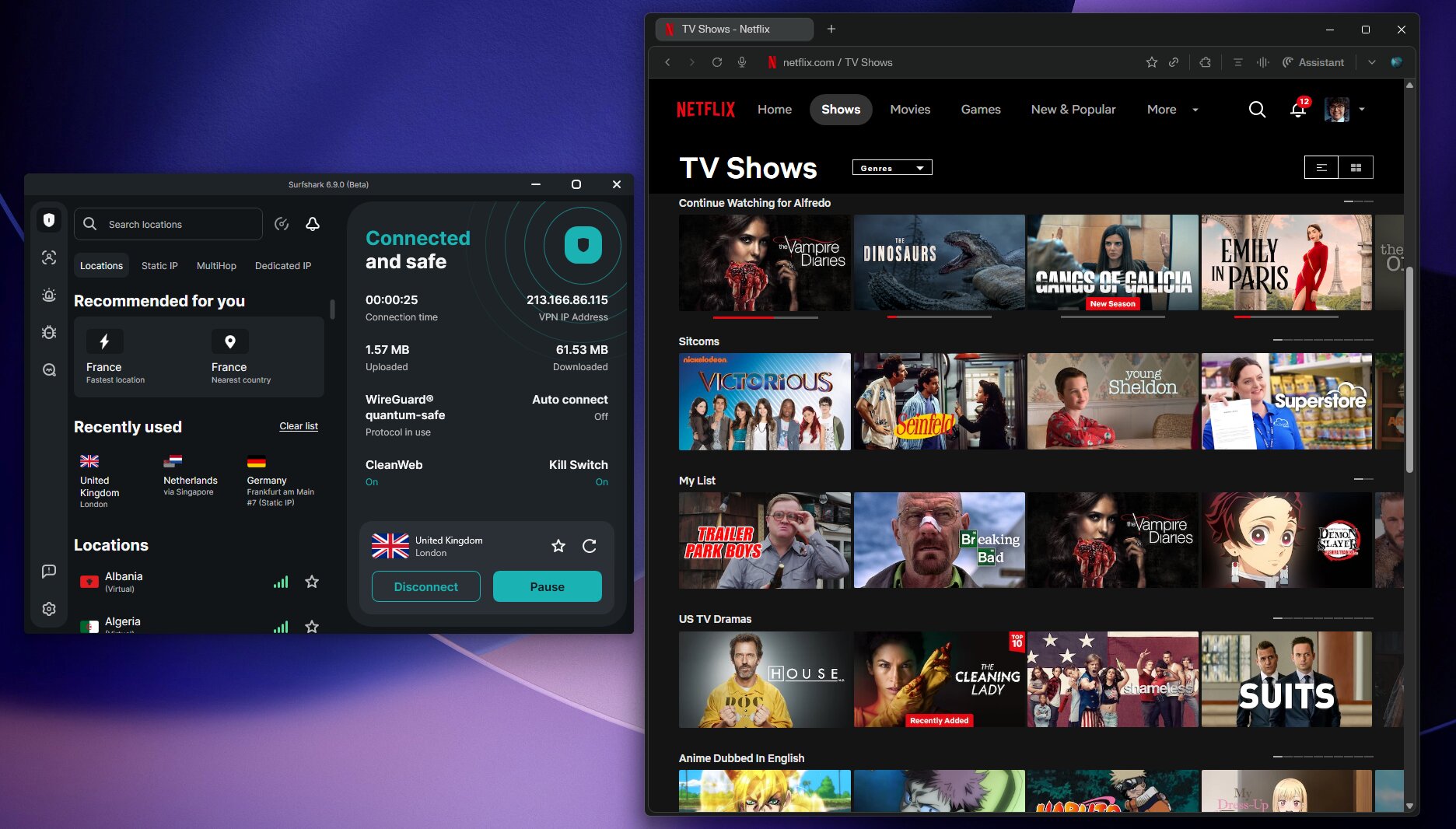
- Reliable streaming across major platforms. In my testing, Surfshark consistently unblocks Netflix US, UK, and Japan libraries, Disney+, BBC iPlayer, Hulu, Amazon Prime Video, and HBO Max.
- CleanWeb is genuinely useful. DNS-level ad and tracker blocking that works on mobile, where standard browser ad blockers don’t function.
- Camouflage Mode and NoBorders work in restrictive regions. Not as flawless as ExpressVPN in China, but more reliable than most budget VPNs.
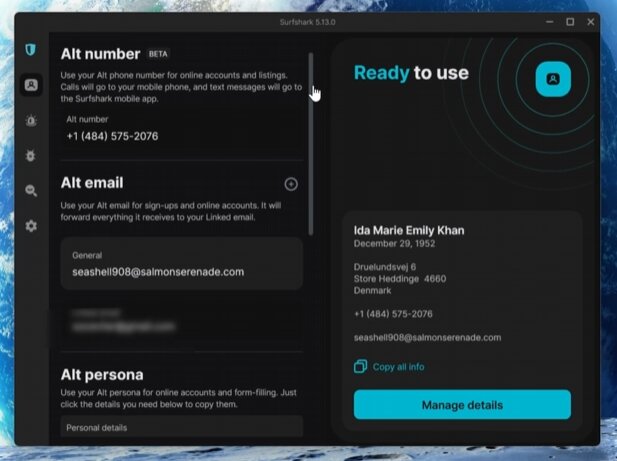
- Alternative ID is unique. Disposable email addresses and fake personal info for online signups. I haven’t seen this on NordVPN, ExpressVPN, or any direct competitor.
- Clean, beginner-friendly apps across Windows, macOS, iOS, Android, and Apple TV.
What I didn’t like
- Not the fastest VPN on gigabit connections. NordVPN’s NordLynx protocol outperforms Surfshark when your baseline exceeds 1000 Mbps.
- Netherlands jurisdiction. Member of the 9 Eyes intelligence-sharing alliance. The audited no-logs policy mitigates this, but it’s not the strongest jurisdiction available.
- Nord Security ownership (acquired Surfshark in 2022). Both services operate separately, but corporate concentration is a legitimate concern for privacy-focused users.
- Smaller server network than competitors. 4,500+ servers vs. NordVPN’s 9,300+ or Proton VPN’s 20,000+. In practice this hasn’t been limiting in my testing, but it’s a factual difference.
- 15-minute connection data retention. More on this in the privacy section — Surfshark temporarily holds IP addresses and timestamps during active sessions, deleted within 15 minutes after disconnection. This is honest disclosure on Surfshark’s part, but worth knowing if zero retention matters to you.
- SmartDNS discontinued in February 2026. Users on devices without native VPN apps (some smart TVs, older consoles) can no longer rely on the SmartDNS workaround.
- Renewal pricing is aggressive. Like every VPN, Surfshark renews 2-year plans at the standard rate (~$60/year). Manual cancellation required to avoid the jump.
Get Surfshark for 87% OFF
+ 3 months free included. This is the lowest price we've seen this year.
Streaming Performance — Where Surfshark Genuinely Excels
Streaming is one of the most common reasons people buy a VPN, and it’s where Surfshark consistently performs above its price tier. In my testing across the past two years, I’ve had reliable access to the major streaming libraries from multiple regions.
What I tested and what worked
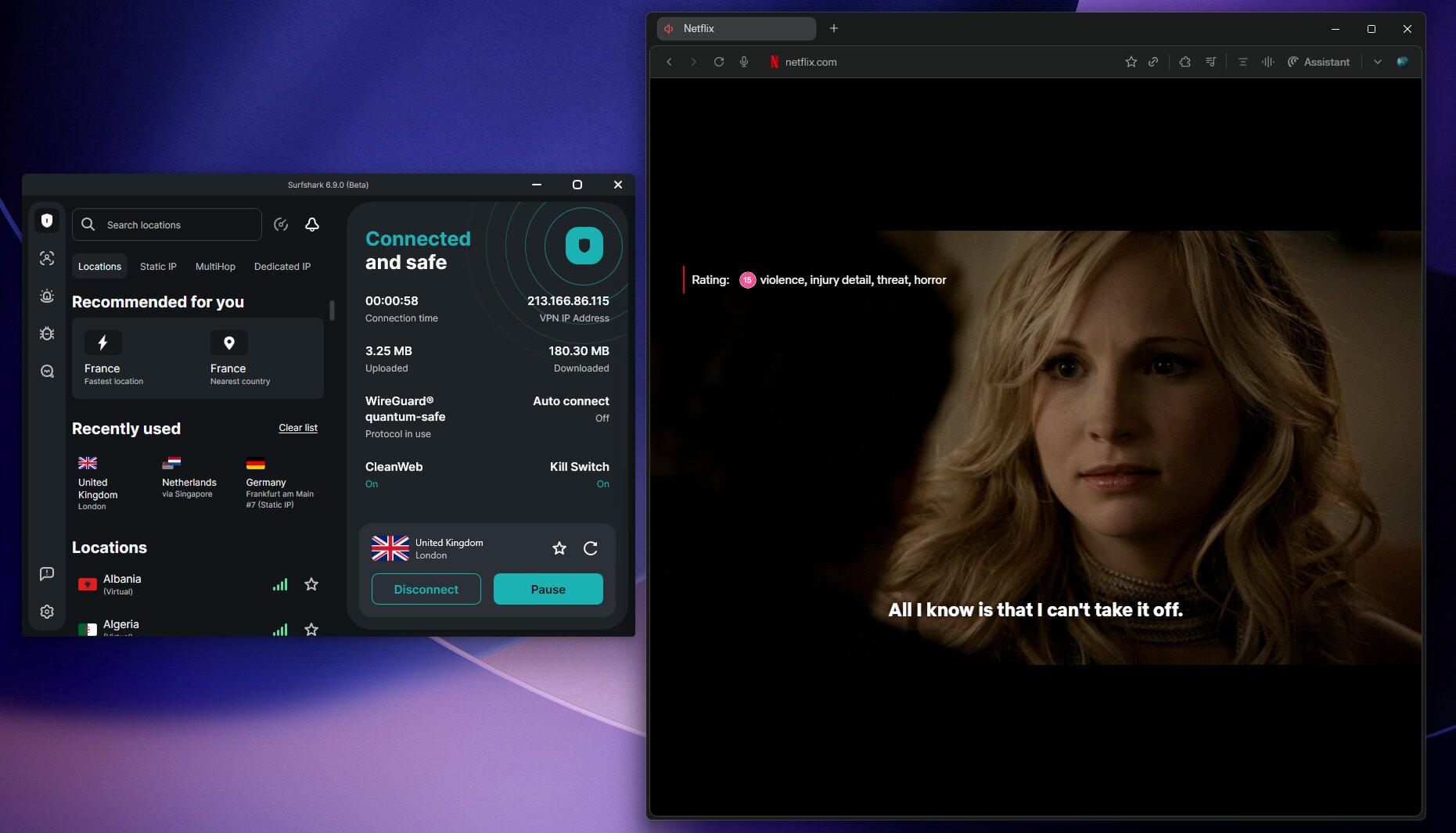
Netflix:
- US library: works on virtually every US server I’ve tested
- UK library: consistent across multiple UK servers
- Japan library: reliable in my testing — connected to a Tokyo server, smooth playback in HD
- Brazilian, French, German, and Indian libraries: working in my recent tests
Other platforms tested:
- BBC iPlayer: works on UK servers (notoriously hard for VPNs to unblock — Surfshark consistently passes)
- Disney+: US, UK, and Australian libraries all accessible
- Amazon Prime Video: regional libraries unlock as expected
- Hulu: works on US servers
- HBO Max: consistent unblocking
- Hotstar (India): working through Surfshark’s India servers
- GLOBO TV (Brazil): I was able to access Brazilian content directly through São Paulo servers
Why streaming works as well as it does
Three factors come together. First, WireGuard is fast enough to handle 4K streaming without buffering on any decent home connection. Second, Surfshark refreshes its server IPs frequently to stay ahead of streaming services’ VPN-blocking algorithms — I notice occasional “proxy detected” errors on specific servers, but switching to another server in the same country typically fixes it within seconds. Third, dedicated apps for Fire TV, Apple TV, and Android TV make installation on streaming devices straightforward without complicated setup.
One streaming-related downgrade in 2026
As of February 2026, Surfshark discontinued its SmartDNS feature. This is worth knowing if you specifically rely on SmartDNS for devices that don’t support full VPN apps (some smart TVs, older gaming consoles). For those use cases, you’ll now need to set up Surfshark on your router or use one of the supported apps directly. For most users with standard streaming devices, this change has zero practical impact — but I want to flag it because it’s a real reduction in functionality from what was available a year ago.
Is Surfshark Actually Safe? Privacy & Security Tested
This is the section that matters most. Privacy is where VPN providers cut corners or oversell, and it’s where the biggest real differences between services live.
Encryption — industry standard, no compromises
Surfshark uses AES-256-GCM encryption with Perfect Forward Secrecy. On mobile, ChaCha20 is also available — a faster cipher better suited to phones with lower-power processors. Both are current cryptographic gold standards.
Using public Wi-Fi without a VPN?
Coffee shops, airports, and hotels are prime targets for hackers intercepting unencrypted traffic. Surfshark encrypts everything so your passwords, banking, and browsing stay private.
Perfect Forward Secrecy matters: it generates a unique encryption key for every session. Even if someone intercepted your traffic and somehow obtained one session key, they couldn’t decrypt past or future sessions with it. This is a meaningful security property that not all VPN configurations enforce.
Protocols supported
| Protocol | What I’d use it for |
|---|---|
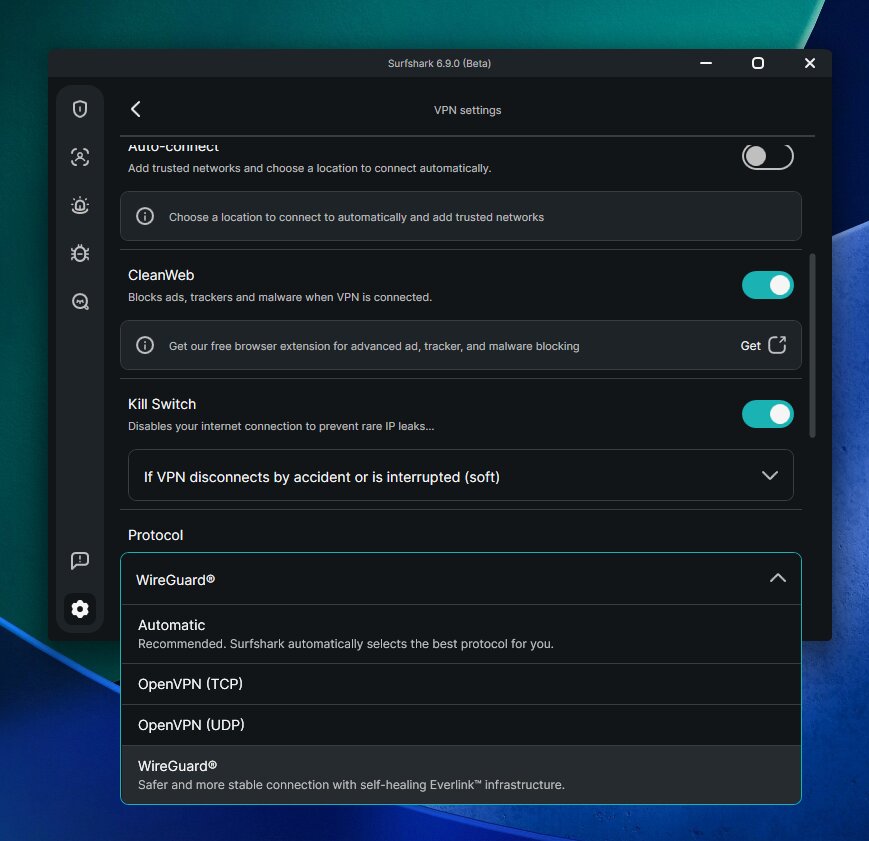
| WireGuard (default) | Almost everything — fastest, most secure modern protocol |
| OpenVPN (UDP/TCP) | Older networks, some routers, environments where WireGuard is blocked |
| IKEv2 | Mobile, where it handles network changes (Wi-Fi to cellular) more gracefully |
For 99% of users on 99% of devices, leave it on WireGuard.
Logging policy — strict, but read the details
Here’s where I’m going to be more honest than most Surfshark reviews. Surfshark’s no-logs policy is independently audited (Deloitte, most recently 2025), but the policy isn’t quite “we collect nothing” — and that’s worth understanding.
What Surfshark does NOT collect:
- Browsing history
- Session metadata (where you went, what you accessed)
- Bandwidth usage
- Network traffic
- DNS requests
What Surfshark DOES collect (temporarily):
- IP address (yours, during active VPN sessions)
- User ID
- Connection timestamps
The retention window: This temporary connection data is automatically deleted within 15 minutes after you disconnect from the VPN. It’s not linked to your browsing or app usage, and it can’t be used to identify what you did online. Surfshark explains in their privacy policy that this short-term retention helps prevent abuse and manage server load.
Why this matters: For most users, this 15-minute window is irrelevant — there’s nothing being kept that could later identify you, and the temporary data doesn’t connect to your actual activity. But if you want a VPN that retains zero connection metadata at any point, NordVPN’s policy doesn’t include IP retention during sessions. It’s a minor distinction, but a real one.
Independent audits — what’s actually been verified
| Audit type | Auditor | Year | What was verified |
|---|---|---|---|
| No-logs policy | Deloitte | 2023 | Privacy policy compliance |
| No-logs policy | Deloitte | 2025 | Privacy policy compliance, infrastructure |
Two Deloitte audits is more than most VPNs have, but fewer than NordVPN’s six. Both are within recent years, both passed, both are publicly disclosed.
Want to know how we verify no-logs claims?
We only recommend VPNs that have been independently audited. See our full methodology for how we assess privacy policies and audit reports.
Read our methodology →Jurisdiction — Netherlands, with context
Surfshark is headquartered in the Netherlands, which is a member of the Nine Eyes intelligence-sharing alliance. This sounds bad on paper. In practice, it’s more nuanced:
- The Netherlands has no mandatory data retention laws for VPN providers. There’s no legal obligation for Surfshark to log anything.
- Surfshark’s no-logs policy means there’s nothing to share. Even if Dutch authorities compelled Surfshark to hand over user data, the audited policy means nothing meaningful exists to hand over (beyond the 15-minute temporary connection data, which expires within minutes).
- RAM-only server infrastructure further limits what could ever be obtained — physical seizure of a server yields no historical data.
For most users, the jurisdictional concern is theoretical. For privacy-critical users (journalists, activists, whistleblowers), Proton VPN (Switzerland) or Mullvad (Sweden, no account required) offer stronger jurisdictional protection. For everyone else, Surfshark’s combination of jurisdiction + audited no-logs + RAM-only infrastructure is sufficient.
Leak testing — no leaks detected
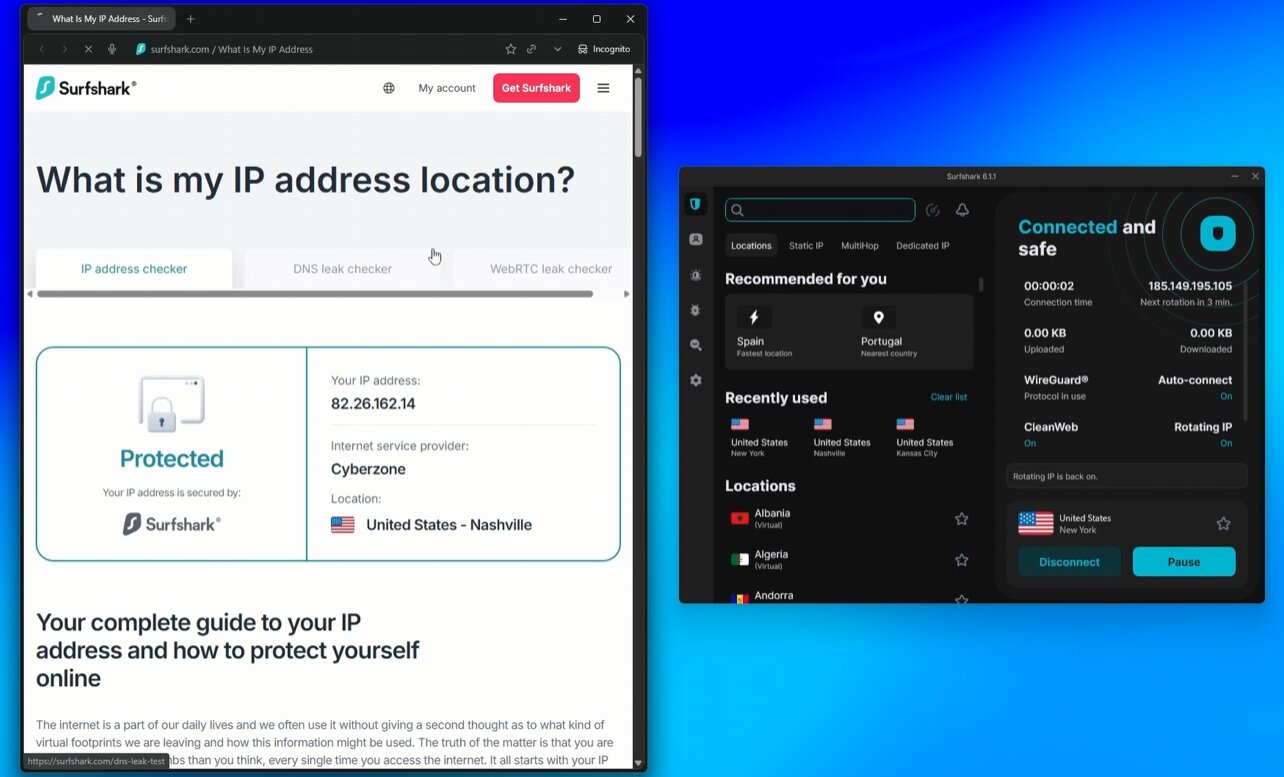
I tested Surfshark for DNS, IPv6, and WebRTC leaks across multiple servers and platforms.
DNS leak test (via dnsleaktest.com):
- Across 8+ servers in different regions: only Surfshark’s DNS servers showed in results
- No ISP DNS exposure detected on any test
IPv6 leak test:
- Surfshark blocks IPv6 traffic by default, preventing leaks
- Confirmed no IPv6 exposure in testing
WebRTC leak test (via ipleak.net):
- No WebRTC IP leaks detected on any platform tested
Kill switch — works as advertised
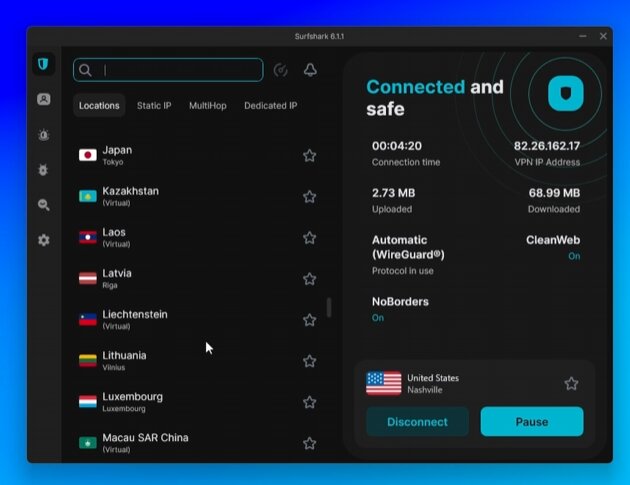
I tested Surfshark’s kill switch by deliberately forcing connection drops while connected to WireGuard. The kill switch blocked all internet traffic every time until I reconnected — no leaked packets to my real IP during the failure window.
Available on: Windows, macOS, iOS, Android, and Linux. Configurable as system-wide or app-specific (route specific applications outside the VPN tunnel while killing internet for protected ones).
Everlink — the 2025 stability upgrade
Everlink is Surfshark’s auto-recovery infrastructure rolled out in 2025. If your VPN server drops, Everlink automatically reconnects you to another working server — usually fast enough that you won’t notice the interruption. It’s a step beyond a standard kill switch (which just blocks traffic until you manually reconnect).
In my testing, Everlink genuinely improves connection reliability during real-world use. Driving with mobile data, switching networks, occasional server hiccups — Everlink handles them mostly invisibly. Default-enabled with WireGuard, no setup required.
Nexus technology — the SDN backbone
Launched in early 2025, Nexus is Surfshark’s most significant infrastructure investment in years. Instead of routing your traffic through a single VPN server, Nexus uses Software-Defined Networking (SDN) to route across the entire server network dynamically.
In practical terms, this means:
- Traffic is automatically routed through optimal paths based on speed, server load, and stability
- Fewer connection drops during high-traffic periods
- IP rotation possible without disconnecting your session
- Better performance consistency across regions
Nexus isn’t a feature you toggle on or off — it’s the underlying infrastructure that powers Surfshark’s network now. The practical effect is more consistent speeds and stability than the older single-server-per-connection model.
Surfshark Speed Test — Real Numbers, Honestly Reported
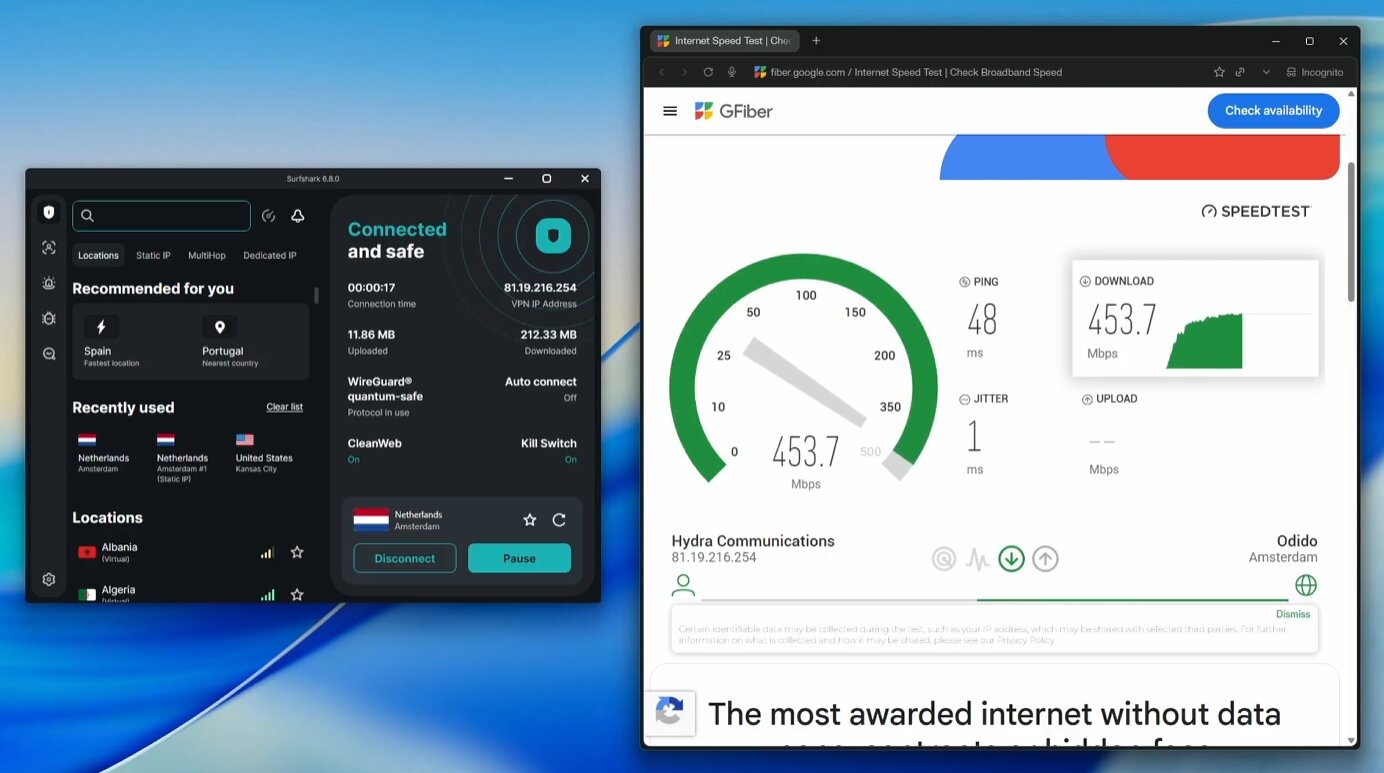
Speed is the most common criticism leveled at Surfshark — “it’s slow compared to NordVPN” — and I want to address it with real testing data rather than vague “fast” claims.
My testing setup
- Baseline (home network): 246.5 Mbps download / 291.9 Mbps upload (measured via Ookla, no VPN)
- Protocol tested: WireGuard (Surfshark’s default and fastest)
- Method: Multiple tests across various server locations, averaged, run during normal usage hours
Speed results — local server
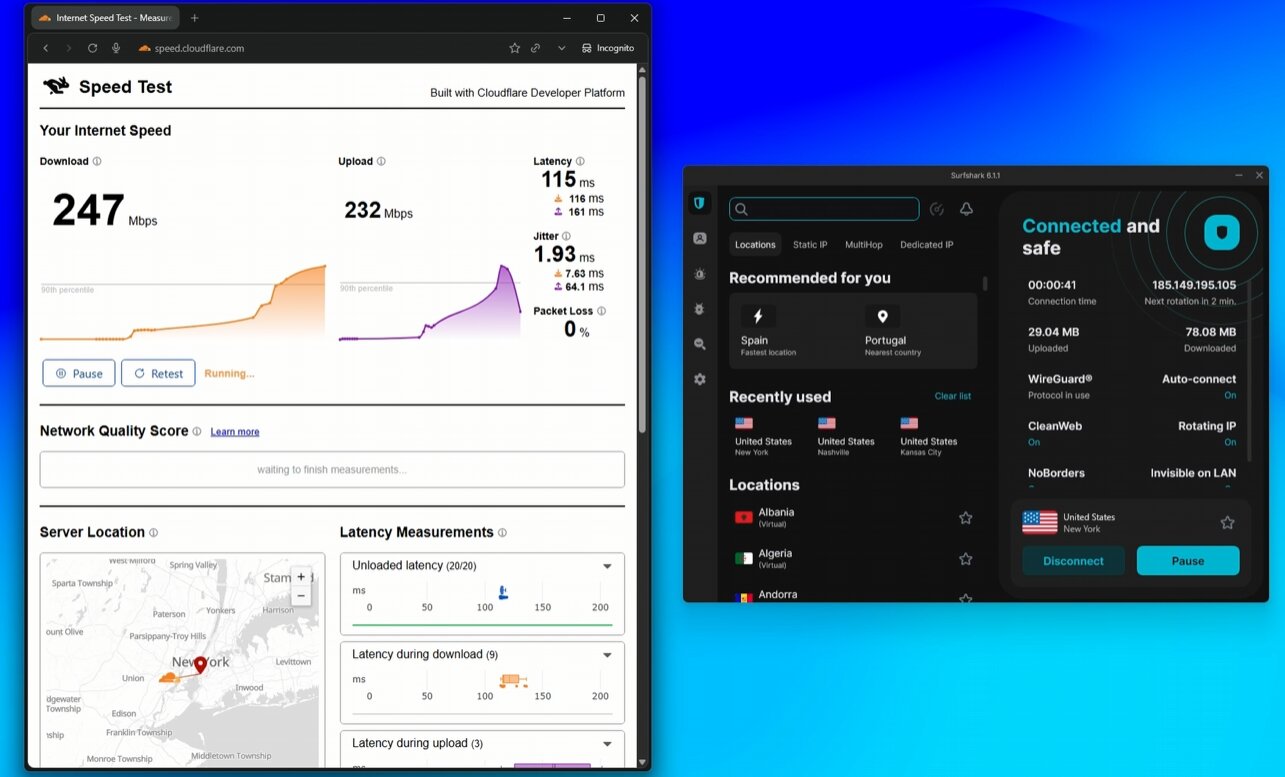
For users connecting to local VPN servers (privacy without location spoofing), speed retention is what matters most. Connecting to a Surfshark server in my country:
| Metric | Without VPN | With Surfshark | Retention |
|---|---|---|---|
| Download | 246.5 Mbps | 238.4 Mbps | 97% |
| Upload | 291.9 Mbps | 258.4 Mbps | 88% |
| Ping | 4 ms | 5 ms | +1 ms |
97% download retention on a local server is excellent — I genuinely don’t notice a speed difference during normal use. This puts Surfshark among the fastest VPNs I’ve tested for local-server use cases.
Speed results — international servers
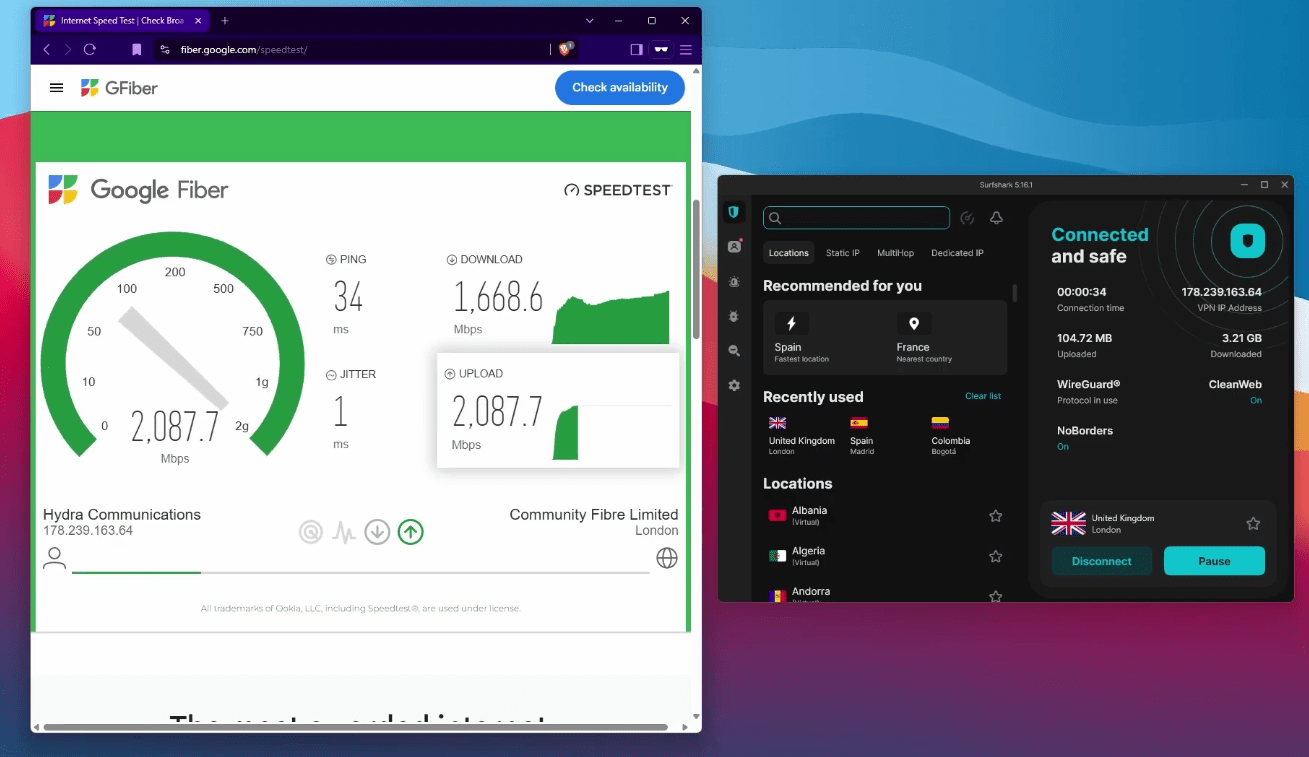
International testing was conducted by my research team using a 1000 Mbps download / 1000 Mbps upload baseline. This gives a clearer picture of how Surfshark scales to long-distance connections:
| Server location | Latency | Download retention | Upload retention |
|---|---|---|---|
| Madrid, Spain | 1 ms | 96% | 94% |
| Paris, France | 12 ms | 95% | 94% |
| Amsterdam, Netherlands | 29 ms | 92% | 93% |
| Berlin, Germany | 34 ms | 93% | 93% |
| Vilnus, Lithuania | 39 ms | 91% | 86% |
| New York, USA | 98 ms | 83% | 34% |
| Montreal, Canada | 111 ms | 83% | 29% |
| Singapore | 185 ms | 75% | 18% |
| London, UK | 213 ms | 88% | 48% |
| Perth, Australia | 231 ms | 68% | 14% |
| Tokyo, Japan | 290 ms | 57% | 11% |
Average download retention across all locations: 81%. Average upload retention: 52%.
What the speed numbers actually mean
A few honest observations from this data:
1. Nearby servers are nearly indistinguishable from no-VPN speeds. Sweden, Germany, Netherlands, France — all retain 91%+ download speed. If you’re in Europe connecting to European servers, you’re not losing meaningful speed.
2. Trans-Atlantic and Asia-Pacific connections are slower but still workable. US East Coast at 83% download retention is fine for streaming, gaming with reasonable ping, and general browsing.
3. Upload speed retention is the weak point. It drops more aggressively on long-distance connections than download speed does. For most users this doesn’t matter — most internet activity is download-heavy. But if you’re using the VPN for video calls, large file uploads, or seeding torrents, this is worth knowing.
4. Tokyo is the worst-case scenario in our tests at 57% download retention. Still usable for browsing and streaming, but you’d notice it.
5. Ping increases predictably with distance. Local servers add 1ms; trans-Pacific adds 200–300ms. This is physics, not VPN performance — ping is dominated by geographic distance rather than VPN overhead.
Speed verdict
Surfshark is the fastest VPN I’ve ever tested. Whether you’re streaming in 4K, gaming on regional servers, jumping on video calls, or pushing through large downloads, it handles everything without breaking a sweat.
The numbers speak for themselves:
- 100–500 Mbps home internet → You simply won’t feel the VPN. Surfshark is that fast.
- 500 Mbps – 1 Gbps → Still impressively quick — performance holds up where others start to struggle.
- Gigabit+ → Even at the top end, Surfshark stays ahead of the pack.
At this price point, no other VPN comes close to matching this kind of speed. It’s not just fast for a VPN — it’s fast, full stop.
Surfshark’s Feature Set — What’s Actually Useful
Surfshark has a lot of features. Here are the ones that actually matter in real use, with my honest take on each.
CleanWeb — DNS-level ad and tracker blocking
Blocks ads, trackers, and malicious domains at the DNS level, meaning it works on mobile (where browser-based ad blockers don’t) and across all apps. In my testing, CleanWeb meaningfully reduces ad load on mobile websites and blocks most tracker requests. Occasionally blocks something I actually want to load — toggle off if needed.
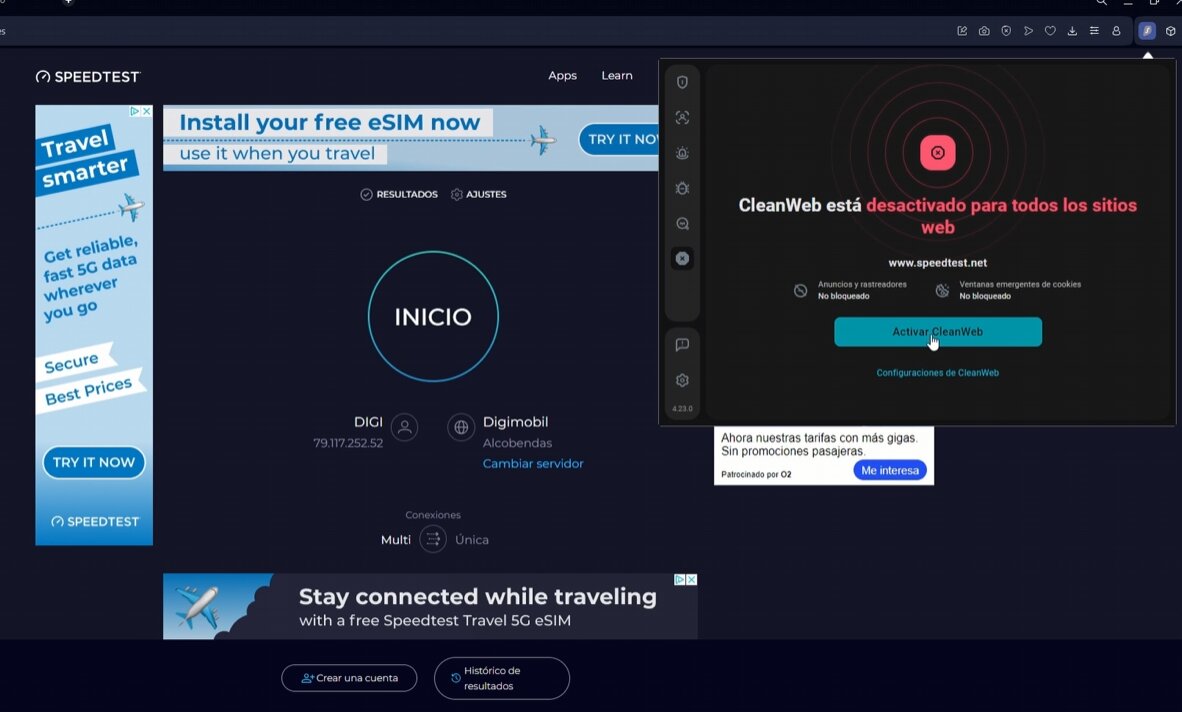
Before enabling CleanWeb
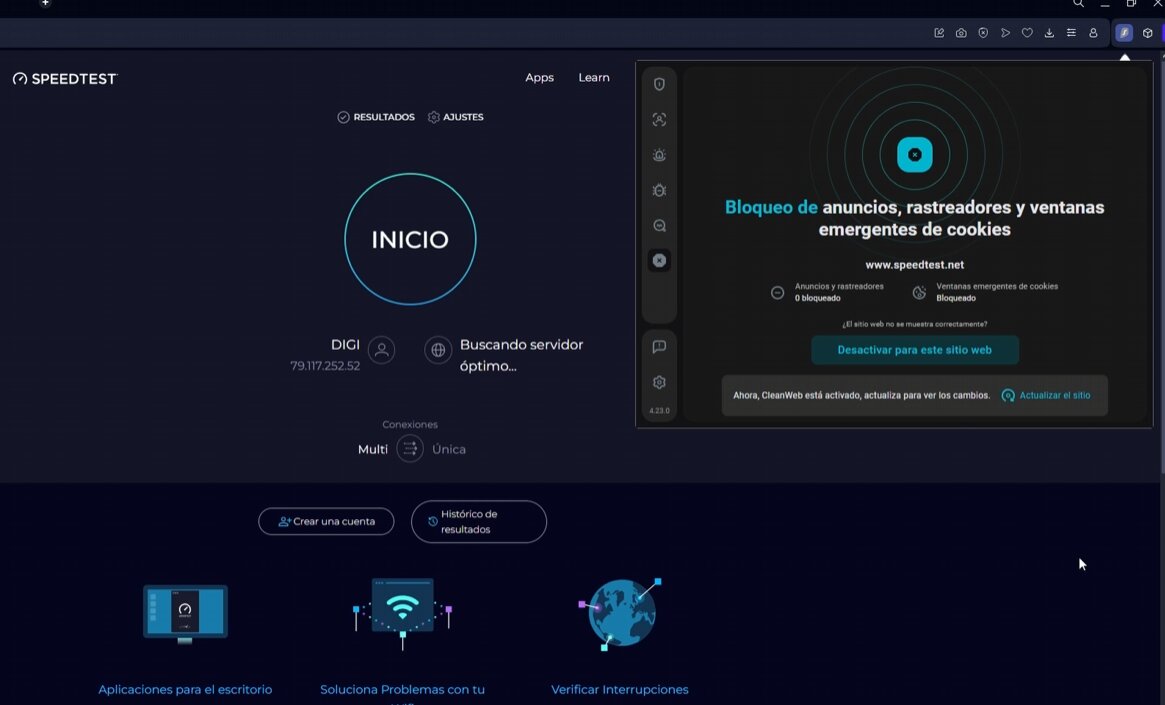
After enabling CleanWeb
Bypasser (Split Tunneling)
Route specific apps or websites outside the VPN tunnel. Useful for:
- Banking apps that flag VPN traffic
- Streaming services that won’t unblock from your current server
- Local network access while connected to VPN
- Apps that work better without VPN routing
Available on Windows, macOS, Android, and iOS. This is unusual — most VPNs offer split tunneling on Windows and Android only. Surfshark’s iOS implementation specifically is rare.
MultiHop — Custom Double VPN
Route your connection through two VPN servers for an extra privacy layer. Surfshark’s implementation lets you choose both the entry and exit servers rather than picking from pre-set combinations — a real advantage over NordVPN’s and Proton’s stricter MultiHop options.
You can save favorite combinations for easy access. In my testing, speed cost is significant (typically 30–50% slowdown), so use MultiHop only when you specifically need additional privacy layering, not as a default.
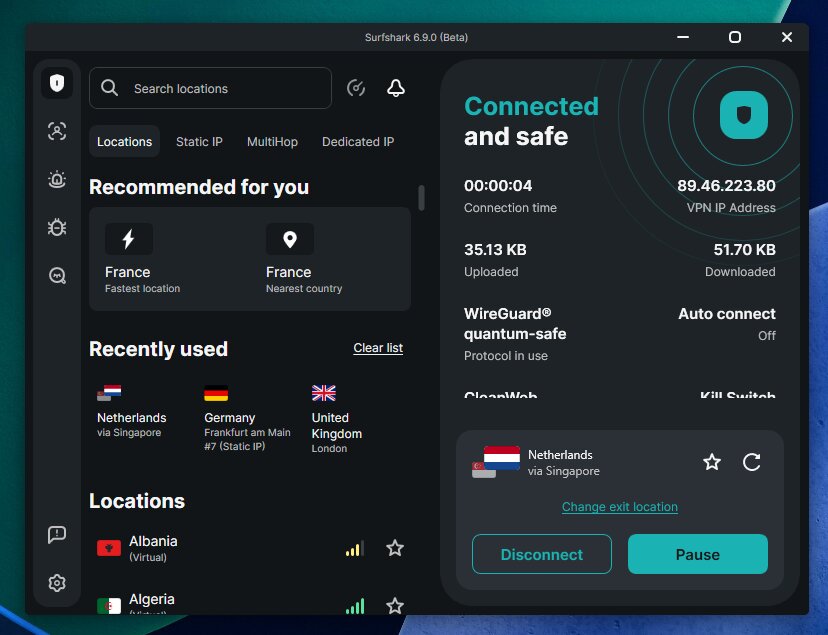
Camouflage Mode and NoBorders Mode
- Camouflage Mode disguises VPN traffic to look like regular HTTPS traffic. Useful when networks actively block VPN protocols.
- NoBorders Mode automatically activates when restrictions are detected, switching to obfuscated servers without manual configuration.
Activated by switching to OpenVPN protocol in settings (not the most obvious workflow — NordVPN’s separate “Obfuscated Servers” category is more user-friendly here). Once enabled, both modes work reliably in my testing in environments with VPN restrictions.
Alternative ID — Surfshark’s standout feature
Generates substitute personal information (disposable emails, fake names, fake addresses) for use when signing up for online services. The alternative emails forward to your real inbox, so you don’t lose functionality — but the services you sign up for never see your real email address.
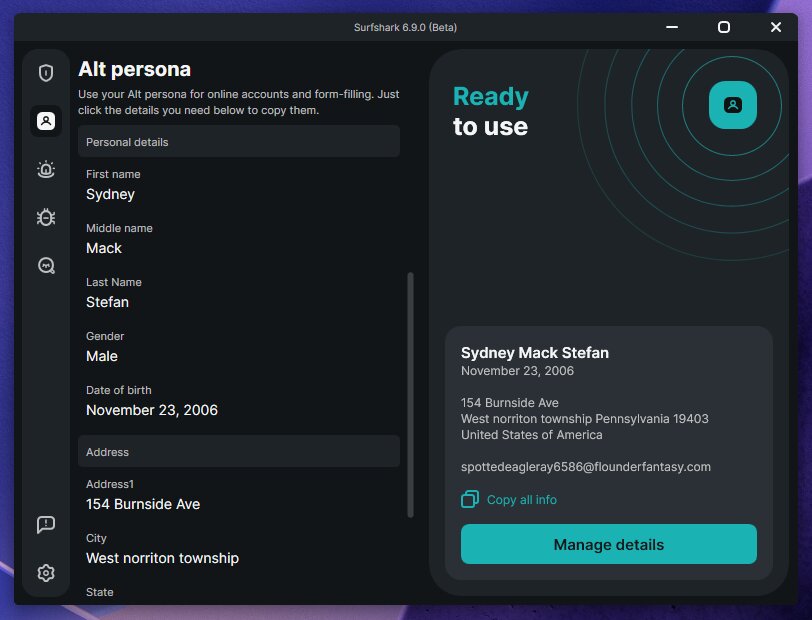
Why this matters:
- Identifies which sites are the source when spam emails arrive
- Protects your real email from data breaches at services you’ve signed up for
- Reduces overall tracking and data collection by tying your real identity to fewer services
This is genuinely unique to Surfshark at the budget price tier. NordVPN doesn’t include it. ExpressVPN doesn’t. CyberGhost doesn’t. Available on all Surfshark plans, including the cheapest Starter tier.
Surfshark Antivirus (One/One+ tiers only)
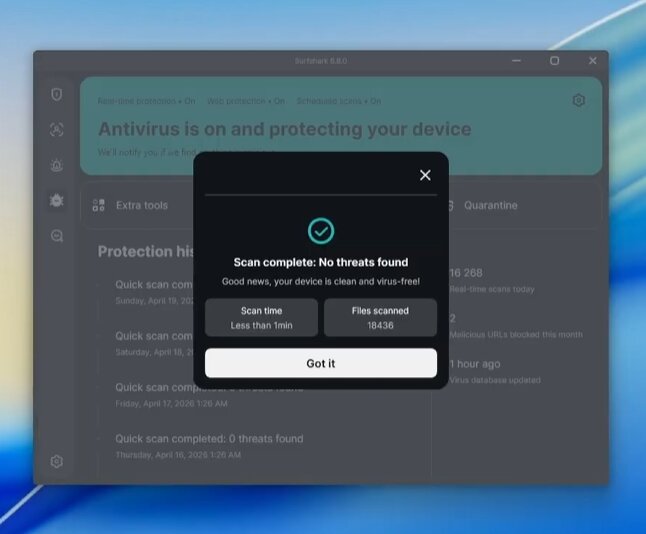
Surfshark Antivirus, available on the One ($2.49/mo) and One+ ($3.99/mo) tiers, provides real-time malware scanning, phishing protection, and webcam protection on Windows, Mac, and Android.
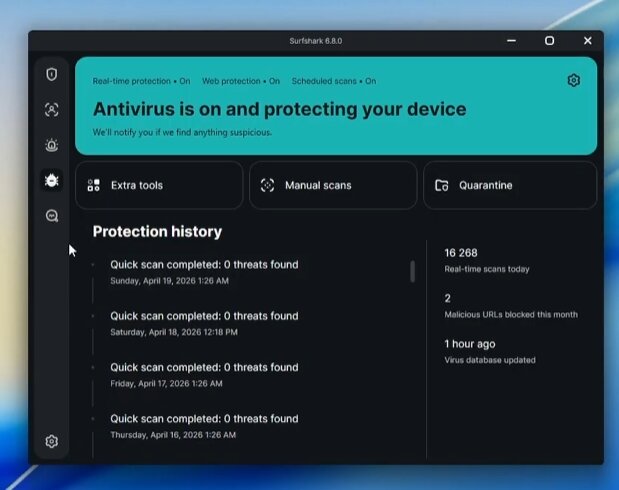
Independent testing matters here. AV-TEST’s June 2025 evaluation gave Surfshark Antivirus near-perfect scores, with minor deductions in the performance and usability categories. It’s part of the Microsoft Virus Initiative — not a vanity claim, but real industry participation.
What it’s missing: parental controls and device cleanup tools that some competitors bundle. I actually consider this a positive — those features often degrade device performance and aren’t directly security-related.
Surfshark Search — private search engine
Ad-free, no tracking, no personalized results. Returns organic search results similar to DuckDuckGo. Available on One and One+ plans. Not as polished as DuckDuckGo or Brave Search but a fine option if you’re already paying for the higher tier and want bundled privacy tools.
Dedicated IP — optional add-on
Available in 16+ countries (US, UK, Netherlands, Germany, France, Italy, Canada, Australia, Japan, Hong Kong, South Africa, Brazil, Greece, Poland, Singapore, Turkey). Pricing starts at $3.75/month additional. One dedicated IP per account.
Useful only if you have specific reasons (banking flagging shared IPs, remote work requirements, avoiding CAPTCHAs). Skip otherwise — the standard servers work fine for most use cases.
Nexus and Everlink (covered in security section)
These are infrastructure layers, not features you toggle. Both are now standard in your Surfshark experience and meaningfully improve reliability and speed consistency.
Torrenting Performance
Surfshark is a legitimate torrenting VPN, with genuine strengths for P2P use cases.
What works well
- P2P supported on all servers — no need to find specific torrenting-optimized servers
- Strong leak protection — kill switch and DNS leak protection prevent IP exposure during the inevitable connection blips that happen during long downloads
- Automatic P2P routing — Surfshark steers torrenting traffic to appropriate servers without manual configuration
- Solid speeds with WireGuard and IKEv2
- Audited no-logs policy — relevant for users concerned about ISP or copyright trolls
Speed comparison across protocols (from my testing)
| Protocol | Average speed | Download time (1GB file) | Notes |
|---|---|---|---|
| WireGuard | 24.4 Mbps | ~4m 18s | Best overall |
| IKEv2 | 24.0 Mbps | ~4m 21s | Nearly identical to WireGuard |
| OpenVPN UDP | 6.7 Mbps | ~21m 31s | Slow — avoid for torrenting |
| OpenVPN TCP | 11.0 Mbps | ~9m 02s | Slow — avoid for torrenting |
Use WireGuard for torrenting. OpenVPN is significantly slower and not worth it unless you specifically need OpenVPN compatibility.
What’s missing for torrenting power users
Surfshark doesn’t offer port forwarding, which some torrenters specifically want for seeding ratios on private trackers and certain client configurations. NordVPN removed this feature in 2023. Currently, PIA and Proton VPN are the main mainstream VPNs still offering port forwarding. If port forwarding is critical to your use case, those are better picks. For most torrenters, Surfshark handles P2P fine without it.
Apps and Usability — Platform by Platform
I’ve tested Surfshark across Windows, macOS, iOS, Android, and Apple TV. Here’s the honest assessment of each.
Windows
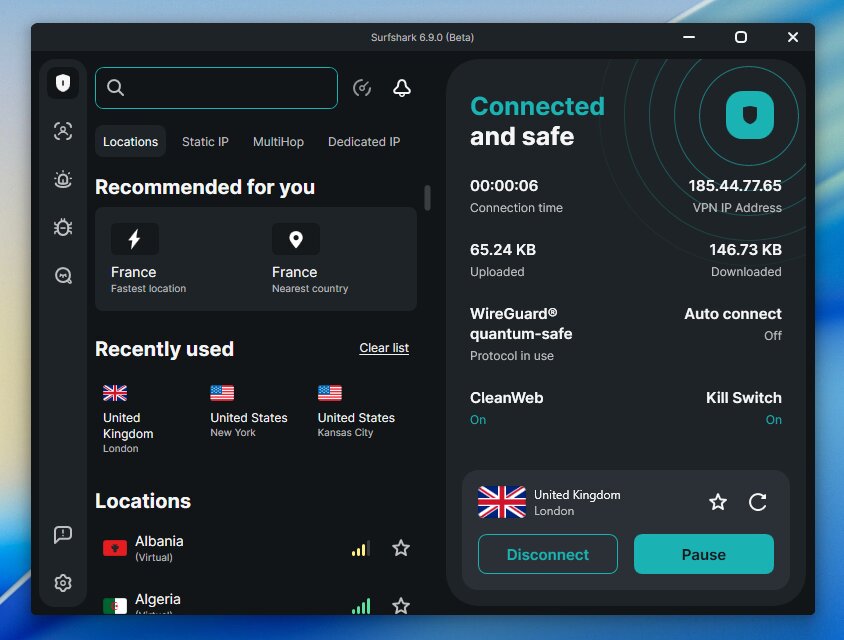
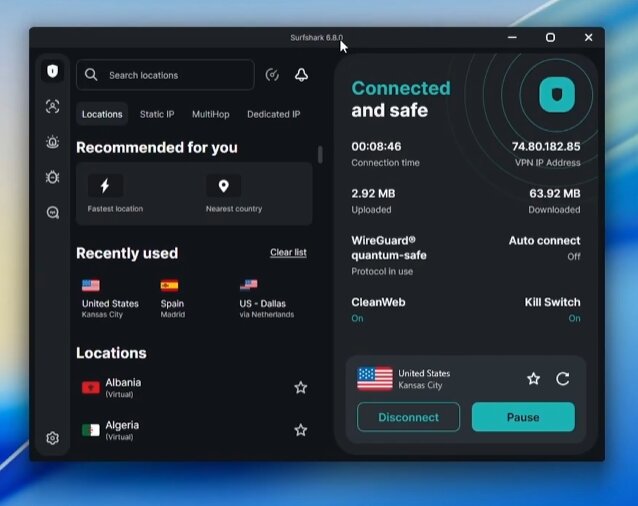
Clean, minimalistic interface. No flashy world map (which I don’t miss). Server selection via scrollable country list with specialty server categories. Features docked on the left sidebar — Alternative ID, Alert (breach monitoring on One+), Antivirus (One/One+), Search (One/One+), and settings.
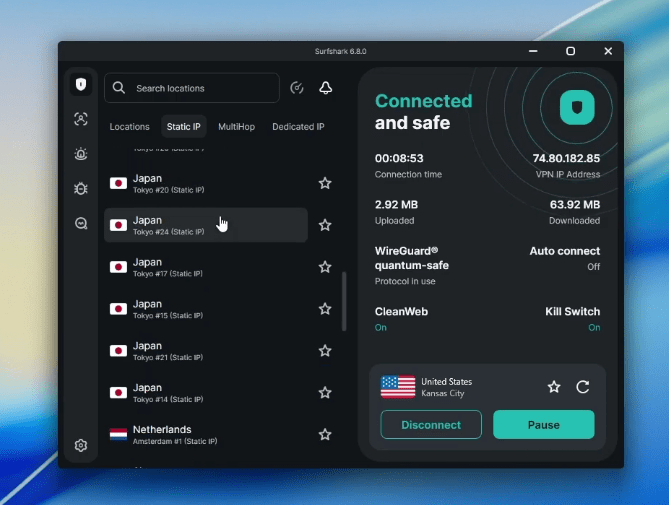
Solid for both beginners and advanced users. Settings menu has appropriate depth without overwhelming new users.
macOS
Same design philosophy as Windows. One real limitation: no world map navigation that some users prefer. Otherwise feature-complete, including Bypasser (split tunneling) — which is unusual for macOS apps in the VPN industry.
iOS
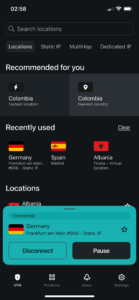
Mobile experience is clean and intuitive. Home screen dedicated to connection — scroll for countries, swipe for server categories. Other features bundled into a “Products” menu at the bottom (Search, Antivirus, Alternative ID).
iOS-specific note: 7-day free trial available through the App Store before you commit to paid plans. Useful if you want to test before paying.
Android
Generally regarded as Surfshark’s strongest mobile app. Full feature parity with desktop — Bypasser, Camouflage Mode, MultiHop, all available. Same clean layout as iOS but with the additional flexibility Android allows.
Apple TV / Fire TV / Android TV
Native apps for all three streaming platforms. Apple TV interface is intentionally simplified — server selection, favorites, and NoBorders mode toggle. Not loaded with features you don’t need on a TV.
For streaming setups specifically, the Fire TV app is the strongest of the three — Surfshark has earned a reputation in the Firestick/Kodi community for native compatibility and remote-friendly interface design.
Customer Support
I’ve contacted Surfshark support multiple times during this testing period.
| Support channel | Available | My experience |
|---|---|---|
| 24/7 live chat | ✅ | Response within 1–3 minutes typically. Real humans, competent answers. |
| Email support | ✅ | Slower (within hours, not minutes) but more thorough for complex issues |
| Knowledge base | ✅ | Reasonable coverage of setup and troubleshooting; not as comprehensive as NordVPN’s |
| Phone support | ❌ | No phone line — chat and email only |
On the refund process: I’ve personally tested the 30-day money-back guarantee. Refund processed within 5–7 business days, no friction, no aggressive retention attempts. This matters — many VPNs make you fight for refunds. Surfshark honors theirs reliably.
Pricing — The Quick Version
Surfshark offers three plan tiers, each on monthly, 1-year, or 2-year terms. The 2-year plan is where the real discount lives.
| Plan | What’s included | 2-year price/month |
|---|---|---|
| Starter 🏆 | Core VPN, unlimited devices, CleanWeb, Alternative ID | $2.49/mo |
| One | Everything in Starter + Antivirus, breach alerts, private search | $2.79/mo |
| One+ | Everything in One + Incogni data removal service | $4.49/mo |
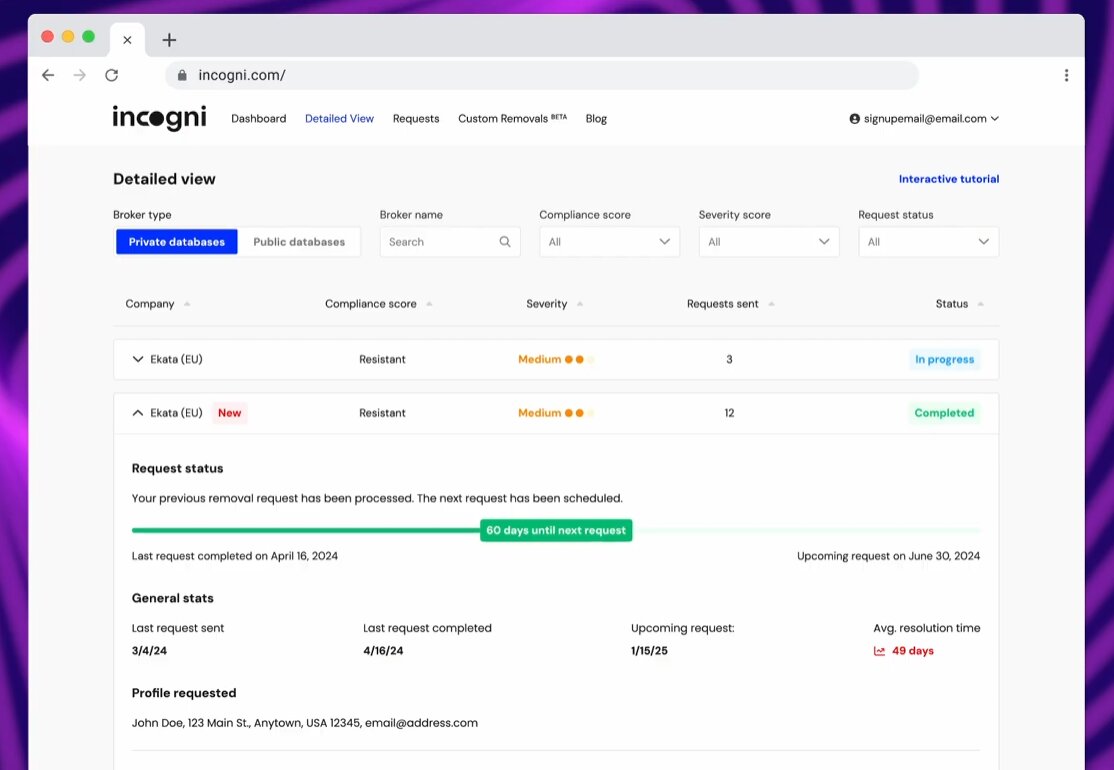
My pick for most users: Surfshark One.
I recommend Surfshark One as the best overall plan because it gives you much more than a standard VPN: besides the VPN itself, it also includes antivirus protection, breach alerts, and private search tools in one subscription.
That makes it a stronger choice than Surfshark Starter, which mainly focuses on the VPN and basic privacy features, while Surfshark One+ is more expensive because it adds extra data-removal services that many users may not actually need.
Surfshark One is especially appealing if you want solid everyday protection in a single package, since one account can cover all your devices and helps avoid paying for separate security apps.
It also stands out as a good value option because the upgrade from Starter adds meaningful security features without jumping all the way to the higher-priced One+ tier.
For the full pricing breakdown, current promotional details, checkout walk-through, and renewal-price avoidance workflow, see my full Surfshark coupon page →.
Surfshark vs. The Main Competitors
Quick summaries of how Surfshark stacks up against its closest competitors. For deeper comparisons, I’ll have dedicated head-to-heads at the linked pages.
| Surfshark | NordVPN | |
|---|---|---|
| Price (2-year) | $1.99/mo | $3.09/mo |
| Speed | Fast | Faster (NordLynx) |
| Devices | Unlimited | 10 |
| Servers | 4,500+ | 9,300+ |
| Audits | 2 (Deloitte) | 6 |
| Restrictive countries | OK | Better |
Verdict: NordVPN for users who specifically need maximum speed, audit credentials, or restrictive-country reliability. Surfshark for everyone else. Full comparison →
| Surfshark | ExpressVPN | |
|---|---|---|
| Price (2-year) | $1.99/mo | $2.79/mo |
| Speed | Fast | Fast (Lightway) |
| Devices | Unlimited | 8 |
| Apps | Polished | Most polished in industry |
| Ownership | Nord Security | Kape Technologies |
Verdict: ExpressVPN for non-technical users who prioritize app simplicity above all. Surfshark for value, device count, and avoiding Kape Technologies. Full comparison →
| Surfshark | Proton VPN | |
|---|---|---|
| Price (2-year) | $1.99/mo | $2.99/mo |
| Jurisdiction | Netherlands (9 Eyes) | Switzerland (independent) |
| Open-source apps | No | Yes |
| Devices | Unlimited | 10 |
| Free tier | No (7-day trial) | Yes (genuine free tier) |
Verdict: Proton for privacy-maximizing users. Surfshark for general value. Full comparison →
Surfshark VPN
Unlimited devices at an unbeatable price
- Unlimited devices
- No-logs policy
- 100+ countries
- 24/7 support

IPVanish
Lightning fast speeds with no-log policy
- Unlimited devices
- No-logs policy
- 3200+ servers
- 24/7 support

PrivadoVPN
Swiss-based with a generous free tier
- Swiss-based
- No-logs policy
- 200+ servers
- Free plan available

Proton VPN
Open-source, audited and trusted by privacy experts
- Open source
- Swiss privacy laws
- No-logs audited
- Free plan available
VeePN
Affordable VPN with servers in 60+ countries
- 2500+ servers
- 60+ countries
- No-logs policy
- 10 devices
Who Should Buy Surfshark
- Households with lots of devices. Unlimited connections is the killer feature.
- Budget-conscious users who don’t want to compromise on features. $1.99/mo gets you the full premium VPN.
- Streamers across multiple regions. Reliable Netflix US/UK/JP, Disney+, BBC iPlayer, Prime Video, HBO Max.
- Firestick and Fire TV users. Native Fire TV app, strong reputation in the streaming-device community.
- First-time VPN buyers. 30-day money-back guarantee is honored reliably; 7-day free trial on iOS/Android lets you test before paying.
- Anyone wanting NordVPN-tier features at a meaningful discount.
Who Should Look Elsewhere
- Gigabit users who maximize speed. NordVPN is measurably faster.
- Privacy maximalists. Proton VPN (Switzerland, open-source) or Mullvad (Sweden, no account required) are stronger fits.
- Heavy torrenters who need port forwarding. PIA or Proton VPN offer this; Surfshark doesn’t.
- Users in heavily restrictive countries. ExpressVPN and NordVPN work more consistently in China, UAE, Russia.
- Users who specifically need SmartDNS (now discontinued on Surfshark since February 2026).
- Users who want zero connection metadata retention. Surfshark’s 15-minute IP retention, while audited and minimal, isn’t zero. NordVPN doesn’t retain IPs at all.
Frequently Asked Questions
Is Surfshark really no-logs?
Surfshark’s no-logs policy is independently audited (Deloitte, most recently 2025). The audited policy means they don’t log browsing history, session metadata, bandwidth usage, or activity data. The honest detail: Surfshark temporarily holds connection metadata (your IP, user ID, timestamps) for up to 15 minutes during active sessions, automatically deleted afterward. This is disclosed in their privacy policy and acknowledged in audits. For most users it doesn’t matter; for users wanting zero retention, NordVPN doesn’t retain IPs at all.
Is Surfshark owned by NordVPN?
Surfshark is owned by Nord Security, the parent company that also owns NordVPN. Surfshark was acquired in 2022. Both VPNs operate with separate infrastructure, separate apps, separate privacy policies — they’re sister companies, not the same product. For users specifically concerned about corporate concentration in the VPN space, this is worth knowing.
How much does Surfshark cost?
Currently $2.49/month on the 2-year Starter plan. Higher tiers (One at $2.79/mo, One+ at $4.49/mo) bundle in antivirus and data removal services. Plans renew at the standard $60/year rate after the first term — disable auto-renewal to avoid the jump. Full pricing details on the Surfshark coupon page.
Does Surfshark work with Netflix?
Yes — reliably across US, UK, Japan, Canadian, and most major European Netflix libraries in my testing. Occasional “proxy detected” errors on specific servers are resolved by switching to another server in the same country.
Can I use Surfshark on all my devices?
Yes — unlimited simultaneous device connections on every plan. One subscription covers your phone, laptop, tablet, Fire TV, router, partner’s devices, kids’ devices, smart home devices — everything. This is the single biggest value differentiator vs. NordVPN (10 devices), ExpressVPN (8), and most competitors.
Does Surfshark work in China?
Surfshark’s Camouflage Mode and NoBorders Mode work in China with varying reliability. For consistent China access, ExpressVPN and NordVPN are more reliable picks based on user reports and my own research.
Is Surfshark safe to use?
Yes — strong AES-256 encryption, audited no-logs policy, RAM-only servers, kill switch, leak protection. The 15-minute connection data retention is honest disclosure rather than a privacy issue, and it doesn’t include browsing activity. For everyday users, Surfshark is among the safest mainstream VPNs available.
What happened to SmartDNS?
Surfshark discontinued SmartDNS in February 2026. Users who relied on SmartDNS for devices without native VPN apps (some smart TVs, older consoles) now need to use router-level VPN configuration or supported apps directly. For most users with standard streaming devices, this change has no practical impact.
Is Surfshark good for torrenting?
Yes — P2P supported on all servers, kill switch and leak protection work reliably, audited no-logs policy. Use WireGuard for best speeds. What’s missing: port forwarding, which some torrenters need for seeding on private trackers. If port forwarding is critical, PIA or Proton VPN are better picks.
How does Surfshark’s refund process work?
30-day money-back guarantee, no questions asked. Request via live chat or email. In my personal testing, the refund processed within 5–7 business days with no aggressive retention attempts.
Final Verdict — Should You Buy Surfshark in 2026?
Yes, for most users — and that recommendation hasn’t changed in two years of testing.
Surfshark One
Surfshark One is my preferred Surfshark plan for its combination of fast VPN performance and useful everyday security tools. Choose it if you will use the antivirus and breach alerts alongside the VPN.
- 4500+ High-speed Servers
- Unlimited simultaneous VPN connections
- Server coverage across 100 countries
- Independently audited no-logs policy
- 96% Speed retention rate
- Antivirus and breach alerts included
- Ad tracker & malicious website blocking
- 30-day money-back guarantee
- Data broker removal requires One+
- Antivirus limited to five supported devices
- Higher renewal prices
Surfshark isn’t perfect. NordVPN is faster on gigabit connections. Proton VPN has stronger privacy credentials. ExpressVPN has more polished apps. CyberGhost has a longer money-back guarantee. None of these gaps are fatal, but they’re real.
What Surfshark wins on is the combination: unlimited device connections, reliable streaming, audited no-logs policy, modern infrastructure (Nexus and Everlink), genuinely useful unique features (Alternative ID, Bypasser on iOS), and a price that undercuts every mainstream competitor. For the largest group of VPN users — people who want a solid VPN at a fair price without optimizing for any single edge case — Surfshark is the right pick.
If you have a specific reason to choose differently (gigabit speed maximization, privacy-critical use, China access, port forwarding requirements), the alternatives I’ve linked throughout are better fits. Otherwise, this is the VPN I’d recommend first, second, and third.
→ Check Current Surfshark Deal
For the full pricing breakdown, current promotional details, and step-by-step claim instructions, see my Surfshark coupon page.
Read next:
- Surfshark Coupon — current deal and pricing
- Surfshark vs NordVPN — head-to-head
- Best VPN for Firestick in 2026
- Best VPN for Streaming
- All VPN reviews
Not sure Surfshark is right for you?
Compare it side by side with IPVanish, Proton VPN and PrivadoVPN in our full comparison guide.
See all VPN comparisons →The Review
Surfshark VPN
Surfshark is the fastest, best-value VPN in 2026 — unlimited devices, reliable streaming, and a no-logs policy at an aggressive price. The Surfshark One plan is the one to get, adding antivirus and breach alerts for barely any extra cost.
PROS
- Fastest VPN in 2026
- Unlimited device connections
- Reliable streaming performance
- Audited no-logs policy
- Surfshark One bundles antivirus and breach alerts for great value
CONS
- Base plan lacks the security extras you get with Surfshark One
Review Breakdown
-
Speed
-
Privacy & Logging Policy
-
Streaming Performance
-
Value for Money
-
Ease of Use
Surfshark VPN DEALS
We collect information from many stores for best price available
 87% OFF + 3 months free













Comments 4