
This page contains affiliate links. If you purchase a VPN through our links we may earn a commission at no extra cost to you. This never influences our reviews or rankings.
Amazon Firestick is one of the best ways to stream Netflix, Prime Video, Kodi, and IPTV: but your ISP can throttle your connection the moment they detect heavy streaming traffic. The result? Buffering, dropped streams, and frustrating slowdowns. A good VPN fixes all of that while keeping your activity private.
I’ve tested dozens of VPNs directly on a Fire TV Stick: measuring real-world speeds, checking streaming reliability, and evaluating how each app handles the remote-friendly Fire OS interface. Here are the best VPNs for Firestick in 2026, ranked by performance.
Best VPNs for Firestick in 2026 — At a Glance
| # | VPN | Fire TV App | Speed Retention | Simultaneous Devices | Best For |
|---|---|---|---|---|---|
| 1 | Surfshark | ✅ Yes | ~95% | Unlimited | Best overall value |
| 2 | IPVanish | ✅ Yes | ~90% | Unlimited | Unlimited devices |
| 3 | NordVPN | ✅ Yes | ~86% | 10 | Fastest speeds |
| 4 | Proton VPN | ✅ Yes | ~88% | 10 | Privacy-first users |
| 5 | ExpressVPN | ✅ Yes | ~79% | Up to 14 | Easiest to use |
| 6 | VeePN | ✅ Yes | Good | 10 | Budget streaming |
| 7 | PrivadoVPN | ✅ Yes | Good | 10 | Free plan + budget pick |
Why You Need a VPN for Firestick
Your Firestick is a powerful streaming device — but without a VPN, you’re leaving yourself exposed in a few important ways:
ISP throttling. Internet providers frequently slow down streaming traffic once they detect you’re using services like Netflix or IPTV. A VPN encrypts your connection so your ISP can’t see what you’re doing — and can’t selectively throttle your streams.
Geo-restrictions. Streaming libraries vary by region. With a VPN, you can connect to servers in other countries and unlock a wider range of shows and movies than what’s available locally.
IPTV protection. If you use TiviMate, Kodi, or other IPTV apps, a VPN hides your traffic from your ISP and prevents them from blocking specific streams — especially during live sports events.
Privacy on public Wi-Fi. If you travel with your Firestick and connect via hotel or public networks, a VPN encrypts your connection and keeps your data secure.

How I Tested These Firestick VPNs
I installed and ran each VPN directly on a Fire TV Stick — not just on a laptop or phone. I paid attention to setup time, app usability with a remote, speed during HD and 4K streams, how well each one bypassed geo-blocks, and long-term connection stability during extended IPTV sessions.
Every VPN on this list has a native app available in the Amazon Appstore — no sideloading needed. I also factored in pricing, simultaneous device limits, and the quality of each provider’s privacy policy and no-logs commitment.
The Best VPNs for Firestick — Detailed Reviews
1. Surfshark — Best Overall VPN for Firestick
Best Overall Value

Surfshark — Our verdict
The best all-around VPN for Firestick in 2026 — fast, easy to use, unlimited devices, and the best long-term value on the market. The Surfshark One plan adds antivirus and breach monitoring on top of an already excellent VPN.
- Unlimited simultaneous connections
- ~95% speed retention — smooth 4K and IPTV streaming
- Native Fire TV app in Amazon Appstore
- One plan covers every device in your household
- Strong obfuscation to bypass ISP throttling
- No Smart DNS (relies on VPN tunnel instead)
Surfshark is my clear #1 pick for Firestick, and it’s not particularly close. In my testing, it retained around 95% of baseline download speeds — enough for butter-smooth 4K playback on Netflix, Prime Video, Disney+, and IPTV apps like TiviMate. I never saw a buffer during my extended testing sessions.
What makes Surfshark stand out for Firestick specifically is the combination of its native Fire TV app and unlimited device connections. Once you install it from the Amazon Appstore, you get a clean, remote-friendly interface where you can favorite servers, switch locations in a couple of button presses, and enable features like the kill switch directly from your couch. The app remembers your last-used settings, so reconnecting after a reboot takes seconds.
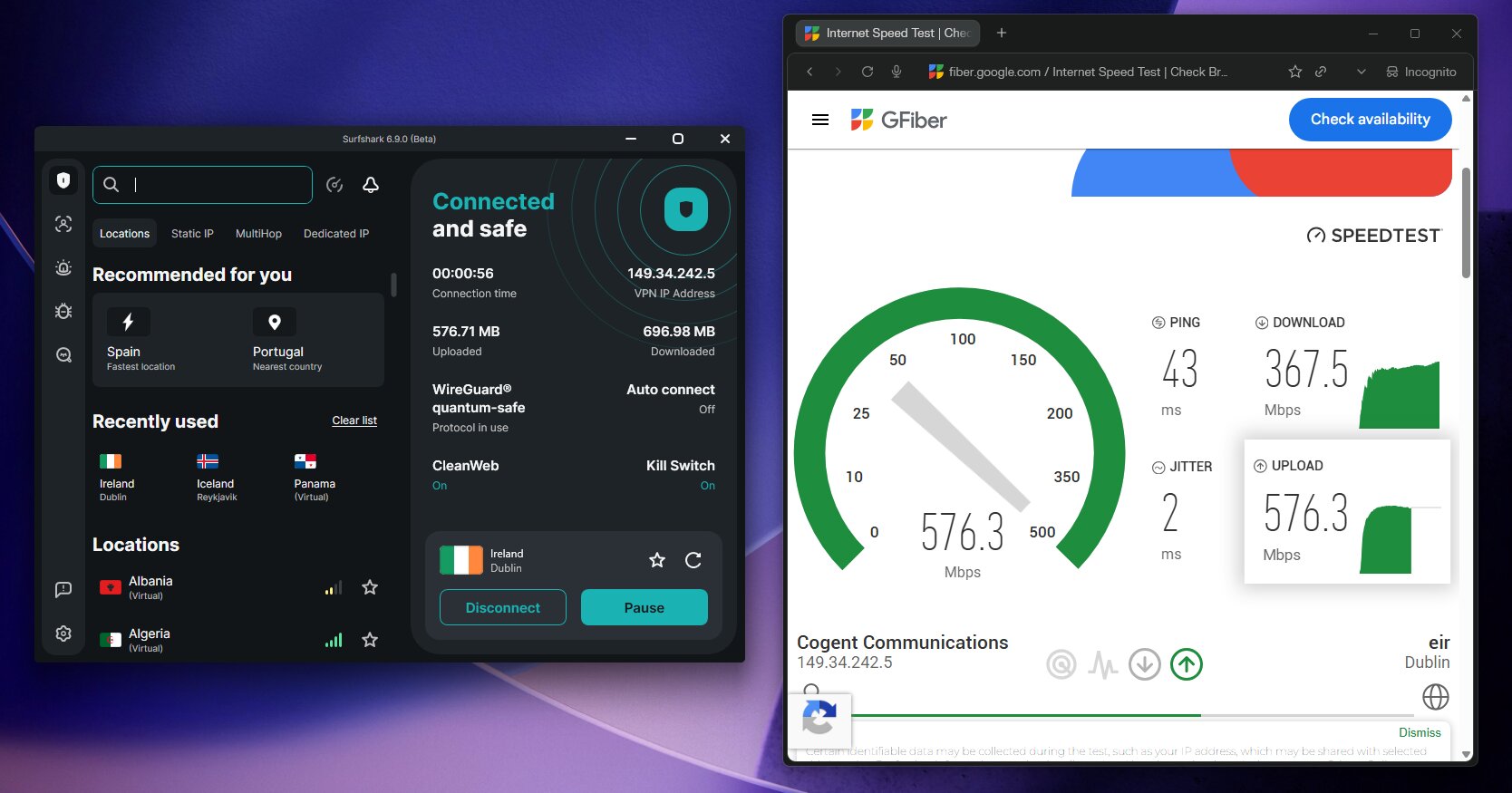
I recommend the Surfshark One plan for most users. On top of all the VPN features, it bundles antivirus protection, real-time data breach alerts, and a built-in ad blocker. For a household running multiple Fire TV Sticks, tablets, phones, and laptops on a single subscription — the value is exceptional.
Setup is simple: find Surfshark in the Amazon Appstore, install it, then sign in via QR code or the on-screen code on your phone. You’ll be connected to an optimized server in under two minutes. Surfshark also handles IPTV protection well — its obfuscation features mask your traffic so your ISP can’t detect or throttle it even during live sports streams.
Pricing starts at around $1.78/month on the 2-year plan, with a 7-day free trial and a 30-day money-back guarantee. For a full breakdown, see my Surfshark review or the Surfshark coupon page for the latest discount codes.
What I liked
- Unlimited connections — one plan covers everything in your house
- Excellent 4K and IPTV streaming speeds (~95% retention)
- Clean, remote-friendly Fire TV interface
- Surfshark One adds antivirus and breach monitoring
- Strong obfuscation bypasses ISP throttling reliably
- Best long-term price of any VPN I’ve tested
What I didn’t like
- No Smart DNS for router-level setup
2. IPVanish — Best for Unlimited Devices
Best for Unlimited Devices

IPVanish — Our verdict
A solid Firestick VPN with unlimited connections, a polished native app, and IPTV-friendly obfuscation. Speed retention trails NordVPN slightly, it’s reliable enough for everyday 4K HD streaming.
- Unlimited simultaneous connections
- Native Fire TV app with QR login
- Good ISP throttling protection
- ~90% speed retention — behind top competitors
- No Smart DNS
IPVanish is the other VPN on this list offering truly unlimited simultaneous connections, which makes it a great pick for large households running multiple Firesticks and other devices at once. Its native Fire TV app is available directly from the Amazon Appstore and features a QR login that makes initial setup painless — no typing passwords with a remote.
In my testing, IPVanish retained around 90% of baseline speeds. Lower than Surfshark, but still more than sufficient for smooth 4K HD streaming and most IPTV use. Most likely you won’t even notice the difference. It reliably unblocked Netflix, Prime Video, and my sideloaded apps throughout testing.
One thing I appreciated is IPVanish’s strong obfuscation against ISP throttling — it effectively hid my streaming activity during heavy IPTV sessions. The downside is there’s no Smart DNS, so if you want a router-level setup without running the full VPN tunnel.
Pricing starts at $2.19/month on a 2-year plan, with a 7-day free trial and 30-day money-back guarantee. Read my full IPVanish review or check the IPVanish coupon page for current discounts.
What I liked
- Unlimited connections for whole-home coverage
- Native Fire TV app with QR-code login
- Solid ISP throttling protection for IPTV
- 3,200+ servers across 113 countries
- Speed retention
What I didn’t like
- No Smart DNS option
3. NordVPN — Fast Speeds for 4K Streaming
Fastest VPN

NordVPN — Our verdict
A fast and reliable VPN for Firestick with around 86% speed retention, full Vega OS compatibility, and Smart DNS support. It’s slightly more expensive than Surfshark and capped at 10 devices, but its top-tier performance makes it one of the best options available.
- ~86% speed retention
- Supports Amazon’s new Vega OS
- Smart DNS included
- Easy QR-code setup from the Appstore
- Limited to 10 simultaneous connections
- Slightly higher price than Surfshark
NordVPN during my testing, retaining around 86% of baseline speeds on the Firestick. If you’re specifically chasing the fastest possible 4K and IPTV performance, NordVPN is the one to beat. Its NordLynx protocol (WireGuard-based) is the main reason — it’s simply one of the quickest VPN protocols available.
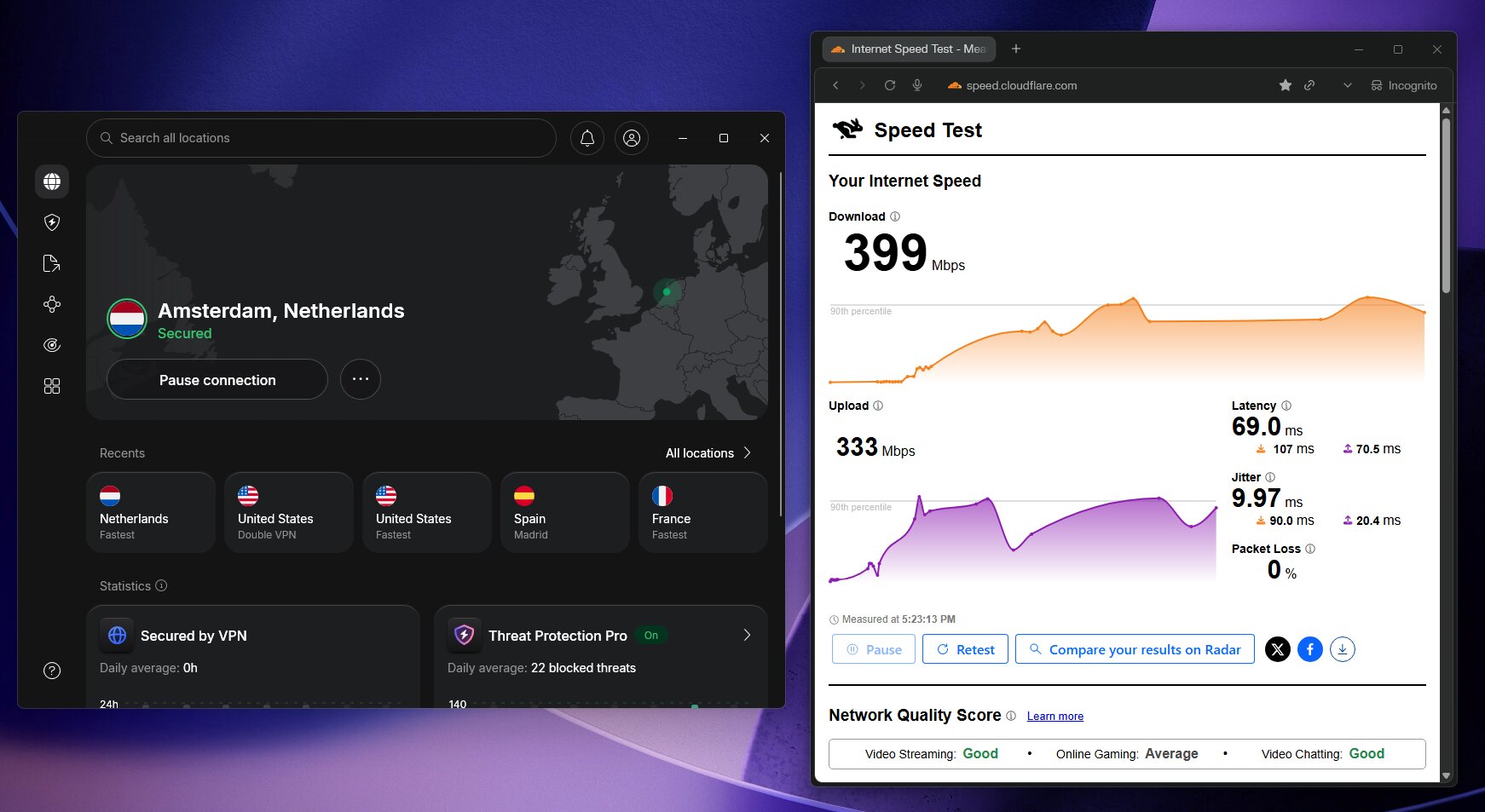
What I particularly liked is that NordVPN already supports Amazon’s new Vega OS — the platform powering the latest Fire TV Stick 4K Select and newer devices. Its app is designed for remote navigation, and setup via QR code from the Appstore takes well under two minutes. Smart DNS is also included, which is useful if you want to configure a router-level setup without routing all traffic through the VPN tunnel.
The main trade-off compared to Surfshark is the 10-device limit. For a single household with a couple of Firesticks and a few phones and laptops, that’s fine. But if you have a large family or lots of connected devices, Surfshark’s unlimited connections plan makes more sense financially.
NordVPN pricing starts at $3.09/month on the 2-year plan, with a 30-day money-back guarantee. See my NordVPN review or the NordVPN coupon page for the best current deal.
What I liked
- Fast speeds in my Firestick tests
- Native app supports new Vega OS Fire TV devices
- Smart DNS for flexible router setup
- 9,300+ servers across 137 countries
What I didn’t like
- 10-device limit (less flexible than Surfshark)
- Slightly higher starting price
4. Proton VPN — Best for Privacy on Firestick
Best for Privacy

Proton VPN — Our verdict
The most privacy-focused VPN on this list — fully open-source, independently audited, and packing the largest server network of any provider I tested. A free tier is available, though it’s limited for streaming.
- Open-source, independently audited apps
- 20,000+ servers in 145 countries
- Secure Core double-VPN and NetShield ad blocking
- Free tier available
- Free plan has speed caps and no streaming access
- 10-device limit on paid plans
If privacy is your top priority — especially for IPTV or Kodi usage — Proton VPN is the most trustworthy option on this list. It’s fully open-source, has been independently audited multiple times, and is headquartered in Switzerland, outside the reach of US or EU surveillance frameworks. The Secure Core feature routes your traffic through privacy-friendly countries before it exits to the internet, adding an extra layer of protection.
In my testing, Proton VPN retained around 88% of download speeds — excellent performance, and well ahead of ExpressVPN or IPVanish. Its massive 20,000+ server network across 145 countries means you’ll rarely run into congestion, even when connecting to distant locations. Netflix, Prime Video, and BBC iPlayer all worked reliably.
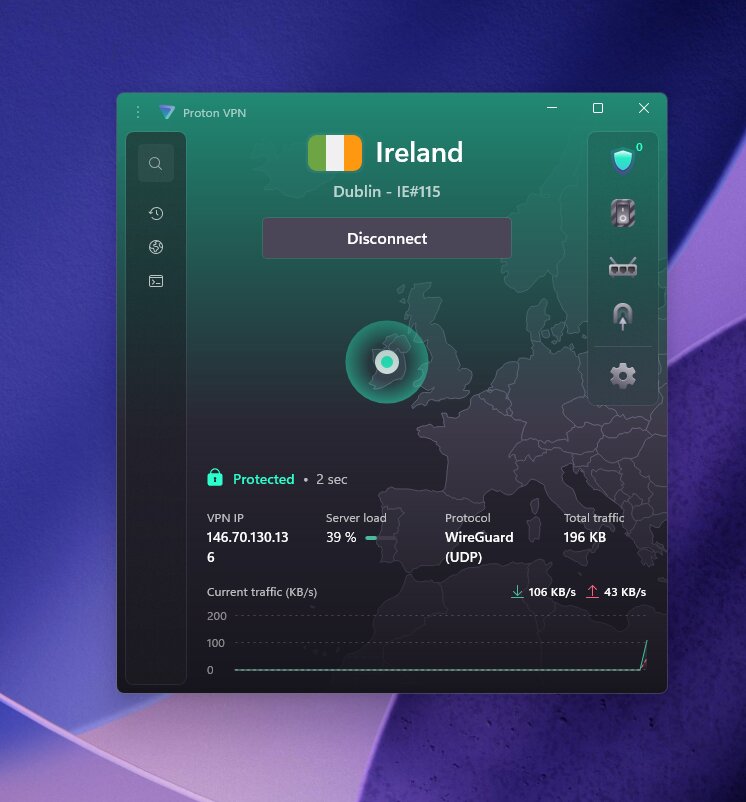
The native Fire TV app is available in the Amazon Appstore and includes NetShield — a built-in ad and tracker blocker that works system-wide on your Firestick. Setup took me under two minutes: install, log in, toggle auto-connect on, and pick a server.
Pricing starts at $2.99/month on the 2-year plan. There is a free tier, but I’d only recommend it for very light, occasional use — it has speed caps and doesn’t support streaming platforms. For serious Firestick use, go with a paid plan. Full details in my Proton VPN review or the Proton VPN coupon page.
What I liked
- Open-source, audited — the most transparent VPN on this list
- Largest server network (20,000+ servers)
- Secure Core and NetShield built into the Fire TV app
- Free tier for light occasional use
What I didn’t like
- Free plan is too restricted for real streaming
- 10-device limit on paid plans
5. ExpressVPN — Easiest to Use on Fire TV
Easiest to Use

ExpressVPN — Our verdict
The most polished and beginner-friendly Fire TV app on this list. Geo-block bypassing is exceptional, but speed retention (~79%) trails competitors and pricing is on the higher end.
- Best-in-class Fire TV app design
- Excellent at bypassing geo-restrictions
- Smart DNS included
- ~79% speed retention
- Owned by Kape Technologies
- Higher price point than alternatives
ExpressVPN has long been known for its ease of use, and that holds true on the Firestick. The native Fire TV app is the most polished of any I tested — big buttons, clear server selection, split tunneling, and one-tap country switching that works smoothly with a remote. If you’re buying a VPN for a less tech-savvy family member to use on their Firestick, ExpressVPN is the most foolproof option.
Where ExpressVPN particularly shines is bypassing geo-restrictions. In my testing, it consistently unlocked regional Netflix libraries, Hulu, and BBC iPlayer even during peak hours — something a few of the other providers occasionally struggled with. Its proprietary Lightway protocol ensures fast reconnections if the connection drops.
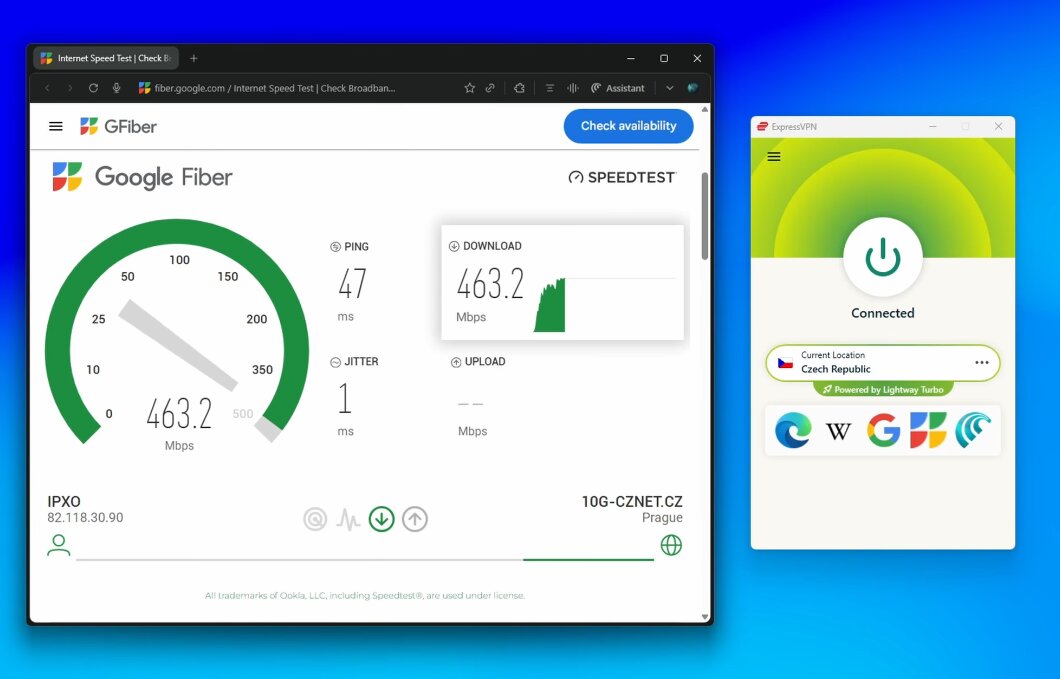
That said, my speed tests showed around 79% retention — the lowest of the top picks in this article. It’s enough for 1080p streaming, but if 4K or heavy IPTV usage is your focus, you’d be better served by Surfshark or NordVPN. I’d also note that ExpressVPN is owned by Kape Technologies, a company that also owns CyberGhost and PIA — worth being aware of if ownership transparency matters to you.
Pricing starts at $2.79/month on the 2-year plan (currently with 4 months free), and there’s a 3-day trial plus 30-day money-back guarantee. See my ExpressVPN review or ExpressVPN coupon page for current deals.
What I liked
- Best, most polished Fire TV app UI
- Excellent geo-block bypassing across platforms
- Smart DNS for router-level setup
- Fast reconnections via Lightway protocol
What I didn’t like
- Slowest speed retention (~79%) of the top picks
- Owned by Kape Technologies
- Pricier than Surfshark and NordVPN
6. VeePN — Best Budget Option for Firestick Streaming
Best Budget Streaming
VeePN — Our verdict
A capable budget VPN for casual Firestick streaming. Good speeds for HD content, a native Fire TV app, and solid streaming support at a very competitive price.
- Budget-friendly pricing
- Native Fire TV app available
- Good for everyday HD streaming
- Smaller server network than top picks
- 10-device limit
VeePN is a solid budget pick for Firestick users who want reliable everyday streaming without spending much. It has a native Fire TV app, good speeds for HD content, and consistent access to major streaming platforms. It’s not the fastest or the most feature-rich on this list, but for casual streaming on a tight budget, it gets the job done.
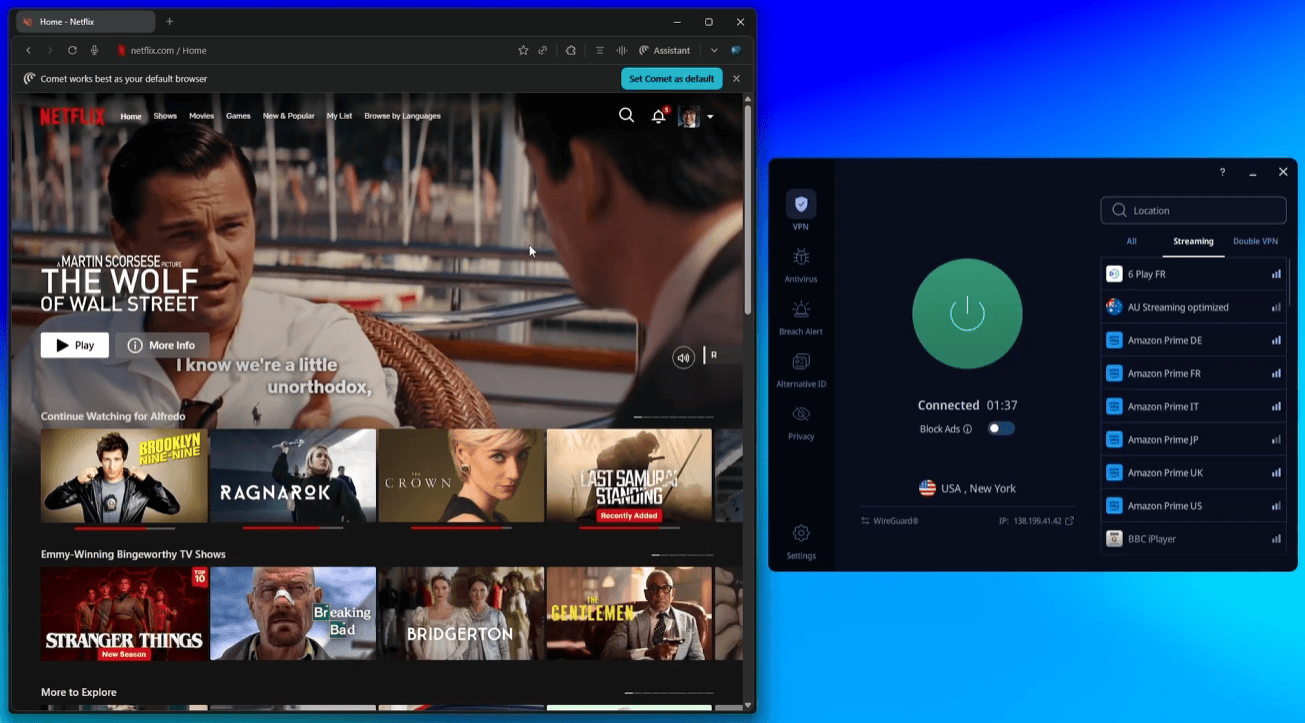
I’d particularly recommend VeePN if you’re already subscribed and want to extend coverage to your Firestick, or if you’re looking for the lowest possible monthly cost without sacrificing too much performance. See my full VeePN review for more details.
7. PrivadoVPN — Best Free VPN for Firestick
Best Free VPN
PrivadoVPN — Our verdict
The most generous free VPN plan available for Firestick, with 10GB/month of data and access to servers in 12 locations. Paid plans are also among the most affordable on the market.
- Generous free tier (10GB/month)
- Very affordable paid plans
- Native Fire TV app
- Free plan has data cap and limited servers
- Smaller network than premium competitors
PrivadoVPN is the best option if you want to try a VPN on your Firestick without paying anything upfront. Its free tier offers 10GB of data per month across servers in 12 countries — enough for occasional browsing and light streaming. The native Fire TV app works well, and upgrading to a paid plan is very affordable if you decide you want more.
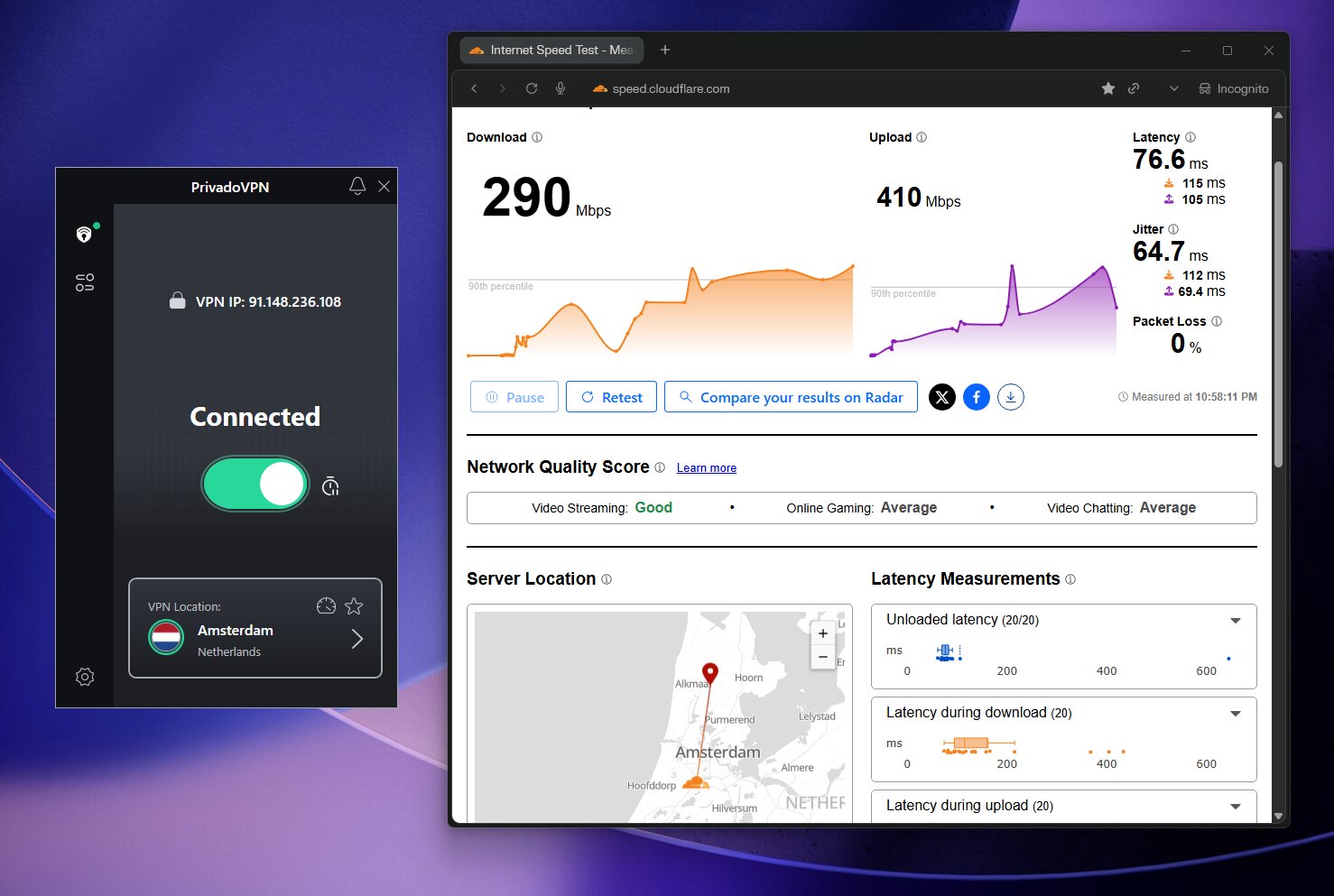
I wouldn’t rely on the free plan for daily 4K or IPTV use — the data cap runs out quickly with heavy streaming. But as a way to test a VPN on your Firestick before committing, it’s the most generous free option available. Full details in my PrivadoVPN review and PrivadoVPN coupon page.
Using a VPN for IPTV on Firestick
Many Firestick users rely on IPTV apps like TiviMate, Perfect Player, or Kodi for live TV, sports, and on-demand content. ISPs are increasingly aggressive about blocking or throttling IPTV traffic — especially during major events like Premier League matches or NFL games.
A VPN solves this cleanly: it encrypts all your traffic in a secure tunnel, so your ISP only sees that you’re connected to a VPN server — not what you’re actually streaming. They can’t block specific streams or throttle your IPTV connection. Here’s how I set it up:
1
Install Surfshark from the Amazon Appstore
Search for Surfshark in the Appstore, download it, and log in using the QR code or on-screen code on your phone.
2
Connect to a nearby or obfuscated server
Use Quick Connect for the fastest server, or manually pick a location that matches your IPTV provider’s home region for the best results.
3
Enable the kill switch
In Surfshark’s settings, turn on the kill switch. This cuts your internet if the VPN drops — preventing accidental exposure of your IPTV traffic to your ISP.
4
Launch TiviMate or Kodi and stream
Open your IPTV app as normal. Your traffic is now encrypted and ISP-proof. Test with a live sports stream to confirm everything is working smoothly.
How to Install a VPN on Firestick
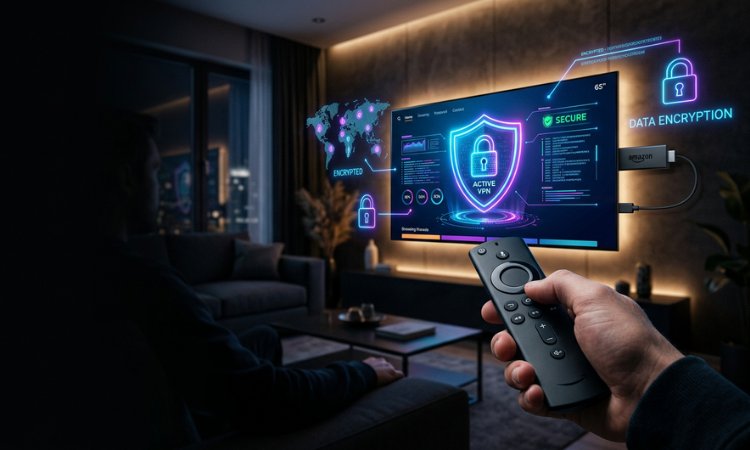
The easiest method — and the one that works for every VPN on this list — is installing directly from the Amazon Appstore. No sideloading, no advanced settings required.
1
Open the Amazon Appstore on your Firestick
From the Fire TV home screen, navigate to the search icon at the top and type your VPN name (e.g., “Surfshark”).
2
Download and install the official app
Select the official VPN app from the results and hit Download. The install takes about 30–60 seconds.
3
Log in using QR code or on-screen code
Most VPN apps on Fire TV offer a QR code or short activation code you can scan/enter on your phone — much easier than typing a password with a remote.
4
Connect and stream
Tap Quick Connect or pick a server manually. Your Firestick is now protected — open any streaming app and enjoy.
What to Look For in a Firestick VPN
Not all VPNs are equally suited to Firestick use. Here’s what actually matters when choosing one:
Native Fire TV app. Every VPN on this list is available directly in the Amazon Appstore. This is non-negotiable — sideloading is more hassle than it’s worth for most users, and native apps are optimized for remote navigation.
Speed. VPNs always add some overhead, but the best ones keep this minimal. I look for at least 70%+ speed retention for confident 4K and IPTV performance. Surfshark (~95%), IPVanish (~90%) and NordVPN (~86%) lead the field here.
Streaming reliability. Can it consistently unblock Netflix, Prime Video, and major regional libraries? I tested every provider across multiple sessions — not just a single check.
ISP throttling protection. Good obfuscation hides your VPN traffic from your ISP, preventing selective throttling of streaming or IPTV traffic.
Device limits. If you have multiple Firesticks, phones, and laptops in your household, a VPN with unlimited connections (Surfshark, IPVanish) is far more practical than one capped at 7 or 10.
Price. Long-term 2-year plans from Surfshark and PrivadoVPN start around $1.99–$2.00/month — excellent value for what you get.

Frequently Asked Questions
Do I actually need a VPN for Firestick?
It depends on how you use it. If you only stream Netflix and Prime Video on your home broadband, a VPN is optional but still useful for preventing ISP throttling and protecting your privacy. If you use IPTV apps, Kodi, or want access to geo-restricted content, a VPN is essentially essential. It’s also a smart privacy measure if you ever connect your Firestick to hotel or public Wi-Fi.
Which VPN is fastest for Firestick?
Surfshark was the top performer in my speed tests, retaining around 95% of baseline download speeds on the Firestick. Surfshark followed at approximately 95% on average across different server locations. Both are well ahead of the rest of this list for 4K and IPTV use. If raw speed is the priority.
Can Amazon block VPNs on the Firestick?
No — Amazon doesn’t block VPN apps and all top providers on this list are available directly in the official Amazon Appstore. Streaming services like Netflix can sometimes detect VPN IP addresses and block access, but this is rare with quality providers, and switching to a different server almost always resolves it immediately.
Is there a good free VPN for Firestick?
Avoid most free VPNs — they typically log and sell your data, inject ads, or severely limit speeds. The exceptions I’d consider are Proton VPN’s free tier (limited servers, no streaming) or PrivadoVPN’s free plan (10GB/month, 12 locations). Both are usable for very light, occasional use, but for regular streaming or IPTV you’ll want a paid plan.
Does a VPN slow down Firestick streaming?
All VPNs add some latency due to encryption overhead, but a good VPN keeps this minimal. In my testing, Surfshark, IPVanish and NordVPN retained over 85% of baseline speeds — which means the slowdown is barely noticeable in practice. The key is picking a server that’s geographically close to you, which both apps do automatically via Quick Connect.
What’s the best VPN for IPTV on Firestick?
Surfshark is my top recommendation for IPTV use. Its obfuscation features effectively mask IPTV traffic from ISPs, it handles live streams without buffering, and the kill switch prevents accidental exposure if the VPN connection drops. IPVanish is also a strong choice for IPTV users, particularly if you run multiple devices at once.
Does VPN work with the latest Fire TV Stick 4K?
Yes. All VPNs on this list have native apps for current Fire TV Stick models. NordVPN already supports Amazon’s new Vega OS platform, which powers the latest 4K Select and upcoming Fire TV devices. Surfshark, IPVanish, and the rest work on both standard Fire OS and Vega OS through the Amazon Appstore.
Up to 88% OFF
Surfshark One — 2-Year Plan
The best overall VPN for Firestick — unlimited devices, fast speeds, and the Surfshark One bundle includes antivirus and breach monitoring.
~95% Speed Retention
Native Fire TV App
Antivirus Included
Read next:








Comments 1