This page contains affiliate links. If you purchase a VPN through our links we may earn a commission at no extra cost to you. This never influences our reviews or rankings.
If you want to watch Netflix from another region without paying for a VPN, you’re not alone. But most free VPNs fail the moment Netflix detects them.
After more than three years of testing VPNs and 600+ videos on my AllThingsVPN and VPNR YouTube channels, I’ve narrowed down the free options that actually hold up.
My top two free picks are PrivadoVPN, the best free option overall, and Proton VPN, the best for unlimited data. If you stream regularly, though, my #1 recommendation is Surfshark One, which you can try free with its 7-day mobile trial and 30-day money-back guarantee.
Best VPNs for Netflix at a Glance

Surfshark One
The fastest VPN in my tests, with unlimited devices and reliable Netflix unblocking
- Unlimited devices
- Fastest in my tests
- 100+ countries
- 7-day free trial on mobile
PrivadoVPN Free
Pick your own server in 10 countries, with 10 GB of fast data per month
- 10 GB fast data per month
- Manual server choice
- Servers in 10 countries
- Iceland-based

Proton VPN Free
Unlimited free data with audited, open-source privacy credentials
- Unlimited data
- Audited no-logs policy
- Open-source apps
- No ads
Best Free VPNs for Netflix: Quick Comparison
Here’s how the free tiers compare with the paid VPNs I’d use on a money-back guarantee, based on my own testing.
| VPN | Data limit | Server locations | Manual server pick | Netflix works? | Speed retention |
|---|---|---|---|---|---|
| PrivadoVPN Free | 10 GB per month at full speed | 10 countries | ✅ Yes | ✅ Yes | ~85% |
| Proton VPN Free | Unlimited | Small free pool | ❌ No (auto-assigned) | ⚠️ Sometimes (US and Japan in my tests) | ~92% |
| Surfshark One (paid, 30-day money-back) | Unlimited | 100+ countries | ✅ Yes | ✅ Yes | ~96% |
| IPVanish (paid, 30-day money-back) | Unlimited | 100+ countries | ✅ Yes | ✅ Yes | ~93% |
| NordVPN (paid, 30-day money-back) | Unlimited | 120+ countries | ✅ Yes | ✅ Yes | ~91% |
| VeePN (paid, 30-day money-back) | Unlimited | 60+ countries | ✅ Yes | ✅ Yes | ~88% |
| ExpressVPN (paid, 30-day money-back) | Unlimited | 113 countries | ✅ Yes | ✅ Yes | ~91% |
Does Netflix Allow VPNs?
Officially, no. Netflix actively tries to detect and block VPN traffic because of regional licensing deals with content owners.
If Netflix spots a VPN, you’ll typically see a proxy error rather than an account ban. In my experience, your account is safe; you just can’t view geo-restricted content at that moment. The VPNs below are the ones that held up best in my tests.
#1 Free Pick: PrivadoVPN, Best Free VPN for Netflix
PrivadoVPN Free
The best free VPN for Netflix because you can pick which server you connect to. In my testing, it unblocked Netflix in the US, Canada, Germany and France on the first try.
- Free servers in 10 countries including the US and UK
- Manual server selection on the free plan
- Full speed on the first 10 GB per month
- Kill switch and split tunneling on the free tier
- 10 GB monthly cap then about 1 Mbps
- Only 1 device on the free tier
- No independent audit published yet
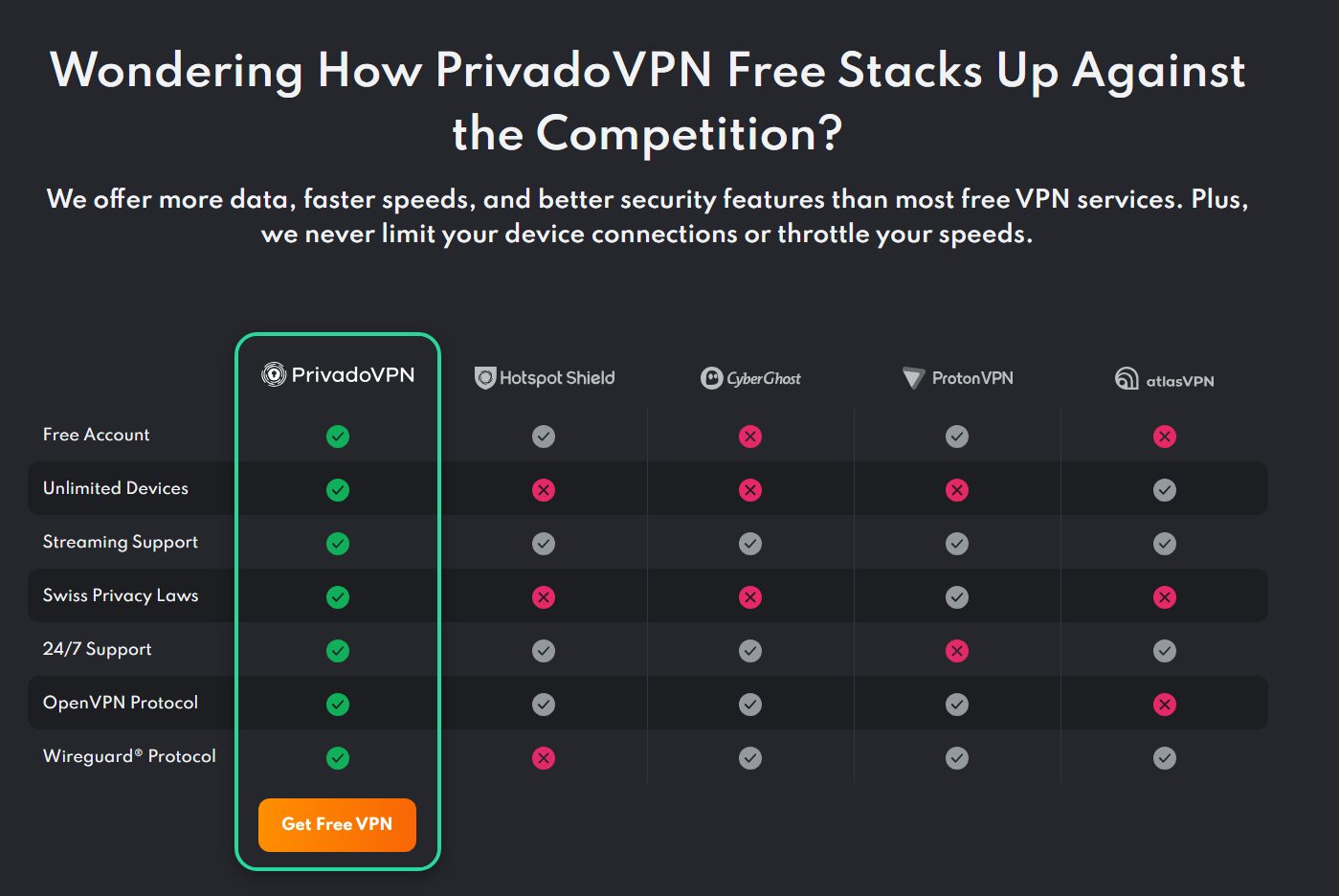
PrivadoVPN is my top pick for a truly free Netflix VPN, and the reason is simple: you choose which server you connect to. Most free VPNs auto-route you somewhere and hope for the best.
On the free plan, you can pick servers in 10 countries:
- United States, Canada and Mexico
- United Kingdom, Germany, France, the Netherlands and Switzerland
- Brazil and Argentina
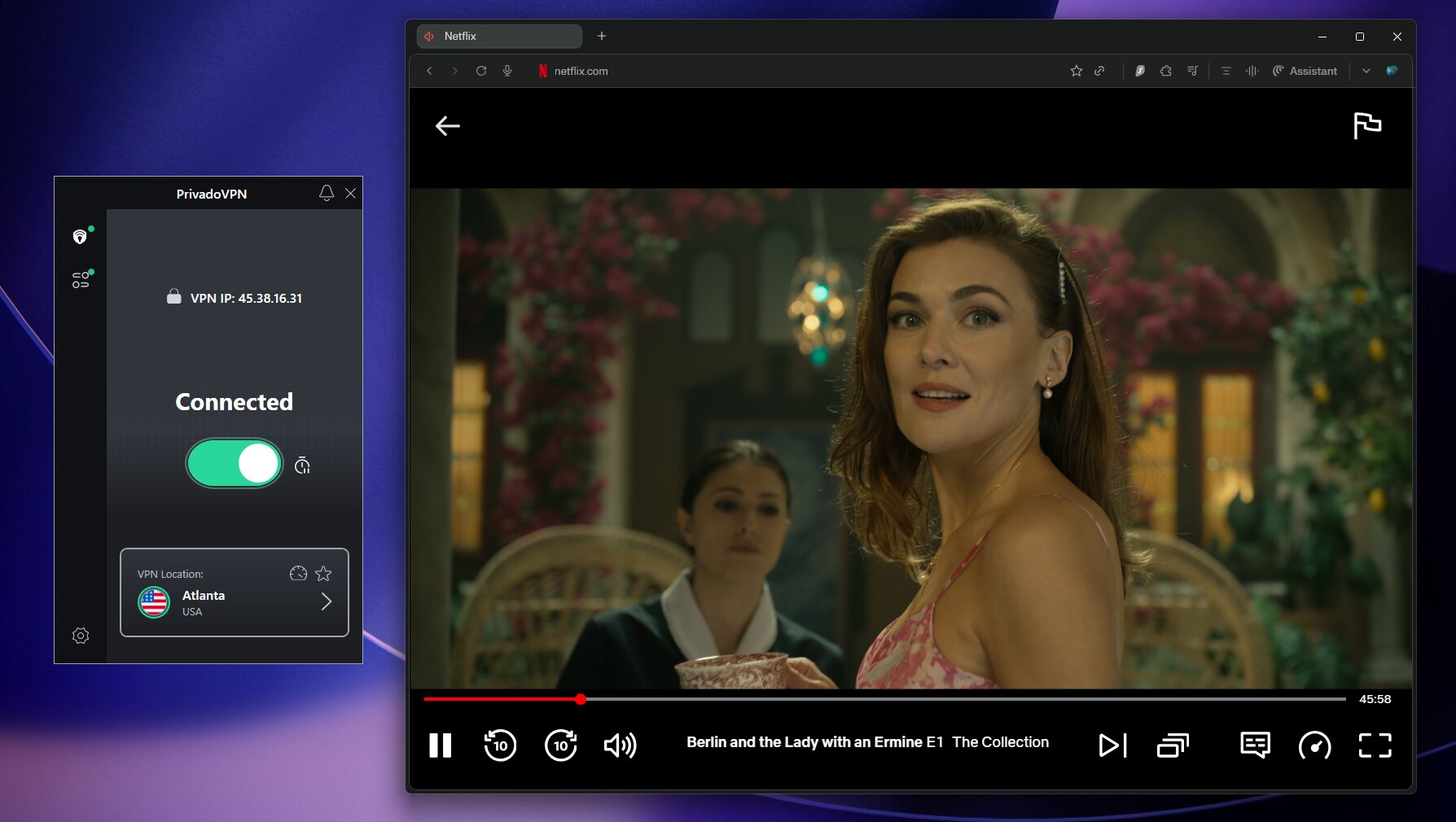
In my testing, US Netflix loaded on the first attempt without a proxy error. It was the same story for Canada and Germany, which is rare for a free VPN.
Speed and data on PrivadoVPN Free
PrivadoVPN doesn’t throttle you within your monthly 10 GB allowance, and it kept about 85% of my speed. Once you hit 10 GB, speed drops to around 1 Mbps, which won’t support real streaming.
Privacy and security
PrivadoVPN is based in Iceland, run by Privado Networks ehf., outside the 5/9/14 Eyes alliances. It keeps a zero-logs policy and supports WireGuard, OpenVPN and IKEv2, with a kill switch and split tunneling even on the free tier.
The one gap compared to Proton VPN is that PrivadoVPN hasn’t published an independent audit. If that extra assurance matters most, Proton VPN is worth considering instead.
Read my full PrivadoVPN review, or check the PrivadoVPN coupon page for the paid plan: $1.11/mo with 90% OFF and 3 extra months.
#2 Free Pick: Proton VPN, Best Free VPN for Unlimited Data
Proton VPN Free
The free VPN I trust most for privacy: unlimited data, no ads and no logs. The trade-off for Netflix is that you cannot pick your server, so results vary.
- Truly unlimited data with no monthly cap
- Independently audited no-logs policy
- Open-source apps
- No ads and no data selling
- Cannot choose a server manually
- Streaming not officially supported on the free plan
- Only 1 device on the free plan
Proton VPN’s free tier is one of a kind. There’s no data cap, no throttling and no ads, with the same AES-256 encryption and WireGuard support as the paid plan.
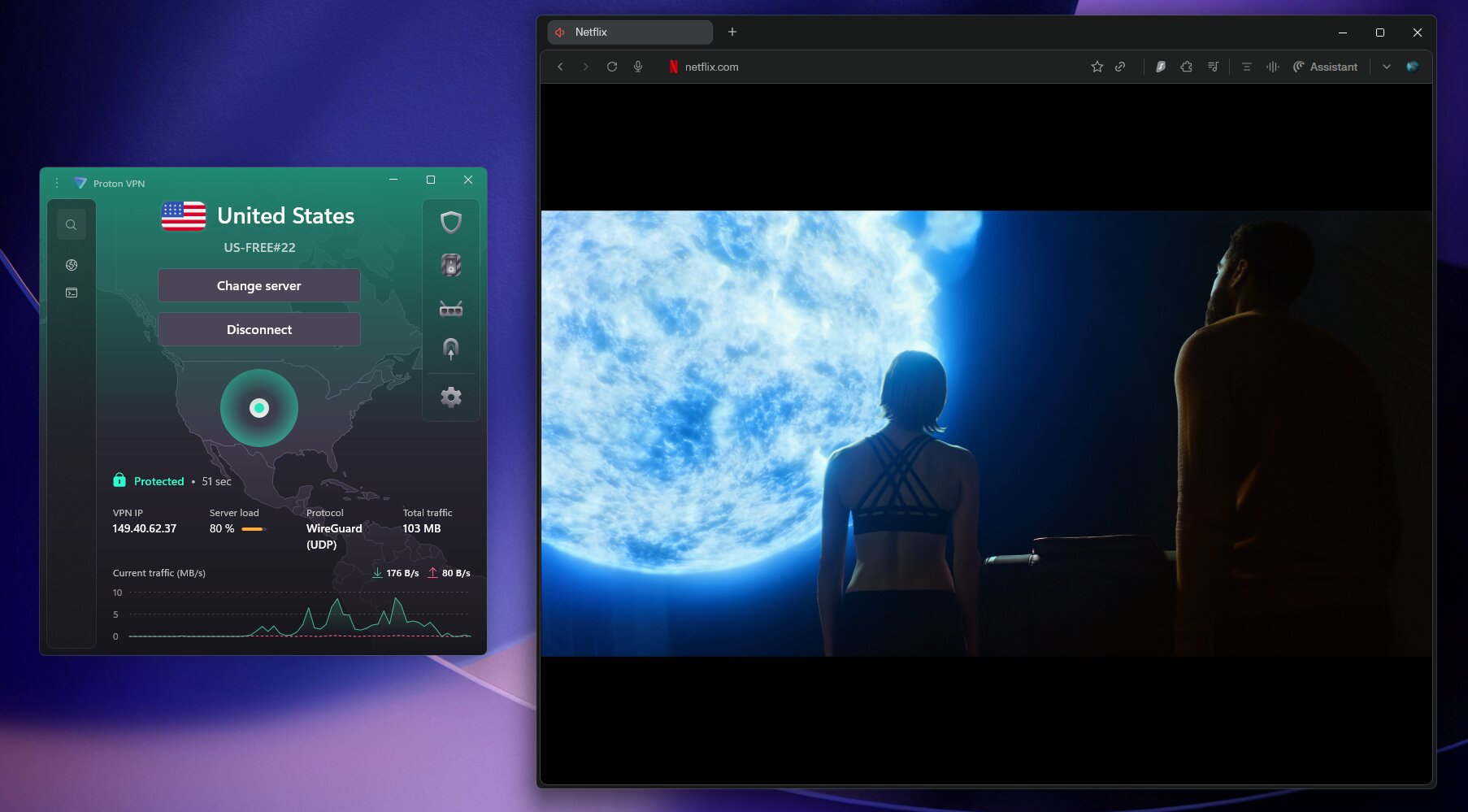
The catch for Netflix is the lack of server choice. The free tier auto-assigns you to a location from its small free pool, which has included the US, Japan, the Netherlands, Poland, Romania, Norway, Canada, Switzerland, Mexico and Singapore.
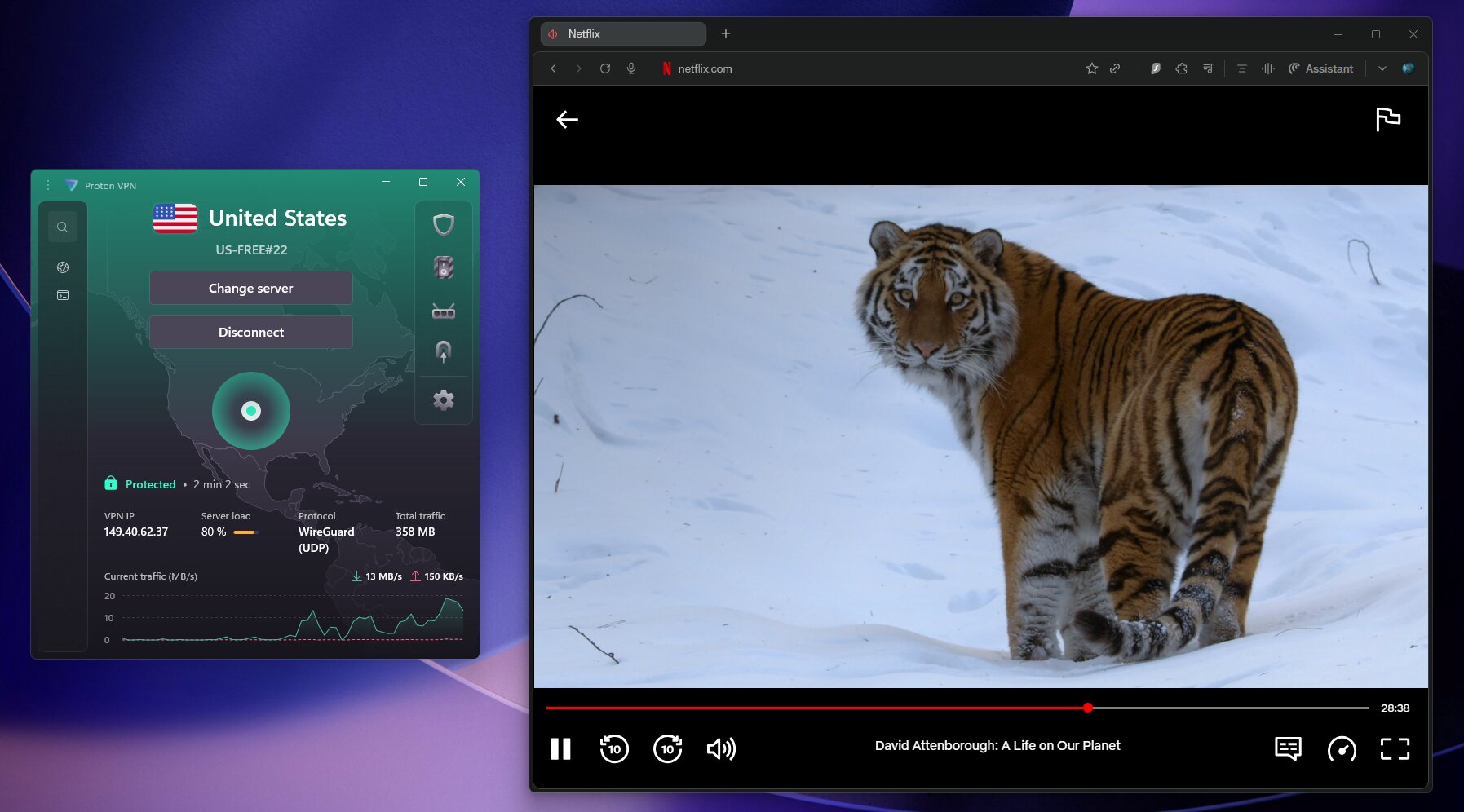
In my testing, I usually landed on a US or Japan server and could watch Netflix. But Proton doesn’t officially support streaming on the free plan, so if you need a UK or German library, you’re relying on luck.
Speed performance
Proton’s free servers held up well, keeping about 92% of my speed. That’s excellent for a free service and enough for HD, even 4K, when you land on a working server.
There’s a short wait between server switches, which gets annoying if you’re hunting for a specific region. Once you’re connected, though, streams are smooth.
Privacy and security
Proton VPN is headquartered in Switzerland, built by the team behind Proton Mail, and its no-logs policy is independently audited. Its apps are fully open source, so for serious privacy it’s the clear winner among free tiers.
Why I recommend Proton VPN Free
- Unlimited data, so you can stream as much as you want
- No ads, no data selling, no throttling
- Audited no-logs policy
- Worked with Netflix US and Japan in my tests
Where it falls short
- Can’t choose specific servers
- Streaming isn’t officially supported on the free plan
- Only 1 active connection on the free tier
Read my full Proton VPN review, or see the Proton VPN coupon page for VPN Plus at $2.99/mo with 70% OFF.
Best Paid VPNs for Netflix with Money-Back Guarantees
If you’re willing to try a paid VPN risk free, a 30-day money-back guarantee works like a free trial. You get premium servers, unlimited data and much better unblocking, then cancel within 30 days for a refund if it’s not for you.
Surfshark One: Fastest VPN for Netflix (Editor’s Choice)
Surfshark One
My top recommendation for Netflix. It was the fastest VPN I tested, unblocked Netflix in the US, UK, Germany and Japan, and covers unlimited devices.
- About 96% speed retention
- the fastest in my tests
- Unlimited simultaneous devices
- Reliably unblocks US UK Japan and German Netflix
- Antivirus and breach alerts included
- No permanently free tier
- Renewal prices are higher than the intro deal
Surfshark is my editor’s choice for Netflix and the VPN I recommend to most people. It kept about 96% of my baseline speed, the highest of any VPN I’ve tested, ahead of IPVanish, Proton VPN, ExpressVPN and NordVPN.
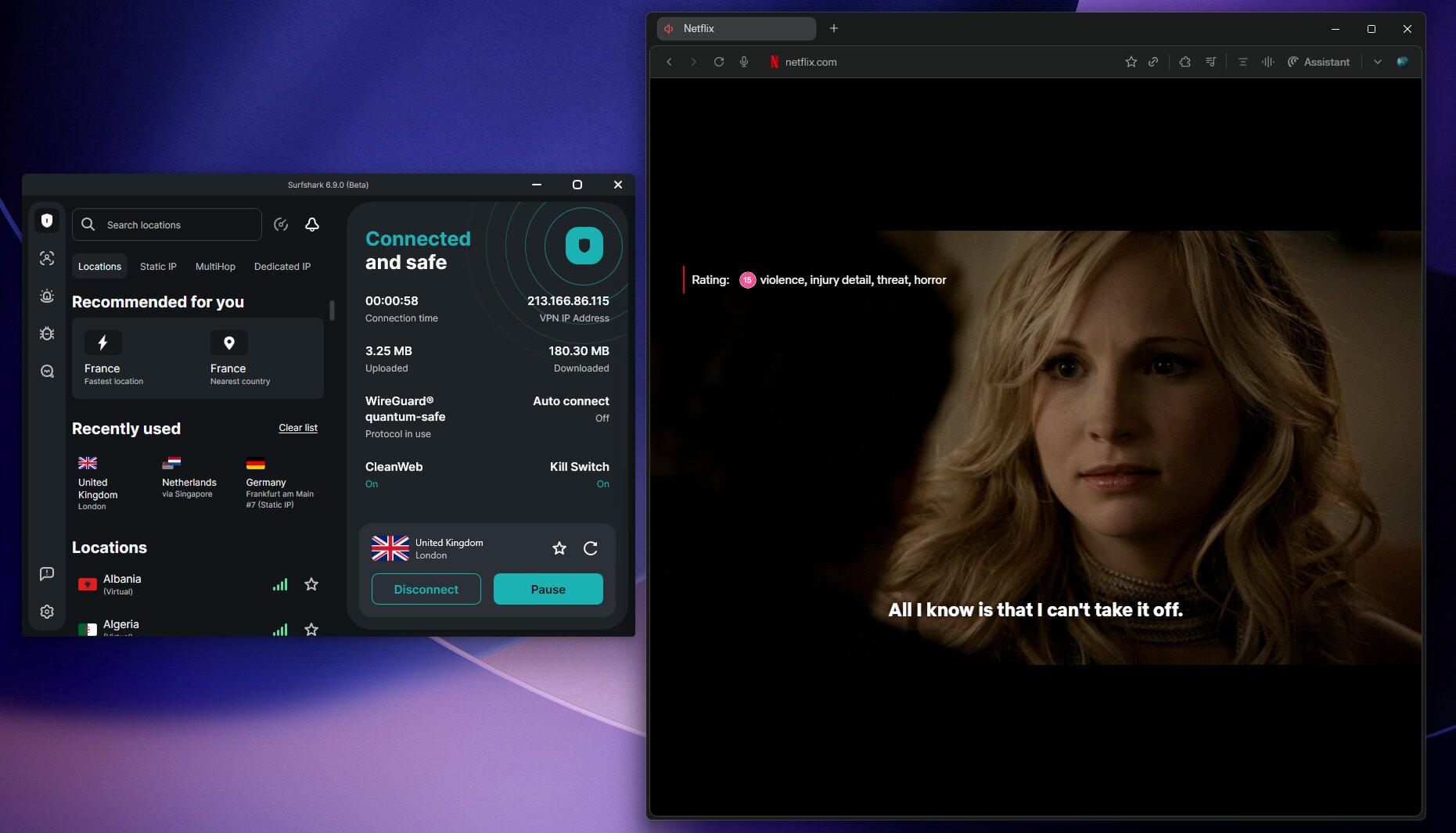
In practice, that means 4K streaming without a single stutter. The Surfshark One plan, which I recommend for its quality-to-price ratio, costs $2.79/mo on the 2-year plan with 85% OFF and 3 extra months, and adds extras on top of the VPN:
- Surfshark Antivirus with real-time protection
- Surfshark Alert for breach monitoring
- CleanWeb ad and tracker blocking
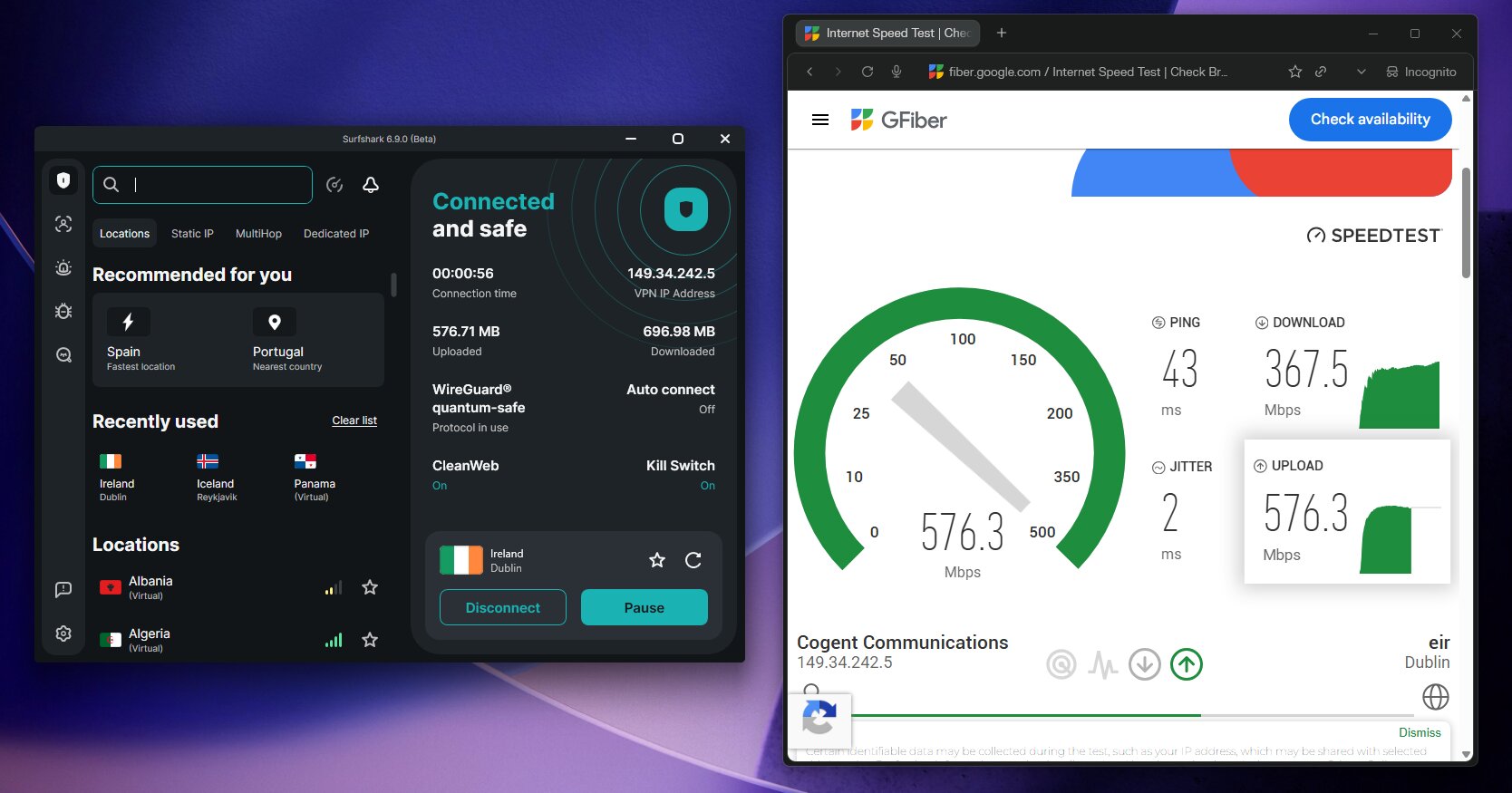
With unlimited devices on one subscription, it’s outstanding value for families. You can also try it free for 7 days on mobile, then the 30-day money-back guarantee covers you.
Read my full Surfshark One review or check the Surfshark coupon page for today’s deal.
IPVanish: Unlimited Devices, Budget Friendly

IPVanish
A fast, budget-friendly VPN that supports unlimited devices and handled Netflix well across major regions in my tests.
- About 93% speed retention
- Unlimited simultaneous connections
- Solid Netflix unblocking for US and UK libraries
- No free tier
- US-based jurisdiction inside the Five Eyes
At $2.39/mo on the 24-month Essential plan, with 84% OFF and a 3 GB eSIM data gift, IPVanish is one of the better budget options for Netflix. It kept about 93% of my speed, the second best result in my tests.
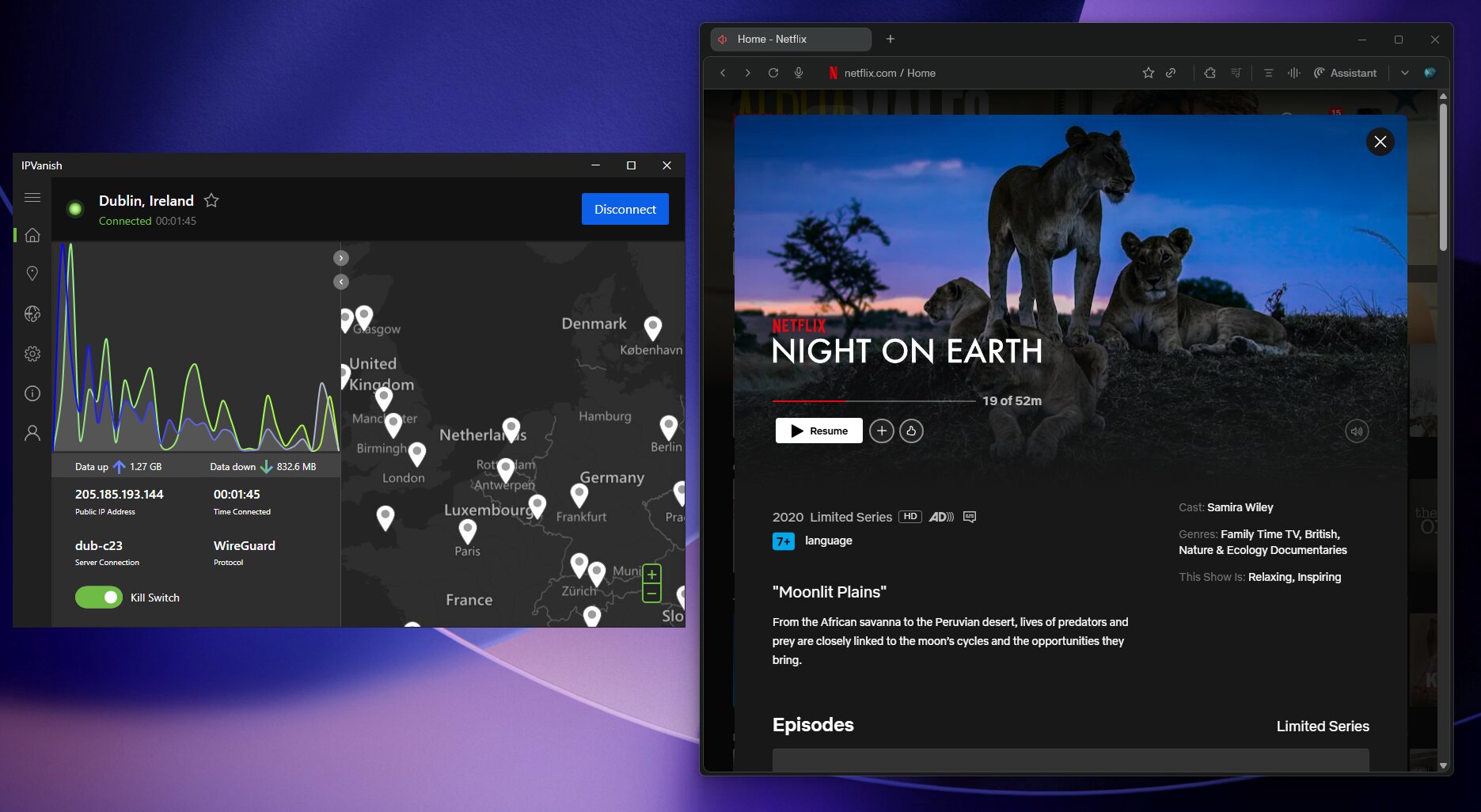
The US-based jurisdiction is worth noting for privacy-sensitive users, but for streaming it performs very well. Read the full IPVanish review or grab the deal on the IPVanish coupon page.
Not sure which VPN is right for you?
Compare all ten VPNs I test on speed, privacy and streaming. Surfshark One is my top pick for most people.
See the best VPNs in 2026 →NordVPN: One of the Fastest, but Pricier
NordVPN is a rock-solid Netflix VPN with a huge network of 9,000+ servers in 120+ countries. That helps with more obscure regional libraries.

NordVPN
Excellent at unblocking Netflix with very fast servers, though Surfshark beat it on speed in my tests and NordVPN costs more.
- Reliably unblocks Netflix US UK Japan and Germany
- About 91% speed retention
- Huge server network
- Pricier than Surfshark One with steep renewals
- Only 10 simultaneous connections
In my testing, NordVPN kept about 91% of my speed, excellent for HD and 4K. Surfshark was still faster at about 96%, and it’s cheaper too.
NordVPN’s Plus plan is $3.59/mo with 75% OFF and 3 extra months. See the full NordVPN review, the NordVPN coupon page, or my Surfshark vs NordVPN breakdown.
VeePN: Best Budget Option for Streaming
VeePN sits at the budget end of the paid spectrum while still delivering solid Netflix streaming.
VeePN
An affordable streaming VPN that handled HD Netflix well in my tests, at one of the lowest prices around.
- About 88% speed retention
- Good Netflix unblocking
- $1.99/mo on the 2-year plan
- No independent audit of its no-logs policy
- Less transparency than my top picks
At $1.99/mo on the 2-year plan, with 83% OFF and 4 extra months, it’s one of the cheapest paid options. It’s not my pick for privacy-critical use, but as a pure streaming VPN on a tight budget it gets the job done.
Check the full VeePN review and the VeePN coupon page.
ExpressVPN: Easiest to Use
ExpressVPN has the most polished apps I’ve tested. You pick a country, hit connect, and Netflix just works.

ExpressVPN
The most beginner-friendly VPN for Netflix, with polished apps on every platform and strong unblocking.
- About 91% speed retention
- Cleanest and simplest apps
- Reliably unblocks Netflix in major regions
- 7-day free trial on mobile
- Same price as Surfshark One with fewer devices
- Owned by Kape Technologies
In my testing, it kept about 91% of my speed, more than enough for 4K. The current deal is $2.79/mo on the 2-year plan with 78% OFF and 4 extra months, the same price as Surfshark One, which adds unlimited devices and antivirus.
Mobile users also get a 7-day free trial on top of the 30-day money-back guarantee. See the full ExpressVPN review and the ExpressVPN coupon page.
Should You Use a Free or Paid VPN for Netflix?
Here’s my honest take after years of testing:
How to Set Up a Free VPN for Netflix
Create your free account
Sign up for PrivadoVPN Free with no credit card required. For Proton VPN, Android and iOS users can start without creating an account.
Download and install the app
Both have apps for Windows, macOS, Android and iOS. Install the one for your device and log in.
Connect to the right server
With PrivadoVPN, pick the country whose Netflix library you want. With Proton VPN, hit Quick Connect and it auto-assigns a server.
Clear cookies and open Netflix
Clear your browser cookies or open an incognito window so Netflix doesn’t remember your previous location. Then open Netflix and the new library should appear.
If you hit a proxy error, switch servers
Netflix sometimes blocks specific server IPs. Disconnect, choose another server in the same country and try again.
Why Is My Free VPN Not Working with Netflix?
Netflix invests heavily in detecting VPN traffic. When a free VPN’s server IPs get flagged, the provider often can’t replace them quickly. Here are the most common problems and fixes:
| Problem | Fix |
|---|---|
| Netflix proxy error message | Switch to a different server in the same country and try again |
| Netflix shows your home library | Clear browser cookies and cache, then reconnect the VPN before opening Netflix |
| Slow speeds or constant buffering | Try a server closer to you, or a less congested one |
| VPN disconnects mid-stream | Enable the kill switch and reconnect, or upgrade to a paid plan for more stable connections |
| Free data cap reached (PrivadoVPN) | Wait for the monthly reset, or upgrade to Premium |
FAQ
What is the best free VPN for Netflix?
In my testing, PrivadoVPN is the best free VPN for Netflix because you can pick servers in 10 countries and it unblocked Netflix on the first attempt. Proton VPN is best if you need unlimited data, but you can’t choose your server.
Does free Proton VPN work with Netflix?
Sometimes. In my tests, the free tier unblocked Netflix US and Japan, but Proton doesn’t officially support streaming on the free plan and auto-assigns your server. If a server doesn’t work, wait briefly, reconnect and try again.
Does free PrivadoVPN work with Netflix?
Yes. PrivadoVPN Free unblocked Netflix in the US, Canada, Germany and France in my tests. Its advantage over Proton VPN Free is manual server choice, and the trade-off is the 10 GB monthly cap.
Will Netflix ban my account for using a VPN?
In my experience, no. Netflix shows a proxy error rather than banning accounts, and your subscription and watch history stay safe. Its terms still prohibit bypassing geo-restrictions, so the risk is losing access to that content, not your account.
Can I get a good VPN for Netflix free without a credit card?
Yes. PrivadoVPN and Proton VPN both offer free tiers with no credit card required. PrivadoVPN gives you 10 GB per month with server choice, and Proton gives you unlimited data with auto-assigned servers.
How much data does Netflix use?
Netflix uses roughly 0.3 GB per hour in low quality, about 1 GB per hour in standard definition, up to 3 GB per hour in HD and up to 7 GB per hour in 4K. PrivadoVPN’s 10 GB covers about three to four hours of HD.
Is it legal to use a VPN with Netflix?
In most countries, using a VPN is legal. Netflix’s terms prohibit using one to bypass geo-restrictions, but the usual consequence is a proxy error, not legal action.
What is the best free VPN for Netflix on mobile?
PrivadoVPN works well on Android and iOS and is my top free mobile pick. Proton VPN lets you connect on mobile without creating an account, which is a strong privacy feature.
Which free VPN is best for Netflix Japan?
Proton VPN’s free pool has included Japan servers, and it unblocked Netflix Japan in my testing. PrivadoVPN’s free tier has no Japan server, so for Japan, Proton is the better free choice.
Is Surfshark a good VPN for Netflix?
Yes, Surfshark One is my top recommendation for Netflix. It was the fastest VPN I tested at about 96% speed retention, unblocked Netflix in the US, UK, Japan and Germany, and covers unlimited devices. It has a 7-day mobile trial and a 30-day money-back guarantee.
My Final Verdict
For free Netflix streaming, start with PrivadoVPN Free. It’s the only free VPN I tested that lets you pick your Netflix region, and the upgrade is just $1.11/mo when you outgrow 10 GB.
If you stream regularly, Surfshark One is the VPN I recommend to most people: the fastest in my tests, unlimited devices and a 30-day money-back guarantee.
PrivadoVPN
My #1 free VPN for Netflix, or go unlimited with Premium for just $1.11/mo, the cheapest paid VPN I recommend.
- Free plan available
- Manual server choice
- Iceland-based
- 10 devices on Premium