IPVanish Secure Browser DEALS
This page contains affiliate links. If you purchase a VPN through our links we may earn a commission at no extra cost to you. This never influences our reviews or rankings.

IPVanish
IPVanish Secure Browser brings enterprise-grade remote browser isolation to a consumer VPN plan. It is the safest way I know to open a suspicious link, as long as you treat it as a tactical tool and not your everyday browser.
- Unlimited devices
- No-logs policy
- 3200+ servers
- 24/7 support
- True cloud isolation
- Blocks fingerprinting
- Nothing left on your device
- Built into Windows and macOS apps
- Unlimited VPN devices
- 30 hours per month cap
- No local file downloads
- Slight input lag
- Advanced plan only
I have opened a lot of nasty links in my career. Phishing pages, fake crypto portals, shady download mirrors: as a cybersecurity professional, poking at suspicious URLs is part of the job. For years I did it inside throwaway virtual machines, which works but is slow and clunky.
IPVanish Secure Browser promises the same protection with one click. It runs the whole website in a disposable cloud container and only streams the picture back to your screen. I spent several weeks using it on Windows and macOS to see if it lives up to that promise.
In this review I cover how it works, how secure it really is, how fast it feels, what the 30-hour monthly limit means in practice, and whether the IPVanish Advanced plan is worth the upgrade in 2026.
IPVanish Secure Browser at a glance
| Feature | Details |
|---|---|
| Technology | Remote Browser Isolation (RBI), cloud-hosted disposable containers |
| Included with | IPVanish Advanced plan only (not Essential) |
| Monthly allowance | 30 hours of secure browsing, resets every month |
| How to launch | IPVanish desktop app (Windows, macOS), browser extension, web app |
| First launched | October 2024 as a standalone tool, added to the desktop apps in 2025 |
| Session data | Wiped when the session ends: history, cookies, cache and downloads |
| File downloads to your device | Not supported, files stay inside the cloud container |
| Advanced plan price | From $3.29/mo on the 2-year plan ($78.96 upfront) |
| Parent company | Ziff Davis |
| Money-back guarantee | 30 days on 1-year and 2-year plans |
What is IPVanish Secure Browser?
IPVanish Secure Browser is a cloud browser. When you open a website with it, the page does not load on your computer at all. It loads on an IPVanish server, inside a container created just for your session.
Your device only receives a live, interactive video stream of that page. Your clicks and keystrokes travel up to the cloud, and pixels travel back down. When you close the session, the container is destroyed along with everything inside it.
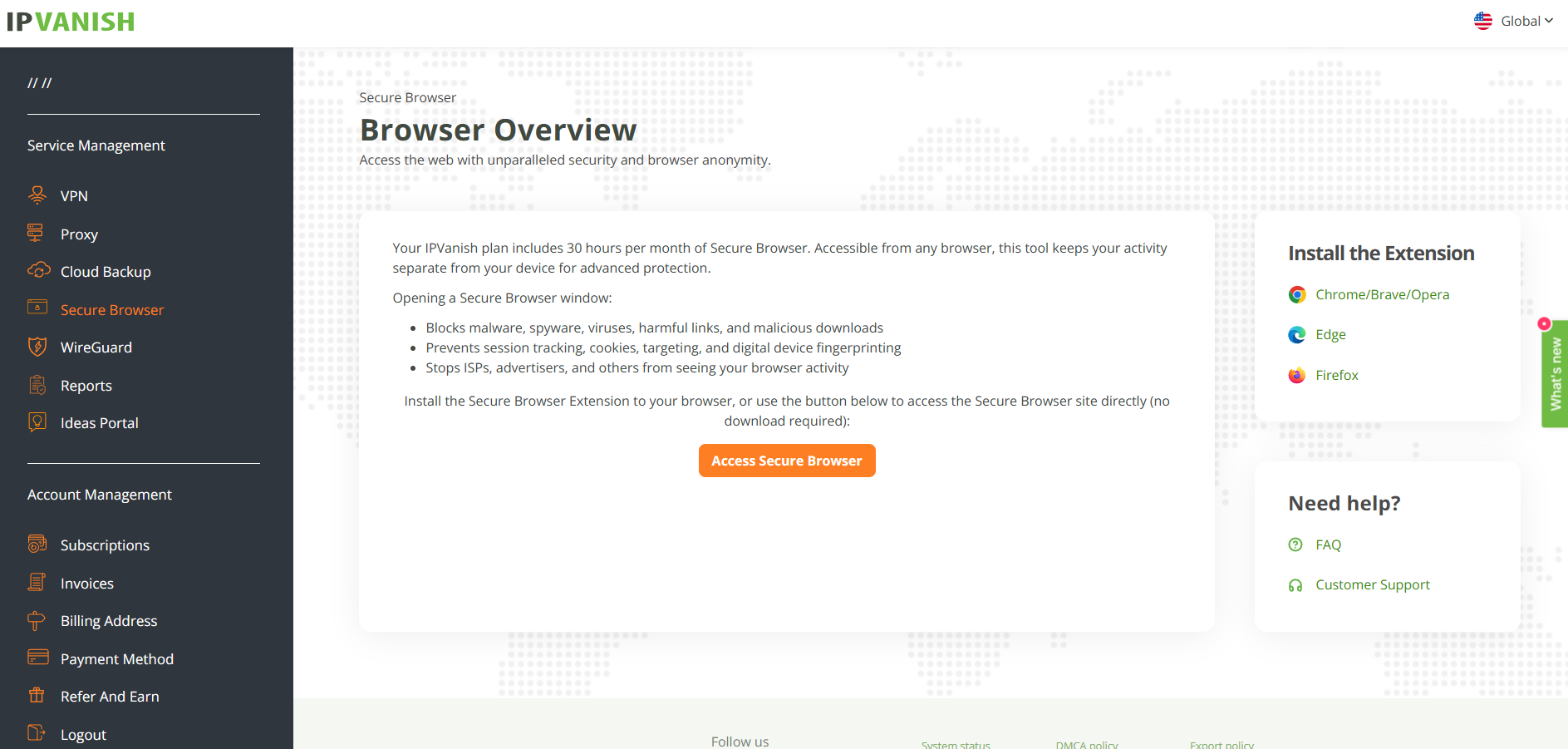
This approach is called Remote Browser Isolation, or RBI. Large companies pay for it through enterprise security vendors to protect their staff. IPVanish is one of the first consumer VPN brands to bundle it into a regular subscription.
Not an incognito mode: private or incognito windows still run every script on your own hardware. They only skip saving history locally. Secure Browser keeps the code off your machine entirely, which is a completely different level of protection.
How remote browser isolation works, step by step
1
You launch a secure session
From the IPVanish desktop app, the extension or the web app, you start a Secure Browser session and pick a location.
2
IPVanish spins up a fresh container
A clean, isolated browser instance starts in the IPVanish cloud. It has no access to your files, passwords or home network.
3
The website runs in the cloud
All HTML, JavaScript, ads, trackers and any malicious payloads execute on the remote server, never on your device.
4
You see an encrypted visual stream
Your screen shows a live rendering of the page. You scroll, click and type normally, and your input is sent back to the container.
5
The container is destroyed
When you close the session, the container is wiped. Cookies, history, cache and anything you downloaded inside it disappear for good.
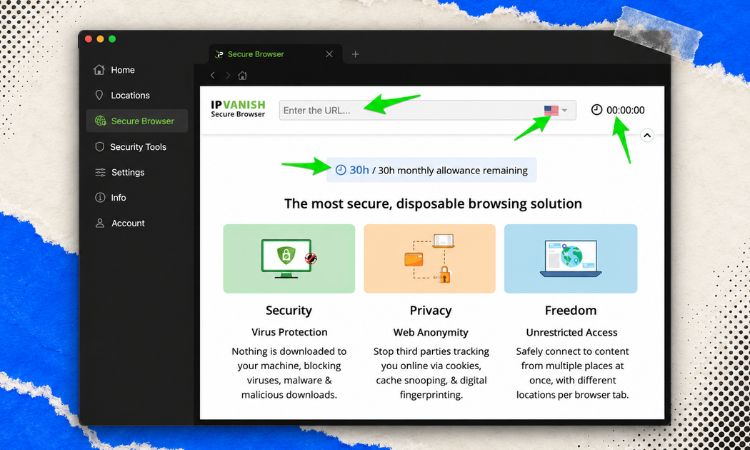
Local browsing vs isolated browsing
To understand why this matters, compare what happens with a normal browser and with Secure Browser when you land on a malicious page.
| Threat | Normal browser (Chrome, Safari, Firefox) | IPVanish Secure Browser |
|---|---|---|
| Malicious JavaScript | Runs on your CPU and RAM | Runs in the cloud container only |
| Browser zero-day exploits | Can escape the sandbox and infect your system | Hit a disposable server with nothing to steal |
| Drive-by downloads | Can land in your Downloads folder | Stay inside the container and get deleted |
| Canvas and WebGL fingerprinting | Reads your real GPU and drivers | Reads a generic cloud profile |
| Tracking cookies | Stored locally until you clear them | Destroyed when the session ends |
| Forensic traces | Can remain in RAM, swap and cache files | Nothing stored on your device |
How I tested IPVanish Secure Browser
I tested Secure Browser on a Windows 11 laptop and a MacBook, on both a 500 Mbps fiber line and a slower hotel-style Wi-Fi connection. I ran it alongside the IPVanish VPN and on its own.
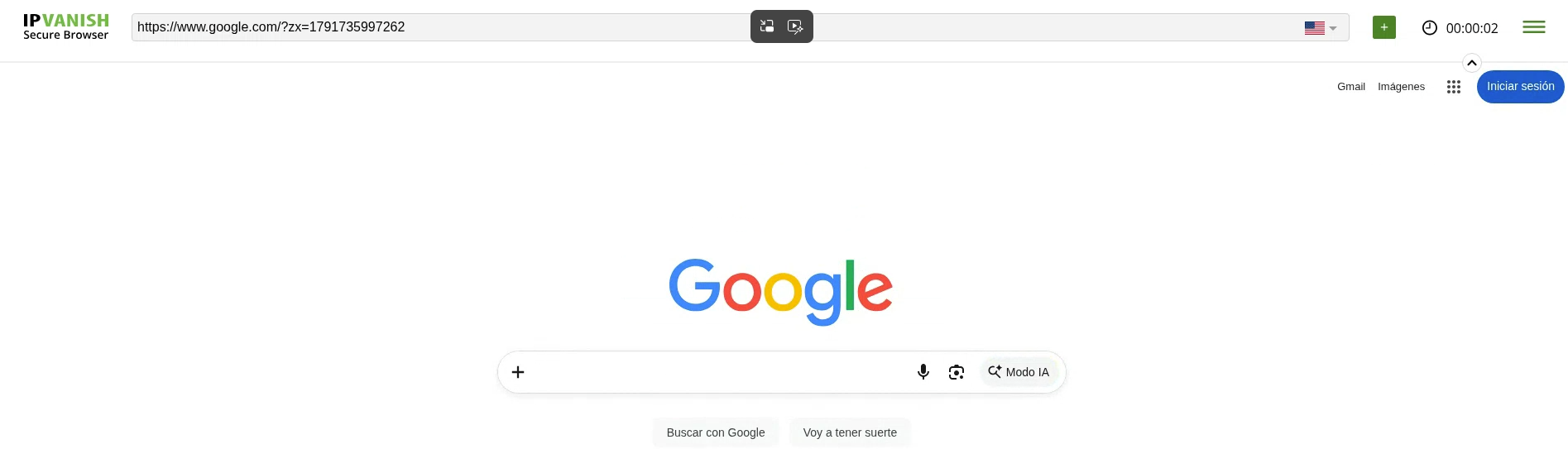
My test routine covered the situations where isolation actually matters:
- Opening known phishing and scam URLs from public threat feeds
- Visiting fingerprinting test pages to compare results with my local browser
- Reading news sites, filling forms and searching for 1 to 2 hours at a time
- Streaming YouTube videos and web audio inside the session
- Trying to download files and copy and paste text in and out of the session
- Switching server locations mid-session
Security: is it really immune to web threats?
This is where Secure Browser shines. In my testing, nothing I opened inside the session ever touched my laptop. Phishing pages loaded, scam pop-ups fired and scripts ran, but all of it happened on the remote container.
IPVanish claims Secure Browser blocks 99.9% of browser-based threats. I cannot verify an exact percentage, but the architecture makes the claim believable. If the code never reaches your device, it cannot exploit your device.
Zero-day protection
Browser engines like Chromium’s V8 regularly get critical memory-corruption bugs that attackers exploit before a patch exists. Traditional antivirus often cannot catch them in time.
With RBI, a zero-day only compromises a temporary cloud browser that holds none of your data. When the session ends, the compromised container is gone. For me, that is the single biggest benefit of this tool.
Phishing pages
Isolation protects your device, not your judgment. If you type your real bank password into a fake login page inside Secure Browser, the attacker still gets it. The difference is that the page cannot also drop malware on your computer while you look at it.
My rule: use Secure Browser to inspect suspicious links, never to log into anything a suspicious link asks you to log into. Go to the real site directly instead.
Privacy: fingerprinting, cookies and ephemeral sessions
Modern trackers barely need cookies anymore. They build a fingerprint from your hardware and software, and that fingerprint follows you across sites. Common techniques include:
- Canvas and WebGL rendering tests that identify your GPU and display drivers
- AudioContext tests that measure how your sound stack processes audio
- Font, screen resolution, CPU core and timezone enumeration
- Operating system details exposed through browser APIs
When I ran fingerprinting test pages inside Secure Browser, every result described the cloud server, not my laptop. My real GPU, fonts and screen setup were invisible. Trackers see a uniform cloud profile shared by many other users.
Truly disposable sessions
Incognito mode keeps data in local memory until you close every window, and fragments can sometimes be recovered with forensic tools. Secure Browser keeps nothing on your machine to begin with.
Once a session closes, its cookies, history and cache are wiped along with the container. In my testing, starting a fresh session always gave me a clean slate with no remembered logins or preferences.
Important limit: logging into Google, Amazon or a social network inside Secure Browser identifies you instantly. Isolation protects your device and hides your hardware fingerprint, but it cannot anonymize an account you sign into.
Secure Browser and the VPN work together
Secure Browser only protects what happens inside that browser tab. Your other apps, games, email client and system updates still use your normal connection.
That is why I run it together with the IPVanish VPN. The VPN encrypts all traffic from the device and hides your IP address, while Secure Browser protects the device itself from hostile web content. You can also pick a different location for the browser session than for your VPN tunnel.
Three ways to use IPVanish Secure Browser
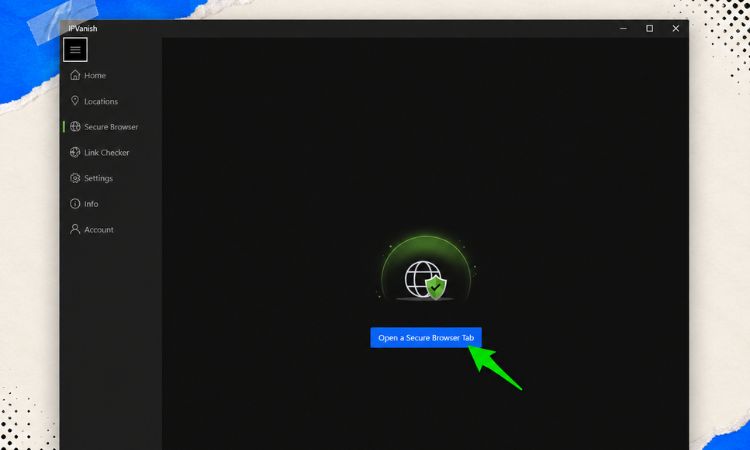
1. Inside the IPVanish desktop app (Windows and macOS)
This is the easiest option and the one I used most. Secure Browser has its own tab in the IPVanish desktop app, so you start a session with one click. There is no separate install, no extra login and no URL to remember.
2. Browser extension
The extension adds a right-click option to open any link in Secure Browser. This is perfect for email links, social media posts and shortened URLs you do not trust. It also lets you check your remaining monthly hours.
3. Web app (no install needed)
You can also log into Secure Browser from a regular web browser. I found this handy on a shared computer where I could not install software. Just remember that a public computer may still have keyloggers, so avoid typing sensitive passwords there.
Mobile users: the one-click integration is currently in the Windows and macOS apps. On phones and tablets, the IPVanish apps focus on the VPN, Threat Protection and the free Link Checker.
Key features I found useful
- Location switching: choose the server region for each browser session, independent of your VPN connection.
- Clipboard sync: copy text out of the session and paste URLs into it, which made link analysis much faster.
- Session timer: a countdown shows how much of your monthly allowance you have used.
- Audio and video: videos and web audio play inside the stream without local media decoding.
- Ad and tracker isolation: ads and trackers load in the cloud, so they cannot profile your device.
- Link Checker: IPVanish’s free RBI-powered Link Checker scans a URL remotely and shows a risk score and screenshot before you visit.
Performance: how fast does it feel?
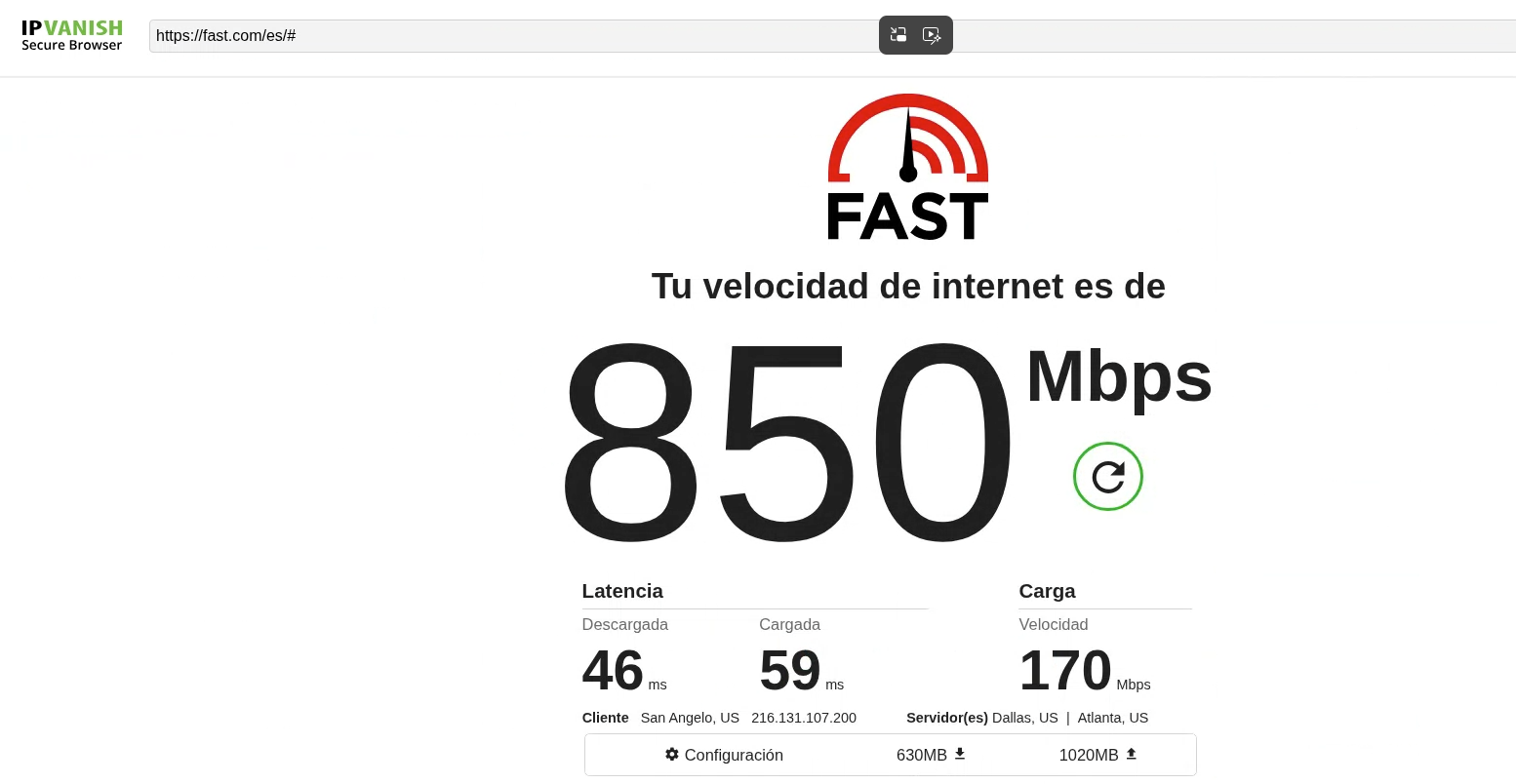
Streaming a browser from the cloud always costs something. The question is how much. On my fiber connection, Secure Browser felt surprisingly natural for reading, searching and filling forms.
On slower Wi-Fi, I noticed a small delay between moving the mouse and seeing the result, and text looked slightly softer during fast scrolling. It never became unusable for normal browsing.
| Metric | Local browser | IPVanish Secure Browser |
|---|---|---|
| Input latency | Instant | Small delay, roughly 30 to 80 ms depending on server distance |
| Image quality | Native resolution | Slightly compressed stream, softer during fast motion |
| Bandwidth use | Downloads page assets once | Continuous stream, roughly 1.5 to 5 Mbps |
| Local CPU and RAM | High on script-heavy sites | Low, your device only decodes a video feed |
| Battery impact | Higher on heavy pages | Lower, the heavy lifting happens in the cloud |
Real-world verdict by activity
- Reading and research: excellent, it feels close to a normal browser.
- Forms and searches: very good, with only a slight typing delay on slow connections.
- YouTube and web video: good, with occasional compression artifacts during fast scenes.
- Browser games and fast canvas apps: not recommended, the input lag is noticeable.
For context, the IPVanish VPN itself kept around 93% of my base speed in my speed tests, which puts it among the fastest VPNs I have tested. A fast tunnel helps keep the Secure Browser stream smooth when you use both together.
The 30-hour monthly limit: is it enough?
Cloud containers are expensive to run, so IPVanish caps Secure Browser at 30 hours per month on the Advanced plan. The allowance resets monthly and does not roll over.
Here is what 30 hours looks like in practice:
| Usage style | Daily use | Does 30 hours cover it? |
|---|---|---|
| Checking suspicious links only | 5 to 10 minutes | Yes, with lots to spare |
| Risky research, crypto dApps, unknown sites | About 1 hour | Yes, about 30 days |
| Private browsing on travel and public Wi-Fi | About 2 hours | Roughly half the month |
| All-day primary browser | 8 hours or more | No, under 4 working days |
In my own workflow, I used around 10 to 12 hours per month opening suspicious links and testing sketchy sites. That left plenty of headroom. If you want an always-on isolated browser, though, 30 hours will not be enough.
Limitations and trade-offs
What I liked
- Real remote browser isolation, rare in consumer VPNs
- Malicious code never reaches my device
- Hardware fingerprint completely hidden from trackers
- Sessions leave zero traces on my computer
- One-click launch from the Windows and macOS apps
- Right-click link isolation through the extension
- Independent location switching per session
- Low CPU and battery use on my laptop
What I didn’t like
- 30-hour monthly cap, no rollover
- Cannot download files to my device
- No extensions or password managers inside sessions
- Noticeable input lag on slow connections
- Only available on the pricier Advanced plan
- Not built into the mobile apps
- Logging into accounts defeats the anonymity benefit
IPVanish Secure Browser pricing (USD)
Secure Browser is not sold on its own. You get it with IPVanish Advanced, the provider’s most complete plan. The cheaper Essential plan includes the VPN but not Secure Browser.
| Plan | Monthly | 1-year | 2-year | Secure Browser |
|---|---|---|---|---|
| IPVanish Essential | $12.99/mo | $39.99 first year | From $2.39/mo with my deal (84% OFF) | Not included |
| IPVanish Advanced | $14.99/mo | $53.88 ($4.49/mo) | $78.96 ($3.29/mo) | 30 hours per month |
Watch the renewal price: introductory prices only apply to your first term. Advanced renews at around $109.99 per year and Essential at around $89.99 per year, so set a reminder before your plan renews. Prices can change, so always check the checkout page.
On the 2-year term, Advanced costs only around a dollar more per month than Essential. For that difference, you get far more than the browser. Here is everything Advanced adds:
- 30 hours per month of Secure Browser
- Threat Protection Pro with real-time antivirus powered by VIPRE
- 1 TB of encrypted cloud storage and backup powered by Livedrive
- File sync and share across devices
- A larger 5 GB eSIM data gift instead of 3 GB
- Phone support in addition to 24/7 live chat
Every plan, Essential or Advanced, also includes unlimited simultaneous connections, WireGuard, OpenVPN and IKEv2 protocols, and an independently audited no-logs policy. Both are covered by a 30-day money-back guarantee on 1-year and 2-year plans.

Get IPVanish for 84% OFF + 3 GB eSIM Data Gift
Unlimited devices, audited no-logs policy and 93% speed retention in my tests. Upgrade to Advanced at checkout to unlock Secure Browser. 30-day money-back guarantee.
Want the latest discount details for both plans? I keep them updated on my IPVanish coupon page.
IPVanish Secure Browser vs the alternatives
How does Secure Browser compare with other ways of browsing safely? I lined it up against the tools I get asked about most.
| Feature | IPVanish Secure Browser | NordVPN Threat Protection Pro | Brave or Tor Browser | Enterprise RBI |
|---|---|---|---|---|
| Where code runs | Remote cloud container | Your device | Your device | Remote cloud container |
| Zero-day exploit protection | Strong, code never reaches you | Limited, depends on detection | Partial, local sandbox | Strong |
| Hardware fingerprint | Hidden behind cloud profile | Exposed | Reduced with spoofing | Hidden |
| Usage limit | 30 hours per month | Unlimited | Unlimited | Unlimited |
| Target user | Consumers and prosumers | Consumers | Privacy enthusiasts | Businesses |
| Price | Included in Advanced, from $3.29/mo | Included in NordVPN plans | Free | Per-seat business contracts |
NordVPN’s Threat Protection Pro is a solid filter, but it still lets web code run locally. Brave and Tor are great privacy browsers, but they also execute everything on your hardware. Secure Browser is the only consumer-level option here that physically separates you from the page.
Comparing VPNs before you buy?
Secure Browser is a great extra, but the VPN itself matters most. In my tests Surfshark One is the best overall VPN and the fastest one I have tested. See my full ranking of the best VPNs in 2026.
IPVanish Advanced vs Surfshark One
The plan I recommend most to my readers is Surfshark One. It does not include a remote browser, but it is faster in my tests and bundles a full cybersecurity suite for less money. Here is how the two security bundles compare.
| Feature | Surfshark One | IPVanish Advanced |
|---|---|---|
| Best deal | $2.79/mo, 85% OFF + 3 months free | $3.29/mo on the 2-year plan |
| Speed retention in my tests | About 96%, the fastest I tested | About 93% |
| Simultaneous devices | Unlimited | Unlimited |
| Antivirus | Yes, Surfshark Antivirus | Yes, Threat Protection Pro |
| Ad and tracker blocker | CleanWeb | Threat Protection |
| Breach alerts and identity tools | Alert and Alternative ID | No |
| Remote browser isolation | No | Yes, 30 hours per month |
| Cloud storage | No | 1 TB |
| Servers | 4500+ in 100+ countries | 3200+ servers |
| Money-back guarantee | 30 days | 30 days |
My take: if you specifically need remote browser isolation or cloud backup, IPVanish Advanced is the unique pick. For everyone else, Surfshark One delivers faster speeds, a broader privacy toolkit and a lower price. You can read the full breakdown in my Surfshark One review.

Surfshark One: 85% OFF + 3 months free
My number one VPN and the fastest in my tests. Unlimited devices, antivirus, CleanWeb, Alternative ID and servers in 100+ countries for just $2.79/mo. 30-day money-back guarantee.
Who should use IPVanish Secure Browser?
After weeks of use, these are the people I think will get real value from it:
- Security researchers and journalists who need to open unvetted sources and suspicious links without risking their work machine.
- Crypto and Web3 users who interact with new token sites and dApps where wallet drainer scripts are common.
- Travelers and remote workers on public Wi-Fi or shared computers in hotels, airports and libraries.
- Anyone who gets lots of sketchy emails and texts and wants to check links safely before trusting them.
- Families who want a safe way to open unknown links on a shared computer.
Who should look elsewhere?
- People who want an isolated browser running all day, every day.
- Anyone who mainly needs to download software, games or large files.
- Users who rely on extensions or a password manager while browsing.
- Budget buyers who only need a fast VPN, who are better served by Surfshark One or the IPVanish Essential plan.
Tips to get the most out of your 30 hours
1
Run the Link Checker first
Scan a URL with the free Link Checker. If it looks clearly malicious, you may not need to open it at all.
2
Use right-click isolation
Open only the risky link in Secure Browser and keep normal browsing in your regular browser. This saves a lot of hours.
3
Close sessions when you are done
The timer keeps counting while a session is open. Close it as soon as you finish to save time and wipe the container.
4
Keep the VPN connected
Run the IPVanish VPN at the same time so the rest of your device traffic stays encrypted too.
Final verdict: is IPVanish Secure Browser worth it?
IPVanish Secure Browser is one of the most interesting security features I have seen added to a consumer VPN. It brings real remote browser isolation, a technology usually reserved for big companies, to a plan that costs a few dollars a month.
It is not a replacement for your everyday browser. The 30-hour cap, blocked downloads and slight lag make it a tactical tool. Used that way, for suspicious links, risky sites and public computers, it is the cleanest protection I know.
If remote isolation is what you need, IPVanish Advanced is excellent value. If you mainly want the fastest VPN with a strong security bundle, my top recommendation remains Surfshark One.
IPVanish Secure Browser FAQ
Is IPVanish Secure Browser free?
No. It is included only with the IPVanish Advanced plan, which starts at $3.29 per month on the 2-year plan. The Essential plan does not include it. The related Link Checker tool is free.
How many hours of Secure Browser do I get?
Advanced subscribers get 30 hours per month. The allowance resets every month and unused hours do not roll over.
Is IPVanish Secure Browser the same as incognito mode?
No. Incognito mode still runs every website on your own device and only skips saving history. Secure Browser runs the website on a remote cloud server, so malicious code never reaches your computer.
Do I need the VPN on to use Secure Browser?
No, it works with or without an active VPN connection. I recommend using both together, since Secure Browser only protects the browser tab while the VPN encrypts all your device traffic.
Can I download files with IPVanish Secure Browser?
Not to your own device. Files downloaded inside a session stay in the cloud container and are deleted when you close it. This is intentional, to stop infected files from reaching your computer.
Does Secure Browser stop browser fingerprinting?
Yes, in my testing. Fingerprinting scripts read the cloud server’s profile instead of your real GPU, fonts and hardware. It cannot hide your identity if you log into personal accounts, though.
Which devices support IPVanish Secure Browser?
It is built into the IPVanish desktop apps for Windows and macOS. It is also available through a browser extension and a web app you can open from a regular browser.
Can I use Secure Browser for streaming?
Web video plays fine in my testing, with occasional compression during fast scenes. Streaming eats into your 30 hours quickly, so for regular streaming the VPN alone is a better choice.
Who owns IPVanish?
IPVanish is owned by Ziff Davis, a US digital media and internet company. Its no-logs policy has been independently audited.
Is IPVanish Advanced worth it over Essential?
On the 2-year plan, Advanced costs about a dollar more per month and adds Secure Browser, real-time antivirus, 1 TB of cloud storage, a bigger eSIM gift and phone support. If you will use at least two of those, it is worth it.
Is there a better VPN than IPVanish?
In my tests, Surfshark One is the best overall VPN. It was the fastest VPN I tested and costs less, at $2.79 per month with 3 extra months free, though it does not include remote browser isolation.
IPVanish
Lightning fast speeds, unlimited devices, audited no-logs policy and, on the Advanced plan, a cloud-isolated Secure Browser with 30 hours per month.
- Unlimited devices
- No-logs policy
- 3200+ servers
- 24/7 support
Read next
- IPVanish Review
- IPVanish Coupon and Current Deals
- Surfshark One Review
- Surfshark Antivirus Review
- NordVPN Review
- Best VPNs in 2026
- Best VPN Deals and Coupons
The Review
IPVanish Secure Browser
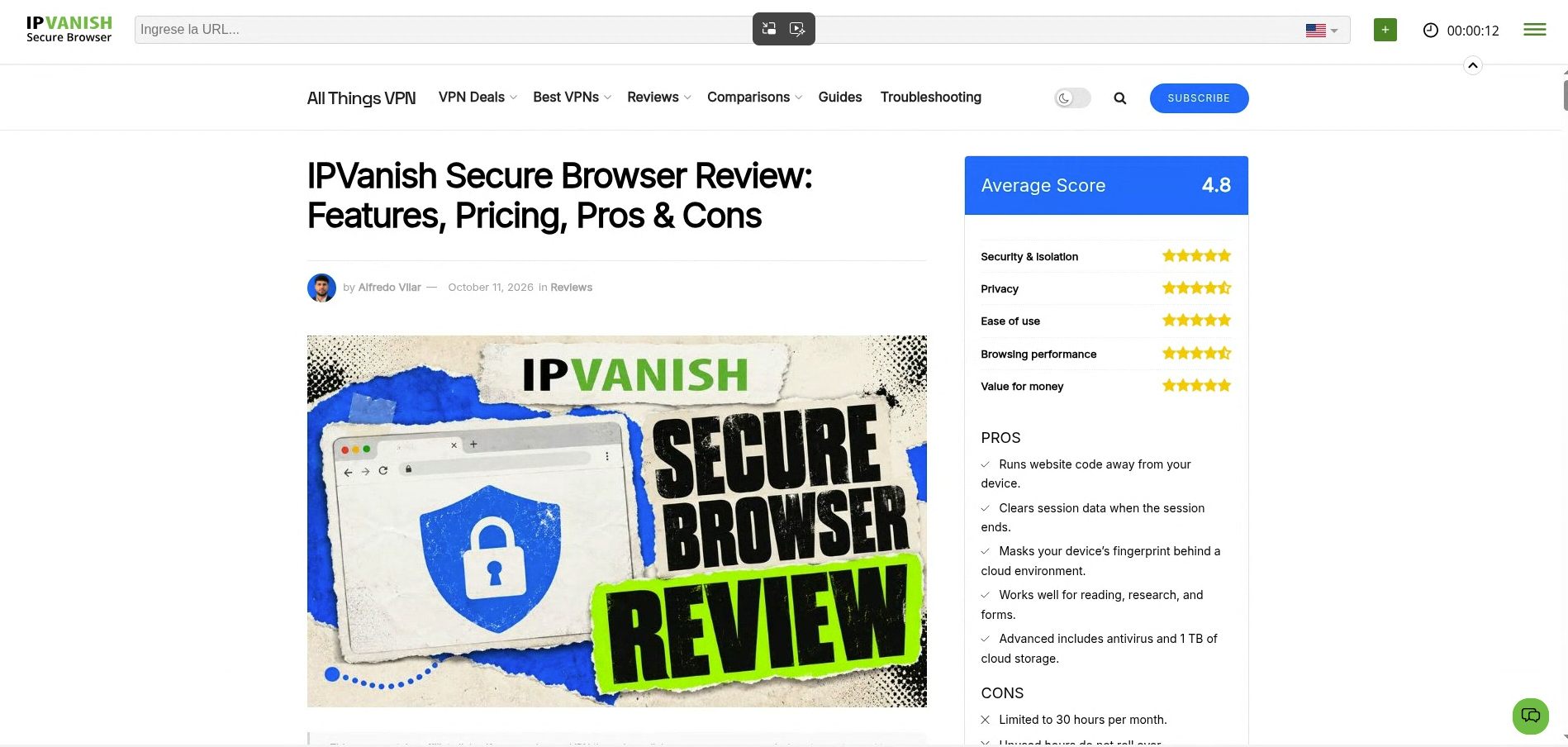
I found IPVanish Secure Browser useful for opening suspicious links and browsing risky websites without running their code directly on my device. Its cloud-based isolation is its biggest strength, and everyday browsing felt usable despite some input lag. However, the 30-hour monthly limit, lack of local downloads, and absence of password-manager integration make it difficult to recommend as my main browser. I’d treat it as an extra security tool rather than an everyday browsing solution.
PROS
- Runs website code away from your device.
- Clears session data when the session ends.
- Masks your device’s fingerprint behind a cloud environment.
- Works well for reading, research, and forms.
- Advanced includes antivirus and 1 TB of cloud storage.
CONS
- Limited to 30 hours per month.
- Unused hours do not roll over.
- Cannot download files to your device.
- No extensions or password managers inside sessions.
- Slight input lag and compressed visuals.
- Requires the IPVanish Advanced plan.
- Does not stop you from submitting details to phishing sites.
Review Breakdown
-
Security & isolation
-
Privacy
-
Ease of use
-
Browsing performance
-
Value for money
IPVanish Secure Browser DEALS
We collect information from many stores for best price available