IPVanish Antivirus DEALS
This page contains affiliate links. If you purchase a VPN through our links we may earn a commission at no extra cost to you. This never influences our reviews or rankings.

IPVanish
IPVanish Antivirus turns a fast, unlimited-device VPN into a real desktop security suite, powered by the same VIPRE engine that earned an Advanced+ award from AV-Comparatives. It is a strong upgrade for Windows and Mac users, but it is not on mobile and it is not on every plan.
- VIPRE-powered real-time malware and ransomware protection
- Works even when the VPN is off
- Everything lives in one app
- Unlimited VPN connections
- Threat Protection Pro users upgraded automatically
- Windows and macOS only
- Antivirus not included on every plan
- Lab scores were earned by VIPRE Advanced Security and not IPVanish itself
IPVanish just made its biggest move beyond being “only a VPN.” On October 7, 2026, the company launched IPVanish Antivirus, a full malware protection layer built directly into its Windows and macOS apps and powered by VIPRE, the security brand that sits under the same parent company as IPVanish.
I have been testing and reviewing IPVanish for years on my YouTube channels, and it has held the number two spot in my rankings thanks to unlimited devices, fast speeds (around 93% speed retention in my tests) and aggressive pricing. Antivirus is the piece it was missing compared with bundles like Surfshark One. In this article I break down what IPVanish Antivirus actually does, how it differs from a VPN, what the independent lab results really tell you, which plan you need, and whether it is worth paying for.
Quick facts: IPVanish Antivirus launched on October 7, 2026. It runs inside the IPVanish app on Windows and macOS, uses the VIPRE engine, keeps protecting you when the VPN is disconnected, and is delivered automatically to existing Threat Protection Pro users. The launch also introduces a new three-tier lineup that includes a Complete plan.
What is IPVanish Antivirus?
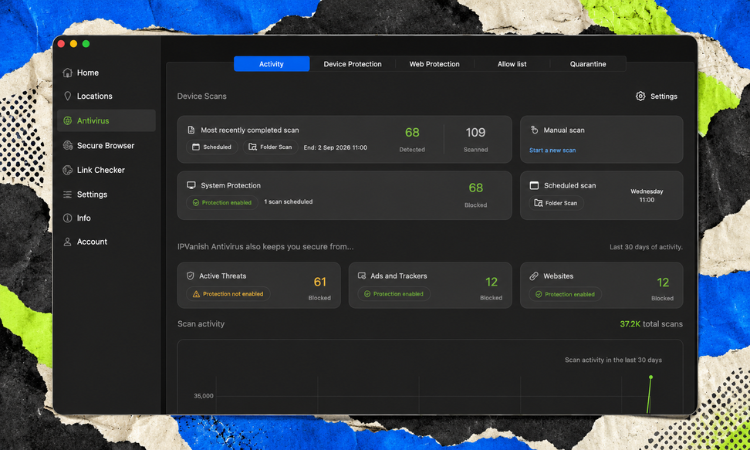
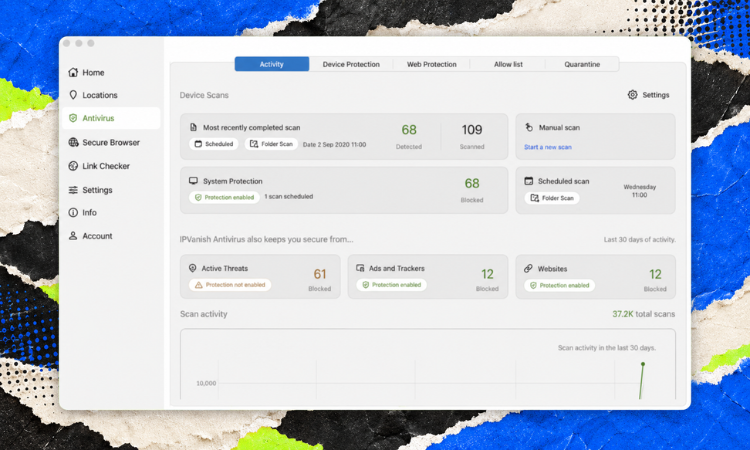
IPVanish Antivirus is a malware protection engine integrated into the IPVanish desktop app. Instead of installing a separate antivirus program with its own dashboard, you manage scans, real-time protection and web filtering from the same place where you pick a VPN server.
This is not IPVanish’s first step in this direction. Earlier in 2026 the company released Threat Protection Pro, a VIPRE-powered tool that blocked malicious websites, harmful downloads, ads and trackers on desktop. IPVanish Antivirus goes much further: it adds on-demand and scheduled device scanning, quarantine, behavioral monitoring, ransomware defenses and exploit prevention. In practice, IPVanish has gone from “a VPN with a web filter” to “a VPN with a real antivirus.”
The key detail for me is that protection stays active when the VPN is off. Plenty of people disconnect their VPN for banking apps, work tools or certain streaming services, and a security layer that switches off with the tunnel would leave a gap. IPVanish avoided that mistake.
VPN vs antivirus: why you actually need both
This is the question I get most in my YouTube comments, so let me be clear. A VPN and an antivirus solve two completely different problems.
A VPN encrypts the traffic between your device and the VPN server and swaps your public IP address. It protects your connection. An antivirus inspects the files and processes on your computer for malicious behavior. It protects your device.
Here is a simple example. If you download an infected file through an encrypted VPN tunnel, the file arrives encrypted in transit and fully infected on your disk. The VPN did its job perfectly, and you are still in trouble. That is exactly the gap an antivirus covers.
| Threat or task | VPN | Antivirus |
|---|---|---|
| Hiding your IP address | Yes | No |
| Encrypting traffic on public Wi-Fi | Yes | No |
| Stopping ISP tracking of your browsing | Yes | No |
| Detecting an infected download | No | Yes |
| Blocking ransomware encrypting your files | No | Yes |
| Scanning an infected USB drive | No | Yes |
| Blocking malicious websites and trackers | Partly (DNS filtering) | Yes |
| IPVanish with Antivirus | Yes | Yes |
IPVanish Antivirus features
According to IPVanish, the new antivirus is built around three layers of protection. Here is what each one covers and why it matters in real life.
1. Device scanning
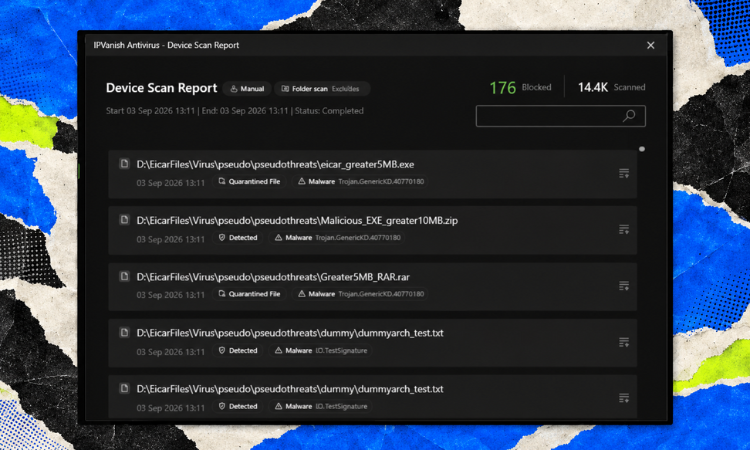
You can run on-demand scans whenever you want and set up scheduled scans so your system gets checked regularly without you thinking about it. External drives are included, which I really appreciate, because USB sticks and portable SSDs passed between computers are still a classic infection route. Anything suspicious can be moved to quarantine instead of being deleted straight away.
2. Active (real-time) protection
This is the part that separates a real antivirus from a simple scanner. IPVanish says its active protection includes:
- Download and file-change monitoring that checks files as they land on your system or get modified
- Machine learning detection to catch new threats that do not match a known signature yet
- Behavioral monitoring that watches what programs actually do, not just what they look like
- Ransomware defenses aimed at stopping mass encryption of your personal files
- Exploit prevention to block attacks that abuse vulnerabilities in legitimate software
The difference between scanning and real-time protection is important. A manual scan checks your system when you remember to run it. A scheduled scan makes that a habit. Real-time monitoring reacts while something dangerous is happening, which is when it matters most.
Behavioral detection is the layer I value most as a cybersecurity professional. Modern malware is often repackaged or brand new, so signature matching alone misses it. Watching for suspicious behavior, like a random process suddenly encrypting hundreds of documents, catches threats that a signature database simply cannot.
3. Web protection
Carried over and expanded from Threat Protection Pro, web protection blocks malicious websites, ads and trackers, and adds network threat monitoring. This stops a lot of threats before a file ever reaches your disk.
| Protection layer | What it includes | When it helps |
|---|---|---|
| Device scanning | On-demand scans, scheduled scans, external drives, quarantine | Finding threats already on your system |
| Active protection | Download and file monitoring, machine learning, behavioral analysis, ransomware and exploit defenses | Stopping attacks as they happen |
| Web protection | Malicious site blocking, ad and tracker blocking, network threat monitoring | Stopping threats before they download |
The VIPRE engine and independent lab results
VIPRE is not a newcomer. It has more than 25 years of threat intelligence behind it and protects over one million devices worldwide, which gives IPVanish a much stronger foundation than most VPN companies that bolt on a white-label scanner.
The independent testing is also solid. In AV-Comparatives’ March 2026 consumer Malware Protection Test, VIPRE Advanced Security recorded a 99.91% online protection rate with only four false positives and earned the lab’s Advanced+ award, its top rating. AV-Comparatives evaluates protection before, during and after a malicious file executes, which is a good match for the layered approach IPVanish describes.
Read these numbers carefully: the product tested by AV-Comparatives was VIPRE Advanced Security for Windows, not IPVanish Antivirus. Sharing an engine is a very good sign, but it does not guarantee identical results across a different app, different settings or macOS. I treat these scores as strong supporting evidence, not as IPVanish Antivirus’ own score, and I will update this article once independent labs test the IPVanish version directly.
Get IPVanish for 84% OFF
Plus a free 3 GB eSIM data gift. Unlimited devices, fast speeds and a 30-day money-back guarantee.
IPVanish plans and pricing with Antivirus
Alongside the antivirus, IPVanish is moving to three subscription tiers on its website, including a brand new Complete plan. The wider IPVanish security lineup now includes Secure Browser, Cloud Backup, Link Checker and QR Code Checker, and the whole brand has been refreshed under the tagline “Control your digital world.”
Here is how I understand the lineup right now. Before Antivirus, Threat Protection Pro was reserved for the Advanced plan, while the entry Essential plan only included standard Threat Protection. I expect the new antivirus to follow the same pattern and live on the higher tiers, so always double-check the plan table at checkout.
| Plan | Best for | What to expect |
|---|---|---|
| Essential | VPN only users | Unlimited VPN connections, standard Threat Protection. Currently $2.39/mo on the 24-month plan (84% OFF + 3 GB eSIM) |
| Advanced | VPN plus extra security tools | Previously home to Threat Protection Pro, Secure Browser and Cloud Backup |
| Complete | Full security suite | New top tier introduced with the Antivirus launch |
Already a Threat Protection Pro user? You do not need to do anything. IPVanish says existing Threat Protection Pro customers receive Antivirus automatically. Just update your Windows or Mac app to the latest version.
Before you buy, I recommend checking four things on the official plan page:
- Which tier actually includes Antivirus
- The renewal price after your first term, not just the promo price
- Supported Windows and macOS versions
- How many devices the antivirus covers, because unlimited VPN connections do not automatically mean unlimited antivirus installs
For the latest IPVanish discount, check my IPVanish coupon page.
How to start using IPVanish Antivirus
1
Pick a plan that includes Antivirus
Choose an IPVanish tier that lists Antivirus in its feature table. If you already have Threat Protection Pro, you are covered.
2
Remove any other real-time antivirus
Running two real-time engines at once can cause conflicts and slowdowns. Decide which one you want to keep before installing.
3
Install or update the IPVanish app
Download the latest IPVanish app for Windows or macOS and sign in. The antivirus lives inside the same app, with no extra dashboard.
4
Run a full first scan
Start with a full system scan so you know your machine is clean, and plug in any external drives you use regularly so they get checked too.
5
Schedule scans and keep real-time protection on
Set a weekly scheduled scan and leave active protection enabled, even when you disconnect the VPN.
Antivirus is not a backup. Ransomware defenses are great, but no security tool is perfect. Keep separate, recoverable backups of your photos, documents and work files, keep your operating system updated and use strong, unique passwords with two-factor authentication. Antivirus is one layer of a complete setup, not the whole setup.
Pros and cons of IPVanish Antivirus
What I liked
- Real antivirus, not just a web filter: scans, quarantine, behavioral and ransomware protection
- Built on VIPRE, an engine with an Advanced+ award from AV-Comparatives
- Keeps protecting you when the VPN is disconnected
- One app for VPN and device security
- Scans external drives
- Automatic upgrade for Threat Protection Pro users
- Pairs with IPVanish’s unlimited VPN connections and fast speeds
What I didn’t like
- Windows and macOS only, no antivirus on Android or iOS
- Not included in the cheapest plan based on how IPVanish packaged Threat Protection Pro
- Lab results belong to VIPRE Advanced Security, not yet to IPVanish Antivirus itself
- Antivirus device allowance should be checked separately from VPN connections
- Plan lineup is getting more complex with three tiers
IPVanish Antivirus vs Surfshark One
The obvious comparison is Surfshark One, which has bundled a VPN with an antivirus for a while and is still my number one recommendation overall. Here is how they stack up today.
| Feature | Surfshark One | IPVanish with Antivirus |
|---|---|---|
| My ranking | #1 Best overall VPN | #2 Unlimited devices, budget pick |
| Speed retention in my tests | ~96% (fastest I have tested) | ~93% |
| Simultaneous VPN connections | Unlimited | Unlimited |
| Antivirus platforms | Windows, macOS and Android | Windows and macOS |
| Extra security tools | Antivirus, Alert, Search, CleanWeb | Antivirus, Secure Browser, Cloud Backup, Link and QR Code Checker |
| Current deal | $2.79/mo, 85% OFF + 3 months free | From $2.39/mo (Essential), 84% OFF + 3 GB eSIM |
| Money-back guarantee | 30 days | 30 days |
My take: IPVanish has closed a big gap, and VIPRE’s lab pedigree is genuinely impressive. But Surfshark One still wins for most people. It is faster in my testing, its antivirus also covers Android, and the full security bundle comes at a price that is very hard to beat. IPVanish Antivirus makes the most sense if you already love IPVanish, live mostly on Windows or Mac, or want the Cloud Backup and Secure Browser extras.
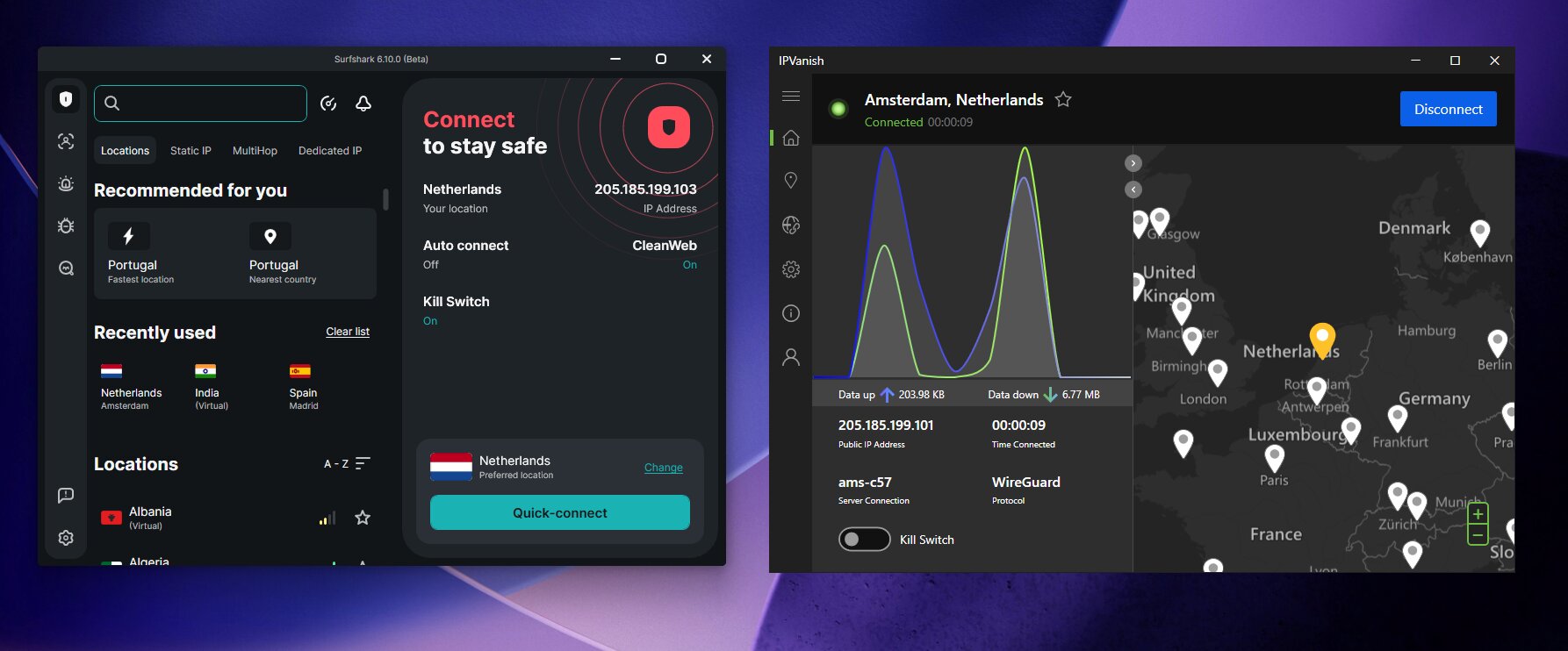
Want the full picture on Surfshark's antivirus?
I tested Surfshark Antivirus in depth, including real-time protection and scan results.
Read my Surfshark Antivirus review →Who should get IPVanish Antivirus?
- Existing IPVanish users on Windows or Mac: an easy yes, especially if you already had Threat Protection Pro, since the upgrade is automatic.
- People who want fewer apps: if juggling a VPN, an antivirus and an ad blocker annoys you, having everything in one app is a real quality of life upgrade.
- Families with lots of devices: IPVanish’s unlimited VPN connections are still one of its biggest strengths, just confirm the antivirus allowance.
- People already paying for antivirus: compare features and renewal prices before adding a second subscription. Two real-time engines on one PC is not a good idea.
- Mobile-first users: look elsewhere for now, since the antivirus is desktop only.
FAQ
When did IPVanish Antivirus launch?
IPVanish announced and launched its antivirus on October 7, 2026, for its Windows and macOS apps.
Does IPVanish Antivirus work when the VPN is off?
Yes. The antivirus and its security features stay active even when you are not connected to a VPN server, so you are not left unprotected when you disconnect.
What antivirus engine does IPVanish use?
IPVanish Antivirus is powered by VIPRE, a security brand with more than 25 years of threat intelligence. VIPRE Advanced Security earned an Advanced+ award and a 99.91% online protection rate in AV-Comparatives’ March 2026 consumer Malware Protection Test.
Is IPVanish Antivirus available on Android or iPhone?
Not at launch. It is available on Windows and macOS only. Mobile and TV apps continue to offer the standard Threat Protection feature.
I have Threat Protection Pro. Do I need to pay extra?
No. IPVanish says existing Threat Protection Pro users receive Antivirus automatically. Update your desktop app to get it.
Can a VPN protect me from malware on its own?
No. A VPN encrypts your connection and hides your IP address, but it does not inspect files on your device. An infected download is still infected after passing through a VPN tunnel. That is why combining a VPN with an antivirus makes sense.
Is IPVanish Antivirus better than Surfshark One?
It is a strong new option, but Surfshark One remains my top recommendation. Surfshark was faster in my testing, its antivirus also covers Android, and its bundle offers excellent value. IPVanish is a great pick if you prefer its apps or want extras like Cloud Backup.
Final verdict
IPVanish Antivirus is the most meaningful upgrade IPVanish has shipped in years. It is a real antivirus with scanning, quarantine, behavioral analysis, ransomware and exploit protection, it runs whether or not the VPN is connected, and it rests on an engine with excellent independent lab results. The limits are desktop only coverage, a more complicated plan lineup and lab scores that belong to VIPRE’s own product rather than the IPVanish app.
If you are already in the IPVanish ecosystem on Windows or Mac, this is a big win. If you are choosing a VPN and security bundle from scratch, I still recommend Surfshark One as the best overall value, with IPVanish as a very strong runner up. I will be putting IPVanish Antivirus through my own testing on my channels and will update this article with the results.
IPVanish
Fast VPN with unlimited connections, now with VIPRE-powered Antivirus on Windows and macOS on eligible plans.
- Unlimited devices
- No-logs policy
- 3200+ servers
- VIPRE-powered Antivirus
- 24/7 support
Read next
- IPVanish Review
- IPVanish Coupon
- Surfshark Antivirus Review
- Surfshark One Review
- Best VPNs in 2026
- Best VPN Deals and Coupons
The Review
IPVanish Antivirus
IPVanish Antivirus is the biggest upgrade IPVanish has shipped in years. It turns a fast, unlimited-device VPN into a real desktop security suite, with on-demand and scheduled scans, quarantine, behavioral monitoring, ransomware defenses and web protection, all inside the same app. I like that it keeps working when the VPN is off and that it runs on the VIPRE engine, which earned an Advanced+ award from AV-Comparatives. The downsides are that it is Windows and macOS only, it is not included on every plan, and those lab scores belong to VIPRE's own product rather than the IPVanish app. If you already use IPVanish on desktop, it is a big win. If you are starting from scratch, Surfshark One is still my top pick, with IPVanish as a strong runner up.
PROS
- Real antivirus, not just a web filter
- Powered by the award-winning VIPRE engine
- Keeps protecting you when the VPN is off
- VPN and antivirus in one app
- Scans external drives
- Ransomware and exploit protection included
- Free upgrade for Threat Protection Pro users
- Unlimited VPN connections
CONS
- Windows and macOS only
- Not included in the cheapest plan
Review Breakdown
-
Malware protection
-
Features
-
Ease of use
-
Platform coverage
-
Value for money
IPVanish Antivirus DEALS
We collect information from many stores for best price available