This page contains affiliate links. If you purchase a VPN through our links we may earn a commission at no extra cost to you. This never influences our reviews or rankings.
Your iPhone is more private than most phones — but it’s not invincible. Your real IP address is still exposed every time you browse, stream, or use an app on public Wi-Fi. A VPN fills that gap by encrypting your traffic and hiding your location from your ISP, trackers, and anyone else on the network.
I’ve been testing VPNs full-time for over two years, published 500+ videos on my YouTube channels (AllThingsVPN and VPNR), and I’ve put all of the major providers through their paces on iOS. Here are the best VPNs for iPhone you can get right now — tested, ranked, and explained without the fluff.
Best VPNs for iPhone in 2026 — At a Glance
| # | VPN | Best For | Speed Retention | Devices | Starting Price |
|---|---|---|---|---|---|
| 1 | Surfshark | Best overall value | ~95% | Unlimited | $1.99/mo |
| 2 | IPVanish | Unlimited devices + speed | ~92% | Unlimited | $2.19/mo |
| 3 | Proton VPN | Best for privacy + free plan | ~91% | 10 | $2.99/mo |
| 4 | NordVPN | Fast, feature-rich | ~89% | 10 | $3.59/mo |
| 5 | VeePN | Budget streaming | ~88% | 10 | $1.99/mo |
| 6 | ExpressVPN | Easiest to use | ~91% | 8 | $2.79/mo |
| 7 | CyberGhost | 45-day guarantee + streaming servers | ~88% | 7 | $1.75/mo |
| 8 | PrivadoVPN | Cheapest + best free VPN | ~85% | 10 | $1.11/mo |
| 9 | PIA | Customisation + unlimited devices | ~85% | Unlimited | $1.59/mo |
1. Surfshark — Best VPN for iPhone Overall
Best Overall Value
Surfshark — Our verdict
The fastest VPN I’ve tested, with unlimited devices, a clean iOS app, and the best price-to-performance ratio on the market. The Surfshark One plan is my top recommendation for iPhone users.
- ~95% speed retention — fastest in my tests
- Unlimited simultaneous device connections
- CleanWeb ad/tracker blocking on iOS
- No DNS or IP leaks in testing
- Audited no-logs policy with RAM-only servers
- Ad blocking doesn’t catch everything
- Some advanced settings buried in menus
Surfshark is my #1 pick for iPhone in 2026, and it’s not a close call. In my own speed tests, Surfshark consistently retains around 95% of base connection speeds — making it the fastest VPN I’ve used on iOS. Whether you’re streaming, video calling, or just browsing on the go, you’re unlikely to notice any slowdown.
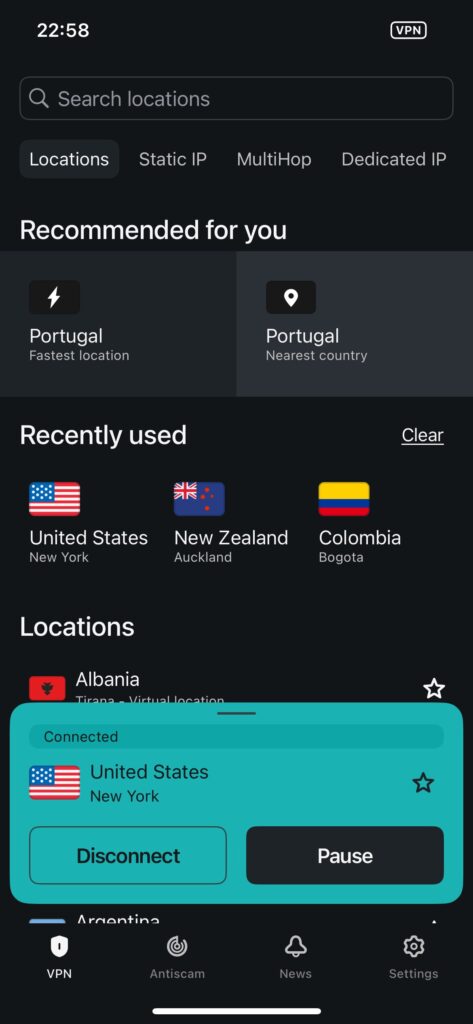
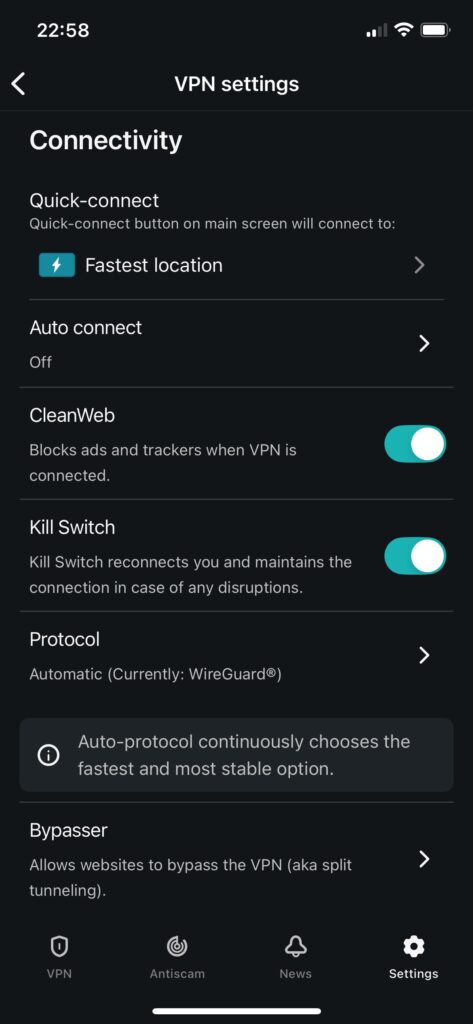
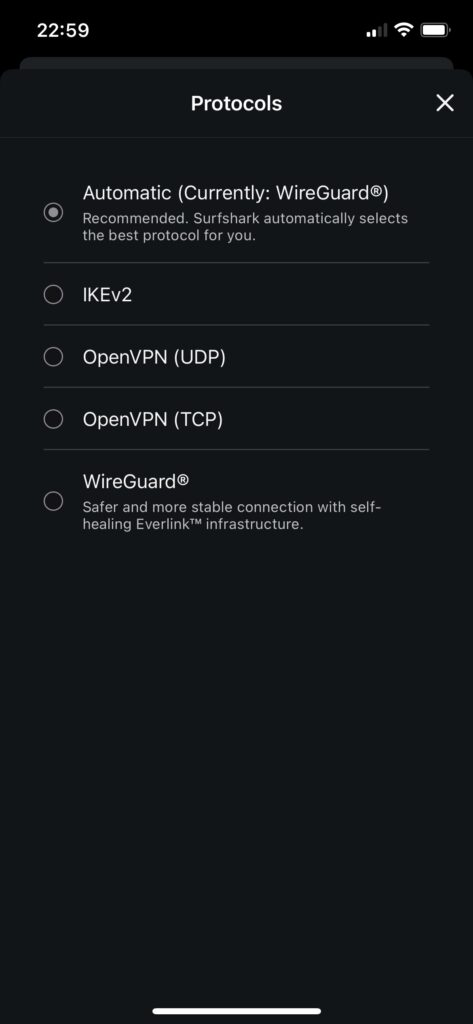
Setting it up on iPhone takes about a minute. The app is clean, has a reliable Quick Connect button, and includes useful iOS-specific features like Auto-connect for public Wi-Fi and Bypasser (split tunneling by website). I tested it on both Wi-Fi and cellular with zero DNS or IP leaks.
What makes Surfshark stand out even more is the Surfshark One plan. For $2.49/month on a 2-year plan, you get the VPN plus an antivirus, a data breach alert system, and Alternative ID (a fake email/identity generator for sites you don’t trust). For iPhone users who want full-spectrum privacy in one app, this is exceptional value.
The only real cons? CleanWeb (the ad and tracker blocker) doesn’t catch everything on iOS — it works, but if you’re seeing a lot of ads it may not fully satisfy. And a few power-user settings are a couple of taps deeper than I’d like. Neither is a dealbreaker.
What I liked
- Fastest speed retention I’ve recorded on iOS (~95%)
- Unlimited devices — covers your whole household
- Surfshark One plan bundles antivirus + breach alerts
- No leaks, solid kill switch, audited no-logs
- Affordable even on short plans
What I didn’t like
- CleanWeb ad blocking leaves some ads visible
- Some settings require digging into menus
- Price jumps at renewal — watch for that
Current deal: Surfshark One is $2.49/mo on the 2-year plan (87% OFF + 3 months free). The Starter plan drops to $1.99/mo if you just need the VPN itself. See the Surfshark coupon page for the latest pricing. Full breakdown in my Surfshark review.
2. IPVanish — Best for Unlimited Devices + Fast Speeds
Unlimited Devices
IPVanish — Our verdict
Fast, affordable, and genuinely unlimited on device connections — IPVanish punches above its price point for iOS users who want reliable performance without paying a premium.
- ~92% speed retention — among the fastest
- Unlimited simultaneous connections
- No DNS or IP leaks in testing
- Built-in URL/QR code checker for phishing
- US-based (Five Eyes jurisdiction)
- App language tied to iOS system language
IPVanish is my pick if you want a fast, no-fuss VPN for iPhone that won’t limit how many devices you can connect. In my tests, it retained around 92% of base speeds — impressive for the price point. Setup is quick, the iOS app is clean without being sparse, and the Connect on Demand feature (auto-connect on public Wi-Fi) is genuinely useful on the go.
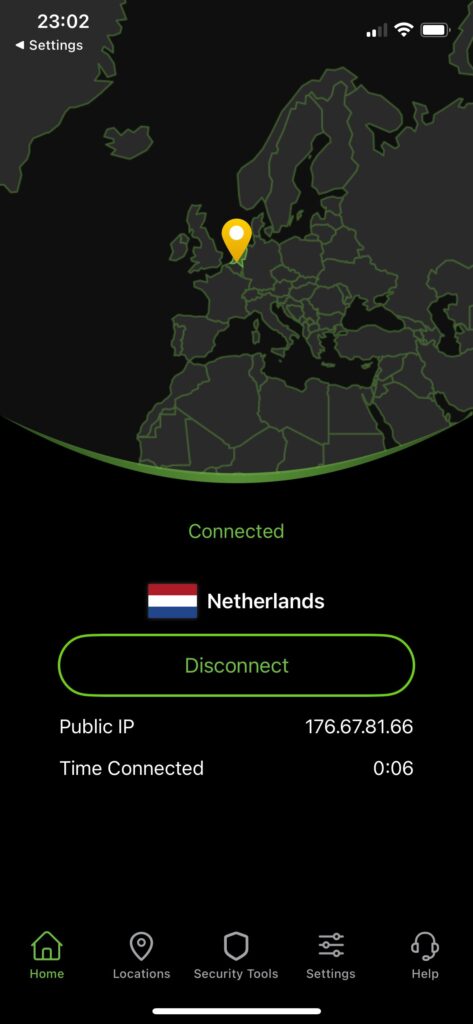
One thing I didn’t expect to like as much as I did: the built-in URL and QR code checker. If you receive a sketchy link over email or text, you can paste it into IPVanish before opening it. It’s a small extra that makes a real difference on mobile.
The main caveat: IPVanish is based in the US, which places it under Five Eyes jurisdiction. If your threat model includes government-level surveillance, that’s worth factoring in. For most users — streaming, secure browsing, public Wi-Fi protection — it’s a non-issue.
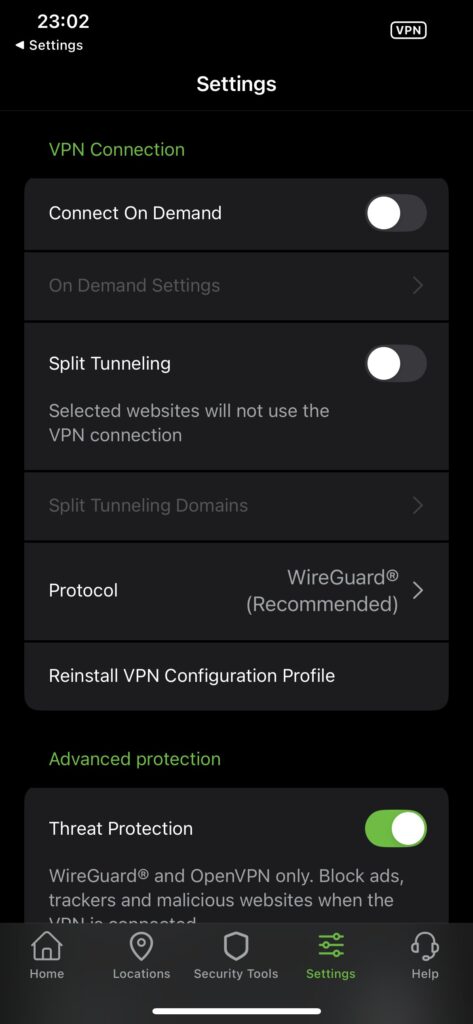
Current deal: $2.19/mo on the 24-month Essential plan (83% OFF). See the IPVanish coupon page or my full IPVanish review.
3. Proton VPN — Best for Privacy (and Best Free VPN for iPhone)
Best for Privacy
Proton VPN — Our verdict
The most privacy-focused VPN on this list, with Swiss jurisdiction, open-source apps, and the only genuinely usable free plan available on iPhone.
- Swiss jurisdiction — strong legal privacy protections
- Open-source, independently audited codebase
- Free plan with no data caps and no ads
- NetShield blocks ads and trackers aggressively
- ~91% speed retention
- Free plan limited to 1 device and a small server pool
- Some advanced features locked to paid tiers
If privacy is your top priority, Proton VPN is the one to choose. It’s based in Switzerland, outside both the EU and Five Eyes data-sharing alliances. Its apps are fully open-source and have been independently audited. There’s also no-logs policy backed by actual legal jurisdiction — not just a marketing claim.
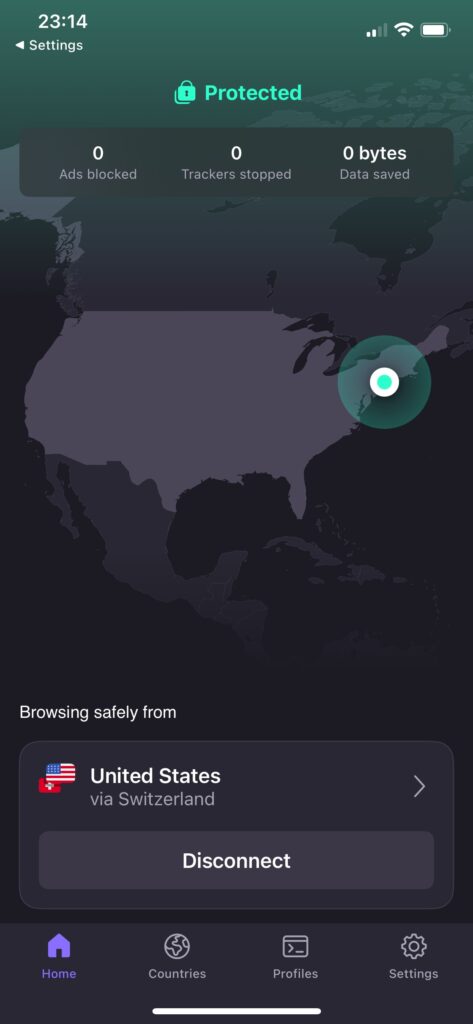
I also want to call out Proton’s free plan specifically, because it’s in a different league from other free VPNs. No data caps, no ads, and no selling your browsing data. You’re limited to a smaller server pool and one device, but if you just want basic protection on public Wi-Fi without paying anything, this is the only free option I’d actually recommend.
On the paid side, NetShield (the ad and tracker blocker) is genuinely excellent on iOS. In testing it blocked over 85% of trackers and ads — among the best I’ve seen. Secure Core (routing through multiple servers in privacy-friendly countries) is available on paid plans for an extra layer of anonymity.
Speed is solid too — around 91% retention in my tests, which puts it right up with the faster options on this list.
Current deal: $2.99/mo on the 2-year plan (70% OFF). See the Proton VPN coupon page or my full Proton VPN review.
4. NordVPN — Fast and Feature-Rich, but Pricier
Feature-Rich

NordVPN — Our verdict
NordVPN is fast and packed with features, and its iOS app is polished. That said, Surfshark outperformed it in my speed tests and costs significantly less — so it’s not my top pick despite being genuinely good.
- ~89% speed retention with NordLynx protocol
- Polished, intuitive iOS app
- Threat Protection blocks ads and malware
- Meshnet for secure cross-device file sharing
- Pricier than comparable options
- No split tunneling on iOS
- Surfshark is faster in my tests
NordVPN is a solid VPN — I won’t pretend otherwise. The iOS app is one of the most polished I’ve used, setup is quick, and NordLynx (their WireGuard-based protocol) delivers reliable performance. In my tests it retained around 89% of base speeds, which is good — just not quite at Surfshark’s level.
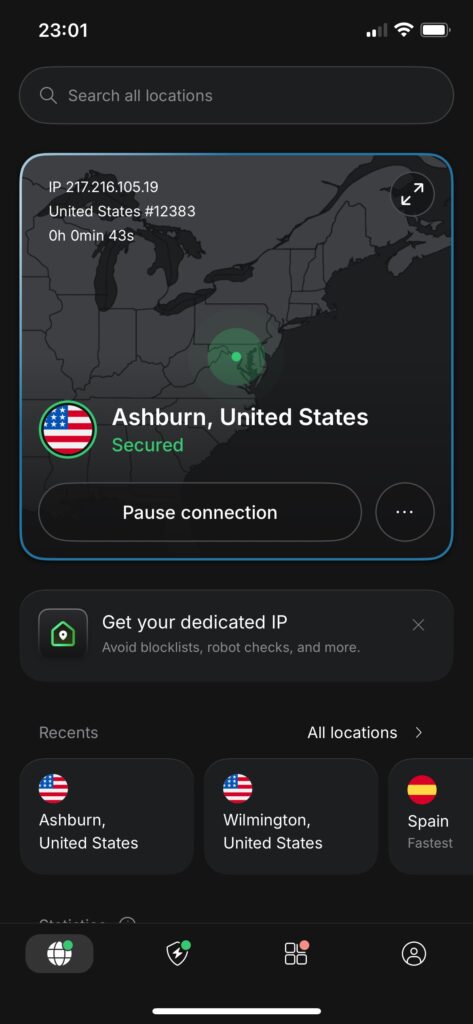
The feature set is impressive: Threat Protection blocks ads and malicious domains, Meshnet lets you create a private network across your devices, and the Dark Web Monitor alerts you to credential leaks. No DNS or IP leaks in my testing either.
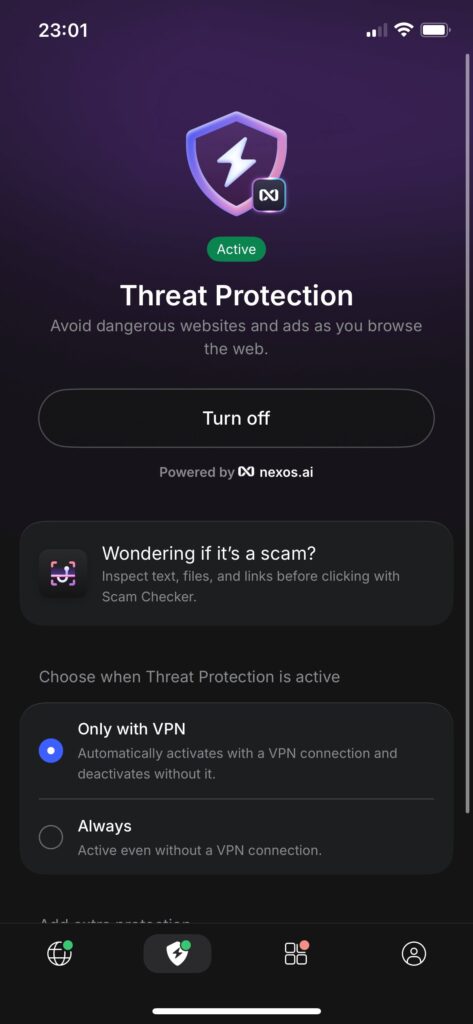
My main hesitation is the price. To get Threat Protection (the ad blocker) on iOS, you need the Plus plan at $3.59/mo on the 2-year deal. That’s nearly double what Surfshark One costs for similar or better features. The lack of split tunneling on iOS also stands out as a missing feature that competitors handle better.
If you’re already a NordVPN subscriber, stick with it — it’s excellent. But for new users choosing between NordVPN and Surfshark, I lean Surfshark for the value and speed. See my Surfshark vs NordVPN comparison for the full breakdown.
Current deal: $3.59/mo on the Plus 2-year plan (76% OFF + 3 months free). NordVPN coupon page | Full NordVPN review.
5. VeePN — Best Budget VPN for Streaming on iPhone
Budget Streaming
VeePN — Our verdict
VeePN hits a sweet spot for budget-conscious iPhone users who mainly want to access geo-restricted streaming content without spending much.
- Very affordable long-term pricing
- Good streaming server access
- ~88% speed retention
- Smaller name than top-tier providers
- Fewer advanced privacy features
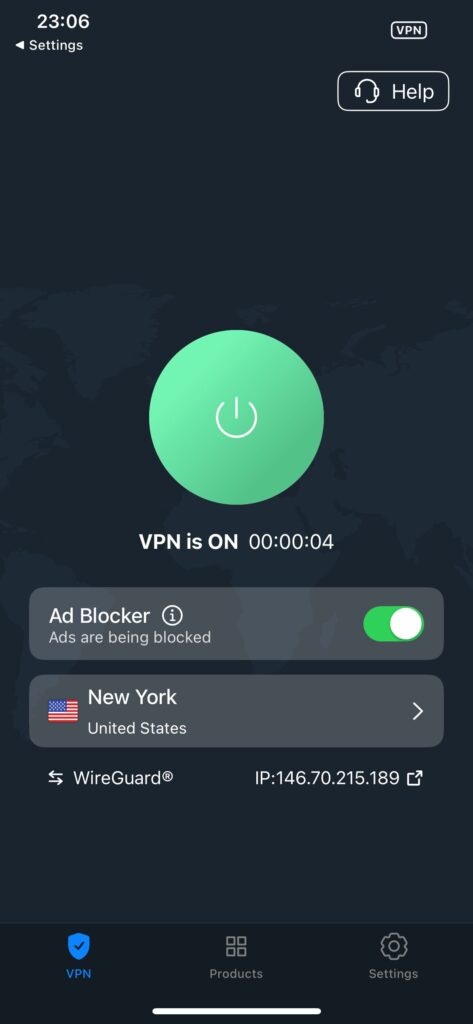
VeePN isn’t trying to be the most feature-packed VPN on the market — it’s trying to be a reliable, affordable option for everyday streaming and browsing. On iPhone, it delivers that. Speed retention sits at around 88% in my testing, which is more than enough for HD and 4K streaming. The iOS app is clean and easy to navigate.
If your main use case is accessing different Netflix libraries or unblocking streaming services while travelling, VeePN does that job well at a price that undercuts most of the competition. It’s not the choice if you need advanced privacy tools or maximum server coverage — but for streaming on a budget, it holds up.
Current deal: $1.99/mo on the 2-year plan (83% OFF + 4 months free). VeePN coupon page | Full VeePN review.
6. ExpressVPN — Easiest VPN to Use on iPhone
Easiest to Use

ExpressVPN — Our verdict
ExpressVPN’s iOS app is the most polished and beginner-friendly on this list. It’s fast and works reliably for streaming — but you’re paying a premium for that simplicity.
- ~91% speed retention with Lightway protocol
- Easiest setup and most intuitive iOS app
- Strong streaming performance
- Built-in password manager (Keys)
- More expensive than most competitors
- Owned by Kape Technologies (worth knowing)
- Only 8 simultaneous connections
If you’ve never used a VPN before and want the easiest possible experience on iPhone, ExpressVPN is the answer. The app essentially has one screen, one button, and Smart Location handles the rest. Connecting takes 2-3 seconds, and in my tests Lightway (ExpressVPN’s own protocol) kept speeds at around 91% of baseline — excellent for mobile.
Streaming performance is consistently strong, and the built-in ExpressVPN Keys password manager is a genuinely useful bonus — it saves you switching between apps when logging into streaming services after a location change.
Two things I always disclose about ExpressVPN: it’s owned by Kape Technologies, a company that also owns CyberGhost and PIA. Kape has improved transparency significantly, and ExpressVPN’s no-logs policy is independently audited — but it’s context worth having. Also, at $2.79/mo it’s more expensive than Surfshark, which outperforms it on speed.
Current deal: $2.79/mo on the 2-year Basic plan (78% OFF + 4 months free). ExpressVPN coupon page | Full ExpressVPN review.
7. CyberGhost — Best for Streaming Servers + 45-Day Guarantee
Streaming + Long Guarantee

CyberGhost — Our verdict
CyberGhost’s dedicated streaming servers and 45-day money-back guarantee make it a low-risk option for iPhone users who mainly want to unblock streaming content.
- Dedicated streaming-optimized servers
- 45-day money-back guarantee (longest on this list)
- Very beginner-friendly iOS app
- ~88% speed retention
- Owned by Kape Technologies
- Fewer advanced features than top-tier picks
CyberGhost’s standout feature is its dedicated streaming server list — servers that are specifically optimized and regularly updated to work with Netflix, Disney+, BBC iPlayer, and other platforms. On iPhone this is particularly handy, as you can just pick the streaming service you want rather than hunting for a working server yourself.
The 45-day money-back guarantee is also the most generous on this list — well worth taking advantage of if you’re undecided. Speed retention sits at around 88%, which is solid for everyday use. The iOS app is clean and genuinely beginner-friendly.
Like ExpressVPN, CyberGhost is owned by Kape Technologies. It’s audited and transparent about its policies, but again — something I think is worth knowing.
Current deal: $1.75/mo on the 2-year plan (87% OFF + 2 months free). CyberGhost coupon page | Full CyberGhost review.
8. PrivadoVPN — Cheapest VPN + Best Free Plan
Cheapest + Best Free
PrivadoVPN — Our verdict
The cheapest paid VPN on this list, and the free plan is genuinely usable for light iPhone use. If budget is the first filter, start here.
- Lowest price on this list ($1.11/mo)
- Free plan with 10GB/month data
- Zero-logs policy
- ~85% speed retention
- Smaller server network
- Free plan data cap limits heavy use
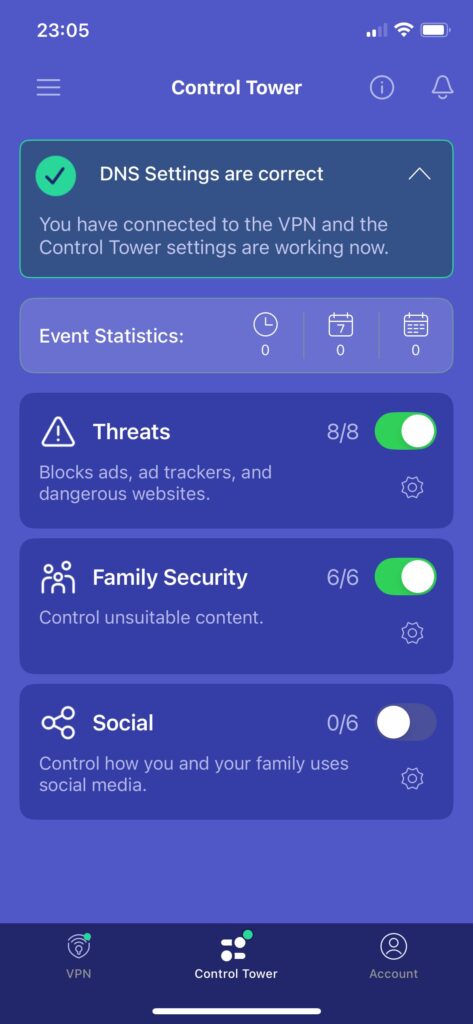
PrivadoVPN is about as affordable as VPNs get — $1.11/mo on the 2-year plan is genuinely remarkable. The iOS app is clean, setup is simple, and it holds up well for everyday browsing and light streaming at around 85% speed retention.
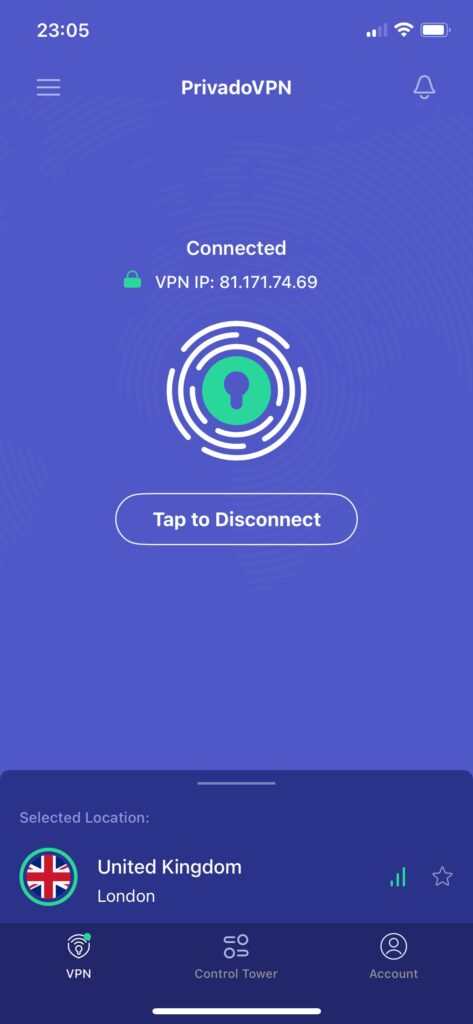
The free plan is worth calling out too: 10GB per month is enough to cover regular browsing and occasional streaming, without the aggressive tracking or slow speeds that plague most free VPNs. If you’re on the tightest of budgets, PrivadoVPN’s free tier is a real option for iPhone protection on public Wi-Fi.
Current deal: $1.11/mo on the 2-year plan (90% OFF + 3 months free). PrivadoVPN coupon page | Full PrivadoVPN review.
9. Private Internet Access (PIA) — Best for Customisation
Customisation + Unlimited Devices
PIA — Our verdict
PIA gives power users more control than most VPNs on this list, with an enormous server network and unlimited device connections — all at a very low price.
- Unlimited simultaneous connections
- Massive server network (35,000+ servers)
- Highly customisable — great for advanced users
- Very affordable on long-term plans
- Owned by Kape Technologies
- ~85% speed retention — not the fastest
- Less beginner-friendly than other options
PIA (Private Internet Access) rounds out this list as the option for users who want maximum control. The iOS app gives you more configuration options than most — encryption level, protocol, port, and more. If you like tinkering and want to dial in exactly how your VPN behaves, PIA accommodates that.
The server network is massive, and unlimited device connections on a single subscription is a genuine plus. Speed is around 85% retention, which is perfectly functional — just not class-leading.
Like CyberGhost and ExpressVPN, PIA is owned by Kape Technologies. Its no-logs policy has been audited and upheld in court, so it’s a legitimate option — just a detail worth knowing. Current deal: $1.59/mo on the 3-year plan. PIA coupon page | Full PIA review.
Do You Actually Need a VPN on iPhone?
iPhones have strong built-in security features — hardware encryption, sandboxed apps, and tight App Store controls. Apple’s iCloud Private Relay adds an extra layer too, but it only works in Safari and doesn’t hide your IP from apps, games, or other browsers. It’s not a VPN.
Here’s what a VPN on iPhone actually does:
What a VPN protects on iPhone
- Encrypts all traffic — not just Safari
- Hides your real IP address from websites and apps
- Protects your data on public Wi-Fi
- Bypasses geo-restricted content (Netflix libraries, streaming abroad)
- Stops your ISP from monitoring what you do online
What a VPN doesn’t protect on iPhone
- GPS location — apps using GPS still see your real location
- Cookies already stored on your device
- Device fingerprinting (screen size, browser, etc.)
- Malware — unless your VPN has an active threat protection feature
- Your Apple account or iCloud data
How I Test VPNs on iPhone
I test every VPN on a physical iPhone (not emulated), on both Wi-Fi and cellular data. Here’s what I check:
1
Speed testing
I run multiple speed tests throughout the day against a fixed baseline, connecting to UK, US, and Asia servers. I record download speed, upload speed, latency, and calculate the percentage of base speed retained. Tests use WireGuard (or equivalent) unless a provider has a clearly superior protocol.
2
DNS and IP leak testing
I check for DNS leaks, IP leaks, and WebRTC leaks using multiple independent testing tools. I also stress-test the kill switch by forcing disconnections, switching between Wi-Fi and cellular, and toggling airplane mode.
3
Streaming and unblocking
I test each VPN’s ability to access Netflix (multiple libraries), Disney+, BBC iPlayer, and Amazon Prime Video. I also check consistency — not just whether it works once, but whether it keeps working across sessions.
4
Privacy and no-logs verification
I review each provider’s privacy policy, jurisdiction, audit history, and ownership. I disclose anything I think users should know — including when a provider is owned by a larger parent company like Kape Technologies.
5
iOS app usability
I check install time, connection speed, interface clarity, and whether key features are actually available on iOS (not just desktop). I specifically look for iOS-native features like widget support, Siri integration, and Auto-connect rules.
How to Set Up a VPN on iPhone (Quick Guide)
Getting started takes less than five minutes with any of the providers above:
1
Choose your VPN and sign up
Pick a provider from this list and subscribe through their website (often cheaper than in-app billing). I recommend Surfshark One for most users.
2
Download the official app from the App Store
Search for your VPN in the App Store, or follow the direct download link from the provider’s website. Make sure it’s the official app — check the developer name matches.
3
Log in and allow VPN configuration
iOS will ask permission to add a VPN configuration — tap Allow. This is required for the VPN to function and is completely normal.
4
Connect and configure Auto-connect
Tap Quick Connect for the fastest nearby server. Then head into Settings to enable Auto-connect on public Wi-Fi — this ensures you’re always protected when it matters most.
Free VPNs for iPhone — Are They Worth It?
I get asked this a lot. The honest answer: most free VPNs are worse than not using one at all. The typical free VPN either caps your data at 500MB–2GB per month, throttles your speeds, serves you ads, or — worst case — logs and sells your browsing data to third parties. That’s the opposite of what you’re trying to achieve.
The two free options I’d actually recommend:
- Proton VPN free: No data cap, no ads, audited no-logs policy. Limited to a small server pool and one device, but genuinely private. My top free recommendation.
- PrivadoVPN free: 10GB per month, which covers regular daily browsing. A solid backup option.
If you’re even slightly open to paying, Surfshark at $1.99/mo works out to less than a coffee per month and removes every limitation. The 30-day money-back guarantee effectively makes it a free trial.
FAQ — VPNs for iPhone
Which VPN is best for iPhone in 2026?
In my testing, Surfshark is the best overall VPN for iPhone in 2026. It’s the fastest (around 95% speed retention), supports unlimited devices, and the Surfshark One plan bundles antivirus and breach alerts alongside the VPN — all for $2.49/mo on a 2-year plan. For privacy-first users, Proton VPN is the better choice.
Does a VPN drain iPhone battery?
Running any VPN uses some extra battery since it’s processing encryption in the background. In practice, the difference is small if you’re using WireGuard (or a WireGuard-based protocol like NordLynx or Lightway) — these are specifically designed to be efficient on mobile. I run Surfshark on my iPhone most of the day without noticeable battery drain.
Can I use a VPN for Netflix on iPhone?
Yes. Surfshark, NordVPN, ExpressVPN, and IPVanish all work reliably with Netflix in my testing. They let you access different Netflix libraries by connecting to a server in the target country. The specific server matters — if one doesn’t work, try another in the same country. See my best VPN for streaming guide for more detail.
Does iCloud Private Relay replace a VPN on iPhone?
No — they serve different purposes. iCloud Private Relay hides your IP address in Safari and Apple’s DNS system, but it only covers Safari traffic. A VPN encrypts all traffic from every app on your phone, lets you choose your virtual location, and works across browsers and services. For full protection, a VPN is the more complete solution.
Is it safe to use a VPN on iPhone?
Yes, when using a reputable provider. All VPNs on this list are downloaded from the official App Store and have been reviewed by Apple. Stick to established providers with audited no-logs policies — like the ones on this list — and you’re in good shape. Avoid random free VPN apps that promise unlimited everything at no cost.
What VPN protocol should I use on iPhone?
WireGuard is my default recommendation for most users — it’s fast, efficient on battery, and well-supported on iOS. If your chosen VPN has a proprietary protocol built on WireGuard (like Surfshark’s WireGuard implementation or NordLynx), that’s fine too. Avoid older protocols like PPTP if they’re offered — they’re outdated and less secure.
Which VPN has the best free plan for iPhone?
Proton VPN’s free plan is the best for iPhone. It has no data cap, no ads, and a genuinely audited no-logs policy. The trade-off is a limited server selection and a single device. PrivadoVPN’s free plan (10GB/month) is worth considering as a backup. I’d avoid other free VPN apps that aren’t from established providers.
Can I use a VPN on older iPhones?
Yes, as long as your iPhone can run the required iOS version. Most VPNs on this list need iOS 15 or iOS 16 at minimum. If you’re on an older device, update to the latest iOS it supports and verify compatibility before subscribing.
87% OFF
Surfshark One — Editor’s Choice
The best VPN for iPhone in 2026 — fastest speeds, unlimited devices, and a full privacy suite in one plan.
Unlimited devices
Antivirus included
Audited no-logs
iOS 16.1+ supported
Read next: