This page contains affiliate links. If you purchase a VPN through our links we may earn a commission at no extra cost to you. This never influences our reviews or rankings.
Surfshark is our recommended option for most people. Its combination of lower long-term pricing, unlimited simultaneous VPN connections, and useful privacy tools makes it an especially good fit for households with several phones, computers, and TVs.
NordVPN remains a strong alternative, particularly if you want Meshnet, a broader selection of server locations, or a subscription that bundles a password manager and cloud storage. But paying more only makes sense when those differences solve a problem you actually have.
This comparison puts everyday value first: what you pay, what your chosen plan includes, which features work on your devices, and what to check before committing. It draws on current product documentation and published pricing. It does not present unverified benchmark figures or streaming results as fresh hands-on tests.
Shared ownership, separate subscriptions
Surfshark and Nord Security joined forces in February 2022. Surfshark and NordVPN remain separate products: a subscription to one does not automatically include the other.

Surfshark
Get Surfshark One with unlimited VPN connections plus Antivirus and Alert. Save 85% and get 3 extra months free on the 2-year offer.
- Unlimited simultaneous VPN connections
- Antivirus and breach alerts
- Alternative ID included
- Some features depend on platform
- Renewal pricing differs from the introductory offer

NordVPN
Get NordVPN Complete with VPN protection and bundled security tools. Save 75% and get 3 extra months free on the 2-year offer.
- Password manager
- 1 TB cloud storage
- Advanced browsing protection
- 10 simultaneous VPN connections
- Renewal pricing differs from the introductory offer
Surfshark vs NordVPN: at a glance
| What matters | Surfshark | NordVPN |
|---|---|---|
| Our recommendation | Best value for most households | Alternative for specific features |
| Entry plan, two-year advertised rate | Starter: US$2.49/month | Basic: US$3.49/month |
| Entry plan, monthly billing | US$16.45/month | US$14.99/month |
| Simultaneous VPN connections | Unlimited on paid subscriptions | 10 |
| Advertised network | 4,500+ servers in 100 countries | 8,000+ servers in 150 countries |
| Useful differences | Alternative ID, Dynamic MultiHop, Android GPS override | Meshnet, NordWhisper, optional broader security bundles |
| Recent protocol developments | Dausos on macOS; WireGuard and OpenVPN remain relevant | NordLynx, OpenVPN, and NordWhisper; post-quantum support |
| Provider location | Netherlands | Panama |
| No-logs assurance | Deloitte verification in 2023 and 2025 | Sixth assessment conducted in late 2025; announced February 2026 |
| Refund window | 30 days for eligible purchases | 30 days for eligible purchases |
Network figures are provider claims, not a count of independently inspected servers. Location totals can change.
Pricing in USD: Surfshark has the stronger long-term value
Compare Surfshark Starter with NordVPN Basic when your main requirement is a VPN. Comparing Surfshark’s cheapest plan with a NordVPN bundle containing several additional products makes the price gap look larger without explaining what the extra money buys.
| Subscription term | Surfshark Starter | NordVPN Basic |
|---|---|---|
| One month | US$16.45/month | US$14.99/month |
| One year, monthly equivalent | US$3.39/month | US$5.49/month |
| Two years, monthly equivalent | US$2.49/month | US$3.49/month |
The base-plan comparison uses published USD reference rates dated July 30, 2026. Regional offers, taxes, and renewal prices can vary; confirm the final amount at the affiliate checkout.
At those two-year rates, Surfshark’s monthly equivalent is US$1 lower, or approximately 29% less than NordVPN Basic. For a single device, that is a useful saving. For a home full of devices, the unlimited connection allowance makes the value proposition stronger.
NordVPN is cheaper when paid month to month in this comparison. If you only need a VPN for a short trip, compare the total charge for that trip rather than committing to a long plan because its advertised monthly equivalent is smaller. A low monthly equivalent does not mean you can pay that amount one month at a time.
Which Surfshark plan should you buy?
| Plan | Two-year rate | One-year rate | Monthly billing | Best reason to choose it |
|---|---|---|---|---|
| Starter | US$2.49/month | US$3.39/month | US$16.45/month | VPN and Alternative ID; lowest-cost option |
| One | US$2.79/month | US$3.59/month | US$18.95/month | Adds Antivirus, Alert, and scam protection; our recommended deal |
| One+ | US$4.49/month | US$7.49/month | US$21.85/month | Adds Incogni data removal |
Features and eligibility vary by device and country.
Surfshark One is our recommended deal at US$2.79/month, with 85% off and 3 extra months free. Starter remains the lower-cost option if you only need the VPN and Alternative ID. At the listed two-year rates, the upgrade costs another US$0.30 per month on an equivalent basis. One+ is worth considering when removing your information from data-broker databases is a specific goal, rather than simply choosing the most expensive tier for its name.
For NordVPN, the current pricing presentation includes Basic and Complete, with higher bundles varying by country. Complete lists anti-malware and browsing protection, a password manager, and 1 TB of cloud storage. Check the bundle offered in your region: older comparisons that assume every buyer sees the same Plus, Complete, and Prime lineup can be misleading.
Upfront totals, bonus months, and renewal charges
Before buying, look at four separate numbers: the introductory rate, the number of months included, the amount due today, and the next renewal charge. If extra months are included, the advertised monthly equivalent may spread the payment across the entire promotional period.
The featured deals are Surfshark One at US$2.79/month with 85% off and 3 extra months free, and NordVPN Complete at US$4.49/month with 75% off and 3 extra months free. For a two-year subscription plus three extra months, the monthly equivalents calculate to US$75.33 and US$121.23 respectively for 27 months before tax. Confirm the total and renewal terms at checkout.
The introductory rate is not the renewal rate
Check the full amount due today and the next renewal charge before paying. Bonus months and taxes can change the total. Save your order confirmation and review auto-renewal settings after purchase.
Surfshark states that its two-year subscription renews annually after the initial term, and that introductory offers do not determine the renewal rate. Its billing policy also allows price testing. NordVPN displays renewal terms alongside its plans. An account-specific renewal notice is more useful than treating an old review’s renewal figure as permanent.
Earlier pricing screenshots retained for reference
These images appeared in the earlier article. They may show expired prices or previous plan configurations; use the updated comparison above and the checkout total for purchase decisions.
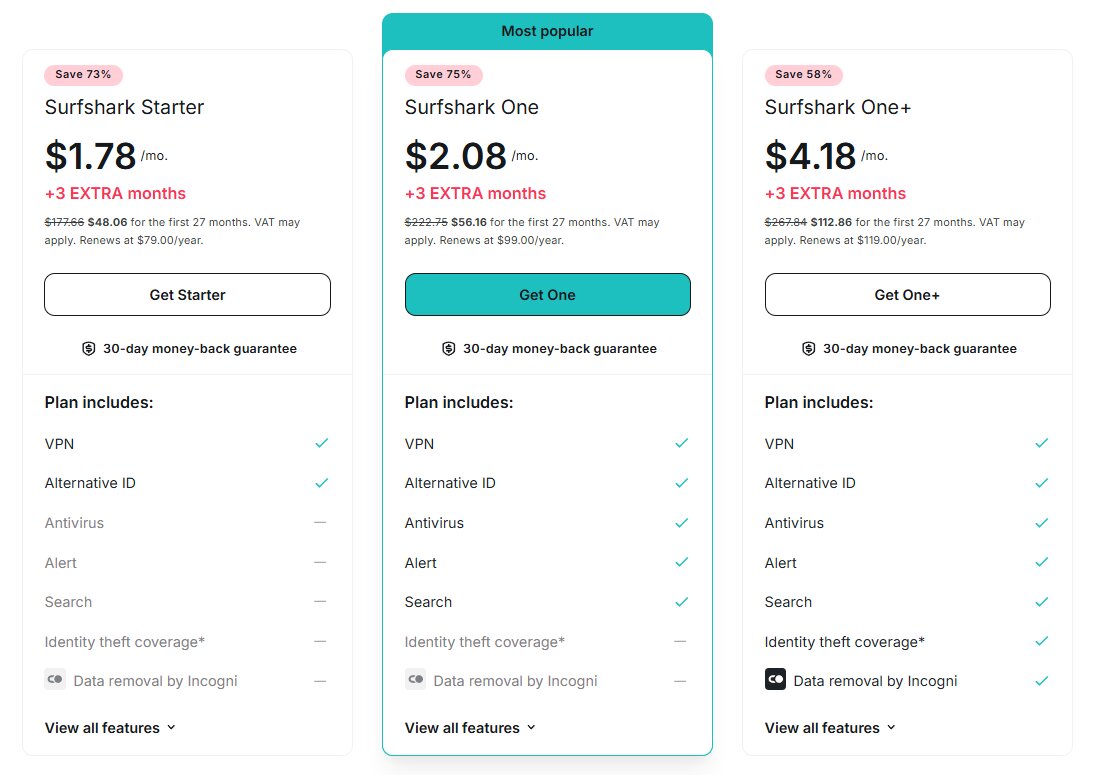
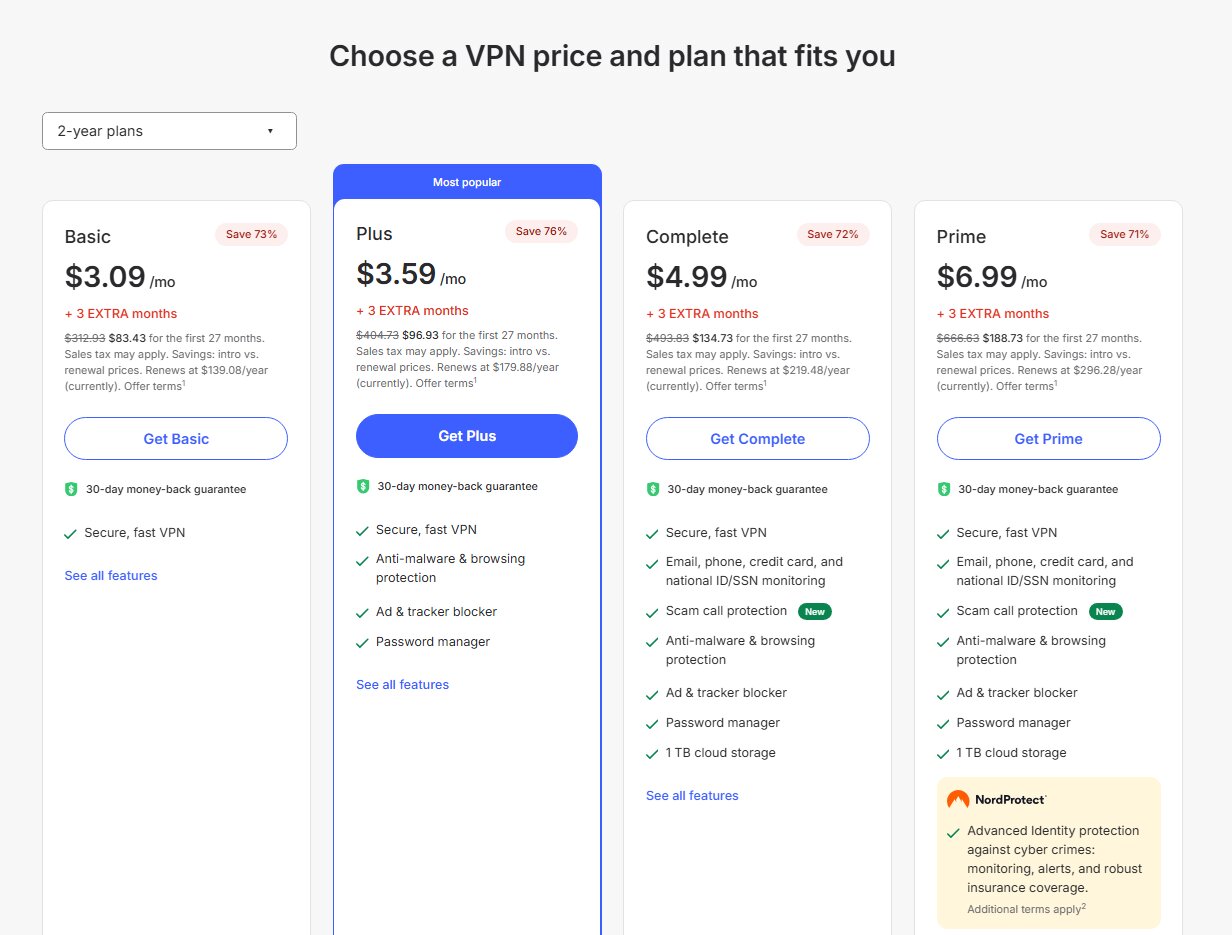
Pricing verdict: Surfshark for long-term value. NordVPN Basic has the lower monthly subscription price in the published comparison.
Features: what has changed and what you actually get
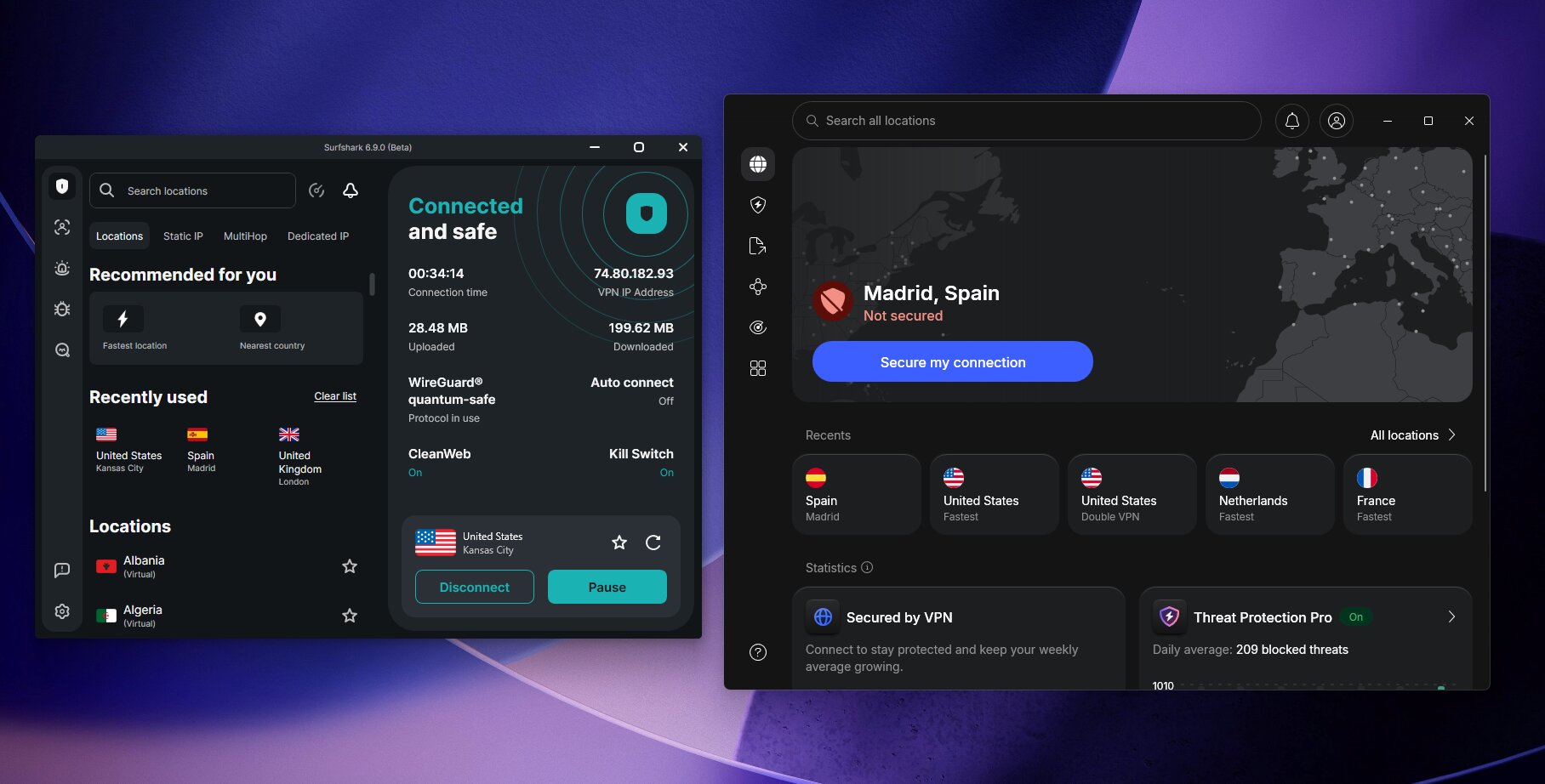
Surfshark’s most useful differences
Alternative ID provides an email alias and generated personal details for online registrations. It helps keep your main email address out of marketing databases. It is not a replacement for legitimate identity verification, and an alias does not make an account anonymous. Alternative Number is a separate paid add-on; do not assume a virtual phone number comes with Starter.
Dynamic MultiHop lets you choose VPN entry and exit locations. Bypasser excludes selected traffic from the tunnel, which can be useful when one application will not work through a VPN. Rotating IP changes the exit address periodically. These tools serve different purposes: routing flexibility, compatibility, and reducing reliance on one exit IP. Their availability depends on the app and connection setup.
GPS override on Android matches the device’s reported GPS location to the connected VPN server location. That corrects an important distinction: an ordinary VPN changes your public IP address, but does not automatically change GPS readings. Apps can still use other location signals.
Dausos is a notable 2026 addition. Surfshark launched its proprietary protocol in April and describes it as using post-quantum protection and AEGIS-256X2 encryption. Its September 9 announcement update still identifies macOS as the available platform; the support guide specifies the macOS App Store app. Treat it as an option for supported Macs, not a feature already available on every device.
Everlink is Surfshark’s connection-recovery technology, designed to restore interrupted VPN tunnels. It addresses a practical problem: a connection that survives everyday network changes can matter more than an impressive peak download result. Keep the app updated, and check which recovery and kill-switch settings your version provides.
Where NordVPN offers something different
Meshnet remains available. NordVPN’s current product page describes encrypted connections between devices for remote access, file sharing, and LAN-style gaming. It can be used without buying access to NordVPN’s commercial VPN servers. If your main goal is reaching a home computer remotely, evaluate Meshnet separately from the paid VPN subscription.
NordWhisper is another option in NordVPN’s protocol lineup, aimed at restrictive networks. NordVPN also advertises post-quantum encryption support across its VPN apps. Availability, protocol selection, and feature combinations still matter; a security capability appearing on the website does not mean every possible connection configuration enables it.
The security bundle has evolved. NordVPN now promotes a next-generation antivirus and Dark Web Monitor Pro, alongside call and message protection. Complete lists expanded protection and bundled services beyond the VPN. Check the operating-system requirements for the particular tool you want instead of assuming a desktop feature works identically on an iPhone.
Feature verdict: Surfshark for everyday value; NordVPN for specific tools. Surfshark’s included identity alias and flexible VPN options are useful reasons to start there. Meshnet or a particular bundled service can be a good reason to choose NordVPN.
Surfshark
Our recommended bundle combines unlimited VPN connections with Antivirus and Alert. Get the 2-year offer with 3 extra months free.
- Unlimited simultaneous VPN connections
- Antivirus
- Data breach alerts
- Alternative ID
Speed: compare your connection, not an unsupported winner
Both services offer modern protocols intended for fast everyday use. Surfshark supports WireGuard and now Dausos on supported Macs; NordVPN offers NordLynx. Protocol support alone cannot establish which provider will be faster on your home connection.
Download speed is only one part of the experience. Video calls and cloud backups depend on upload performance, while gaming is particularly sensitive to latency, jitter, and packet loss. Server distance, Wi-Fi quality, local congestion, and the device running the VPN all influence the result.
This comparison does not assign a speed winner from a new controlled test. A useful benchmark needs a documented baseline, test date, device, protocol, and repeatable method. Without that context, a table of precise numbers can imply more certainty than the evidence supports.
A useful way to test either VPN
- Measure your normal connection with the VPN disconnected.
- Connect to a nearby server and repeat the measurement several times.
- Repeat with a destination you will actually use, such as a server near home when traveling.
- Test a video call, an upload, and your usual streaming app.
- Check reconnection after sleep or a change from Wi-Fi to mobile data.
Keep the device, network, and test service consistent. A VPN that delivers stable calls and quick page loads may be the better purchase even if another records a higher peak speed. For most readers, Surfshark is the first service we would evaluate because its lower entry cost leaves less to justify.
Earlier speed-test image
This screenshot is retained from the original article as a historical image. It is not evidence of a new comparative test or a current speed guarantee.
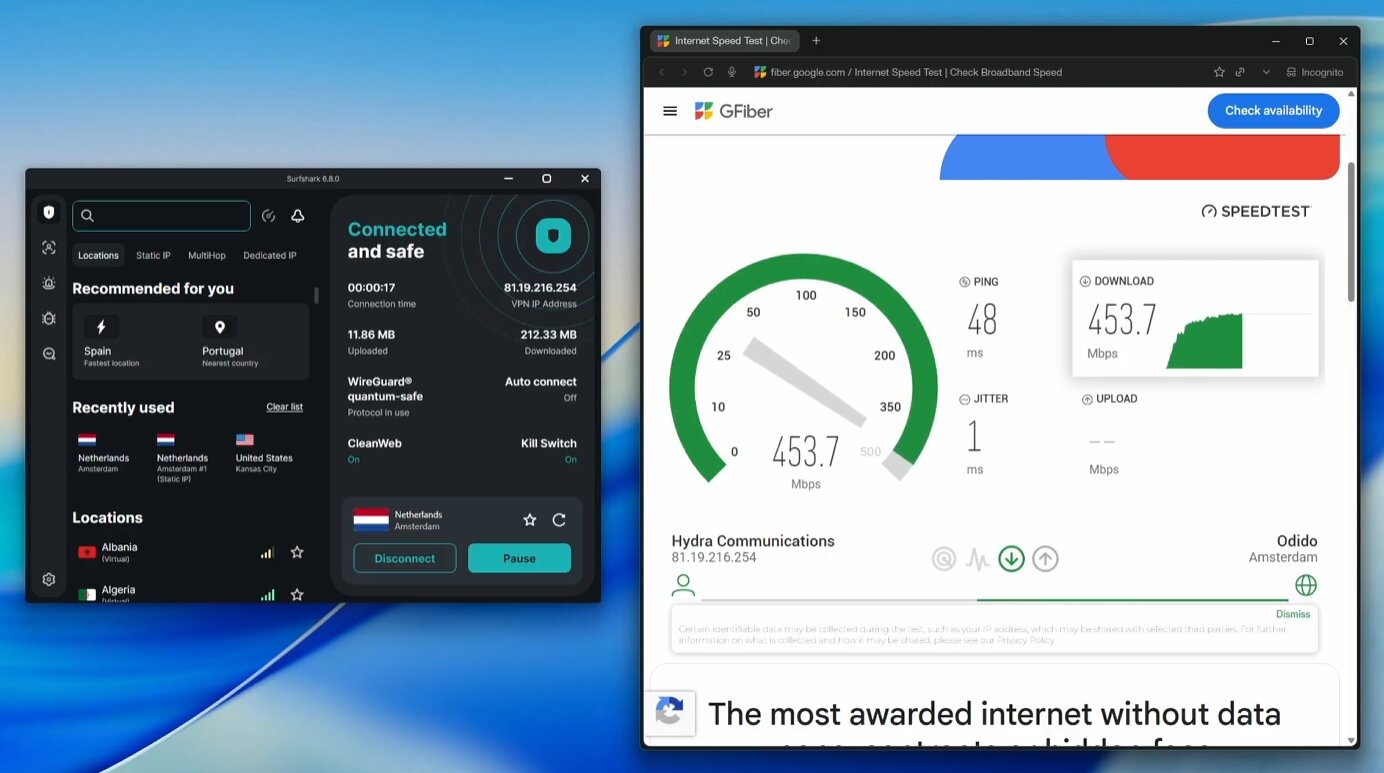
Streaming: Surfshark is our first choice for household value
We recommend trying Surfshark first if streaming is your main use and you want coverage across several TVs, laptops, and phones. That recommendation comes from cost and device flexibility; it is not a claim that Surfshark wins every streaming test.
A platform’s name alone is not a meaningful compatibility result. Netflix on an Android phone in one country is a different test from Netflix on a TV in another. The same applies to Prime Video, Disney+, BBC iPlayer, Hulu, HBO Max, Apple TV+, and YouTube TV. Access can depend on your account, location, app, and the exit address assigned during that connection.
During your evaluation, test the exact service, device, and location you need. Check playback after the first few minutes, not just whether the homepage loads. If something fails, try another server in the appropriate country and ask support for current guidance. A VPN subscription does not include a streaming subscription or guarantee access to every library.
Test the screen you actually watch
If you mainly stream on a TV, test the TV app during the eligible refund period. A successful connection on your laptop does not establish that your TV setup will work equally well.
Ad blocking is a separate question. Surfshark advertises CleanWeb, while NordVPN bundles advanced ad and tracker blocking with selected plans. Neither should be purchased on the assumption that it will remove every video advertisement. Browser extensions, VPN apps, and native streaming apps can behave differently.
Privacy and security: look beyond the country label
Surfshark’s provider is based in the Netherlands; NordVPN operates from Panama. Those are relevant background facts, but neither a location nor a surveillance-alliance label establishes how an individual VPN connection handles data. The more useful questions concern what is collected, how servers are configured, and what independent assessors actually examined.
Surfshark’s no-logs policy was independently verified by Deloitte in 2023 and again in 2025. The later announcement describes reviews of server configurations, deployment processes, and privacy procedures. A security audit and a no-logs assurance engagement address different questions, so they should not be combined into one undifferentiated audit count.
NordVPN announced its sixth no-logs assessment on February 3, 2026. Deloitte Lithuania conducted the engagement in late 2025. That updates the earlier draft’s shorter audit history and is a legitimate point in NordVPN’s favor. It should be described as a published assurance result, not proof that no security incident could ever occur.
A no-logs VPN can still need account and payment information to operate a subscription. Likewise, RAM-only infrastructure does not by itself prove that nothing is transmitted to other systems. Read the policy and audit scope together, rather than treating a single technical term as a complete privacy guarantee.
For ordinary browsing, enable the kill switch where available and verify its behavior on your device. Remember that a VPN does not remove browser fingerprints, sign you out of accounts, or stop a website from recognizing you after you log in. Identity aliases, tracker blocking, and good account security address different parts of that problem.
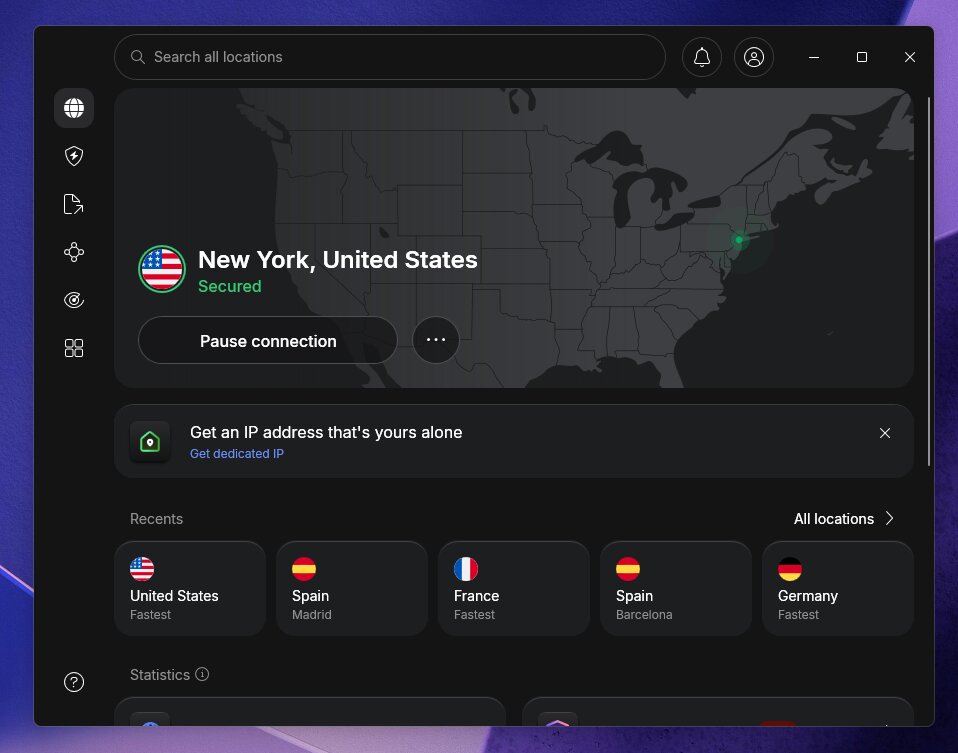
Privacy verdict: NordVPN has the longer published no-logs assessment history. Surfshark’s documented assurance results support its place as our everyday recommendation. Neither provider should be presented as guaranteeing anonymity.
Server coverage: NordVPN offers more choice
The current official pages advertise approximately 4,500+ Surfshark servers in 100 countries and 8,000+ NordVPN servers in 150 countries. The previous NordVPN figure of 9,300+ servers in 130+ countries has been replaced with the current directory’s figures.
NordVPN’s broader reach matters if you need a particular country or city. For a routine connection near home, the quality and availability of that specific location matter more than the worldwide total. A bigger network does not automatically mean lower congestion on the server you select.
Check whether an advertised destination uses a physical or virtual location when that distinction matters to you. Also check specialty-server availability separately; the presence of a country in the directory does not mean every connection mode is offered there.
Coverage verdict: NordVPN. Surfshark remains a sensible option when its directory includes the places you need.
Devices, apps, and routers: Surfshark’s clearest advantage
Surfshark’s paid VPN subscriptions allow unlimited simultaneous connections. NordVPN allows 10. A couple with two laptops, two phones, and a TV may fit comfortably within either allowance. A larger household can reach ten quickly once tablets, second computers, and additional TVs are included.
Both cover the major desktop and mobile platforms and offer TV options, browser extensions, and compatible router setups. Before choosing, check the app for your exact device rather than only the operating-system name. Browser extensions cover browser traffic; they should not be mistaken for a full-device VPN app.
A router setup can help cover devices that lack a native VPN app, but it adds configuration work and can be constrained by router performance. It also protects devices only while they use that router. A phone taken out of the house still needs its own connection.
Do not extend the phrase “unlimited devices” to every bundled product. Antivirus, identity services, trials, and add-ons may have separate limits. Choose the plan around the products and devices you will use, and treat VPN connection allowances as a distinct specification.
Torrenting, gaming, and remote work
For lawful P2P transfers, first check the provider’s current server guidance and your application’s VPN settings. NordVPN’s directory points users toward P2P-optimized servers. Download speed, upload capacity, and connection continuity all matter; an unsupported benchmark is not enough to name a universal winner.
Do not assume a standard VPN subscription includes inbound port forwarding, a SOCKS proxy, or a dedicated IP. These are different capabilities. If a workflow depends on one of them, confirm the exact product and plan before paying.
For gaming, prioritize stable latency over peak download speed. Connecting through a distant country may increase the journey your traffic takes. Meshnet is relevant to private networking and LAN-style sessions, but it is not a promise of lower ping in every online game.
For remote work, make a list of the services that must keep working: video meetings, your employer’s VPN, shared drives, and any system that restricts access by IP address. Test them together. A consumer VPN does not replace an employer’s access controls, and layering connections can introduce compatibility issues.
Trials, refunds, and customer support
Surfshark now advertises a seven-day trial usable across device types, with up to three simultaneous devices during the trial. Unlimited VPN connections apply after moving to a paid subscription. Check the signup conditions and cancellation deadline before starting.
Both providers advertise a 30-day money-back guarantee for eligible purchases. A refund policy is different from a no-payment trial: you may pay first and then need to request a refund. App-store and reseller purchases can involve different refund procedures.
Both advertise round-the-clock assistance. We do not assign a winner based on unverified claims about sub-minute replies or same-day resolutions. When contacting support, provide your operating system, app version, protocol, server location, and the exact error. That gives the agent something concrete to investigate.
Our verdict: choose Surfshark unless you need a specific NordVPN advantage
Surfshark is our recommended VPN for most readers. The Surfshark One deal gives you unlimited VPN connections plus Antivirus and Alert for US$2.79/month, with 85% off and 3 extra months free. Starter remains an option for VPN-only value, while One+ adds eligible data removal.
Choose NordVPN when you need a destination Surfshark does not cover, prefer its longer no-logs assessment history, or want its particular bundle of services. If Meshnet alone is the attraction, evaluate its free functionality before assuming you need a paid VPN plan.
Our decision puts recurring usefulness ahead of the longest feature list. For most households, saving on the introductory subscription and avoiding device-count management will be more useful than paying for tools they rarely open.
Surfshark
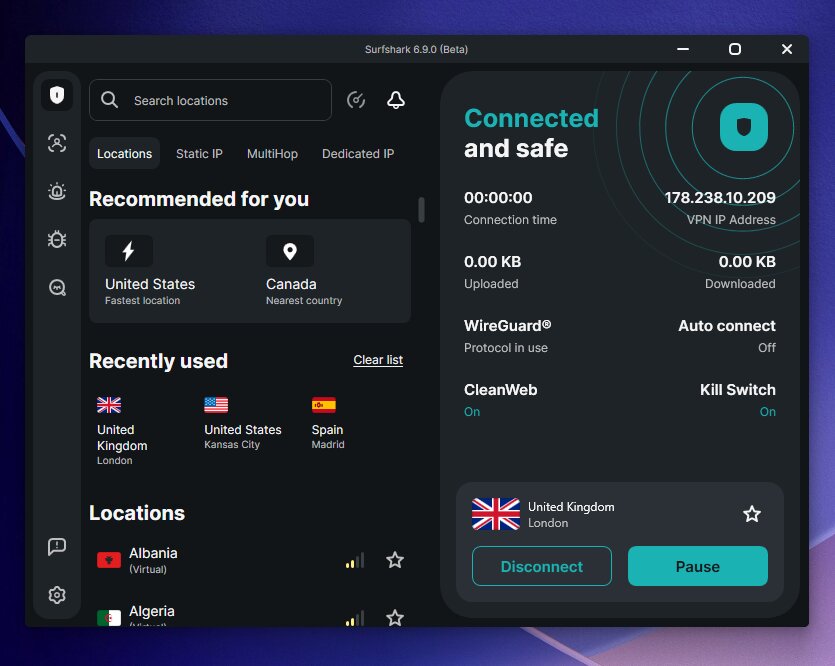
Surfshark One is our recommended deal: unlimited VPN connections plus Antivirus and Alert for US$2.79 per month on the introductory 2-year offer with 3 extra months free.
- Unlimited paid VPN connections
- Antivirus and breach alerts
- Alternative ID
- Check renewal costs
- Feature availability varies by device
Frequently asked questions
Is Surfshark better than NordVPN?
For most households, it is our recommendation because of its lower published long-term entry price and unlimited paid VPN connections. NordVPN can be the better match for a particular destination, Meshnet workflow, or security bundle.
How much do Surfshark and NordVPN cost in USD?
The published two-year entry rates used here are US$2.49/month for Surfshark Starter and US$3.49/month for NordVPN Basic. These are upfront subscription equivalents, not monthly installment prices. See the pricing section for source dates, shorter terms, and checkout qualifications.
Are Surfshark and NordVPN the same subscription?
No. They share a corporate group following the 2022 merger, but remain separate products and purchases. Buying one does not automatically unlock the other.
Which VPN is faster?
There is no new controlled benchmark in this article establishing a universal winner. Compare nearby and relevant distant servers on your own connection, and include upload speed, latency, and reliability in the decision.
Which should I choose for Netflix?
Start by testing Surfshark on your actual viewing device because it is our value recommendation. Neither VPN guarantees every Netflix library or other streaming service. Test your account and intended location before the eligible refund window ends.
Does NordVPN still have Meshnet?
Yes. NordVPN’s current Meshnet page continues to offer the feature, including free use for private device connections. Access to NordVPN’s commercial server network is a separate paid service.
Does Surfshark Starter include antivirus or a phone number?
Starter includes the VPN and Alternative ID. Antivirus belongs to the higher One and One+ bundles. Alternative Number is a separate add-on. Check the exact bundle and device requirements before ordering.
Can either VPN guarantee access on restrictive networks?
No. Connection options can help, but availability changes with network filtering and the location you are visiting. Get current setup guidance before travel and keep the instructions available offline. This comparison does not promise connectivity in China or any other particular country.
How do I avoid an unexpected renewal bill?
Record the renewal amount and date at checkout, review the subscription settings, and decide whether to keep automatic renewal enabled. Uninstalling the app does not cancel a subscription. Handle app-store subscriptions through the relevant store.
Which VPN is better for torrenting?
Compare the P2P setup, upload performance, and connection protection you need. Surfshark is our starting recommendation on value; specific server or networking requirements can make NordVPN worth considering. No new P2P speed winner is claimed here.
Get the recommended Surfshark One deal, or see the Surfshark coupon page for offer details. Check the checkout total and renewal terms before purchasing.
Read next: