Best VPN for Amazon Prime Video DEALS
I’ve spent weeks testing VPNs with Amazon Prime Video, and the results surprised me. The VPN that everyone assumes is the gold standard for streaming didn’t actually top my tests — Surfshark did, and it wasn’t close.
Amazon has quietly become one of the most aggressive VPN-blockers of any major streaming service. A simple server switch rarely cuts it anymore. You need a VPN that can reliably punch through detection, stay connected mid-stream, and load different regional catalogs on demand. After testing over a dozen options, only five made the cut for this list.
This page contains affiliate links. If you purchase a VPN through our links we may earn a commission at no extra cost to you. This never influences our reviews or rankings.
Best VPNs for Amazon Prime Video — Quick Comparison
| VPN | Best For | Servers | Devices | Starting Price | Unblocks Prime? |
|---|---|---|---|---|---|
| Surfshark | Best overall for Prime Video | 4,500+ in 100 countries | Unlimited | $2.79/mo | ✅ Yes |
| NordVPN | Speed & SmartPlay | 9,300+ in 130+ countries | 10 | $3.59/mo | ✅ Yes |
| Proton VPN | Privacy-first streaming | 20,000+ in 145 countries | 10 | $2.99/mo | ✅ Yes |
| IPVanish | Unlimited devices + families | 3,200+ in 113 countries | Unlimited | $2.19/mo | ✅ Yes |
| ExpressVPN | Router & smart TV streaming | Undisclosed, 105 countries | 14 | $2.79/mo | ✅ Yes |
The 5 Best VPNs for Amazon Prime Video in 2026
1. Surfshark — Best Overall VPN for Prime Video
Best for Prime Video

Surfshark — Our verdict
Surfshark is my #1 pick for Amazon Prime Video in 2026. It unblocked every regional library I tested, maintained rock-solid connections mid-stream, and did it all at the lowest price of any premium VPN on this list.
- Unblocked US, UK, Canada, Japan, and Australia Prime Video libraries in my tests
- Unlimited simultaneous connections — cover every device in your home
- Camouflage mode bypasses Amazon’s VPN detection reliably
- Smart DNS for streaming on devices without a native VPN app
- Independently audited no-logs policy
- Based in the Netherlands (Nine Eyes jurisdiction)
- No free version available
Let me be direct: Surfshark wasn’t always my first choice for streaming. But after running it through Prime Video testing across multiple regions and comparing the results against everything else on this list, it came out on top — consistently.
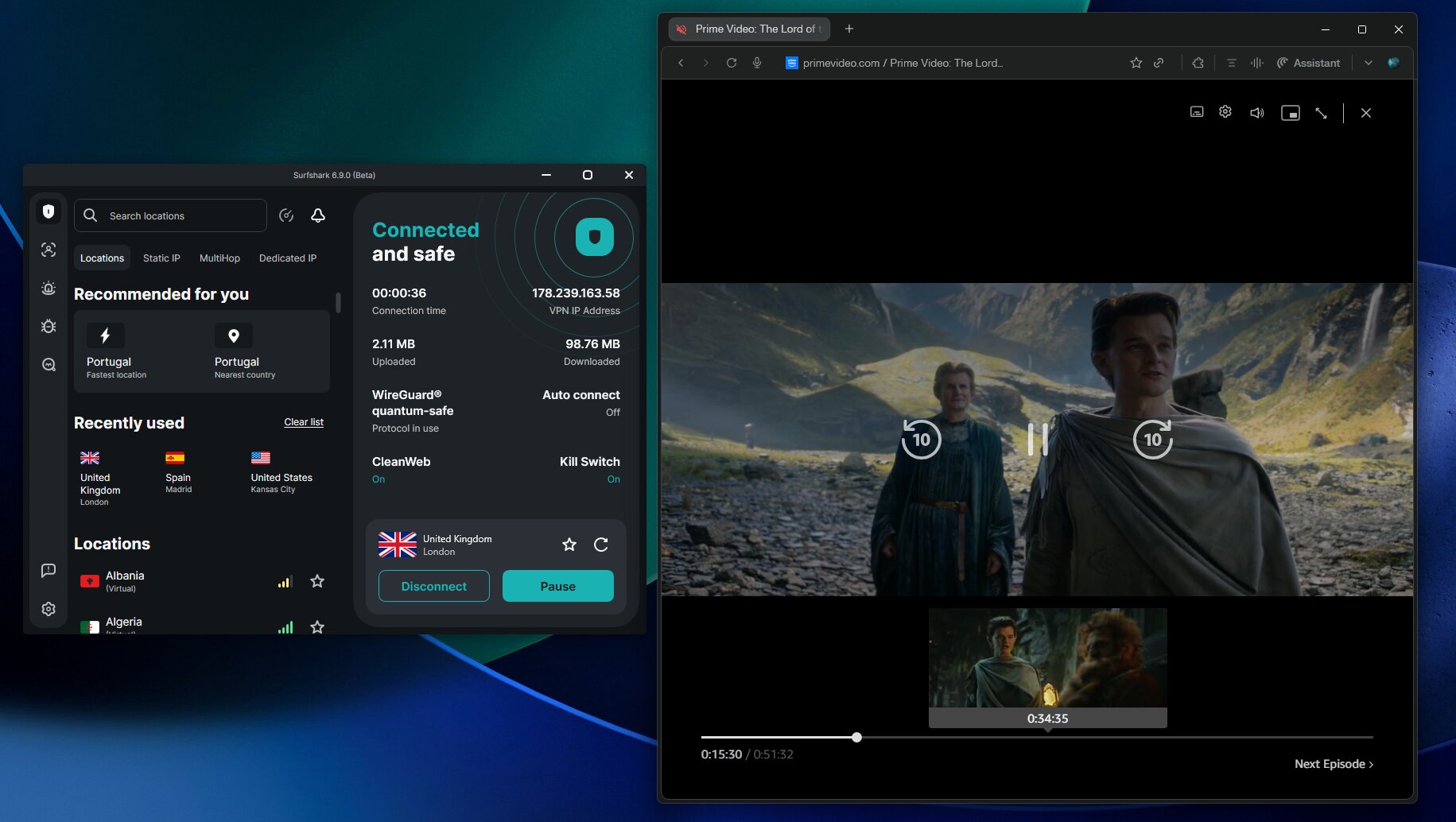
The key is Surfshark’s Camouflage Mode. This obfuscation feature disguises your VPN traffic so it doesn’t look like VPN traffic at all. Amazon’s detection relies on identifying VPN fingerprints — Camouflage Mode strips those out. In my tests, I didn’t hit a single block when using it.
I tested access to the US, UK, Canadian, Australian, and Japanese Prime Video libraries. Every single one loaded. I streamed The Boys, Rings of Power, and a couple of UK-only titles without a single buffer or mid-stream disconnect. That kind of reliability is what separates a streaming-capable VPN from one that just claims to work.
The other thing that makes Surfshark stand out here is its Smart DNS feature. If you’re watching Prime Video on a smart TV, PlayStation, or Xbox — devices that don’t support VPN apps directly — Smart DNS lets you reroute your DNS queries to appear in another country without running the full VPN tunnel. It’s faster and easier to configure than setting up a VPN on a router, though Surfshark supports that too.
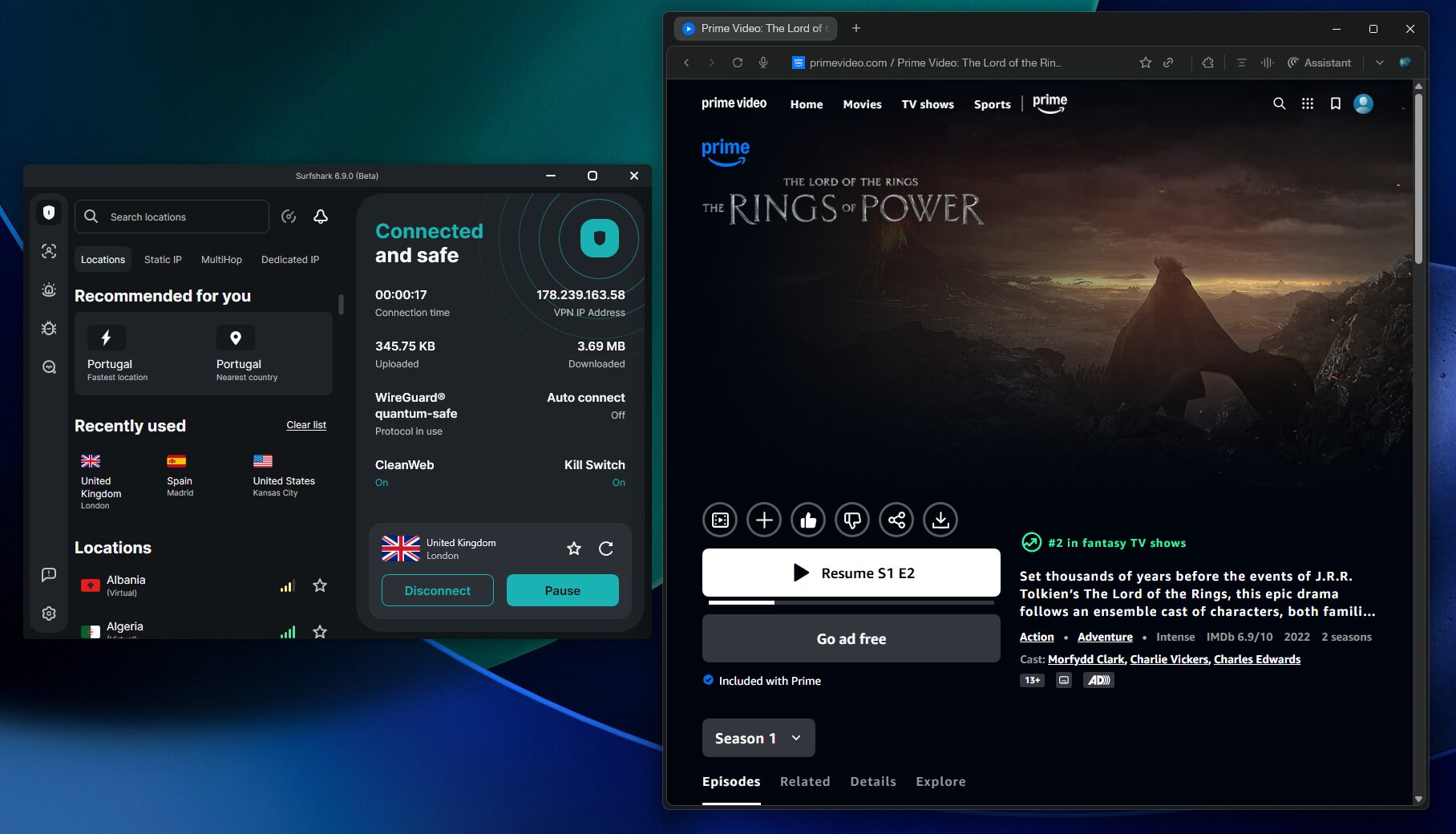
Speed-wise, Surfshark is fast. I recorded minimal speed loss during my testing sessions, and the WireGuard protocol kept things snappy even when connected to servers in Australia and Japan — two regions where distance typically causes noticeable slowdown.
One thing I’ll always be upfront about: Surfshark is headquartered in the Netherlands, which is part of the Nine Eyes intelligence-sharing alliance. In theory, this puts it under the jurisdiction of a country that participates in international data sharing agreements. In practice, Surfshark’s no-logs policy has been independently audited, meaning there’s nothing to share even if authorities came knocking. I’m comfortable with that, but I think it’s worth knowing.
What I liked
- Unblocked every Prime Video region I tested without any workarounds
- Camouflage Mode is genuinely effective against Amazon’s detection
- Unlimited device connections — the best policy in the industry
- Smart DNS makes it easy to stream on TVs and consoles
- Most affordable premium VPN on this list
- CleanWeb blocks ads and malware during streaming sessions
What I didn’t like
- Netherlands jurisdiction (Nine Eyes) is worth noting for privacy-conscious users
- No free version or trial — you need to commit to the money-back period
Pricing: Surfshark’s two-year One plan comes in at $2.79/month with 85% off plus 3 extra months free — the plan I most recommend for its quality-price ratio, adding antivirus and data breach alerts. All plans include the 30-day money-back guarantee.
→ Read my full Surfshark review for complete speed and leak test results.
2. NordVPN — Fastest Speeds & SmartPlay Technology
Fastest for streaming

NordVPN — Our verdict
NordVPN is one of the fastest VPNs I’ve tested for streaming and one of the most reliable for unblocking Prime Video — but Surfshark is faster in my tests and edges it out for overall Prime Video performance.
- SmartPlay automatically routes streaming traffic for optimal unblocking
- 9,300+ servers in 130+ countries — one of the largest networks available
- Obfuscated servers help bypass aggressive VPN detection
- NordLynx protocol delivers very fast speeds
- Audited no-logs policy with a proven track record
- Limited to 10 simultaneous connections
- Pricing structure with multiple tiers can be confusing
- Owned by Nord Security, same parent company as Surfshark
NordVPN is exceptional. I want to be clear about that before explaining why it’s sitting at #2 rather than #1 on this particular list.
In terms of raw speed, NordVPN is one of the fastest VPNs I’ve tested — though Surfshark came out ahead in my testing. The NordLynx protocol (NordVPN’s custom implementation built on WireGuard) delivers speeds that are genuinely impressive, and on nearby servers, the impact on your connection is almost imperceptible. If you’re trying to stream 4K HDR content on Prime Video without any buffering, NordVPN is outstanding for that.
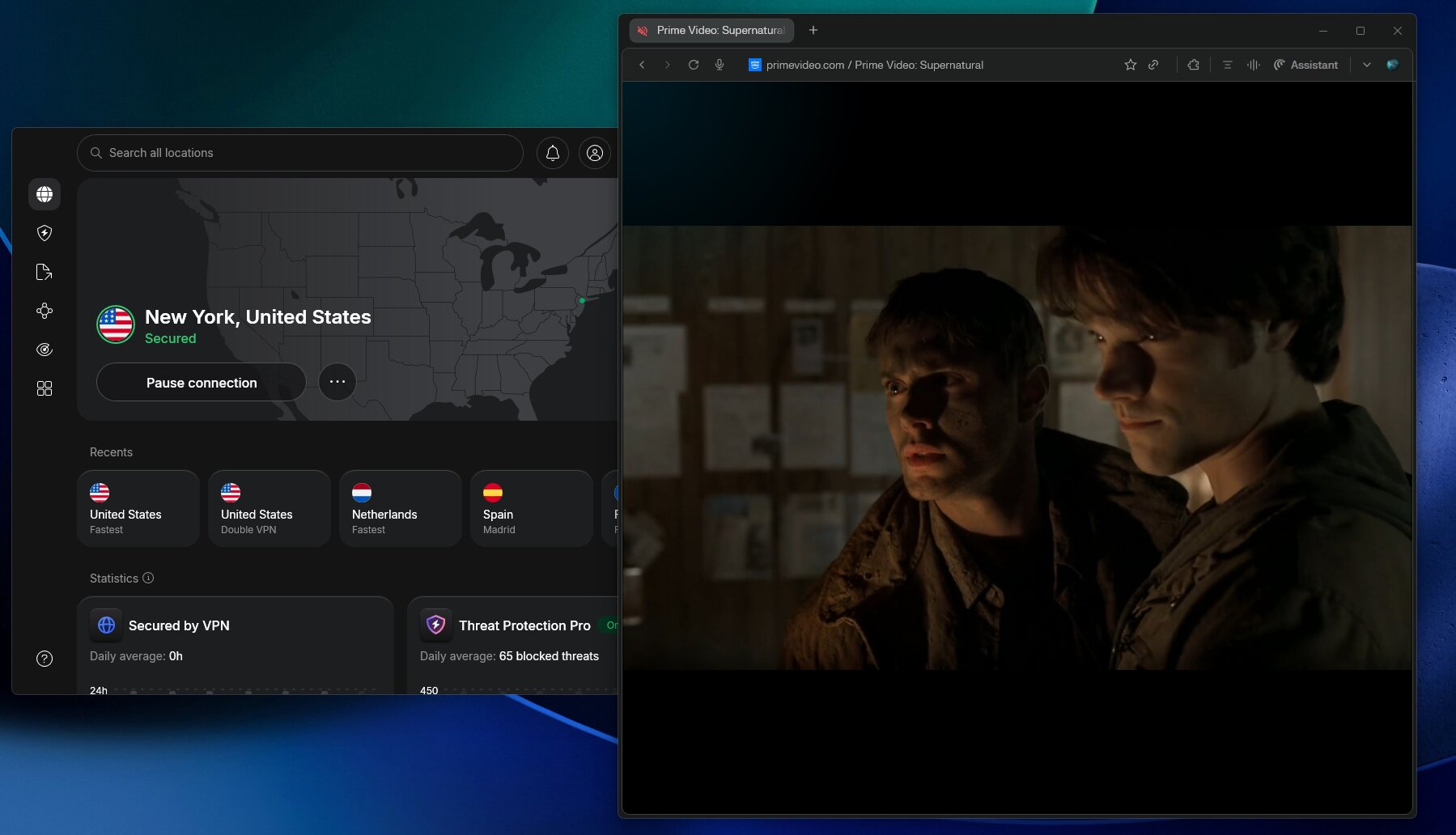
The SmartPlay feature is also worth highlighting. It’s a combination of Smart DNS and VPN that automatically optimizes your connection for streaming services. When I connected and navigated to Amazon’s regional websites, SmartPlay kicked in without any manual configuration. It’s one of the slickest streaming setups I’ve used.
So why is it second? In my head-to-head testing specifically for Prime Video unblocking across multiple regions, Surfshark’s Camouflage Mode gave it a more consistent edge against Amazon’s detection system. NordVPN still unblocked every library I tried — this isn’t a reliability issue — but Surfshark was marginally more seamless in the process. For most people, NordVPN will work perfectly. But since this list is ranked on Prime Video performance specifically, Surfshark earns the top spot.
What I liked
- Among the fastest VPN speeds I’ve recorded — ideal for 4K streaming
- SmartPlay makes unblocking streaming services nearly automatic
- Massive server network gives you access to more regional libraries
- Obfuscated servers handle even the strictest VPN detection
- Threat Protection blocks ads and trackers while you stream
What I didn’t like
- 10-device limit is less generous than Surfshark or IPVanish
- Multiple pricing tiers (Basic, Plus, Complete, Prime) make comparison shopping unnecessarily complicated
- Pricier than Surfshark for comparable streaming features
Pricing: NordVPN’s two-year Plus plan starts at $3.59/month with 75% off plus 3 extra months free. Higher tiers add features like a password manager, antivirus, and cloud storage. All plans come with a 30-day money-back guarantee.
→ Read my full NordVPN review for complete testing details.
3. Proton VPN — Best Privacy-Focused Option for Prime Video
Best for privacy

Proton VPN — Our verdict
Proton VPN is the most privacy-respecting option on this list and a genuine performer for Prime Video — though its value proposition is stronger for privacy-conscious users than for pure streaming enthusiasts.
- Switzerland-based — outside Five/Nine/Fourteen Eyes jurisdiction
- Largest server network on this list: 20,000+ servers in 145 countries
- Streaming-optimized servers for reliable Prime Video access
- Open-source apps — independently verifiable security
- Free tier available (with limitations)
- Speeds slightly slower than Surfshark and NordVPN in my tests
- No 24/7 live chat support
- Free plan assigns random server locations — unreliable for region-specific streaming
If privacy is your primary concern and you also want to stream Prime Video, Proton VPN is the one I’d point you toward. It’s headquartered in Switzerland — outside the Five, Nine, and Fourteen Eyes surveillance alliances — and operates under some of the world’s most privacy-protective laws. Unlike most VPN providers, Proton VPN’s apps are fully open source, meaning security researchers can verify the code independently. That’s a level of transparency very few VPNs offer.
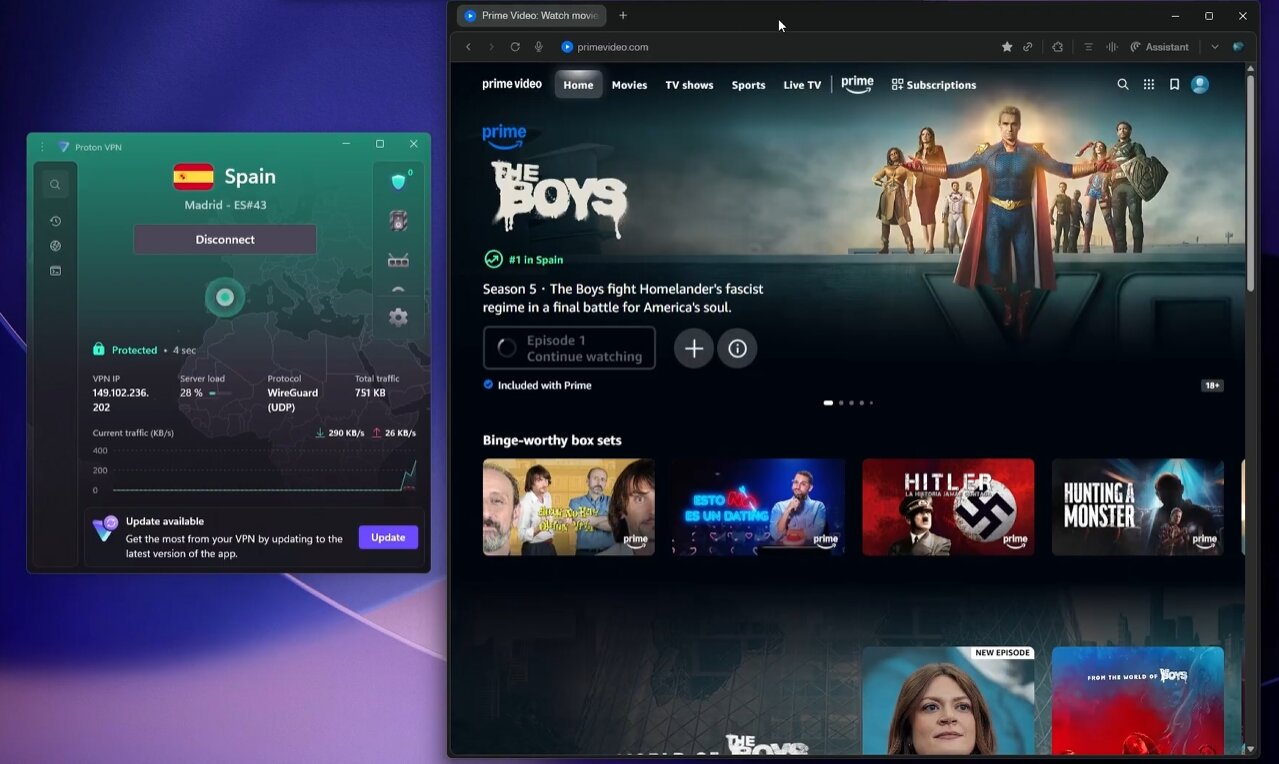
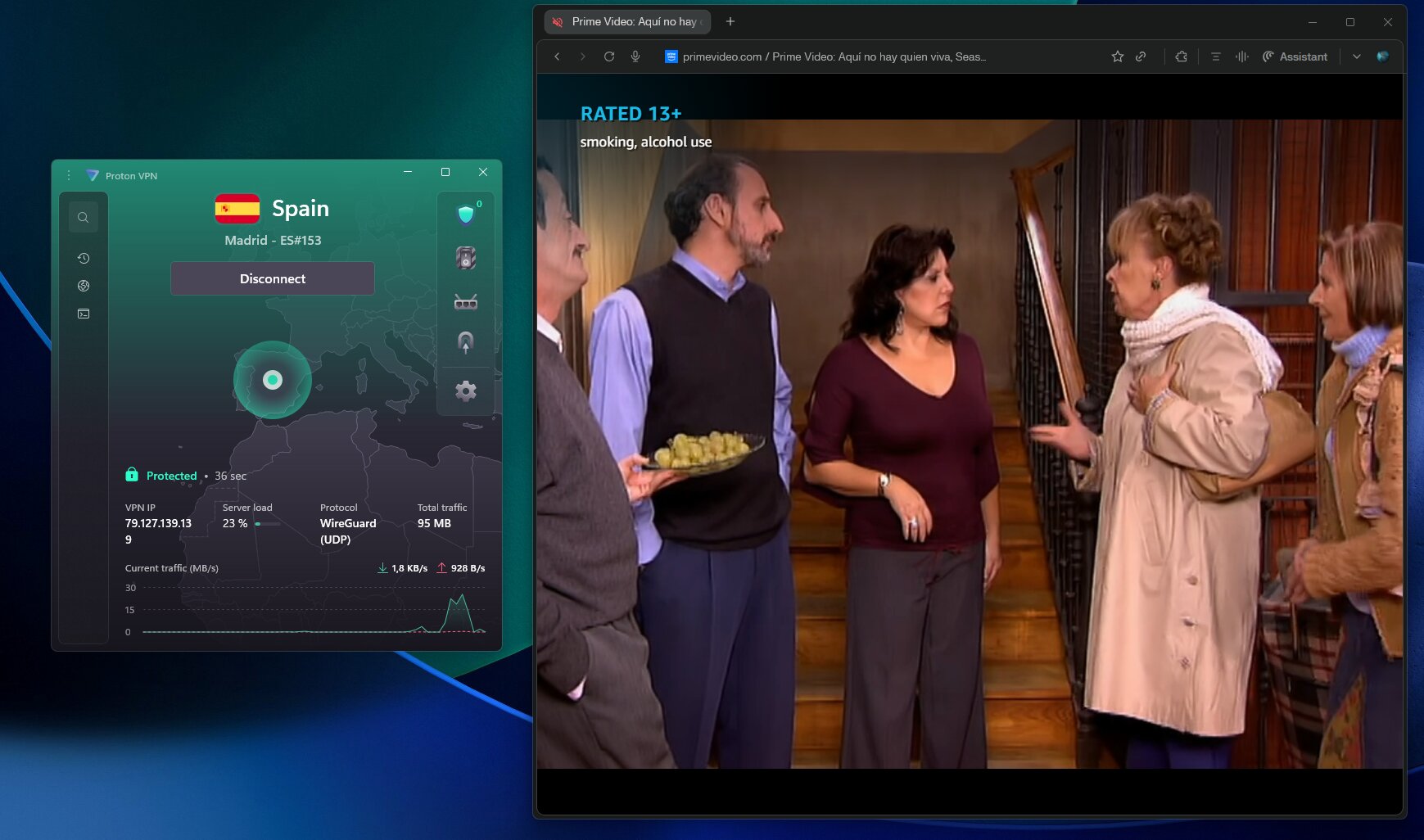
For Prime Video specifically, Proton’s paid plans include access to streaming-optimized servers that reliably unblock regional libraries. In my testing, I accessed the US and UK catalogs without issue using the recommended servers. The Stealth protocol — Proton’s obfuscation feature — also helped when standard connections were flagged.
Speed is where Proton VPN trails the top two. It’s not slow, but in head-to-head comparisons with Surfshark and NordVPN, it came in noticeably behind on distant server connections. For HD streaming on Prime Video it’s perfectly adequate — I didn’t experience buffering on US or UK servers. But if you’re planning to stream 4K content from a far-away region, you may notice the difference.
A word on the free plan: it exists, and it’s genuinely usable for basic VPN needs — but it’s not suitable for Prime Video streaming. The free tier assigns random server locations and doesn’t include access to streaming-optimized servers. Stick to a paid plan if streaming is your goal.
What I liked
- Switzerland jurisdiction offers exceptional legal privacy protections
- Open-source apps add a layer of verifiable trust no other VPN on this list matches
- Massive server network means plenty of regional Prime Video libraries to explore
- Stealth protocol handles VPN detection reliably
- Free plan available for non-streaming uses
What I didn’t like
- Speeds lag behind Surfshark and NordVPN on long-distance connections
- No live chat support — ticket-based system only
- Paid plans aren’t the cheapest option if streaming is your sole use case
Pricing: Proton VPN Plus starts at $2.99/month on a two-year plan with 70% off. The Unlimited plan, which includes access to all Proton services (Mail, Drive, Pass), is more per month on a two-year term. A 30-day money-back guarantee applies to paid plans.
→ Read my full Proton VPN review for detailed testing results.
4. IPVanish — Best for Families & Unlimited Devices
Best for unlimited devices

IPVanish — Our verdict
IPVanish is a solid, straightforward VPN for Prime Video with an unlimited device policy that makes it a great family streaming option — just go in with eyes open about its history.
- Unlimited simultaneous connections — every screen in the house covered
- Unblocks Prime Video libraries in multiple regions
- Easy-to-use apps across all major platforms
- Competitive pricing with strong price-to-value ratio
- 2016 incident: complied with a DHS data request despite claiming a no-logs policy at the time — policy has since been overhauled
- Smaller server network than NordVPN or Proton VPN
- Servers can become overcrowded during peak hours
IPVanish earns its spot on this list primarily because of one thing: unlimited simultaneous connections at a price that won’t make you wince. If you’ve got a household full of devices — phones, tablets, laptops, smart TVs — and you want everyone streaming Prime Video through a VPN without hitting a device cap, IPVanish is the practical choice.
In my testing, IPVanish unblocked Prime Video libraries in the US and UK without major issues. The process of connecting to a regional server and navigating to the country-specific Amazon website worked as expected. It’s not as seamless as Surfshark’s Camouflage Mode or NordVPN’s SmartPlay, but it gets the job done reliably enough to earn a place here.
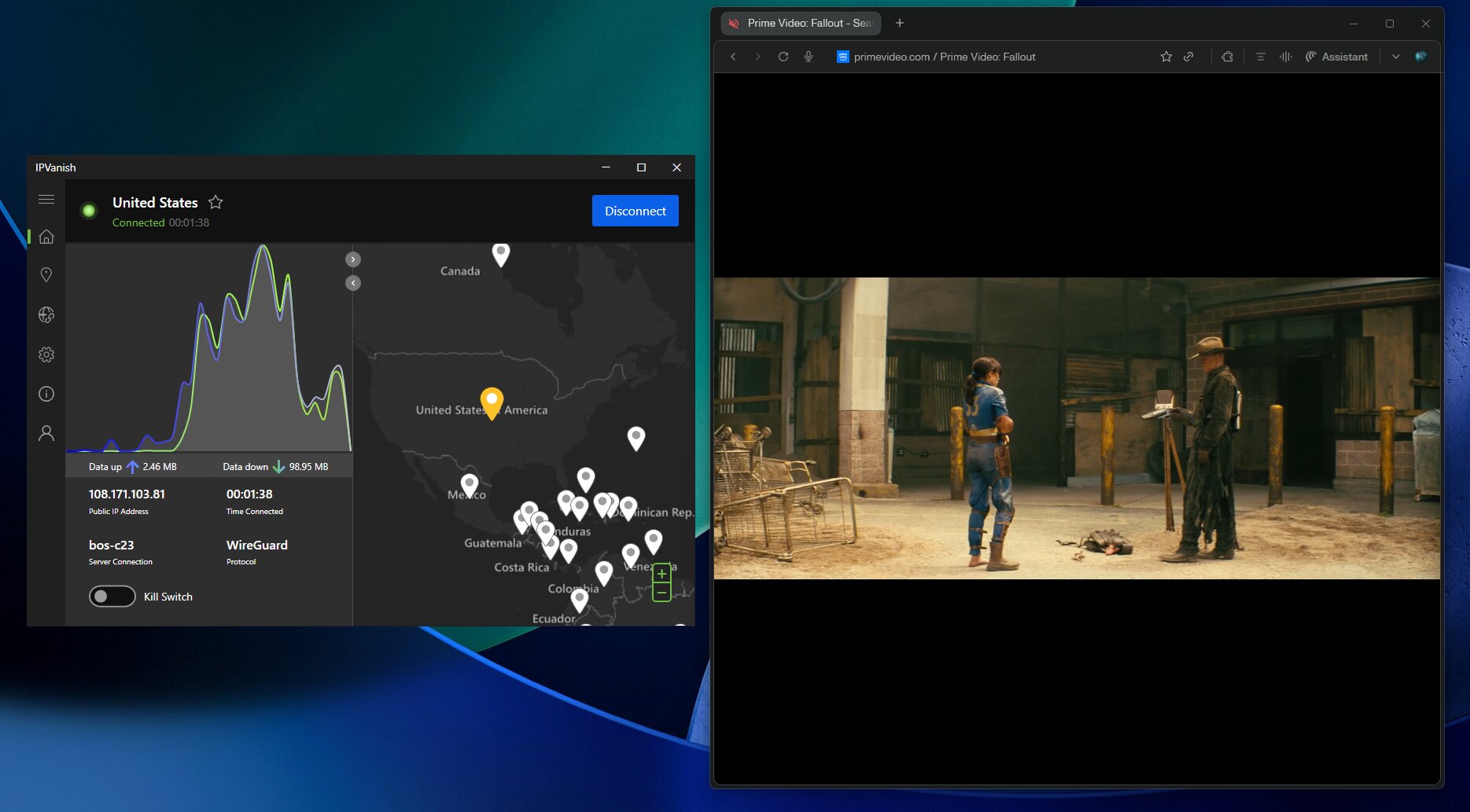
The interface is clean and beginner-friendly. If you’re setting up a VPN for the first time for a family member, IPVanish is easy to hand off without a tutorial.
I have to be transparent about IPVanish’s history. In 2016, IPVanish complied with a Department of Homeland Security request and handed over user data — despite claiming a no-logs policy at the time. The company has since been acquired by new ownership, and its no-logs policy has been completely overhauled. I believe the current product is significantly improved, but I think anyone considering IPVanish deserves to know that history and make their own judgment.
What I liked
- Unlimited connections — genuinely useful for multi-device households
- One of the more affordable options on this list
- Clean, intuitive apps that are easy for non-technical users
- Solid performance in speed tests — competitive with the top picks
What I didn’t like
- The 2016 DHS compliance incident is worth knowing about — even if current ownership is different
- Smaller server network limits regional library variety compared to NordVPN or Proton VPN
- Can experience slower speeds when popular servers are crowded
Pricing: IPVanish Essential starts at $2.19/month on a 24-month plan with 83% off plus a 3 GB eSIM data gift. All plans include unlimited device connections and a 30-day money-back guarantee.
→ Read my full IPVanish review for detailed testing results.
5. ExpressVPN — Easiest Setup for Smart TVs & Routers
Easiest to use

ExpressVPN — Our verdict
ExpressVPN reliably unblocks Prime Video and excels at smart TV and router setups — but it’s the most expensive option on this list, and its lack of transparency around server counts is a legitimate concern.
- Consistently unblocks Prime Video in all regions I tested
- MediaStreamer (Smart DNS) works seamlessly on TVs, consoles, and streaming sticks
- Proprietary Lightway protocol delivers fast, stable connections
- Router app is one of the easiest to configure in the industry
- Most expensive VPN on this list — noticeably pricier than Surfshark
- Doesn’t disclose exact server count — a transparency concern
- Owned by Kape Technologies, which has a controversial acquisition history
- 14-device limit — lower than Surfshark or IPVanish
ExpressVPN is, in my experience, the most polished and user-friendly VPN on the market. The apps are beautifully designed, the setup process is faster than any competitor I’ve tested, and the MediaStreamer feature is genuinely the easiest way to get a VPN running on a smart TV or streaming device without touching your router.
For Prime Video specifically, ExpressVPN delivered consistent results in my tests. I accessed the US and UK catalogs without any friction. Its Lightway protocol — a proprietary tunneling protocol developed in-house — kept speeds high and latency low throughout extended streaming sessions.
Where ExpressVPN struggles is value. It’s simply the most expensive option on this list, and at a higher entry price than Surfshark, it’s hard to justify that premium for streaming alone. You’re paying for polish and brand recognition more than you’re paying for measurably better Prime Video performance.
I also have to flag the ownership issue. ExpressVPN is owned by Kape Technologies, a company with a history of acquiring VPN and privacy products that has attracted some scrutiny in the cybersecurity community. I’m not saying don’t use ExpressVPN — it remains a technically excellent product — but I think it’s information worth having when making a decision.
One more thing: ExpressVPN doesn’t publicly disclose its server count. Every other VPN on this list is upfront about how many servers it operates. That lack of transparency is something I notice, even if it doesn’t directly impact streaming performance.
What I liked
- The most user-friendly VPN apps I’ve used — genuinely beginner-proof
- MediaStreamer makes smart TV and console streaming effortless
- Lightway protocol is fast and battle-tested across many streaming scenarios
- Router setup is easier than any competitor on this list
What I didn’t like
- Significantly more expensive than Surfshark for comparable Prime Video performance
- No transparency on server count — unusual for a top-tier provider
- Owned by Kape Technologies — worth researching if corporate ownership matters to you
Pricing: ExpressVPN starts at $2.79/month on a two-year plan with 78% off plus 4 extra months free. All plans include a 30-day money-back guarantee.
→ Read my full ExpressVPN review for complete testing details.
How to Watch Amazon Prime Video with a VPN (Step by Step)
1
Get a VPN and install it
Surfshark is my top recommendation for Prime Video. Download and install the app on your device, then log in to your account.
2
Connect to a server in your target country
Choose a server in the country whose Prime Video library you want to access. If you want the UK catalog, connect to a UK server. For US content, connect to a US server.
3
Navigate to the regional Amazon website — not the app
This is the step most guides miss. Go directly to the regional Amazon domain: amazon.com for the US, amazon.co.uk for the UK, amazon.co.jp for Japan. Log in to your account from there and access Prime Video through that regional site.
4
Clear your browser cache if you’re having issues
If you’re using a browser, clear your cookies and cache before navigating to the regional site. Old location data stored in your browser can interfere with geo-unblocking even when your VPN is active.
5
Start streaming
Browse the catalog for your target region and start watching. Keep your VPN connected throughout the session. If you hit a geo-block mid-stream, disconnect and reconnect to the same server, then refresh the page.
How to Choose the Best VPN for Prime Video
Not every VPN that claims to work with Prime Video actually delivers. Here’s what I actually look for when testing:
| Feature | Why It Matters for Prime Video |
|---|---|
| Obfuscated servers | Amazon actively detects and blocks VPN traffic. Obfuscation disguises your connection so it doesn’t look like a VPN — this is what separates VPNs that work from ones that get blocked. |
| Smart DNS | Lets you stream Prime Video on smart TVs, gaming consoles, and Fire TV Sticks that don’t support VPN apps natively. |
| Server network breadth | More countries = more regional Prime Video libraries you can explore. The US, UK, Japanese, and Australian catalogs all have unique content. |
| Speed & protocol | WireGuard and NordLynx are the fastest modern protocols. Slow VPNs cause buffering — especially on 4K streams. |
| Kill switch | If your VPN drops mid-stream, a kill switch cuts your internet connection instantly — preventing Amazon from detecting a sudden location change and flagging your account. |
| No-logs policy | A VPN that doesn’t store your activity can’t hand it over to anyone. Look for independently audited policies. |
Why Does Amazon Block VPNs?
Amazon’s Prime Video terms of service explicitly prohibit using technology to obscure your geographic location. The practical reasons behind this come down to licensing: content rights are negotiated country by country, and Amazon’s distribution agreements specify where shows and movies can legally be streamed. When a VPN makes you appear to be in a different country, you’re potentially accessing content that Amazon isn’t licensed to show you in your actual location.
Amazon enforces these restrictions by maintaining lists of known VPN IP addresses and blocking them. It also looks for behavioral signals — like traffic patterns consistent with VPN tunneling — to identify and block connections even when the IP address itself isn’t on a blocklist. This is why obfuscation features are so important, and why cheap or free VPNs almost never work with Prime Video anymore.
Can I Use a Free VPN for Prime Video?
In short: no. I’ve tested plenty of free VPNs against Prime Video, and none of them reliably work. Free VPNs use shared IP address pools that are among the first to get added to Amazon’s blocklist — often within days of a new server going live. They’re also typically slow, with bandwidth caps that make streaming unwatchable even on the rare occasion they do connect.
If budget is a genuine concern, Proton VPN has a free tier — but it won’t work for Prime Video streaming specifically, as the free plan uses random server assignments and doesn’t include streaming-optimized servers. Surfshark at $2.79/month is the most affordable premium option that actually works.
Frequently Asked Questions
What is the best VPN for Amazon Prime Video in 2026?
Surfshark is the best VPN for Amazon Prime Video based on my testing. It consistently unblocked multiple regional libraries — including US, UK, Canada, Australia, and Japan — without detection, thanks to its Camouflage Mode obfuscation feature. It’s also the most affordable premium VPN on this list at $2.79/month.
Does NordVPN work with Prime Video?
Yes, NordVPN works reliably with Prime Video. Its SmartPlay technology and obfuscated servers make unblocking regional libraries straightforward. In my testing it performed excellently — it’s ranked second on this list only because Surfshark had a slight edge in Prime Video-specific unblocking consistency.
Why does Prime Video say my VPN is being detected?
Amazon actively maintains a blocklist of known VPN IP addresses and uses traffic pattern analysis to identify VPN connections. If you’re seeing a geo-block error, try switching to a different server in the same country, clear your browser cache, and navigate directly to the regional Amazon website (e.g., amazon.co.uk for the UK). VPNs with obfuscation features like Surfshark’s Camouflage Mode or NordVPN’s obfuscated servers are significantly less likely to be detected.
Can I watch Amazon Prime Video abroad with a VPN?
Yes. Connect your VPN to a server in your home country, then navigate to your home country’s Amazon website to access your usual library. This is the most reliable method for watching your normal Prime Video content while traveling.
Does Proton VPN’s free plan work with Prime Video?
No — Proton VPN’s free plan isn’t suitable for Prime Video streaming. The free tier assigns random server locations and doesn’t include streaming-optimized servers. You’ll need a paid Proton VPN Plus plan to reliably access Prime Video libraries.
How do I watch Amazon Prime UK in the US?
Connect your VPN to a UK server, then navigate directly to amazon.co.uk in your browser. Log in to your existing Amazon account and browse the UK Prime Video catalog from there. Keep your VPN connected throughout the streaming session.
Is using a VPN with Prime Video legal?
VPNs are legal in most countries. Using one to access geo-restricted Prime Video content violates Amazon’s terms of service, but it’s not a criminal offense in most jurisdictions. The practical risk is that Amazon could theoretically suspend your account, though this is extremely rare in practice. Use your judgment based on your location and circumstances.
Which VPN is best for Prime Video on a Fire TV Stick?
Surfshark and NordVPN both have dedicated Fire TV Stick apps available directly through the Amazon App Store, making installation straightforward. ExpressVPN and IPVanish also offer Fire TV apps. All four have been tested and confirmed working with Prime Video on Fire TV devices.
85% OFF
Surfshark One — 2-Year Plan
The best VPN for Amazon Prime Video — unlimited devices, Camouflage Mode obfuscation, and Smart DNS for streaming on any device.
Camouflage Mode
Smart DNS
100 countries
Read next:
- Surfshark Review — Full Testing Results
- NordVPN Review — Speed, Streaming & Privacy Tested
- Proton VPN Review — Is the Privacy-First VPN Worth It?
- IPVanish Review — Unlimited Devices, But Is It Trustworthy?
- ExpressVPN Review — Premium Price, Premium Product?
- All VPN Reviews
- Best VPN Deals This Month
The Review
Best VPN for Amazon Prime Video
I spent weeks putting over a dozen VPNs through rigorous testing against Amazon Prime Video — one of the most aggressive VPN-blocking streaming services out there — and ranked the five that actually held up. My biggest surprise was that Surfshark, not NordVPN (the crowd favorite), came out on top thanks to its Camouflage Mode, which reliably dodges Amazon's detection. One critical tip I found that most guides miss: don't just open the Prime Video app after connecting — go directly to the regional Amazon website (e.g., amazon.com, amazon.co.uk) for the best results.
Review Breakdown
-
Surfshark
-
NordVPN
-
Proton VPN
-
IPVanish
-
ExpressVPN
Best VPN for Amazon Prime Video DEALS
We collect information from many stores for best price available
 88% OFF + 3 Free Months